
Find the Best Room Scanner App: A 2026 Review
An urgent accessibility request lands on your desk. A VIP event needs a last minute layout change, an asset audit needs exact locations for critical equipment, and the floor plan in circulation no longer matches what visitors and staff will find on site. Static drawings still have a role, but they don't cope well with live venues, changing rooms, temporary barriers, pop-up retail, or operational reconfiguration.
That's where a room scanner app becomes useful. The right app can turn a phone or tablet into a practical capture tool for floor plans, documentation, handover packs, and digital records that are easier to update than legacy PDFs. In the UK, that opportunity is unusually broad because Ofcom reported that 93% of UK adults used the internet in the three months to February 2024, 88% used a smartphone, and 87% owned a smartphone, which gives mobile-first capture tools a mass-market device base rather than a specialist one (Ofcom figures referenced here).
For facilities, estates, and operations managers, though, the decision isn't just about who makes the nicest 3D model. It's about what happens after capture. Can you export usable geometry? Can your team repeat the workflow? Is the data good enough for planning? And if accessibility and wayfinding matter, can the scan support a venue that people can find their way around, not just view on a screen?
1. Polycam
Polycam is often the app people try first, and that makes sense. It's quick to grasp, captures rooms without much training, and exports into formats that design and documentation teams already recognise. If your need is rapid room capture, visual reference, or lightweight digital records, Polycam is one of the most practical starting points.
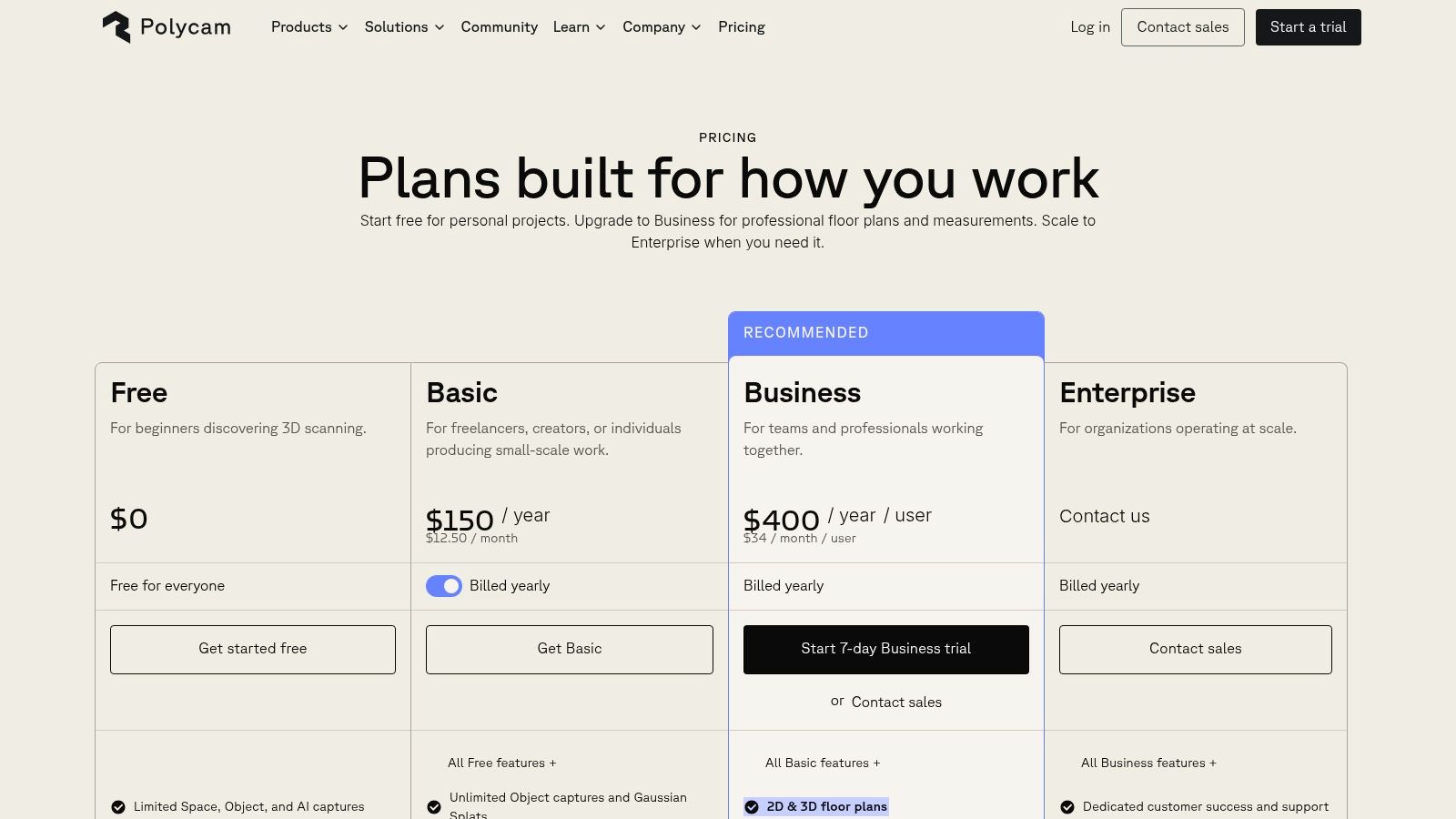
The strongest use case is speed. A site manager can walk a room, generate a model, and move that output into a broader workflow without waiting for a specialist surveyor. That's especially relevant now that Apple's LiDAR-enabled iPhone Pro and iPad Pro devices have normalised consumer-device depth capture in the UK, and UK App Store listings now describe room scanning apps that generate floor plans plus doors, windows, and cabinet measurements directly from iPhone and iPad scans (Apple and app ecosystem context).
Where Polycam works well
Polycam suits teams that need:
- Fast room capture: Useful for documenting fit-out changes, temporary layouts, and pre-works conditions.
- Flexible exports: OBJ, FBX, GLB, DAE, floor plans, and measurements make handoff easier.
- Mixed-device workflows: It's available across platforms, even if the best modes are still strongest on iOS.
The trade-off is straightforward. Polycam is excellent when “good, fast, shareable” matters more than “formally structured for compliance or BIM-heavy downstream work”.
Practical rule: If your output is mainly for communication, planning, and quick visual reference, Polycam is often enough. If your output must survive audit, detailed retrofit coordination, or structured estate data workflows, you'll hit its limits faster.
For teams assessing how Apple hardware changes mobile capture options, Waymap's guide to LiDAR scanner use on iPhone is a useful companion.
Use Polycam when you want momentum. Don't use it as a proxy for survey-grade certainty.
2. Canvas by Occipital
Canvas sits closer to professional AEC output than consumer-friendly scanning. It's less about making a pleasant model and more about creating a path from mobile capture to CAD or BIM deliverables that architects, surveyors, and facilities consultants can work with.
That distinction matters. Plenty of room scanner app tools promise speed, but fewer make the next step clear. Canvas does. The app captures rooms and whole homes on LiDAR-enabled iPhone and iPad Pro devices, then offers a conversion service for editable outputs in workflows such as Revit, SketchUp, AutoCAD, and Archicad.
Why facilities teams choose Canvas
Canvas makes sense when estates teams need a practical bridge between site capture and technical production. It's particularly useful during refurbishment scoping, space reconfiguration, and landlord-tenant documentation where a scan alone isn't the deliverable.
A few strengths stand out:
- Professional downstream outputs: The app is built around scan-to-CAD and scan-to-BIM workflows.
- Clear commercial logic: Pay-per-processed-area pricing is easier to justify than a vague enterprise negotiation.
- Free sample route: That lowers procurement friction when teams want to test output quality before wider rollout.
The downside is just as clear. Canvas relies on LiDAR-equipped iOS devices, and the most valuable deliverables are part of a paid conversion service rather than the base capture alone.
This is not the app to choose if your team wants a low-cost, all-in-one room capture workflow with no specialist follow-on. It is a strong option if you need capture in the field and structured production after the fact.
The right question for Canvas isn't “Can it scan a room?” Most tools can. The better question is “Who needs the result next, and in what format?”
If your estates workflow ends in consultant-ready CAD or BIM, Canvas earns its place.
Canvas by Occipital website
3. RoomScan LiDAR by Locometric
RoomScan LiDAR is one of the more relevant tools for UK teams because it leans into technical building outputs rather than consumer novelty. It's a UK-based product, and that shows in the way it handles floor plans, structured exports, and the practical needs of property and compliance workflows.
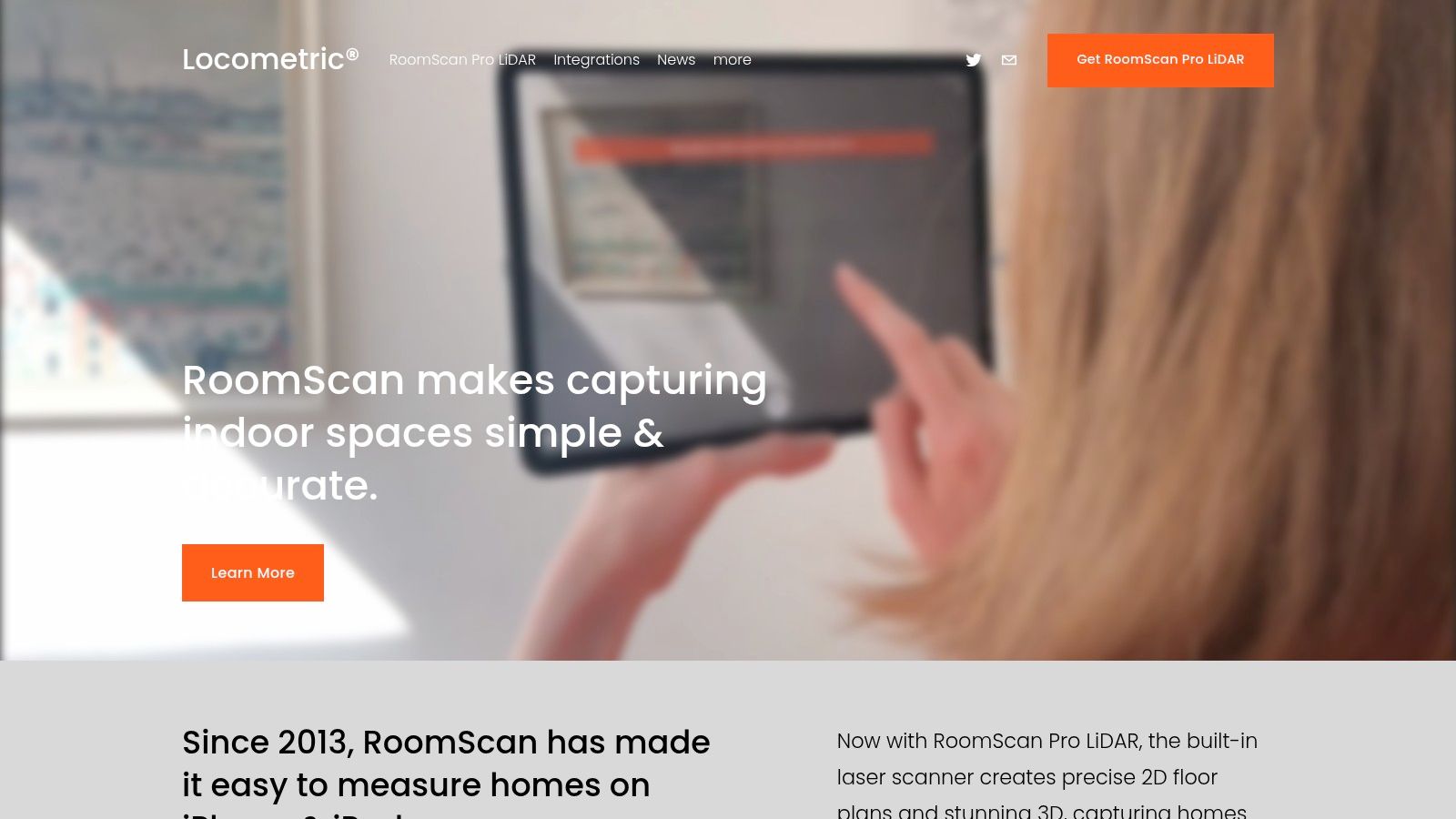
Locometric offers multiple capture modes, including LiDAR, RoomPlan, and touch-based methods, which is useful when real buildings don't behave like ideal demo spaces. Some rooms are cluttered, some are partially accessible, and some just don't scan neatly in one pass. Having fallback capture options is more valuable than many buyers realise.
Where RoomScan LiDAR stands out
Its main advantage is structure. IFC export with rooms, doors, and windows gives the output more operational value than a simple visual mesh. Wall area calculations and support for energy or heat-loss parameters also make it more relevant for retrofit planning than many room scanner apps that stop at presentation.
That's timely in the UK because adjacent building digitisation demand is substantial. The UK construction industry employed about 2.11 million people in 2024, and construction output was around £139.9 billion in Q4 2024, pointing to a large installed base of organisations that need site capture and as-built documentation, not just consumer floor plans (UK construction context cited here).
- Best for structured outputs: IFC and technical geometry support stronger downstream use.
- Best for UK-facing procurement: A local company can help when support and supplier familiarity matter.
- Less ideal for casual users: The interface is more technical than simpler scan-and-share apps.
For teams comparing mobile depth capture methods, Waymap's overview of 3D LiDAR scanning adds useful context.
If your requirement includes compliance, retrofit, or data handoff into technical systems, RoomScan LiDAR is one of the more credible choices on this list.
4. magicplan
magicplan has been around long enough to prove that room capture isn't only about 3D. In practice, many operations teams want plans, reports, quantities, issue records, and something they can circulate to contractors without a long explanation. That's where magicplan is strong.
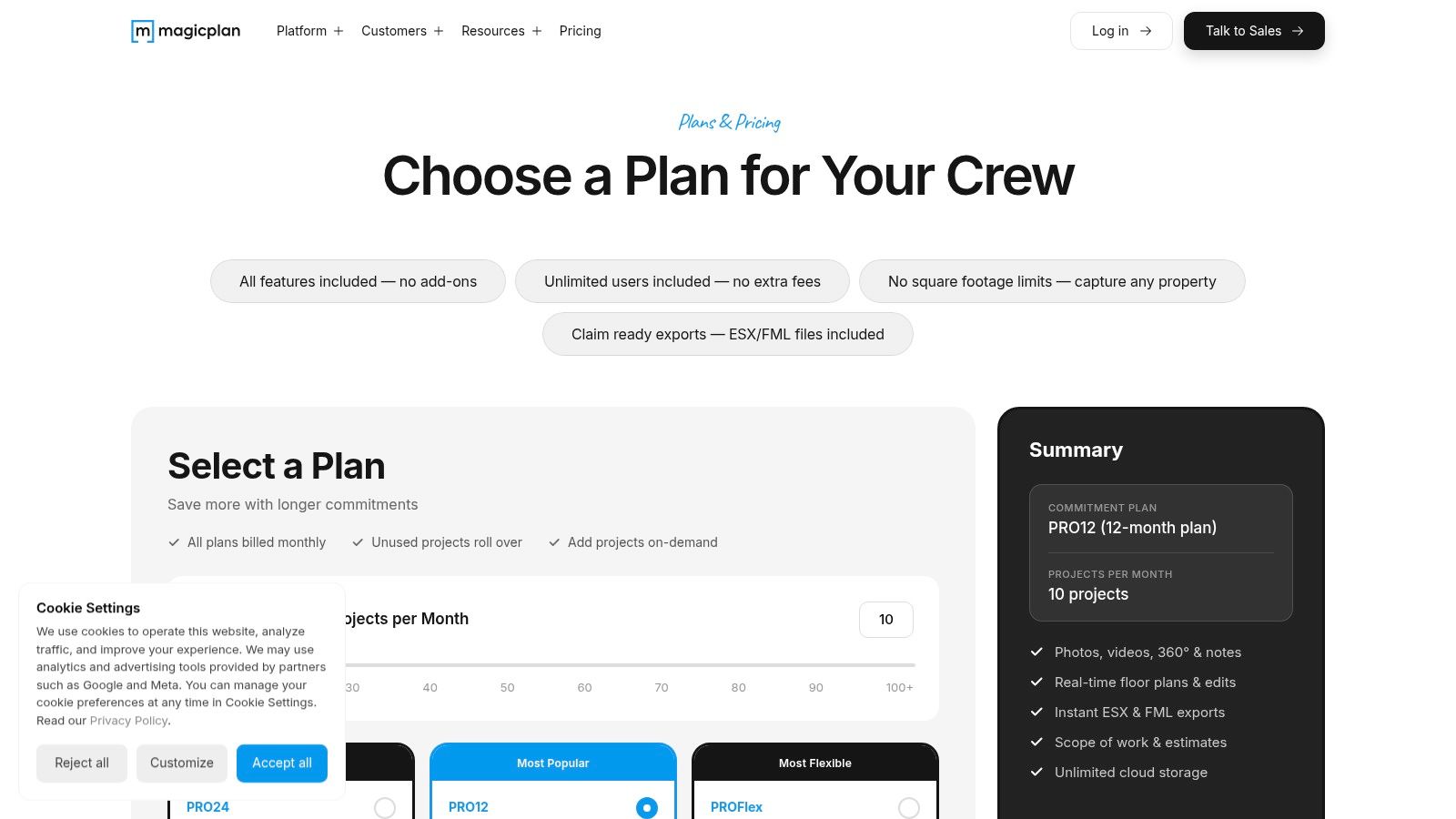
It works well for contractors, inspectors, and facilities teams because it combines AR and LiDAR-assisted room capture with estimating, takeoffs, report templates, cloud sync, and team options. That combination often matters more than pure scanning quality. A decent scan inside a complete reporting workflow is usually more valuable than a beautiful model stuck in isolation.
Why magicplan is often the practical choice
magicplan is a broad operational tool. It fits maintenance surveys, small refurbishment jobs, compliance walk-rounds, and multi-room documentation where the output has to travel across teams quickly.
Its strengths are practical:
- Broad device support: Teams don't need a uniform fleet of premium phones to get started.
- Report-ready outputs: You can move from capture to action without rebuilding the information elsewhere.
- Mature collaboration features: Useful for estates departments with multiple users and external contractors.
Its weakness is accuracy consistency across lower-spec devices. The app can work on non-LiDAR phones, but the best measurement confidence still comes from LiDAR-equipped hardware. That's a recurring pattern across this category.
For organisations reviewing the broader software range around plans and internal layouts, Waymap's guide to floor mapping software is relevant.
magicplan is not the most elegant room scanner app on this list, and that's part of its appeal. It's built for getting work done.
5. Matterport Capture and Platform
Matterport is the best-known name here for a reason. When stakeholders want immersive walkthroughs, hosted digital twins, and a polished presentation layer, Matterport still sets the reference point.
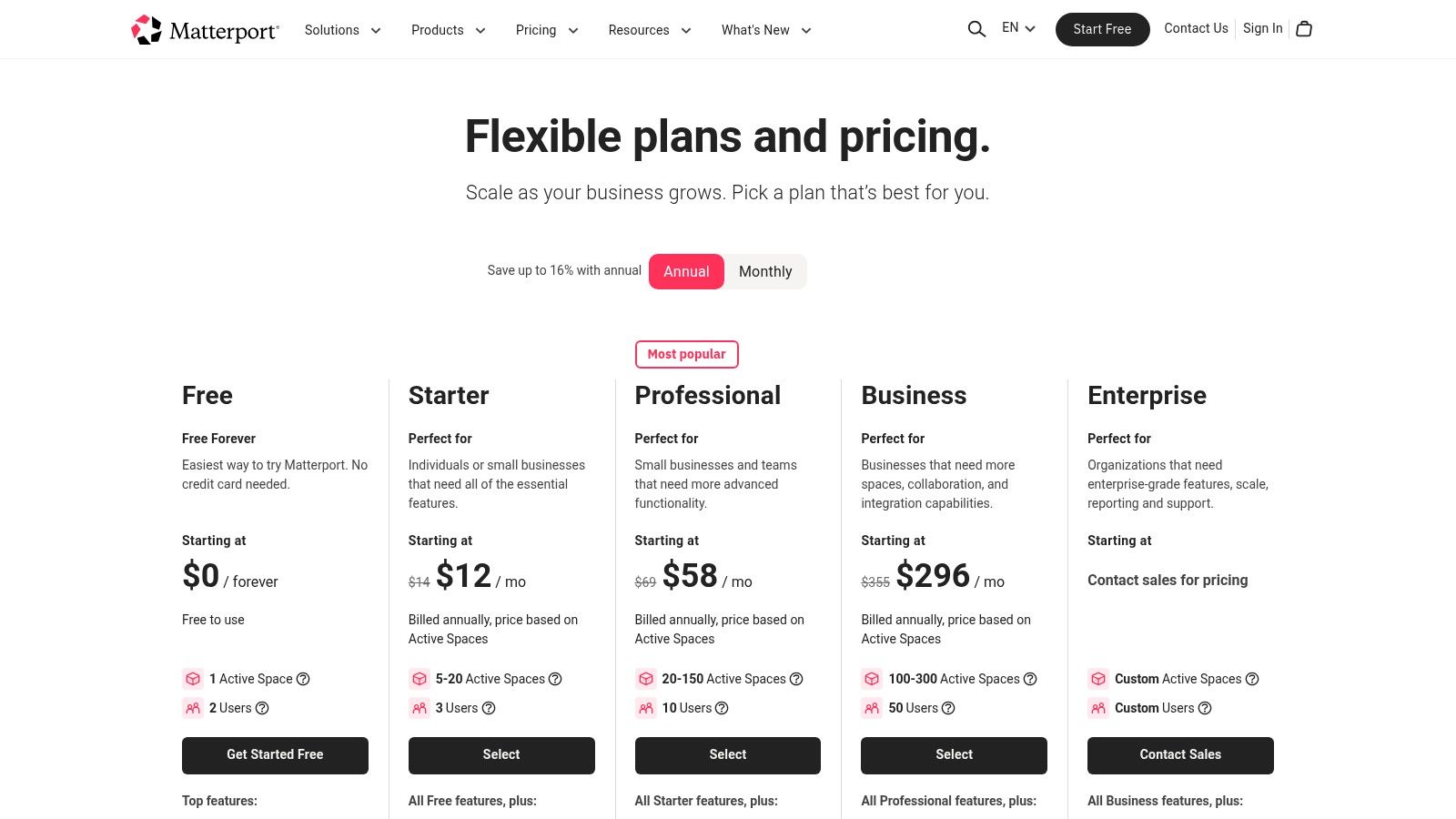
But venue teams need to be realistic about what they're buying. Matterport is not just a capture app. It's a platform with hosting, collaboration, labels, optional schematic plans, and technical export add-ons. That can be an advantage for airports, retail estates, campuses, and public venues that need shareable digital environments. It can also become an ongoing cost centre if the platform layer is underused.
When Matterport is worth the spend
Matterport is strongest when the digital model itself needs to be accessed by multiple stakeholders over time. Think leasing, marketing, stakeholder reviews, public-facing virtual tours, or portfolio-wide space records.
The trade-offs are familiar:
- Strong platform ecosystem: Hosting and collaboration are more mature than in many app-only products.
- Good for large estates: The system is suitable for repeated, multi-site use.
- Higher ongoing cost: Subscription and hosting commitments are part of the decision, not an afterthought.
For very large venues, phone-only capture can become limiting. Dedicated cameras often produce a more reliable result at scale, which is why many enterprise Matterport deployments don't rely on handsets alone.
A useful comparator for this kind of digital environment thinking is Waymap's take on 3D site models.
If your board wants a digital twin they can walk through in a browser, Matterport belongs on the shortlist. If your need is asset documentation and accessible navigation data first, you may need something more operationally focused after capture. For readers comparing visual venue models with public-facing property presentation, this broader discussion of selling real estate with Matterport shows where the platform is strongest.
6. SiteScape
SiteScape feels more like a field documentation tool than a consumer scanning app, and that's its strength. It captures LiDAR point clouds and meshes in real time, supports photo annotations tied to specific scan locations, and gives teams a web workflow for hosting, merging, and sharing scans.
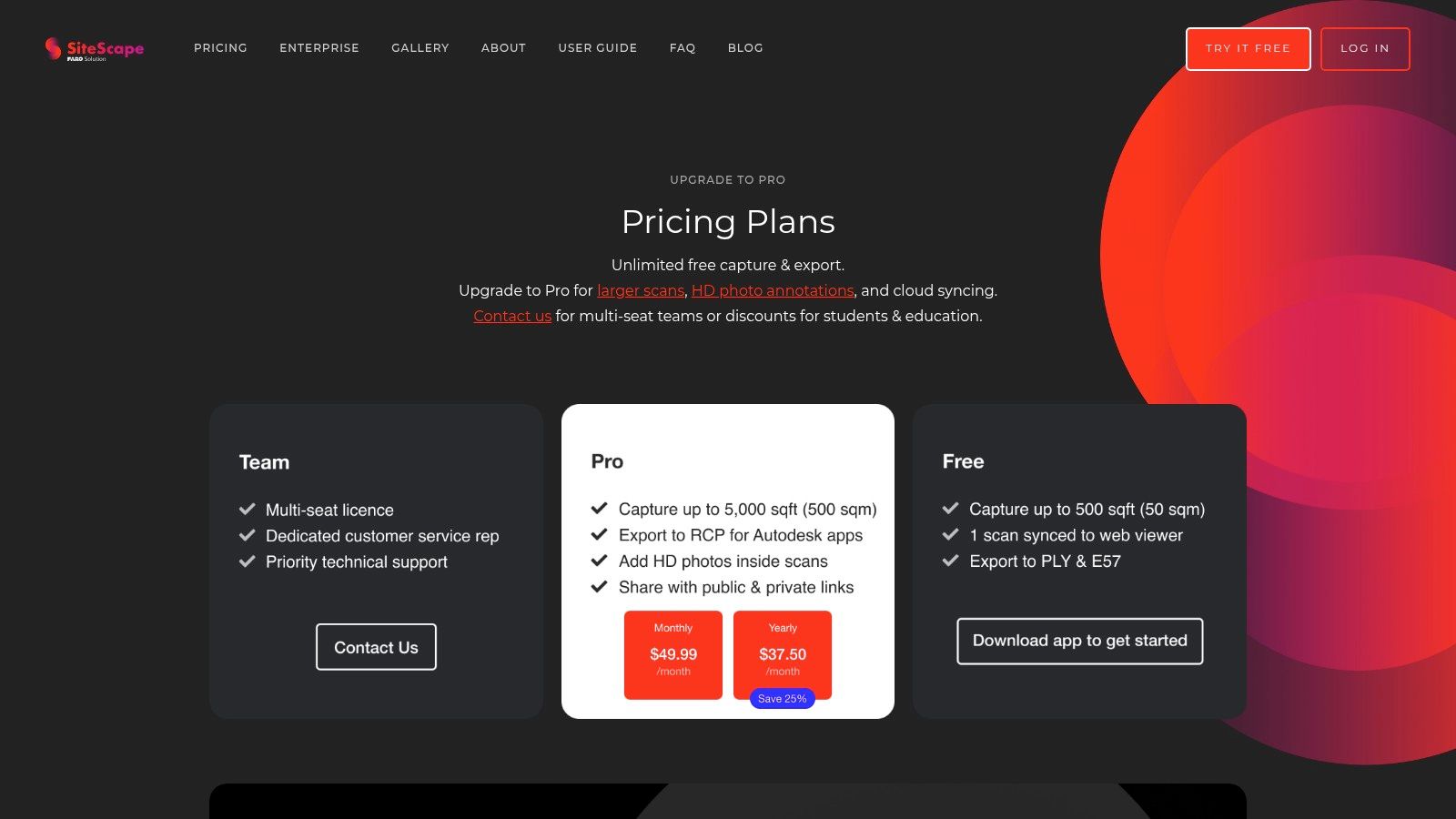
For inspections, defect logging, and construction-stage records, those annotation features matter more than they do in most room scanner app comparisons. A simple room model is useful. A room model with issue photographs pinned to exact locations is much more useful when teams are coordinating snagging, compliance checks, or remedial work.
Best use cases for SiteScape
SiteScape works well when the scanning task is part of a live site process, not an isolated capture exercise. It's useful for:
- Inspection rounds: Teams can connect visual evidence to scanned locations.
- Multi-room documentation: Scan merging helps with continuity across adjoining spaces.
- Cloud-based review: Good for remote stakeholders who need context without attending site.
Its limitations are also easy to understand. It is iOS-only, and it leans heavily on LiDAR rather than providing a broad fallback for ordinary phone cameras. That keeps the workflow focused, but it narrows deployment flexibility.
Field note: If your team's real problem is documenting defects and communicating location clearly, SiteScape often solves that better than apps that produce prettier models but weaker site records.
This is not the best option for low-cost, mass-rollout capture across mixed personal devices. It is a strong option for disciplined inspection workflows.
7. RoomSketcher FloorCapture
RoomSketcher FloorCapture is less about raw scanning power and more about controlled outputs that non-technical stakeholders can understand. That makes it useful in estates settings where a project manager, tenant, retailer, or senior operations lead needs clean visuals rather than a technical point cloud.
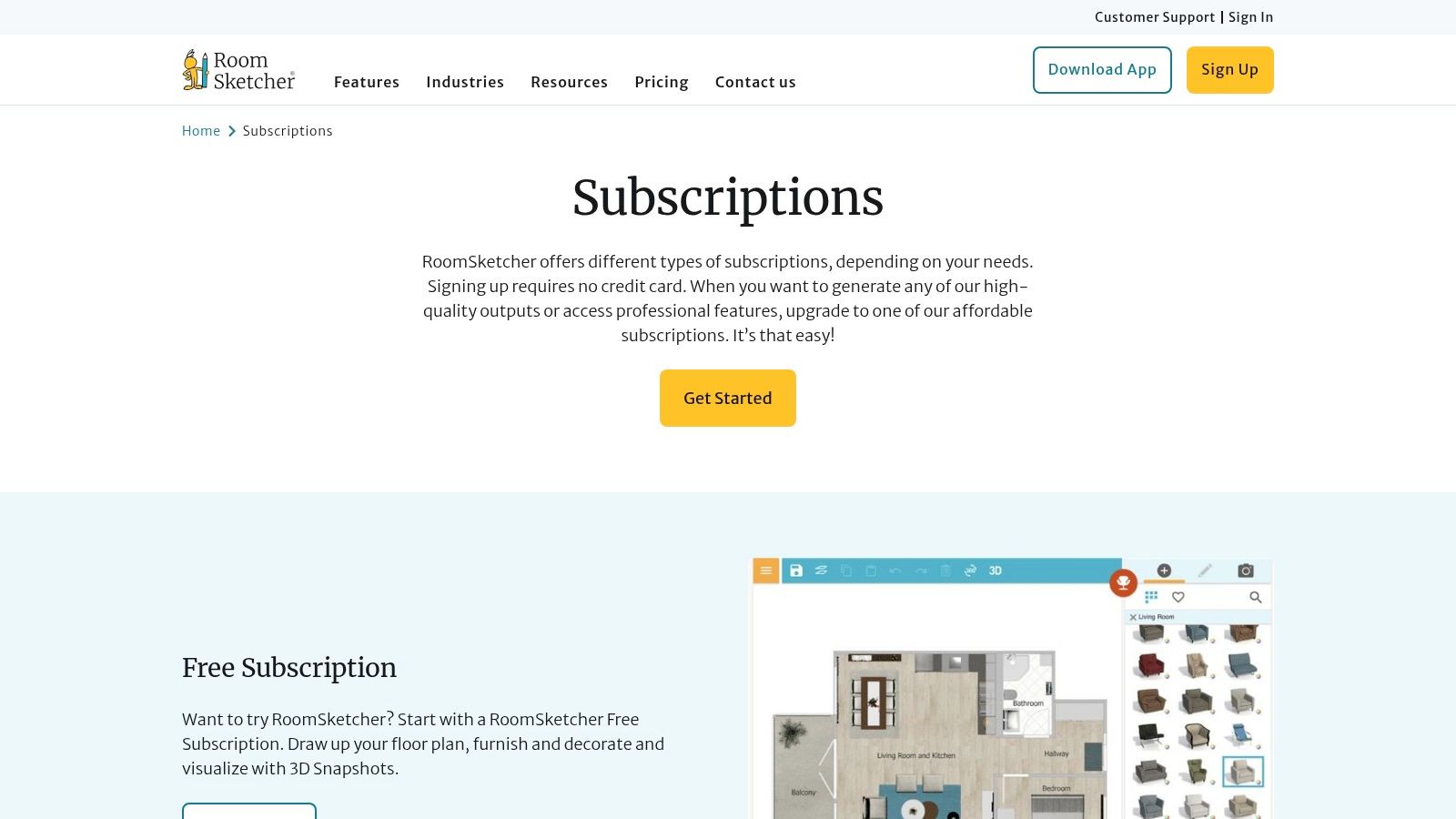
The app feeds scans into the wider RoomSketcher ecosystem, turning phone capture into 2D plans, 3D views, and presentation-ready outputs. In many organisations, that's enough. The friction in room documentation often isn't capture quality. It's whether the result can circulate without specialist software or specialist interpretation.
Where it fits operationally
RoomSketcher is a sensible choice when stakeholder communication is the main job. It works for property portfolios, move planning, space reviews, and approval packs where polished presentation is part of the requirement.
Its strengths are clear:
- Presentation-ready visuals: Useful for non-technical audiences.
- Consistent project pipeline: Captured spaces move neatly into the RoomSketcher environment.
- Team sharing: Better than ad hoc exports passed around by email.
The trade-off is that the best capture flow relies on iPhone and iPad LiDAR. Android support is more manual, and credit-based charging for advanced visuals can make budgeting less predictable if teams produce lots of polished outputs.
This isn't the app to buy for highly structured technical data. It is one to consider if your bottleneck is getting room information into formats that busy stakeholders will use.
8. CubiCasa
CubiCasa has a very different value proposition from most tools here. It isn't trying to be an all-purpose 3D capture system. It focuses on generating polished floor plans from a guided phone walkthrough with minimal user effort, and that simplicity is exactly why many teams like it.
If you need staff to produce consistent floor plans without much training, CubiCasa is appealing. There's less emphasis on manual tracing, less interface complexity, and less pressure on the user to understand scanning mechanics. That's useful in distributed property operations where the person capturing the space is not a specialist.
What CubiCasa gets right
CubiCasa is best when consistency matters more than capture depth. It works well for property operators, estate records, and simple room documentation where the output needs to look tidy and arrive fast.
A few practical points:
- Low learning curve: Easier to roll out to non-specialists.
- Reliable floor-plan output: Strong for standardised documentation.
- Works on recent phones without specialist hardware: Helpful in mixed device fleets.
The compromise is cloud dependence. Core processing happens off-device, so the workflow depends on upload and external processing rather than fully local control. For some estates teams, that is acceptable. For others, especially in restricted environments, it becomes a blocker.
CubiCasa is not the strongest option for actionable 3D operational data. It is one of the strongest for clean, repeatable floor plans with minimal friction.
9. Scaniverse by Niantic Spatial
Scaniverse is the outlier on this list because the core appeal is simple. It's free, fast, and surprisingly capable for quick spatial capture. That alone makes it useful for experimentation, internal concepting, and situations where a team wants to test a room scanner app workflow before committing budget elsewhere.
Its on-device reconstruction and offline operation are valuable in real environments. Venues don't always have dependable connectivity in plant areas, back-of-house corridors, service zones, or temporary event setups. Being able to capture without relying on immediate cloud processing removes friction.
Why Scaniverse is worth knowing
Scaniverse is best treated as a fast capture utility, not a full estates platform. It's helpful for:
- Rapid concept capture: Teams can document a space quickly with no procurement delay.
- Offline workflows: Useful in signal-poor environments.
- Export flexibility at no core cost: Strong for testing use cases.
Its limitations are important. Scaniverse is not floor-plan-first, and it doesn't natively solve CAD, BIM, or structured estates data needs. You can capture the space, but you'll still need a broader workflow if the output has to support technical planning.
For teams evaluating handset suitability before selecting software, Waymap's overview of phones with LiDAR is relevant.
Free tools are useful for proving demand inside an organisation. They're rarely the final answer for governed, repeatable venue workflows.
Scaniverse is excellent as a low-barrier entry point. It's less convincing as a long-term operational standard.
Scaniverse website
10. PIX4Dcatch
PIX4Dcatch comes from a more professional surveying and reality-capture mindset than most general room scanner apps. Even when used at room scale, it carries the logic of a wider capture ecosystem built for serious reconstruction, documentation, and cloud processing.
That's useful if your organisation needs one workflow that can span indoor rooms, infrastructure assets, and larger environments. The app offers LiDAR overlays, real-time guidance, upload to PIX4Dcloud, and optional RTK support for higher positional accuracy. For many venue operators, RTK won't be the deciding factor indoors. Its primary benefit is that the app belongs to a serious documentation stack rather than a standalone visualisation tool.
Where PIX4Dcatch makes sense
This is a strong choice for organisations that already think in terms of asset documentation, scan-to-BIM, and processing pipelines instead of isolated room scans. It suits technically mature estates teams, consultants, and infrastructure operators.
Its advantages include:
- Professional capture guidance: Better discipline during collection.
- Cloud processing path: Easier to integrate into larger reconstruction workflows.
- Scalability: Suitable for organisations working across rooms, buildings, and infrastructure.
The trade-off is complexity and cost. The best experience often assumes LiDAR hardware, optional RTK hardware, and subscription services in the PIX4D ecosystem. That puts it beyond what many routine venue teams need.
There's also a broader market signal behind tools like this. A proxy benchmark for technical planning shows the 3D scanning market moving from USD 5.1 billion in 2024 to a projected USD 14.2 billion by 2034 at an 11.4% CAGR, with short-range scanners holding 50.8% share in 2024, which supports the practical role of room-level, short-range scanning in indoor documentation workflows (3D scanner market outlook).
PIX4Dcatch is not the simplest option. It is one of the more credible ones when the room scan is only the start of a larger reality-capture process.
Top 10 Room Scanner Apps: Feature & Performance Comparison
| Product | Core features / Capabilities | 👥 Target audience | ★ UX / Accuracy | 💰 Pricing / Value | ✨ Unique selling point |
|---|---|---|---|---|---|
| Polycam | LiDAR & photogrammetry capture, exports (OBJ/FBX/GLB/DAE, plans), team controls | 👥 Rapid site doc, 3D asset creators | ★★★★☆, fast, reliable; iOS best | 💰 Freemium → Pro/Team; USD tiers | ✨ Quick exports + multi‑platform; active community |
| Canvas (Occipital) | LiDAR scans, Scan‑to‑CAD/BIM conversion, per‑sq‑ft billing | 👥 AEC, surveyors, BIM workflows | ★★★★☆, high‑quality CAD outputs (LiDAR only) | 💰 Pay‑per‑processed‑sqft; conversion service | 🏆 Professional Revit/SketchUp/AutoCAD deliverables |
| RoomScan LiDAR (Locometric) | Multiple capture modes, IFC exports with semantics, wall/area calcs | 👥 Property, compliance, energy auditors | ★★★★, technical, IFC‑structured outputs | 💰 Subscription (country‑dependent) | ✨ Semantic IFC & energy/heat‑loss metrics |
| magicplan | AR/LiDAR capture, multi‑room plans, estimating & takeoffs, cloud sync | 👥 Contractors, inspectors, facilities | ★★★★, broad device support; LiDAR improves accuracy | 💰 Freemium → paid tiers; some features gated | ✨ Integrated estimating & report templates |
| Matterport Capture + Platform | Phone/LiDAR/360 capture, hosted 3D tours, measurement & tags | 👥 Large venues, retail, campus ops | ★★★★★, polished tours; enterprise‑grade | 💰 Subscription + hosting; add‑ons (MatterPak) | 🏆 Industry standard for immersive digital twins |
| SiteScape | Real‑time LiDAR point clouds/meshes, annotated photos, web app | 👥 AEC inspections, site documentation teams | ★★★★, strong scan merging & annotations | 💰 Free trial → subscriptions for hosting/features | ✨ Real‑time mesh capture + location‑mapped annotations |
| RoomSketcher FloorCapture | LiDAR capture → RoomSketcher projects, 2D/3D views, credits | 👥 Facilities, presentation‑oriented teams | ★★★★, smooth pipeline to presentation visuals | 💰 Subscription + credit‑based advanced outputs | ✨ Direct pipeline to Live 3D and stakeholder visuals |
| CubiCasa | Guided 5–10 min scans, cloud processing, polished 2D/3D plans | 👥 Real estate agents, property operators | ★★★★, very consistent, low learning curve | 💰 Per‑order fees for plans; some subscriptions | ✨ Fast, simple guided scans with branded outputs |
| Scaniverse (Niantic Spatial) | On‑device reconstruction, LiDAR/RGB modes, unlimited free scans | 👥 Concepting, quick documentation, offline users | ★★★★, fast, offline; not floor‑plan‑first | 💰 Free core app; enterprise hosting separate | ✨ Completely free on‑device scans and exports |
| PIX4Dcatch | LiDAR & photogrammetry, LiDAR overlays, RTK support, cloud upload | 👥 AEC, infrastructure, precise asset capture | ★★★★☆, reliable guidance; scales to complex sites | 💰 App free; PIX4Dcloud subscriptions for processing | 🏆 RTK support + deep AEC cloud integration |
Beyond the Scan From a Digital Model to a Navigable Venue
Choosing a room scanner app is only the first decision. The harder question is what the scan becomes once the file is exported, shared, and folded into day-to-day venue operations. A model that looks impressive in a browser may still be weak for access planning, route communication, live operational updates, or visitor guidance.
That matters because accessibility and navigation aren't edge cases. In the UK, the Equality Act 2010 places a duty on service providers and public bodies to anticipate and remove barriers, and the UK has about 16 million disabled people, which makes accessibility a mainstream operational issue rather than a specialist add-on (accessibility context referenced here). For estates and operations teams, that shifts the buying question. “Can this app scan a room?” isn't enough. The more important question is “Can the captured data support decisions that affect how people move through the venue?”
Most room scanner apps are strongest in one of three jobs. First, they create visual records. Second, they generate plans or structured building outputs. Third, they support documentation and reporting. Very few turn that capture into reliable, infrastructure-free wayfinding on their own.
That gap matters in hospitals, stations, campuses, retail centres, and public venues. A floor plan can show the geometry of a corridor. It doesn't tell a blind visitor how to reach the right entrance, the exact clinic reception, or the accessible lift without depending on beacons, Wi-Fi tuning, or hardware maintenance. It also doesn't solve the operational problem of keeping navigation current when layouts change.
Waymap's approach is materially different. Waymap uses dead reckoning with device-native smartphone sensors to provide precision navigation indoors, outdoors, and underground without GPS, Wi-Fi, or installed hardware. That matters for estates teams because installed infrastructure creates ongoing maintenance, procurement, and operational burden. In high-footfall venues and sites with frequent layout change, less hardware usually means fewer points of failure.
The distinction also matters for compliance and risk. A room scan may be good enough for planning and visual reference, but not good enough on its own for accessibility route assurance, operational wayfinding, or high-confidence visitor guidance. The most useful room scanner app, then, is often the one that feeds a broader venue strategy rather than trying to be the whole answer itself.
For organisations such as the NHS, WMATA, and Westfield London, the end goal isn't a prettier map. It's a venue people can understand and move through with confidence. That means combining capture, updateability, operational controls, and navigation logic in a way that survives the reality of live spaces. If you're managing a campus, station, hospital, retail centre, or civic estate, scanning is valuable. Navigability is what changes outcomes. For teams thinking about resilient site technology beyond mapping alone, this discussion of Dream Machine Pro for unmanned buildings is a useful reminder that operational infrastructure choices always affect long-term maintenance.
FAQ
What is the best room scanner app for facilities teams
The best room scanner app depends on the output you need. For fast visual capture, Polycam is a strong choice. For CAD and BIM handoff, Canvas is stronger. For inspections and reports, magicplan and SiteScape are often more practical.
Which room scanner app is best for accessibility planning
No room scanner app fully solves accessibility planning on its own. The best option is the one that captures usable spatial data and supports a broader workflow for route review, obstacle awareness, and navigable wayfinding.
Are room scanner apps accurate enough for compliance work
Sometimes, but not always. They can be good enough for planning, early-stage review, and operational documentation, but higher-risk compliance decisions may still require survey-grade methods depending on the tolerance for error and the consequences of getting it wrong.
Do room scanner apps work well in UK venues
Yes, they can work well in UK venues because mobile-device adoption is broad and LiDAR-enabled Apple devices have made consumer-device depth capture more practical in everyday workflows. The bigger issue is choosing an app that fits your export, governance, and operational needs.
Can a room scanner app create data for indoor navigation
A room scanner app can contribute useful spatial data, but scanning alone doesn't create a working navigation system. Reliable indoor wayfinding needs route logic, update processes, and a delivery layer that helps people move through the venue in real conditions.
If your venue needs more than a floor plan, Waymap helps turn spaces into navigable environments. We work with operators that need precise indoor, outdoor, and underground wayfinding without GPS, Wi-Fi, or installed hardware. If you're assessing room scanning as part of a wider accessibility, estates, or visitor experience strategy, speak to Waymap about how capture data can support step-accurate navigation that stays useful after the scan is finished.
