
A Guide to Floor Mapping Software

When was the last time you navigated a sprawling airport or a large hospital? Chances are you were searching for signs to point you in the right direction. Now, imagine replacing that static signage with a live, indoor navigation system on your smartphone.
That's the core of floor mapping software. It's more than just a digital drawing. It's an interactive system that creates data-rich maps to guide people, step-by-step, exactly where they need to go. At Waymap, we believe this technology is fundamental to creating more efficient, accessible, and welcoming public spaces.
Moving Beyond Static Signs and Paper Maps
For years, we've relied on a patchwork of physical signs and printed directories to get around complex indoor spaces like transit hubs, shopping centers, and university campuses. It's a familiar system, but one that is often inefficient. Signage can be costly to update, becomes outdated during renovations, and its one-size-fits-all approach doesn't work for everyone.
This traditional wayfinding model can lead to confusion and operational challenges. When a traveler is rushing to a departure gate or a new student is trying to find a lecture hall, getting lost is more than just an inconvenience. It can cause frustration, missed connections, and places a strain on staff who spend valuable time giving directions.
The Core Problem Floor Mapping Solves
Floor mapping software addresses these inefficiencies directly. By creating a digital model of your building, it can turn a complex environment into a fully navigable space. While sometimes compared to specialized office space planning software, its main purpose is to transform the human experience within that space.
The process is similar to how oceanographers first mapped the unseen ocean floor. They took fragmented data points and pieced them together to create a complete, understandable picture, revealing features and pathways nobody knew existed. Floor mapping does the same for your building, compiling data into a single, interactive map that uncovers the most efficient and accessible routes for every visitor.
This technology allows venue operators to shift from passive signage to active, real-time guidance. Instead of just pointing the way, you’re delivering personalized, turn-by-turn instructions right to a visitor’s smartphone.
This is a fundamental change that not only improves the visitor experience but also boosts operational performance. More importantly, it's a significant step toward building genuinely inclusive spaces for everyone.
Why Digital Maps Are Now Essential
The rise of floor mapping software is driven by a few key realities. Our public buildings are more complex than ever, and visitors now expect seamless digital tools to help them get around. Alongside this, there's a powerful and necessary push to meet and exceed modern accessibility standards.
This technology is becoming a must-have for several reasons:
- Improving Operational Efficiency: Clear, automated wayfinding frees up staff from giving constant directions. It helps manage crowd flow and allows for instant map updates for temporary closures or special events.
- Enhancing the Visitor Experience: A lost visitor is often a frustrated one. Intuitive indoor navigation helps reduce that stress, builds confidence, and creates a more welcoming atmosphere, which can lead to measurable improvements in visitor satisfaction.
- Meeting Accessibility Needs: For travelers with sight loss or other mobility challenges, traditional signs can be difficult or impossible to use. Floor mapping software with audio-first, step-by-step directions provides greater independence, helping organizations meet their public service commitments and duties under laws like the Americans with Disabilities Act (ADA) or the UK's Equality Act 2010.
How Does Floor Mapping Technology Actually Work?
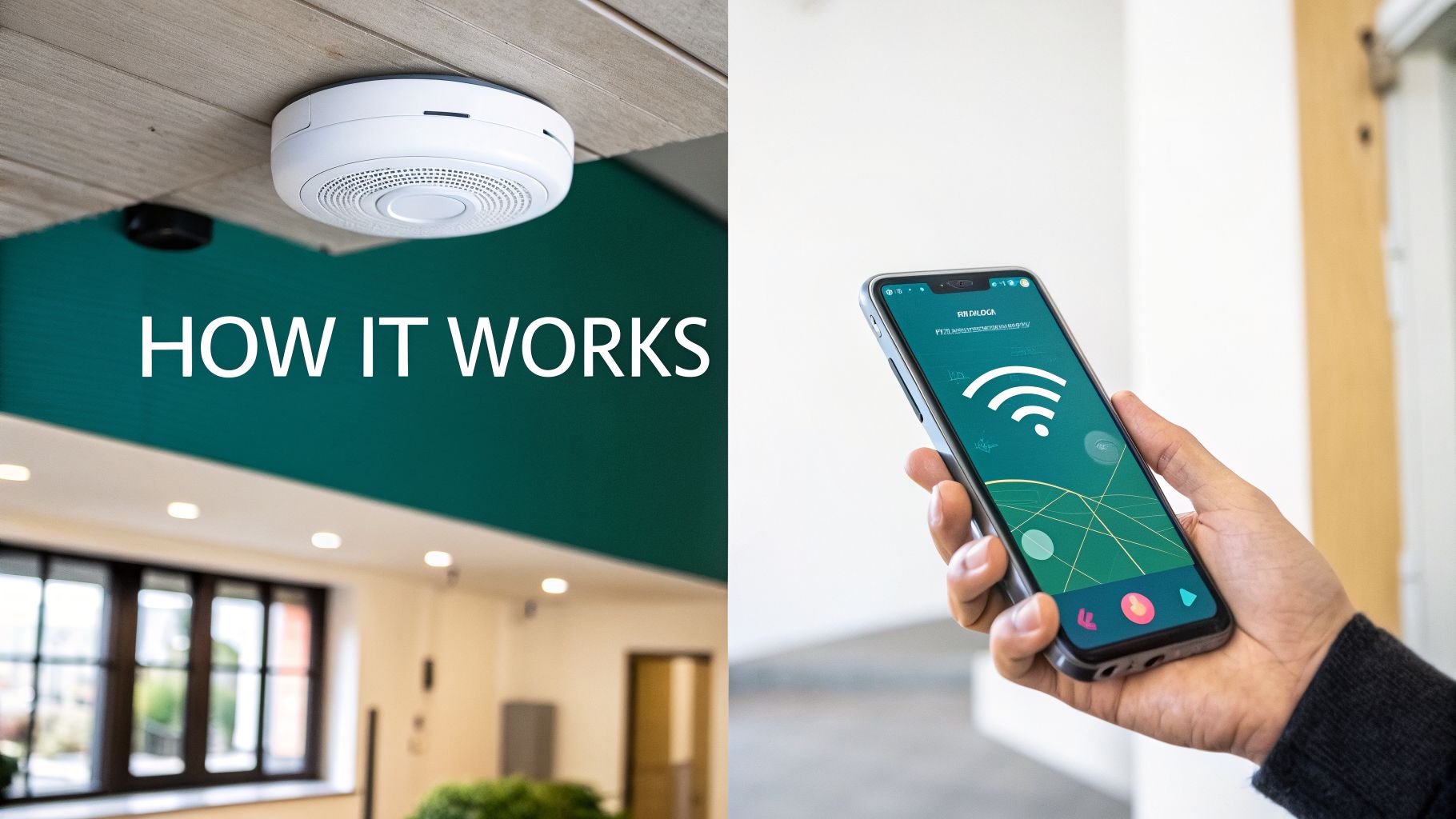
When you look into floor mapping software, you'll find two main approaches. The first, older method depends on physical hardware installed throughout a venue. The second, more modern approach is entirely hardware-free, relying only on the sensors already inside a standard smartphone.
Understanding the real-world trade-offs between these is essential for any venue operator or planner. One method is like leaving a trail of digital breadcrumbs for people to follow; the other is like giving each person their own internal compass. The choice has significant implications for cost, accuracy, and the quality of the visitor's experience.
The Traditional Method: The Hardware-Dependent Approach
The older way to enable indoor navigation involves installing a network of physical devices. Most often, these are Bluetooth Low Energy (BLE) beacons, though some systems use specialized Wi-Fi access points.
You can think of these beacons as tiny, digital lighthouses. As a visitor moves, their smartphone app picks up signals from nearby beacons. By measuring the strength of those signals—a process called trilateration—the app makes an estimate of its location and places a "blue dot" on the map.
While this was an important step forward from paper maps, it comes with serious operational challenges for venue managers:
- High Installation Costs: Buying and installing hundreds, or even thousands, of beacons across a large stadium or transport hub is a major capital investment.
- Constant Maintenance: Beacon batteries need replacing. Devices can be damaged or moved. Each failure creates a gap in the navigation network.
- Difficult to Scale: To cover a new wing or concourse means more hardware, another installation project, and more disruption.
This hardware model can lock organizations into a cycle of spending and repairs, making it impractical for many.
The Modern Method: The Hardware-Free Approach
A more sustainable, modern approach does away with installed hardware entirely. Instead of listening for external signals like Bluetooth, it uses the powerful sensors already built into every smartphone: the accelerometer, gyroscope, and compass. This technique is often called sensor fusion.
This technology works by understanding a person’s actual movement. By analyzing the data from the phone's motion sensors, an advanced algorithm can calculate a user’s direction, speed, and step count with high precision. At Waymap, our proprietary algorithms are designed to provide this genuinely step-accurate guidance.
When you combine that precise motion data with a highly detailed digital map, the system can deliver true, step-by-step instructions without needing any new infrastructure in the building.
This hardware-free model shifts the intelligence from the building into the software itself. The system becomes self-contained, easily scalable, and far more robust.
The benefits for venue operators are clear. You avoid the cost and hassle of installing and maintaining physical hardware. Rollout is dramatically faster, and the system can be updated or expanded instantly without touching your building’s infrastructure.
Comparing Floor Mapping Technology Approaches
Choosing between these two philosophies isn't just a technical decision; it's a strategic one. The table below breaks down the key differences to help you evaluate which path makes sense for your venue's long-term goals.
| Attribute | Hardware-Based Systems (Beacons, Wi-Fi) | Hardware-Free Systems (Sensor Fusion) |
|---|---|---|
| Accuracy | Location-based (a "blue dot"), accuracy varies with beacon density. | Step-by-step (turn-by-turn), consistently accurate to 1-3 meters. |
| Cost | High initial hardware and installation costs. | Minimal setup cost, typically based on a software license (SaaS). |
| Maintenance | Continuous; battery replacements, hardware failures, dead zones. | None; software updates are rolled out remotely. |
| Scalability | Difficult and expensive; requires new hardware for new areas. | Simple; new areas are added by mapping them in the software. |
| User Experience | A moving dot on a map. | Precise, step-by-step audio and visual instructions. |
| Accessibility | Limited. A "blue dot" is not useful for blind or low-vision users. | Excellent. Delivers precise audio cues needed for independent navigation. |
As you can see, while hardware-based systems were a starting point, hardware-free technology offers a far more sustainable, scalable, and inclusive solution for modern public spaces.
What This Means for Accessibility
The technology you choose has a direct impact on your ability to create a truly inclusive environment. A simple blue dot on a map might seem helpful, but for someone with sight loss, it provides limited value. True independence for this group comes from clear, unambiguous, step-by-step audio instructions.
This is where hardware-free systems built on sensor fusion excel. Because they track every step and turn, they can deliver precise, actionable audio cues like, "In 3 steps, turn right," or "The elevator is 5 meters ahead on your left."
This granular level of detail is what empowers blind and low-vision users to navigate a sprawling airport or a busy train station with confidence and independence—something a beacon-based "blue dot" system cannot reliably deliver.
Essential Features to Look for in Floor Mapping Software
Choosing the right floor mapping software isn't just about getting a digital drawing of your venue. To be truly useful, the platform must do more than simply show someone where they are. It needs to give clear, actionable guidance that improves the experience for every visitor and simplifies your daily operations.
As you evaluate vendors, it's important to look beyond marketing claims and focus on the features that solve real-world problems. Developing a smart request for proposal (RFP) starts with knowing what to ask for. This checklist can help you find a solution that delivers lasting value and true inclusivity.
Beyond the Blue Dot: True Step-by-Step Guidance
The single most important feature is the ability to provide true, step-by-step directions. Many systems simply place a 'blue dot' on a map and leave the user to figure out the rest. That isn't navigation; it's location awareness, and it's not enough for someone who needs clear instructions in a complex space.
Real navigation works like a car's GPS, guiding a person turn-by-turn from their start point to their destination. Look for software that delivers precise instructions like, "Walk forward 10 meters, then turn right," or "The customer service desk is ahead on your left." It's the only way to eliminate confusion and offer a genuinely helpful experience, especially in a busy airport or a sprawling university campus.
A moving dot on a map is not a navigation solution. True wayfinding requires detailed, sequential instructions that guide a user's journey, just as a car's GPS does on the road. Without this, you are only offering a digital map, not a navigation service.
This is the key capability that separates a basic floor plan app from a powerful wayfinding platform. It’s the difference between telling someone where they are and actually showing them how to get where they need to go.
Critical Accessibility and Inclusivity Features
Any modern floor mapping software must be built with accessibility at its core, not as an afterthought. For venue operators, this is both a social responsibility and often a legal requirement. When you're assessing a platform, these are the inclusive features that should be at the top of your list:
- Audio-First Guidance: For blind and low-vision users, visual maps are of little use. A top-tier system must offer clear, descriptive audio instructions that can be followed without ever looking at a screen. This is the cornerstone of independent travel.
- Multilingual Support: In a diverse city or an international hub, offering directions in a visitor's native language is fundamental to creating a welcoming atmosphere. The software should make it easy to switch between multiple languages.
- Screen Reader and High-Contrast Compatibility: The app's interface must work well with the built-in accessibility tools on smartphones, including screen readers and high-contrast modes.
Getting these features right shows your organization is serious about serving everyone. You can find out more about how our team approaches the technology in mapping that makes this possible.
Dynamic Updates and Operational Insights
Your venue is a living space, so your map cannot be a static document. A crucial feature is a simple content management system (CMS) that lets your team update points of interest (POIs) in real time. If an escalator is out of service or a room is temporarily closed, you should be able to update the map instantly and automatically reroute visitors.
Additionally, the best software offers a powerful analytics dashboard. This provides a window into how people actually use your space, revealing visitor flow, popular routes, and common bottlenecks. This data is invaluable for optimizing layouts, adjusting staffing, and making evidence-based decisions that improve operational efficiency. While some industries use precise floor plan tools like an Exayard Bluebeam alternative for estimating to measure materials, venue managers use analytics for a similar purpose: to understand and enhance how people move through a finished space.
The Real-World Payoff: Better Operations and True Accessibility
Ultimately, the technical specifications are only half the story. The real value of modern floor mapping software lies in how it fundamentally changes the way your venue operates and how every person experiences it.
The benefits are twofold. On one hand, you get direct operational wins that make your venue more efficient and can reduce costs. On the other, you see profound improvements in accessibility that create a genuinely inclusive space, satisfying both social and legal responsibilities.
A Smoother Operation and Happier Visitors
For any large, complex space—a bustling airport, a sprawling shopping center, or a major transit hub—smooth operations are everything. Good floor mapping software doesn't just help; it acts as a force multiplier for your management team, delivering clear, measurable improvements.
One of the first things you'll likely notice is a reduced reliance on physical signs. Static signage is a constant expense—costly to design, produce, install, and update. A dynamic digital map lets you instantly show temporary closures, event-specific routes, or new retail locations without that cost and hassle.
This agility also leads to smarter crowd management. During peak hours or a major event, you can actively guide the flow of people, steering them away from congested areas in real-time to prevent bottlenecks. The result is a calmer, more pleasant environment for everyone.
With clear, automated wayfinding at their fingertips, your visitors no longer need to hunt down a staff member for directions. This frees your team to focus on higher-value tasks, improving both productivity and their own job satisfaction.
These operational gains contribute to a noticeable increase in visitor satisfaction. When people can find their way around your space easily and without stress, their whole perception of your organization improves. That isn't just a "nice-to-have"; it's a key performance indicator that shows you're running a well-managed, visitor-first operation.
Championing Real Accessibility and Inclusion
While the business case is often built on efficiency, the impact on accessibility is where this technology creates the most meaningful change. For millions of people, navigating an unfamiliar public building can be a source of anxiety. Floor mapping provides the key to unlocking greater freedom and independence.
For someone who is blind or has low vision, traditional signs are often unusable. A well-designed navigation app that provides audio-first, step-by-step directions can be life-changing. It empowers them to travel with a level of confidence and autonomy that was not previously possible in complex indoor spaces.
Adopting this technology is also a clear, practical way to meet and exceed your duties under regulations like the Equality Act 2010 in the UK or the ADA in the US. By providing an accessible navigation tool, you’re taking a concrete step to remove barriers and ensure everyone has the same opportunity to use your space, reinforcing your reputation as a socially responsible leader.
The potential here is significant. The UK's geospatial analytics market, which powers floor mapping, is projected to reach USD 10,426.38 million by 2035, according to Spherical Insights. For a large transport network, this technology can have a major impact. For instance, data from Transport for London (TfL) shows that the London Underground handles over a billion passenger journeys a year. In such a complex system, accessible navigation tools are essential for improving the experience for all travelers. You can explore the market projections by reading the UK geospatial analytics market on Spherical Insights.
How to Implement Floor Mapping Software in Your Venue
So, you're ready to bring floor mapping to your venue. It’s a significant step, and it’s natural to wonder where to begin. The good news is that with a clear, practical plan, rolling out this technology is more straightforward than you might think.
A successful launch isn’t just about the technology—it’s about people. It comes down to setting clear goals, choosing the right partner, and focusing on the experience you want to create for your visitors. Let's walk through the process.
Phase 1: Define Your Goals and Audit Your Space
Before you look at vendors, the first job is an internal one. You need to be crystal clear on what success looks like for your organization. What problem are you trying to solve? Are you looking to reduce visitor complaints about getting lost? Do you want to free up staff who spend their day giving directions? Or is your primary driver to go beyond minimum accessibility standards?
Nailing down these key performance indicators (KPIs) is essential. These goals will be your compass, guiding every decision you make, from the technology you choose to how you measure success after launch.
With your goals in place, it's time for a quick audit of what you already have. Pull together all your existing floor plans—whether they're CAD files, PDFs, or even detailed architectural drawings. These documents are the starting point for your new digital map, and having them ready will give your project a head start.
Phase 2: Choose the Right Technology Partner
Once you know what you want to achieve, you can start talking to potential partners. This is one of the most important decisions in the whole process. You’re not just buying software; you’re looking for a team with a proven track record in venues like yours and a genuine commitment to accessibility.
A huge part of this is the technology itself. As we’ve discussed, opting for a hardware-free solution that relies on sensor fusion can make your deployment dramatically simpler and more cost-effective.
By choosing a software-only solution, you completely sidestep the cost, complexity, and long-term maintenance burden of installing physical beacons. This means a faster, more affordable rollout and a system that’s easier to scale as your venue evolves.
This one choice can shrink your implementation timeline from months down to weeks. It’s also worth understanding how new mapping techniques, such as the use of LiDAR scanners and their role in creating maps, are improving the accuracy and speed of data collection.
This process flow shows how the benefits extend from smarter operations to a better journey for every visitor.
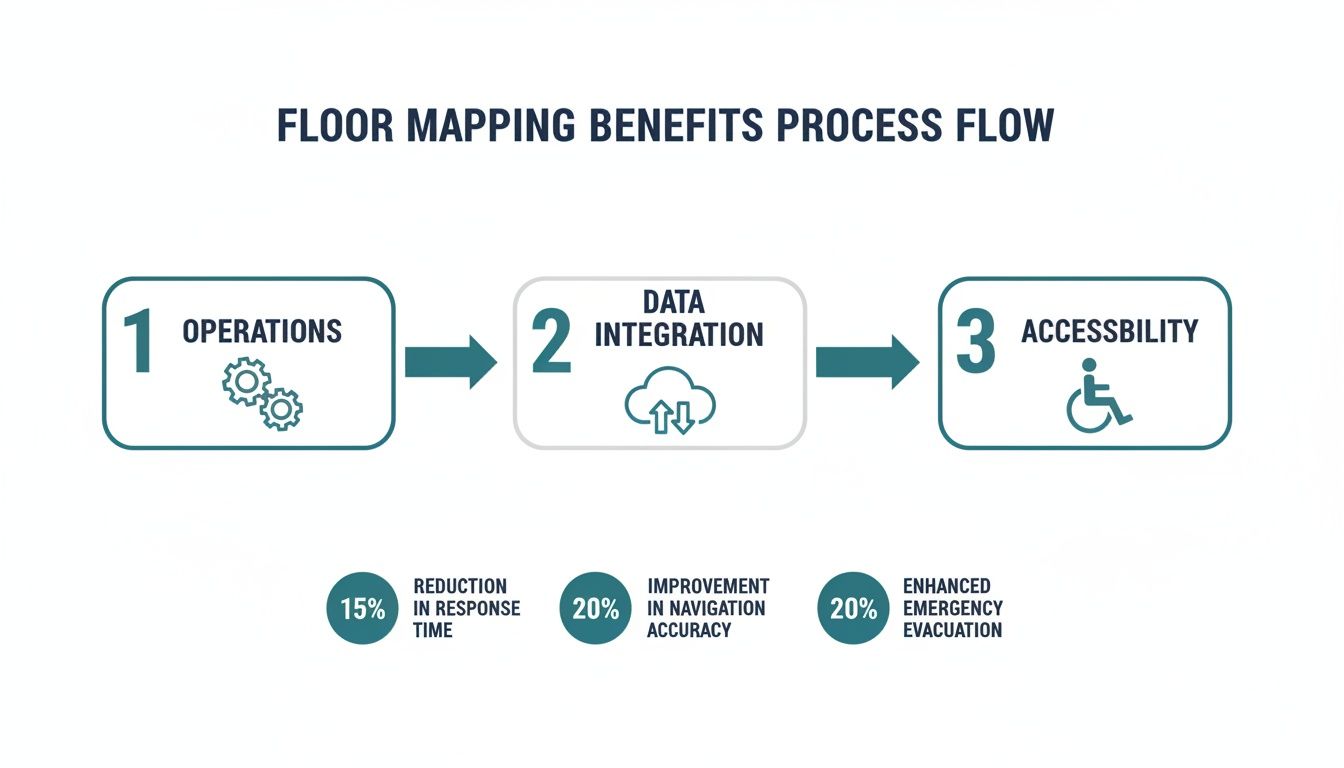
The diagram makes it clear: when you get your internal processes right, you directly enable a more accessible and inclusive experience for everyone.
Phase 3: Mapping, Testing, and Launch
With your partner on board, the mapping can begin. For a hardware-free system like Waymap, this part is surprisingly quick. Our specialists will use your floor plans to build a detailed base map. Then, they’ll simply walk through the venue, collecting sensor data to calibrate the map and ensure its step-by-step accuracy.
This brings us to the most important part of the project: user testing. It's crucial to test the system with a diverse group of people, including individuals with disabilities and local accessibility advocates. Their real-world feedback is priceless. It’s what turns a clever piece of tech into a genuinely useful tool for the people who need it most.
Follow these steps for a successful testing and launch phase:
- Form a Diverse Test Group: Bring in staff, frequent visitors, and members of local accessibility organizations.
- Assign Real-World Scenarios: Ask testers to navigate from an entrance to a specific shop, platform, or restroom.
- Gather Actionable Feedback: Use surveys and one-on-one conversations to find out what works and what needs tweaking.
- Iterate and Refine: Work with your vendor to act on the feedback and perfect the experience before the public launch.
Finally, with a system that has been properly tested, you’re ready to go live. Plan your communications to let everyone know about the new service—use on-site signs, your website, and social media. A great launch is the result of careful planning, ensuring your new floor mapping software delivers on its promise from day one.
Key Questions to Ask a Floor Mapping Vendor
Choosing the right floor mapping software is a big decision. It’s not just another tech procurement; you’re choosing a partner who will become fundamental to your venue's daily operations and your promise of an inclusive experience. To find the right fit, you need to ask questions that get past the sales pitch and reveal what a platform can really do.
Think of this list as your evaluation toolkit. Use it to dig into a vendor’s technology, their long-term plans, and how seriously they take accessibility. A good partner will have ready, confident answers, giving you the assurance you need to invest wisely.
Questions About Technology and Accuracy
At its heart, a navigation service is only as good as its underlying technology. The vendor's approach directly shapes accuracy, reliability, and the entire visitor experience. It's crucial to understand exactly how their system works in the real world.
How do you guarantee navigation accuracy? Push for specifics. Does the system provide genuine, step-by-step guidance, or is it just a ‘blue dot’ on a map? You need to know if they can consistently deliver accuracy to within 1-3 meters.
Does your solution require any installed hardware? This is a critical question. Ask plainly if they rely on Bluetooth beacons, special Wi-Fi setups, or any other physical equipment. If they do, be sure to ask about the costs and complexities of installation, ongoing maintenance, and what happens when hardware fails.
How does your system perform in signal-dead zones? Large venues are full of spots with poor or no cellular or GPS signal, like underground levels or the deep interior of a concrete building. Ask the vendor to explain exactly how their tech keeps working in these areas. A hardware-free system using a smartphone's internal sensors should work perfectly anywhere.
What’s your process for creating and updating maps? Find out how long it takes to map a venue of your size. More importantly, ask how easily your own team can update maps for temporary changes—like a closed escalator or a pop-up event—without needing to call for support.
Questions About Accessibility and User Experience
A truly modern solution has to be for everyone. Accessibility isn't an add-on; it must be woven into the product from the beginning. These questions will tell you whether a vendor is truly committed to inclusion.
For a floor mapping solution to be truly successful, it must be usable and useful for every single visitor, regardless of their ability. True accessibility goes beyond compliance; it’s about providing genuine independence and a welcoming experience for all.
Use these points to measure a vendor's real dedication to building an inclusive platform.
- Is your system designed for audio-first navigation? Ask if the app gives clear, descriptive, turn-by-turn audio instructions that would allow someone with sight loss to navigate independently. For genuine accessibility, this is non-negotiable.
- How do you involve the disability community in your product development? A vendor that’s serious about accessibility will be working directly with users with disabilities to test and improve their product. Ask them for specific examples of how that feedback has shaped their platform.
- What accessibility features are built into your app? Check for things like screen reader compatibility, high-contrast modes, and multi-language support.
- Can you share case studies from venues that prioritized accessibility? Ask for real-world examples. How has their solution helped people with disabilities travel independently in a place like yours?
Questions About Partnership and Future Vision
Finally, remember you’re not just buying software; you’re starting a long-term relationship. You need a partner who shares your vision and has a clear plan for the future. These questions test their business approach and long-term viability.
- Who owns the map data once it’s created? Get clarity on your organization's rights to the map data. You need to know the terms for using it with other systems or what happens if you decide to change vendors.
- What does your long-term product roadmap look like? A forward-thinking partner will have a vision for how their technology will evolve. This shows they’re invested in the future, not just in making a one-time sale.
- What level of support and training do you provide? Ask about their onboarding process, how they train your staff, and what ongoing technical support looks like. Your team needs to feel confident managing the system day-to-day.
We are often asked questions by facility managers and transport operators exploring floor mapping for the first time. Here are a few of the most common ones.
How Long Does It Take to Map a Large Venue?
This comes down to the technology. If you go the traditional route with hardware-based systems that rely on beacons, you could be looking at weeks or even months of work. This is because it involves physical planning, installation, and calibration.
In contrast, modern hardware-free systems can map a massive venue, like an entire airport terminal or a sprawling transit station, in just a few days. Since there's no physical infrastructure to install, the main task is for specialists to walk the space to collect the necessary data.
Can Floor Mapping Software Integrate with Other Systems?
Yes, and it should. The best platforms are built to connect with other operational systems. They do this using an Application Programming Interface (API).
Think of an API as a secure bridge that lets different pieces of software talk to each other. It means your navigation app can connect to your facility management tools, pull in live event schedules, or sync with real-time transit data.
This connectivity is what can turn a simple digital map into a central information hub for your venue, creating a more responsive experience for visitors.
How Are Map Updates Handled for Renovations?
This also depends on the technology. With modern, software-based solutions like ours, updates are refreshingly fast and simple.
For temporary changes, like a closed escalator or a new pop-up kiosk, an administrator can typically log into a content management system (CMS) and have the map updated in minutes. For major renovations, we simply repeat the quick mapping process for the altered areas, ensuring your digital map always mirrors the reality on the ground.
Ready to make your venue truly navigable for everyone? Waymap provides step-accurate, hardware-free navigation that boosts operational efficiency and champions accessibility. Book a demo today to see how our platform can transform your visitor experience.
