
What is the LiDAR Scanner on an iPhone and How Does It Work?
That small black circle next to the camera lenses on an iPhone Pro is a LiDAR scanner. For any director managing a large, complex venue, it’s one of the most powerful tools you didn't know you had.
This component turns a standard-issue corporate phone into a professional-grade reality capture device. It allows you to create detailed 3D maps of your buildings, helping to improve operational efficiency and accessibility without requiring expensive, specialist hardware.
Can an iPhone Be a Professional Reality Capture Tool?
It’s easy to dismiss the LiDAR scanner as a feature for augmented reality games, but for professionals running transport hubs, hospitals, or university campuses, it represents a significant operational advantage.
Think of it as a depth-sensing camera. The scanner fires out invisible pulses of light to measure distances with high speed and accuracy, effectively painting a digital picture of a physical space. Unlike a photograph, the result is a full 3D model packed with spatial data.
This technology, built into certain iPhone and iPad Pro models since 2020, solves a persistent problem for venue managers: how to map large buildings without prohibitive costs. The traditional method involves hiring specialist surveyors, a process that’s both slow and costly, making it almost impossible to keep digital maps current.
Which Devices Have a LiDAR Scanner?
The technology is already in the hands of many of your team members, as the scanner is exclusive to Apple’s ‘Pro’ line of devices. If your organisation has issued any of the models below, you already have a team of potential surveyors.
Here is a reference guide to the Apple devices equipped with a LiDAR scanner as of 2026. This can help you identify which phones and tablets on your team are ready for reality capture tasks.
iPhone and iPad Pro Models with an Integrated LiDAR Scanner
Device ModelYear of ReleaseiPhone 12 Pro and Pro Max2020iPhone 13 Pro and Pro Max2021iPhone 14 Pro and Pro Max2022iPhone 15 Pro and Pro Max2023iPad Pro (11-inch & 12.9-inch)2020 Onwards
Having these devices on hand means an on-site manager can quickly scan a new retail unit, a temporarily closed access route, or an updated exhibition layout in minutes. This data then becomes the foundation for digital twins, asset management, and advanced indoor navigation platforms.
By turning a common device into a powerful scanner, you can decentralise data collection. You empower your teams to maintain an accurate spatial record of your facilities with almost no additional friction or cost.
Other technologies are also used in spatial data, such as drone property surveys for mapping large outdoor areas. But for the complex, ever-changing environment inside a building, the iPhone’s scanner is a practical tool for rapid updates.
How Does an iPhone's LiDAR Measure a Physical Space?
The LiDAR sensor's function is based on a principle called Time-of-Flight (ToF). It works like sonar, but with light. The sensor sends out a stream of invisible, eye-safe infrared light pulses. It then measures the exact time it takes for each pulse to hit a surface—a wall, a chair, the floor—and reflect back.
Because the speed of light is a constant, this time measurement allows the phone to calculate distance with high precision. By performing this action millions of times per second, it builds a complex, three-dimensional map of the surrounding space. This map is known as a point cloud: a dense collection of data points that outlines a room's architecture and contents.
This method gives the iPhone's LiDAR scanner an advantage over older techniques like photogrammetry, which relies on stitching together 2D photos to infer depth.
Why Is LiDAR More Reliable Than Photogrammetry Alone?
Photogrammetry can struggle with uniform surfaces, poorly lit areas, or reflective materials because it needs to identify common points across different photographs. LiDAR does not have this limitation.
As an active sensor, it generates its own light. This means it can capture accurate depth data in a dark corridor as well as a brightly lit atrium, environments where a standard camera would fail.
This infographic shows how an iPhone integrates these technologies, turning it into a powerful reality capture tool that venue professionals can carry in their pocket.
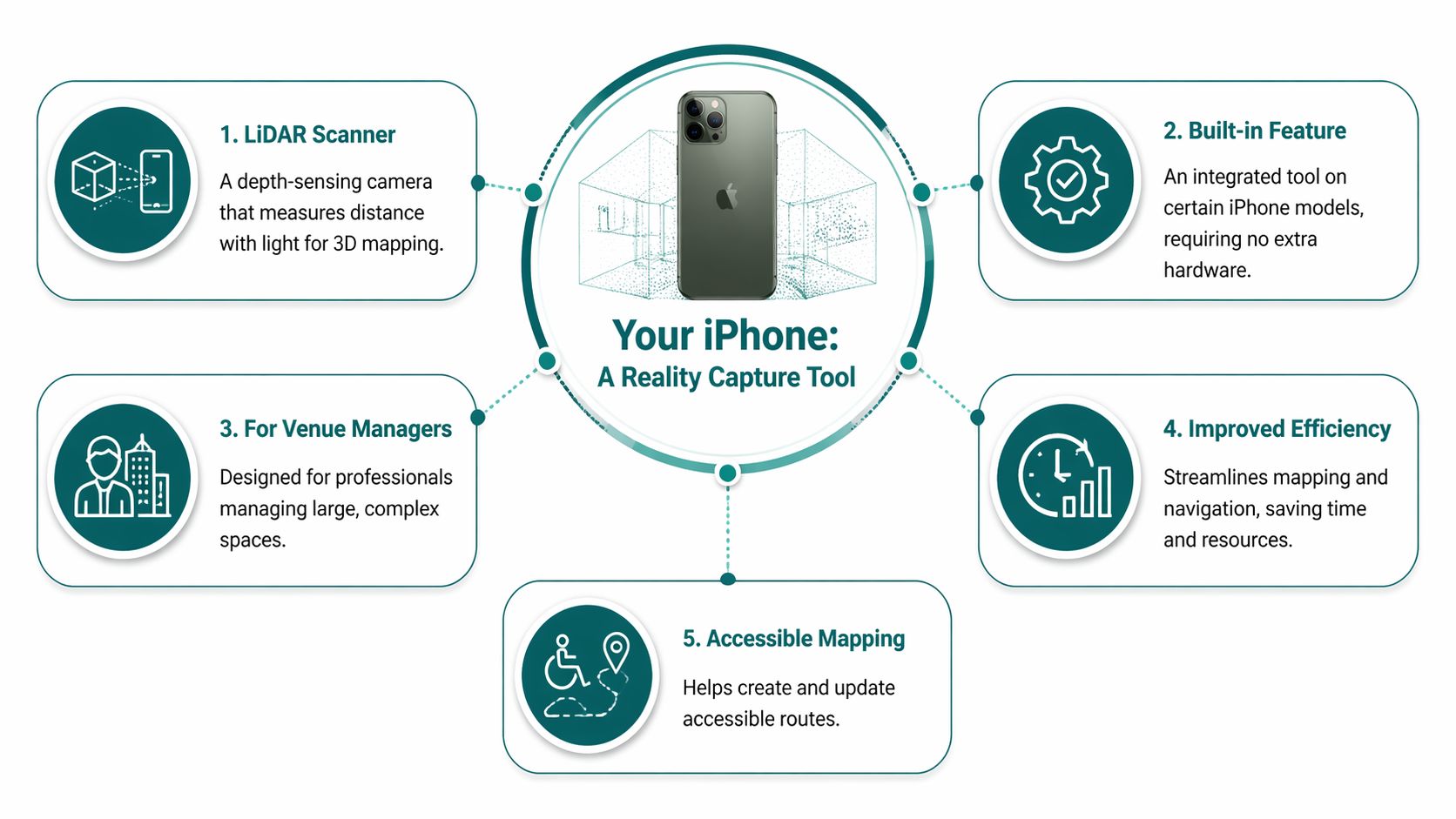
The direct measurement approach produces an architectural record that reliably reflects the physical space.
A LiDAR-generated point cloud is a direct, geometric record of the physical environment, rather than an interpretation based on ambient light. This foundational accuracy is essential for building dependable mapping and navigation solutions.
For a more technical overview, you can read about what a LiDAR scanner is and its core mechanics.
This architectural truth is precisely what platforms like Waymap are built on. We use this high-fidelity data as the foundational layer for our hardware-free navigation, transforming a raw scan of a building into a functional accessibility and operational tool.
What Level of Accuracy Can You Realistically Expect?
For a facility or operations director, data is only useful if it’s reliable. So, the question is not just what an iPhone's LiDAR can do, but how well it does it. Can a consumer device deliver the precision required for professional work, like building a digital twin or creating an accessibility map?
The answer is yes, within the right context. The accuracy of an iPhone's LiDAR is sufficient for mapping indoor environments where centimetre-level precision is the goal. This is not the sub-millimetre perfection needed for final architectural blueprints, but a practical, high-fidelity model of a space.
How Does It Compare to Professional Equipment?
How does the iPhone’s sensor compare to professional-grade terrestrial laser scanners (TLS)? These specialist instruments are the gold standard for accuracy, but they are expensive and often complex to operate.
A 2023 study by UK researchers provides a real-world benchmark. They compared an iPad Pro with LiDAR—which has the same sensor technology as the iPhone—with a professional Trimble Tx8 terrestrial scanner.
By scanning a university hall, they found the iPad’s LiDAR achieved 95% accuracy in static scans, with deviations under 2 cm for distances up to 20 metres. You can read the full research on its findings for all the details.
This level of precision confirms that the lidar scanner iPhone is a high-fidelity tool capable of producing dependable data for creating accurate digital twins and, for our work at Waymap, foundational maps for reliable indoor navigation.
What is the Difference Between Static and Dynamic Scans?
It’s important to know the two primary methods of scanning, as they produce slightly different results.
- Static Scans: This is where the device is held still, often on a tripod, to survey a fixed area. This method yields the highest precision, capturing detailed geometry with minimal error. It is ideal for documenting specific features or creating a highly accurate model of a single room.
- Dynamic Scans: This involves walking through a space while the scanner is running. This is the standard approach for quickly mapping large, complex venues like a train station or an entire hospital wing. The same study found these "walking scans" still achieved 92% accuracy, making it a practical choice for building the comprehensive maps needed for navigation platforms.
Accepting a small drop in precision for a significant gain in speed and efficiency makes the iPhone's LiDAR practical for venue operations, enabling rapid map creation and updates without a full-scale survey team.
What Are the Practical Applications for Venue and Operations Managers?
What does this technology mean for the day-to-day management of a large venue? For operations leads, facilities directors, and accessibility managers, the iPhone's LiDAR scanner is a practical tool. It closes the gap between your physical space and its digital twin, keeping them synchronised with rapid, on-demand mapping.
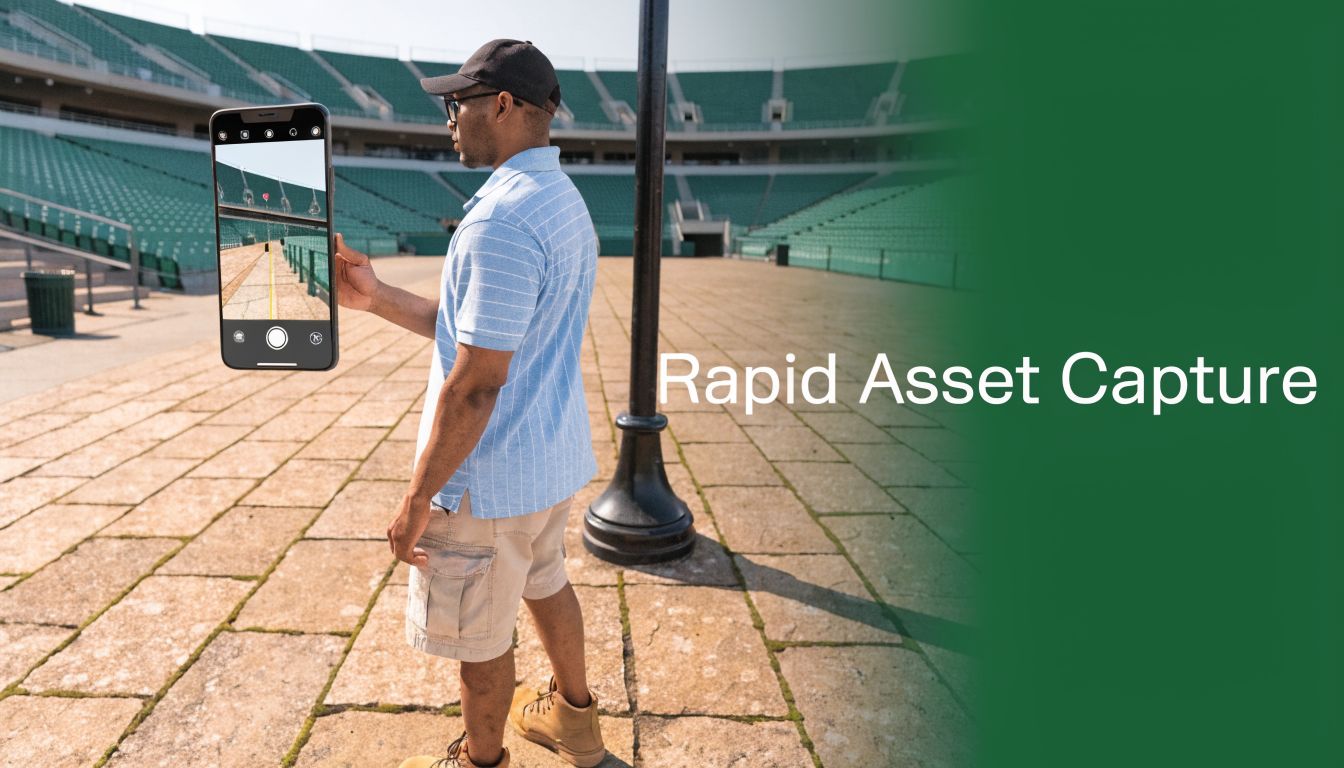
For example, after a major event at a stadium, a facilities manager can walk the grounds with their phone and, in minutes, capture updated layouts, the placement of temporary stalls, or new vendor locations. The result is a detailed 3D map that can update internal systems almost instantly. The same principle applies to hospitals mapping new ward configurations or shopping centres tracking pop-up retail.
How Can It Drive Efficiency and Reduce Overheads?
The most immediate benefit is a reduced reliance on expensive external survey teams. In the past, mapping a large venue was a slow, costly project. Now, your own staff can capture high-quality scans with minimal training, using a device they already carry.
This agility allows you to:
- Capture As-Built Conditions: After a renovation, a quick scan can create a 3D model to verify against original plans.
- Update Points of Interest (POIs): Instantly log the new location of a first-aid station, an information desk, or an accessible toilet.
- Plan Space Utilisation: Model different layouts for events to determine the best flow and capacity before moving anything.
From Raw Data to Actionable Insights
The data from an iPhone’s LiDAR is a source of valuable spatial information. For managers planning renovations or estimating costs, this precision is significant. The scans can be fed directly into specialised software like the Exayard construction takeoff platform, which uses these models to automate material and cost calculations.
The technology has been proven in demanding fields. Geoscience studies in the UK have shown it is capable of achieving 98% accuracy on complex 3D models. In urban environments, a British Geological Survey pilot achieved sub-centimetre precision on structures inside transit hubs at just 2.5% of the cost of traditional scanners.
In practical terms, you gain the ability to maintain an accurate, up-to-date digital twin of your facility with minimal overhead. That shift from reactive fixes to proactive management has a direct effect on the visitor experience and your accessibility compliance position.
That spatial data feeds directly into floor mapping software and navigation platforms. A scan done with a phone becomes the foundation for making a venue genuinely navigable for every person who enters.
What Are the Key Limitations and How Can You Ensure a Reliable Scan?
While the iPhone’s LiDAR scanner is a remarkable tool for rapid mapping, it has limitations. Understanding them is key to creating a dependable digital asset. This knowledge allows your team to build a scanning process that delivers professional-grade results.
The most important factor is the scanner's effective range. It performs best on objects up to 5 metres (about 16 feet) away. Beyond that, depth measurements become less precise. For large spaces like atriums or long corridors, this means planning a scan in overlapping sections to maintain map accuracy.
How to Overcome Common Scanning Challenges
Certain materials can interfere with LiDAR. The system relies on timing a reflected pulse of light, so any surface that disrupts that light will cause issues.
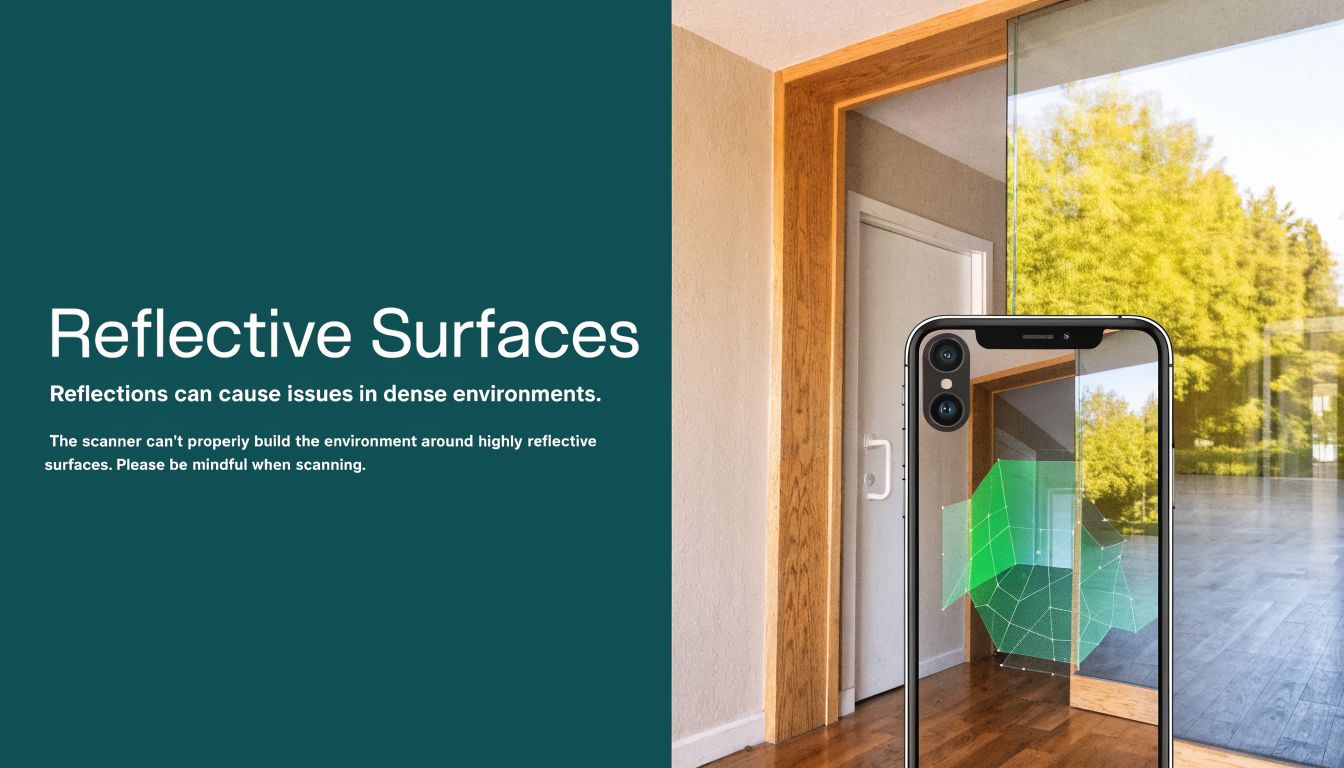
- Reflective Surfaces: Mirrors, polished steel, or high-gloss floors can deflect laser pulses, creating warped shapes or "phantom" objects in the final 3D model.
- Transparent Surfaces: Glass walls, windows, and perspex screens are often invisible to the scanner. The laser passes through and measures whatever is on the other side, leading to missing walls or incorrect room dimensions.
- Dark, Light-Absorbing Materials: Very dark or matte black surfaces can absorb too much of the laser's light. If an insufficient signal returns to the sensor, it can result in holes or gaps in the scan data.
Another potential issue is ‘drift’. This occurs during long, continuous scans where small errors accumulate, causing the end of the map to not align with the beginning. A methodical approach—planning a route, moving at a steady pace, and using software to process the data—helps manage these challenges.
Even with these considerations, the technology is effective. In the UK, contractor benchmarks show that when an iPhone’s LiDAR is paired with correction software, accuracy can reach half an inch (1.27cm).
A study by the BRE Group found that LiDAR apps mapped a 10,000m² shopping centre with 97% fidelity at 1/50th the cost of traditional methods. You can explore more on how specialised software improves LiDAR accuracy.
How Does Raw LiDAR Data Power Advanced Navigation Platforms?
A raw scan from an iPhone's LiDAR scanner provides an accurate digital snapshot of your venue. However, this point cloud data is only the foundation; it's the architectural blueprint, not the navigation system. On its own, a 3D model cannot guide a visitor. It is a static, albeit detailed, picture of a space.
This is where a navigation platform like Waymap comes in. It takes that static data and turns it into real-time, personalised guidance — the layer that makes a survey useful to an actual visitor.
From a Static Map to Dynamic Guidance
Waymap was designed to bridge this exact gap. Our system takes centimetre-accurate venue maps—the kind you can create with an iPhone’s LiDAR scanner—and fuses that information with data from the motion sensors already built into every smartphone.
Our proprietary algorithms interpret this blend of data in real time. The result is step-accurate, audio-based directions that guide users without needing external signals like GPS, Wi-Fi, or Bluetooth beacons. This makes the system resilient, working reliably deep indoors and underground where other technologies fail.
For example, when navigating a complex London Underground station, a LiDAR scan first captures the "ground truth" of the environment: the precise location of platforms, ticket barriers, lifts, and corridors. Waymap then uses this map as its reference.
As a user walks, our system analyses their stride and movement from their phone's sensors, determines their exact position on that map, and delivers clear, timely instructions like, "Walk forward 10 metres, then turn right for the Jubilee Line platform." It simplifies a potentially stressful environment.
Put simply, a LiDAR scan captures the permanent structure of a space. A navigation platform like Waymap turns that structure into a route that works for each individual.what and where—the permanent structure of a space. A navigation platform like Waymap adds the how—the dynamic, personalised journey through that space for every individual.
By making your venue navigable without installing costly new hardware, you turn an operational mapping tool into an ESG and accessibility asset. To understand how this approach is changing wayfinding, learn more about the role of technology in modern mapping. having a map to providing an inclusive, reliable experience for every visitor.
Frequently Asked Questions About iPhone LiDAR
If you're a facilities director or leading an operations team, you have likely heard about iPhone LiDAR. Here are straightforward answers to the questions we hear most often about putting this technology to work in a professional setting.
Can an iPhone LiDAR Scanner Replace a Professional Surveying Team?
No, but it significantly reduces your reliance on surveyors for specific tasks. Think of it as a new tool in your operational toolkit, not a wholesale replacement. An iPhone scan is ideal for rapid, frequent updates, such as mapping a new retail floor plan or documenting as-built conditions after a minor refit. For legally binding documents like architectural blueprints or work requiring sub-millimetre accuracy, you will still need professional surveyors with their terrestrial laser scanners.
How Much Training Does My Team Need to Use It?
Very little. The scanning process itself can be learned in minutes. The key to acquiring good, reliable data is not mastering complex software but following a simple, methodical process. This involves moving at a steady pace, planning the scanning path in advance, and understanding the scanner's limitations, such as its 5-metre effective range and its difficulties with reflective surfaces.
Is the Data from an iPhone Scan Secure?
Yes. The security of your data depends on the application you use for the scan, not the LiDAR sensor itself. When using professional-grade applications and platforms, data is protected with the same robust security you would expect for any other business information. The raw point cloud is stored on the iPhone until you choose to export it to a secure cloud platform or your own internal servers.
What Is the Real-World Cost Saving of Using an iPhone?
The primary saving comes from avoiding the high costs of frequent professional surveys and expensive, single-purpose hardware. A dedicated terrestrial scanner can cost over £40,000. In contrast, an iPhone Pro is a versatile device your team likely already uses. For tasks like building foundational maps for a navigation system or performing regular updates to a digital twin, an iPhone delivers the necessary accuracy at a fraction of the cost. Studies have shown the cost can be as low as 1/50th of the traditional approach.
The foundational maps created with a Waymap-ready LiDAR scanner are the first step towards a more accessible and efficient venue. Learn how we turn that data into a hardware-free navigation solution.
