
Foreground vs Background: What It Means for Navigation

Most foreground vs background advice focuses on what stands out on a screen. For walking navigation, the more important question is what the phone can keep doing when that screen disappears. A clear map doesn't help if the app stops receiving the motion samples it needs before the next turn.
At Waymap, we treat operating mode as part of the journey design, not an implementation detail. Sensor access, battery consumption, spoken instructions and recovery after interruption all affect whether someone can follow a route.
Foreground vs Background Operation at a Glance
Foreground vs background operation describes whether the navigation app is the active screen or continues running, or resumes later, after someone switches apps or locks the phone. The consequence is practical: without the necessary foreground-process authorisation, platform restrictions can interrupt the sensor stream needed for step-accurate guidance.
Foreground and background operation compared
| Criterion | Foreground operation | Background operation | What it means for navigation |
|---|---|---|---|
| Sensor access | Motion sensors can be sampled continuously during an authorised active session | The operating system can restrict or interrupt sensor delivery | Step counting and heading updates need a supported active session |
| Processing | Sensor fusion and map matching can run in real time | Processing may be paused, throttled or deferred | The position estimate can become stale during suspension |
| Audio and haptic guidance | Instructions can accompany the user's movement | Platform audio and notification rules govern delivery | Keep critical guidance active and test actual instruction delivery |
| Battery draw | Continuous sensing, processing and screen use consume energy | Idle or limited execution generally consumes less | Battery cost is a trade-off for continuous guidance |
| Signal-poor spaces | Guidance can use available phone sensors and downloaded maps | Only previously loaded information remains available during suspension | Load maps before entering underground stations or large venues |
| Accessibility | Users can check and control the active session | Unexpected pauses can remove the next instruction | Announce pause and resume states clearly |
There's a separate information distinction. Foreground information is what someone needs to act on now: steps, lifts, platform access or toilets. Background information provides context, such as walking distance or waiting time.
Transport for London's PTAL rating illustrates the difference. As explained in Motability Foundation's transport-accessibility reports, it combines walking distance, waiting times and proximity to major rail stations, but doesn't measure accessibility for disabled users. A nearby station isn't necessarily a usable station.
What should the default be?
Default to an active foreground session for step-critical walking. An authorised background service may support continued operation, but an app disappearing from view is not proof that its sensors remain available.
Document that distinction in user support material. Trupeer Inc.’s technical documentation is relevant to explaining operating states clearly, although documentation can't replace device testing. Check which mode the app uses at every journey stage, from street entrance to platform.
Why Background Operation Breaks Step-Accurate Guidance
A phone doesn't reconstruct a walk just because the app becomes visible again. For inertial navigation, missing motion samples mean missing evidence about movement.
Independent technical research hosted by DFKI describes severe Android and iOS background restrictions, including Android 9 preventing apps from receiving data from most sensors unless they are authorised as foreground processes. That's a specific platform finding, not a claim that every current phone behaves identically.
What happens to the position estimate?
Step detection identifies walking events from motion measurements. Stride estimation translates those events into distance, heading estimation establishes direction, and map matching checks whether the estimated movement fits the available route.
Our sensor-fusion algorithm works without GPS, Wi-Fi, Bluetooth beacons or fixed infrastructure, using motion and mapping on the phone. This makes sensor continuity central to the engineering problem. Our motion-sensor app explanation provides further context for this approach.
A possible interruption sequence is:
- The user switches apps or locks the screen. The active interface disappears.
- The operating system restricts sensor delivery because the required execution authorisation isn't present.
- Steps go uncounted. The app no longer has a complete movement record.
- The estimated position falls behind or diverges from the route.
- The app resumes and must re-establish its position, rather than assuming the old estimate remains correct.

What should a healthy resume do?
A healthy resume should recover from the last confirmed position, reconcile any available movement evidence, announce its status and queue the appropriate next instruction. It mustn't blindly place a moving user back at an old location.
If sensor samples stop, or a route decision is approaching, the interface should request foreground operation wherever the platform still permits that prompt. Set the trigger through testing, not an arbitrary distance.
Accessibility tools also have distinct jobs. iScribe Live Transcribe's live captions and searchable lecture notes address access to spoken content; navigation recovery must address missing movement evidence. One doesn't substitute for the other.
Engineering rule: Treat unverified background operation as a degraded mode, not an equivalent version of active guidance.
Accessibility When Guidance Pauses for Blind and Low-Vision Users
More than 2 million people in the UK live with sight loss, and over 1 million are blind or partially sighted because of a long-term, irreversible eye condition, according to RNIB's UK sight-loss statistics. RNIB also estimates that around 250 people begin to lose their sight daily and projects that the UK sight-loss population will exceed 4 million by 2050.
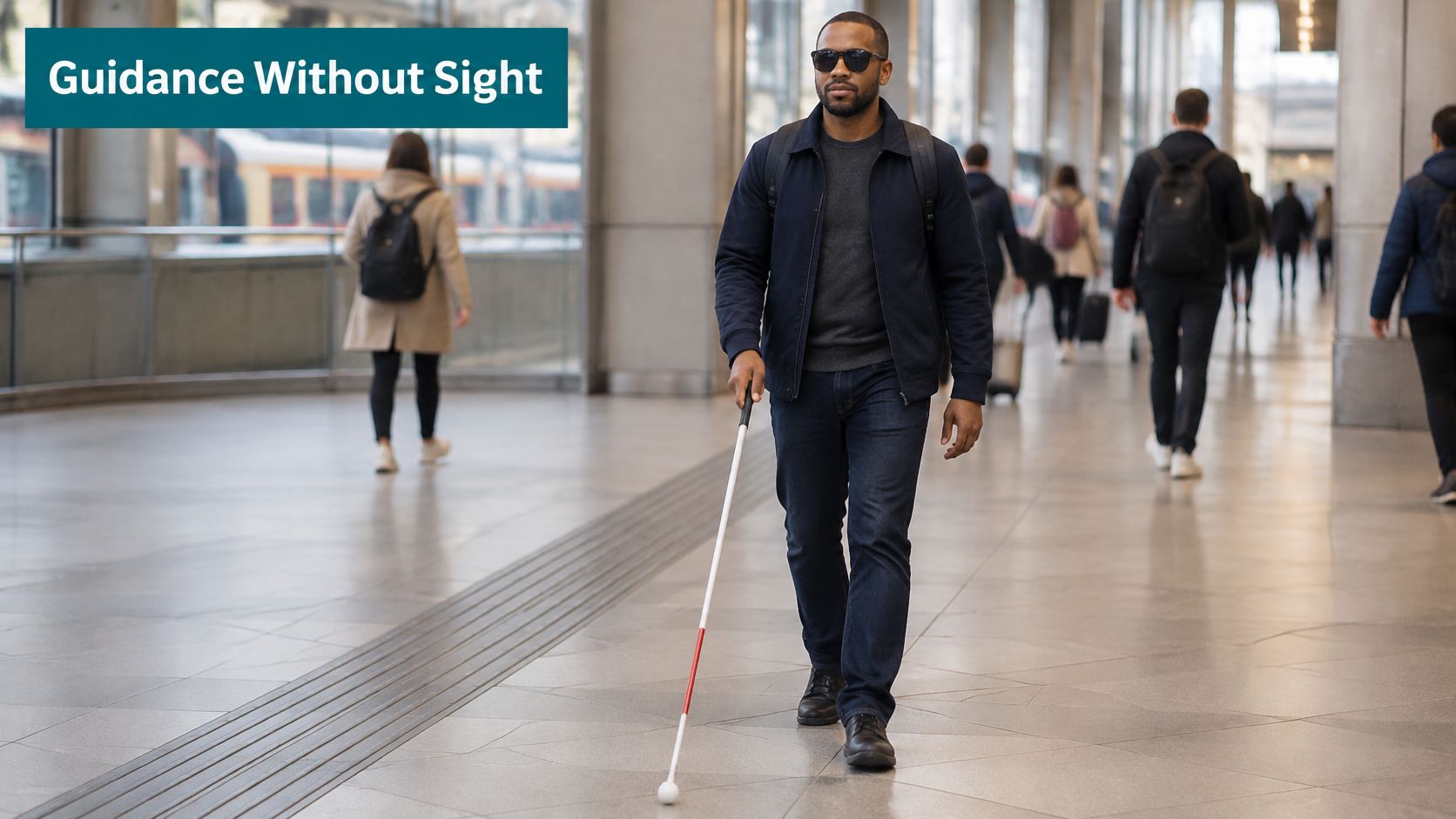
Consider a person entering a station with a white cane and a phone in a coat pocket. The screen is off, the app becomes suspended, and no further instruction arrives. Silence doesn't tell them whether they should continue, stop, seek assistance or reopen the app.
That interaction deserves explicit design, not a troubleshooting footnote.
Why registration isn't the whole audience
RNIB's analysis of England's official 2022–23 registration figures records 268,500 registered blind or partially sighted people, including 155,960 aged 75 and over and 29,215 aged 65–74. Registration rates were 3,031 and 533 per 100,000 respectively, roughly 5.7 times higher in the older group.
Registration is voluntary, so these administrative figures aren't total prevalence. Design testing shouldn't restrict participation to people on an official register.
The Equality Act 2010 makes accessibility a service-design consideration for providers, while BS 8300 provides a built-environment accessibility benchmark. Neither should be treated as proof that an infrastructure-free app alone fulfils an operator's obligations. Phone guidance complements accessible premises, information and staff support.
What should the interface communicate?
- Announce pauses and resumes. Make the session state audible when the platform permits, and explain any uncertainty.
- Keep the next instruction queued. Validate it against the recovered position before speaking it.
- Use audio rather than visual-only prompts. Don't require someone to notice a small banner to restore guidance.
Our blind and low-vision navigation discussion puts these interactions in their wider access context. Outdoor satellite-positioning problems are different: Used Mobiles 4 U's guide to improve GPS accuracy on your iPhone addresses that troubleshooting task, not interrupted inertial sensing indoors.
This section reflects the accessibility perspective of Tom Pey, Founder of Waymap, a blind accessibility technologist who built the product.
Operator Trade-Offs for Venues and Transport Hubs
A visible sign or an installed beacon isn't the accessibility outcome. The useful test is whether someone reaches the intended door, platform or service when conditions change.
Operators face capital budgets, change-approval cycles and the continuing work of maintaining hardware in high-footfall spaces. Our approach requires no beacons, Wi-Fi, wiring or venue infrastructure. That removes an installation dependency, but doesn't remove responsibility for map accuracy, disruption updates or reliable app behaviour.
The operational question extends beyond the display itself.

What should operators measure instead?
RNID's public-transport evidence pack reports that 72% of people surveyed considered how travel information is provided a barrier, 76% reported insufficient real-time visual information, and 66% identified noise, lighting and overcrowding as barriers.
Physical access and understandable routes are separate requirements. Transport for All's report found that only one in four mainline stations had street-to-platform step-free access, 2% offered level boarding, and 26% of surveyed respondents found station wayfinding confusing or inaccessible.
The information gap also appears before departure: government statistics for England in 2023 recorded journey-planning information satisfaction of 47% among disabled people, compared with 54% among non-disabled people.
Our routing automatically avoids works or faults in escalators, lifts and areas. But a changed route helps a walking passenger only when their phone receives, processes and communicates it in time. An updated server record isn't the same as an updated instruction.
Use the following video alongside an operational review of route delivery.
Which questions belong in procurement?
- How long does a disruption take to reach the navigation layer? Assign ownership from fault reporting through publication.
- Which journeys are step-critical, including transfers and alternative accessible entrances?
- Which staff procedures cover route changes? Include help points and assistance teams.
- How will inclusive testing be repeated after each layout change?
Our implementation best practices are relevant to that operational planning. These are governance questions as much as technical ones.
How to Test Foreground and Background Performance
Test the journey, not just whether the app remains open. A process can still exist while receiving too little information to support useful guidance.
Use sensor-sample continuity, missed-step rate, position drift, battery consumption and recovery time as separate measures. Agree tolerances with the venue before running the comparison. A route with closely spaced doors needs a different acceptance discussion from a long, unobstructed approach.
Use a repeatable walking procedure
- Choose a fixed route. Establish a manual step-count baseline and surveyed reference points at entrances, turns and the destination.
- Walk it in foreground mode, then repeat in background mode with the screen locked for part of the route. Keep the phone's carrying position consistent.
- Log sensor timestamps and lifecycle events. Record when the screen locks, authorisation changes and the app resumes.
- Count steps manually during each run rather than assuming every repeat contains identical movement.
- Measure battery over a fixed test interval, for example a 15-minute guided walk. Keep screen brightness, audio output and other app activity consistent.
- Measure the elapsed time from resume until the position and next instruction meet the agreed acceptance criteria.
Metrics for comparing foreground and background performance
| Metric | What to record | Foreground expectation | Background risk |
|---|---|---|---|
| Sensor-sample continuity | Motion-timestamp gaps during a defined test, such as a 10-minute walk | No unplanned gaps | Gaps during suspension |
| Missed-step rate | App-counted steps against a manual count | Within the pre-agreed tolerance | Missed steps during restricted execution |
| Position drift | Distance from the app position to a surveyed reference point | Within the venue's tolerance | Increasing error or a stale position |
| Battery consumption | Percentage used during the fixed guided-walk interval | Recorded per device model and operating-system version | Lower consumption may reflect lost functionality |
| Recovery time | Seconds until position and instructions meet acceptance criteria | Continuation without recovery delay | Must be measured on the test device |
Read the results without rewarding failure
Lower battery use isn't automatically better. A background run that consumes less energy because guidance stopped hasn't achieved an efficiency improvement.
Compare battery results only within the same device model and operating-system version. Record battery health and power-saving settings too, and don't convert a short test into an unsupported all-day endurance claim.
A successful resume restores a usable instruction, not merely a moving dot.
Use our troubleshooting guide alongside the test log to distinguish permissions, map-loading and execution-state problems. Keep diagnostic findings separate from acceptance results.
Report one row per device, route and mode, with columns for every metric and a clear pass or fail against the agreed tolerance. Attach the interruption location so testers can reproduce failures at the same decision point.
Which Mode Fits Each Journey and What to Do Next
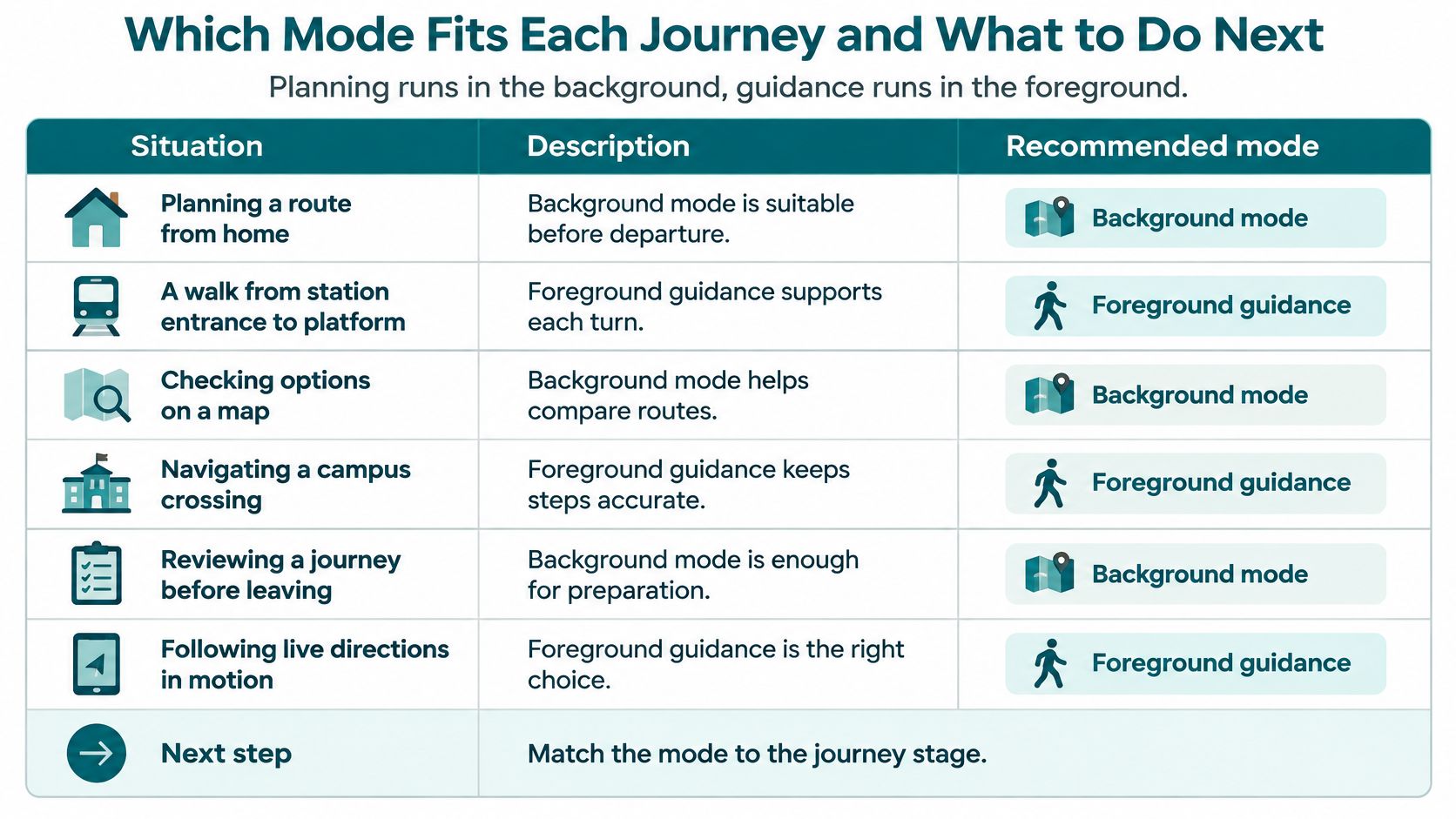
Planning runs in the background, guidance runs in the foreground. That's a practical default, not a statement that the operating system will execute every planning task after an app closes.
Use background alerts for changes that can wait until the passenger checks the phone. Use an active guidance session when the next instruction must match someone's current movement.
Recommended mode by journey situation
| Journey situation | Recommended mode | Reason | Before you start |
|---|---|---|---|
| Planning a route from home | Background preparation | No step-critical guidance is needed yet | Check the route and live schedule changes |
| Walk from station entrance to platform | Foreground | Turns and lift status affect the immediate route | Keep the guidance session on screen |
| Crossing a stadium concourse on matchday | Foreground | Indoor directions must match progress towards seats or exits | Confirm venue coverage |
| Train delay during the journey | Background alert, then foreground | A service change may require a revised walking route | Open the app when the alert arrives |
| Long commute on a low-battery phone | Foreground for critical segments | Continuous guidance consumes energy | Charge before departure where possible |
| Phone locked in a bag during a transfer | Explicit pause and resume unless continued operation is verified | Unverified background execution shouldn't be trusted | Confirm that the resume prompt is audible |
Match the mode to the whole journey
Our live train-schedule integration lets passengers time journeys around delays and disruption. A service alert and a walking instruction solve different problems: the alert changes the plan, while active navigation delivers the next movement.
A concrete example is our full journey routing from anywhere within the M25 to Lord's Cricket Ground. It combines outdoor navigation with step-by-step indoor navigation inside the ground. That requires a journey design that handles the transition from travel planning to precise venue guidance, rather than treating arrival at the postcode as completion.
Offline availability is another independent consideration. Our offline navigation explanation addresses preparation for connectivity gaps. Downloaded maps don't grant background execution permission, and an active app can't retrieve a new disruption report without a connection.
Take the action that matches your responsibility
- Check behaviour before an important journey. Individual users should try the intended carrying position, screen-lock behaviour and audible resume prompts before relying on them at an unfamiliar interchange.
- Adopt a device-specific test record. Product testers should retain results per device, route and mode, including instruction delivery at actual decision points.
- Write operating requirements into procurement. Venue and transport teams should specify supported guidance states, recovery behaviour and a stated deadline for disruption updates to reach the navigation layer.
Don't solve low battery by dropping guidance without notice. Make any pause deliberate, explain what remains available, and resume before the next walking segment.
Plan in the background, guide in the foreground.
Foreground vs Background Questions Answered
Does a navigation app keep working when the screen is locked?
It may continue, but operating-system restrictions can reduce sensor access and processing, so step-accurate guidance can degrade. Screen lock alone doesn't establish whether an authorised service remains active. Test the exact app, permissions and device configuration.
Does foreground navigation use more battery?
Yes, continuous sensing and processing consume energy, and keeping the screen illuminated adds another cost. Compare foreground vs background battery use on the same device model and operating-system version. Check whether the lower-consumption run delivered the required guidance.
Why does my navigation app stop giving instructions when I switch apps?
The operating system may suspend or limit background execution, interrupting the information or processing needed for instructions. Bring the app back to the foreground and allow it to confirm its position before following the next direction. Persistent failures need permission and execution-state checks, not repeated blind restarts.
Do venues need beacons or Wi-Fi for background or foreground navigation?
Our navigation works without beacons, Wi-Fi, wiring or venue infrastructure, using motion and mapping data on the phone. Infrastructure requirements and operating mode are separate questions. Removing installed hardware doesn't remove the need to verify sensor access and recovery.
Waymap offers infrastructure-free indoor, outdoor and underground navigation, with motion-based guidance and routes that respond to operational changes. Visit Waymap to discuss your venue's step-critical journeys, foreground requirements and disruption-handling needs. Bring a representative route and your accessibility priorities so the discussion starts with the journey people need to complete.
