
Digital Signage Requirements: The Essential Guide 2026
You've approved the screen, agreed the location, and scheduled installation. Then the first bright afternoon exposes the problem: the display is technically working, but passengers can't read it through the window glare. A second screen may be mounted too high for wheelchair users, while an outdoor unit creates a planning issue that nobody identified during procurement.
These failures are rarely caused by a lack of enthusiasm. They come from treating digital signage requirements as a shopping list instead of a combination of engineering, accessibility, planning, content, and maintenance decisions. A screen in a transport hub, stadium, university, hospital, or shopping centre is part of the information environment. It needs to remain readable, lawful, updateable, and useful under real operating conditions.
Why Digital Signage Is More Than Just a Display
A venue operator often starts with a familiar question: what screen should replace the printed poster beside the entrance? That question is too narrow. The screen may later carry evacuation information, platform changes, queue instructions, accessibility messages, commercial content, or directions to a facility. A decorative display and a functional information system may use similar hardware, but they have completely different consequences when something changes quickly.
Static signage has one obvious strength. Once printed and mounted, it generally needs little technical support. Its weakness is just as obvious: changing the message requires a physical visit, a new print run, and a decision about whether the old sign has been removed everywhere it appears. Digital signage can reduce that delay, but only if the operator has a dependable content workflow, clear ownership, and a fallback plan for outages.

The screen is part of the operating system
The practical test is not whether a display looks impressive in a supplier showroom. It's whether the right person can understand the right message at the right point in a journey. That requires more than a panel. It requires a mounting position, power, network or local content delivery, a player or integrated computing system, a content management process, and an escalation route when the screen fails.
A venue also needs to decide which information belongs on the display and which belongs in another channel. A screen can announce a changed entrance or show a concise direction. It shouldn't be the only way a person can obtain essential information, particularly where a visitor may have a visual, hearing, cognitive, or mobility-related access need.
Practical rule: Specify digital signage as an information service first and a visual asset second.
This is why dynamic digital signage for wayfinding and accessibility should be considered alongside physical screens rather than treated as a separate marketing project. The useful system is the one that keeps information aligned across the visitor journey. If a corridor closes, a platform changes, or a facility moves, the update process must reach every relevant touchpoint without creating contradictory instructions.
Hardware and Environmental Specifications
Brightness is the specification that exposes weak procurement decisions fastest. An indoor display in a controlled corridor has different requirements from a screen facing a glazed atrium, a retail forecourt, or an exposed transport platform. Choosing from a standard product catalogue without recording the actual light conditions is how operators end up paying for a screen that looks fine during installation and fails during the busiest part of the day.
For UK deployments, indoor screens typically need around 400 to 700 nits. Window-facing or bright ambient-light locations need about 1,000 nits or more, while direct-sunlight and outdoor installations commonly require 4,000 nits or more, together with weather protection such as at least IP65 for exposed sites. These requirements are set out in UK guidance on digital signage displays and brightness.
Specify the environment before the panel
Brightness isn't a substitute for good contrast, sensible content design, or correct viewing angles. If ambient light overwhelms the panel, contrast collapses and small text becomes indistinguishable from its background. A screen that technically displays content but can't be read from the intended distance is a failed installation.
Record the conditions at the proposed mounting point before selecting equipment:
- Light exposure: Note whether the screen faces windows, direct sunlight, reflective flooring, vehicle headlights, or strong overhead lighting.
- Viewing distance: Establish where people will read the message, not merely where the nearest person can stand.
- Operating conditions: Outdoor units need protection against weather and should be selected for the site's exposure, temperature, and cleaning regime.
- Physical vulnerability: In public areas, consider impact, tampering, cable protection, and whether the enclosure can be serviced without closing a busy route.
- Service access: A screen that requires specialist access equipment for every fault may cost more to operate than its purchase price suggests.
LCD panels can suit many indoor applications, while larger or more exposed environments may call for a different display architecture. The correct choice depends on the environment and the information task, not on a supplier's claim that one technology is universally superior. For a useful complementary checklist, review these local digital signage tips and apply them to the specific building rather than copying a generic installation pattern.
Planning Permission and Legal Consent
Outdoor digital signage in the UK usually sits within the advertisement consent system administered by the local planning authority. The first mistake is assuming that a digital screen follows the same route as an unilluminated board. The second is assuming that advertisement consent covers every structural part of the project.
Most outdoor signs are controlled under the Town and Country Planning (Control of Advertisements) Regulations 2007. Fully illuminated signs always require express consent, while non-illuminated signs may sometimes benefit from deemed consent, subject to limits on matters such as height and character size. The VisitBritain guidance on signs at business premises provides the relevant distinction.
A practical consent sequence
Start with the site, not the supplier's standard paperwork.
- Identify the authority and site constraints. Check the local planning authority, conservation context, listed-building implications, highways relationship, and whether the screen forms part of a broader frontage alteration.
- Describe the proposal accurately. Include illumination, dimensions, mounting arrangement, operating hours, content type, brightness behaviour, and any supporting structure.
- Separate advertisement consent from building work. A digital sign may not need full planning permission when handled through advertisement consent, but planning permission may be needed if installation involves structural changes, renovations, extensions, or wider building works. This distinction is explained in UK guidance on planning permission for digital signage.
- Assess road and public safety. The display must not obscure or create a hazard for official road, rail, waterway, or aircraft signs.
- Plan for upkeep. UK planning guidance requires advertisements to be kept clean and tidy and maintained in a safe condition, with the site owner's permission in place. The Planning Portal guidance on adverts and signs sets out these continuing obligations.
A planning application isn't the only compliance document worth preparing. Keep the technical specification, illumination settings, maintenance plan, ownership permission, drawings, and accessibility rationale together. Linking this work to wider building code compliance and accessible venue planning helps prevent the screen from being approved as an object while the information system around it remains poorly designed.
Accessibility and Inclusive Design Standards
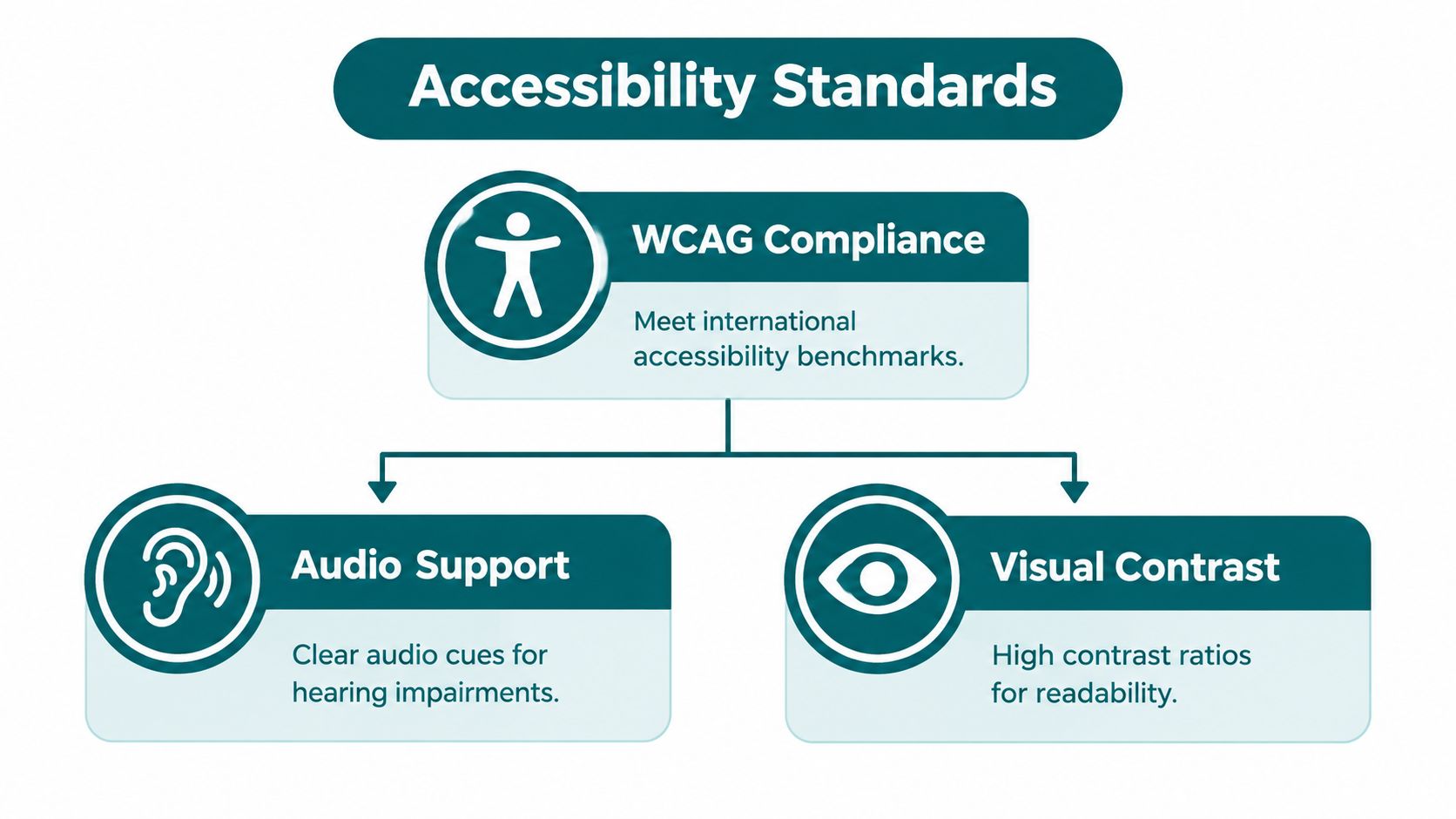
A digital sign can change faster than a printed sign, but it can't automatically become accessible. Operators still need to control contrast, type size, placement, language, timing, and alternatives for audio. The Equality Act 2010 provides a long-running UK legal baseline by treating signs and notices as auxiliary aids that may be required as a reasonable adjustment. For public-facing digital content and screens, UK guidance also connects accessibility practice with the Public Sector Bodies Accessibility Regulations 2018.
The duty is anticipatory and ongoing. A venue shouldn't wait for an individual complaint before identifying barriers for disabled visitors, including people with visual impairments. That makes an updateable system useful, but only when the operator has designed it as an accessible information service rather than a decorative display.
Compare fixed signage with updateable systems
Static signs offer consistency, but they lock the operator into one message, one contrast treatment, and one physical position until someone replaces them. Digital signage supports rapid updates and can present changing information, yet poor templates can introduce flashing content, low contrast, cramped layouts, or messages that disappear before people have finished reading.
For physical signage, UK guidance commonly points to a 30-point Light Reflectance Value contrast benchmark and mounting heights of about 1,400 to 1,700 mm for readability. Accessible signage guidance also identifies heights around 1,000 to 1,100 mm for wheelchair users. These figures are included in UK guidance on accessible signage and WCAG 2.2 Level AA, which also addresses accessibility statements and contact routes for public-sector digital services and apps.
Use the screen and its surrounding signs together:
- Contrast: Select foreground and background colours that remain distinct under the site's actual lighting.
- Placement: Check standing and seated sightlines, obstructions, reflections, and approach routes.
- Audio: Caption audiovisual messages and provide a text equivalent. Closed captions are preferred where possible.
- Consistency: Keep terminology and destination names aligned with maps, staff language, printed signs, and digital directions.
Further guidance on wayfinding signage design is useful when the screen is part of a larger route rather than a standalone announcement. Accessibility isn't achieved by adding an access symbol to an otherwise unreadable display.
Content Rules and Audio-Visual Requirements
Content is where many technically sound installations lose their value. A bright, well-positioned display can still fail if it presents too much text, changes messages too quickly, or relies on sound that nearby visitors can't hear. In a busy venue, people are walking, carrying bags, talking, and dividing their attention. The message needs to survive those conditions.
Start with the information hierarchy. Put the destination, action, or warning first. Supporting detail can follow only when the viewer has enough time and visual space to process it. Promotional content should never crowd out operational information or make urgent instructions look like ordinary advertising.
Treat audio as an additional channel
UK accessibility guidance for digital and audiovisual content expects captioning where possible, with closed captions preferred. Industry guidance for UK digital signage also points public-sector organisations towards contrast, readable font sizes, and captioning or transcript options. Any audio-led message therefore needs a visible text equivalent, not merely a volume control.
This matters in both directions. Deaf and hard-of-hearing visitors need the message without audio, while blind and partially sighted visitors may need an alternative route to visual information. A screen cannot provide that alternative by itself, so pair it with staff procedures, accessible digital content, tactile or physical wayfinding where appropriate, and other communication channels. The discussion of hearing-aid compatibility in public information environments is relevant when audiovisual systems form part of the visitor experience.
Build content rules into the CMS
A content management system should support governance, not just scheduling. Define who can publish routine messages, who approves safety-critical information, how expired content is removed, and what happens when the network or player is unavailable.
Use a content checklist:
- Readable layouts: Keep the main instruction prominent and avoid decorative backgrounds that compete with text.
- Accessible media: Caption video, provide transcripts where appropriate, and don't make essential information audio-only.
- Controlled timing: Test message duration with real users at the actual viewing distance.
- Fallback content: Decide what remains visible if live data, connectivity, or a media player fails.
- Consistent language: Use the same place names and directional terms across every channel.
The strongest content system joins operational accuracy with inclusive presentation. It does more than make a venue look modern.
Operational Maintenance and Ongoing Compliance
Installation is the easy milestone to celebrate. The difficult work begins when the screen has to operate through dust, fingerprints, software changes, seasonal light, construction, vandalism, and staff turnover. A display that was readable on commissioning day may become less effective when brightness settings drift, the viewing route changes, or content owners stop checking what appears on screen.
Outdoor and illuminated signs also carry continuing regulatory responsibilities. UK guidance says signs must remain clean, tidy, safe, and clear of official transport and navigation signs. In sensitive locations such as roadsides, conservation areas, and transport corridors, approval can depend on how the display behaves after installation, not just how it appears in an application.
Brightness needs governance, not a one-off setting
Some UK guidance cites brightness limits of 600 cd/m² for signs facing roads and 1,000 cd/m² in other outdoor settings, as summarised in UK guidance on outdoor LED screen planning and brightness. Operators should verify the conditions imposed by the relevant authority rather than treating these figures as a universal permit.
Create an operational record for every screen:
- Inspect the display: Check cleanliness, damage, mounting security, cabling, and enclosure condition.
- Verify readability: Test messages in daylight, low light, and from the intended approach points.
- Review content: Remove expired announcements and confirm that emergency and accessibility messages remain available through agreed channels.
- Track faults: Record outages, repeated player failures, network issues, and response times.
- Recheck the site: Construction, new advertising, changed lighting, or altered pedestrian flows can create new visibility problems.
Transport operators also need to prepare for a wider move towards accessible, dual-format information. Accessible information rules for local bus and coach services become mandatory for most operators from 2024 to 2026, and certain older vehicles must comply by 1 October 2026, according to the cited UK industry guidance. Digital displays may help operators update information quickly, but they won't remove the need for formats that work for people who can't see or hear a screen.
A compliance reporting system for accessible environments can support accountability when teams need evidence that issues were identified, assigned, and resolved. The practical requirement is simple: assign an owner, define inspection triggers, and retain records. Digital signage requirements don't end when the installer leaves.
Waymap provides an updateable navigation layer for venues and transport environments, using smartphone motion sensors to guide people indoors, outdoors, and underground without GPS, Wi-Fi, or installed hardware. If your signage project needs to connect visible information with accessible, precise directions, visit Waymap to assess how the platform could fit your operating model.
