
Digital Signage Management for Large Venues: A 2026 Guide
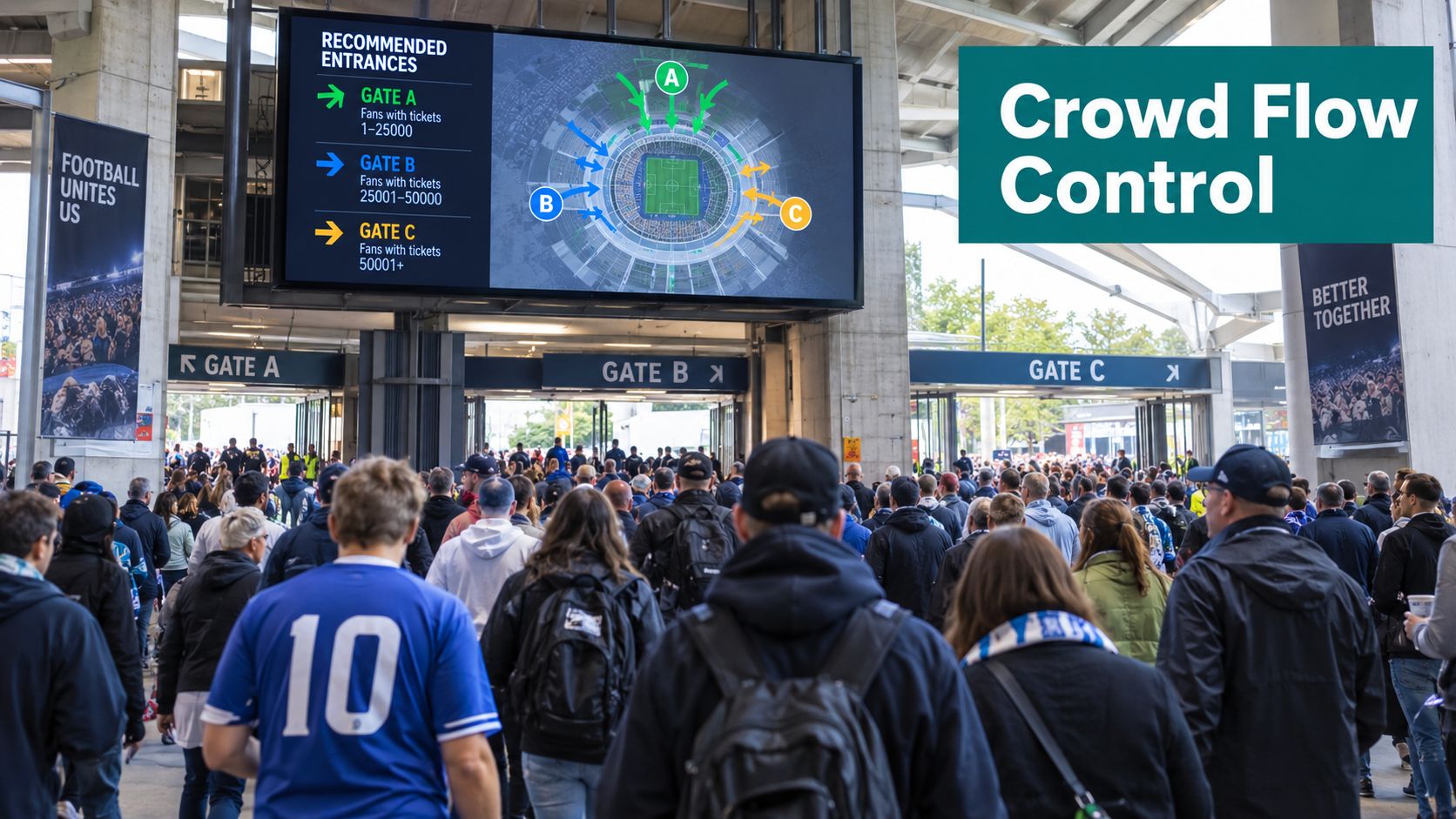
A Saturday afternoon fixture is approaching at a large UK stadium. Kick-off is less than an hour away, one stand has closed, thousands of supporters need a different route, and a rail operator has reduced its timetable. The printed posters on the concourse still show the original gates and train departures. Staff are now answering the same questions repeatedly while queues build.
That is where digital signage management earns its place. It isn't the purchase of screens or a CMS subscription. It is the connected discipline of planning, scheduling, distributing, monitoring and evidencing information across every display, data feed and fallback channel in a venue network. Done properly, it helps operators control crowd movement, publish accessible information and prove that operational messages were accurate when people needed them.
Why Digital Signage Management Matters for Large Venues
Static signage fails when conditions change faster than printed materials can be replaced. Large venues deal with changing access routes, delayed services, temporary closures, security instructions, event schedules and multiple stakeholders. A poster can remain legible and professionally designed while still directing people towards a route that no longer exists.
Treat screens as operational infrastructure
A managed signage network gives venue teams a controlled route from an operational decision to a public message. The control room can suppress scheduled advertising, publish a diversion, update a gate instruction and record when the message reached each endpoint.
That workflow matters because venue information has several owners. The event team may control timings, the transport team may own onward travel information, the safety team may issue emergency instructions, and the accessibility team may approve alternative formats. Without roles, approval rules and audit trails, the screen estate becomes a collection of competing playlists.
Practical rule: If an instruction can affect where people go, when they travel or whether they can access a facility, manage it as live operational data rather than promotional content.
The same principle applies to integrations. A ticketing platform, event-management system or transport feed can produce the right information but still fail in production if mappings, permissions or exception rules are wrong. Venue teams should review common event software integration errors before connecting new data sources to public displays.
Measure usefulness, not just uptime
A screen being online doesn't prove that the information is useful. Operators should monitor:
- Freshness: when the displayed information was last confirmed.
- Coverage: which zones and audiences received it.
- Accessibility: whether the message had suitable visual and audible alternatives.
- Override control: who can interrupt scheduled content and why.
- Fallback: what remains available when connectivity or a live feed fails.
The business case is operational as well as commercial. A venue that reduces contradictory instructions can limit avoidable congestion, protect staff capacity and provide a better experience for visitors. It also creates evidence for accessibility reviews, incident investigations and procurement assurance.
The UK Digital Signage Market and What It Means for Operators
Digital signage has moved beyond occasional electronic posters. In the UK, digitally managed out-of-home displays now form the dominant commercial format within the wider out-of-home market. Outsmart reported approximately £1.4 billion in total UK OOH revenue in 2024, with 7.7% year-on-year growth. DOOH grew 10.2%, compared with 3% for classic OOH, and represented 66% of total UK OOH revenue, up from 65% in 2023. The figures are reported in Outsmart's UK out-of-home market coverage.
The longer trend is equally important for procurement teams. DOOH's share of UK OOH revenue rose from 32% in 2015 to 65% in 2023, based on Outsmart and PwC data cited in the same report. Venue operators should read that shift as evidence of an established operating model, not as a reason to buy more screens without governance.
A managed network can support advertising, event information, retail promotions, transport updates and wayfinding from the same operational foundation. The procurement question is therefore no longer, “Which display should we install?” It is, “Which information system can we trust across every display and every fallback channel?”
UK adoption is also becoming more automated. VIOOH's 2024 UK market report found that 29% of surveyed campaigns had used programmatic DOOH during the previous 18 months, with respondents expecting that proportion to reach 36% over the following 18 months. The report also recorded 47% of UK marketers using programmatic-only buying, an increase of 18 percentage points year over year, and predicted an average 29% increase in programmatic DOOH spending over the next 18 months. These figures appear in VIOOH's UK market highlights report.
| Metric | Figure | Implication for venues |
|---|---|---|
| Total UK OOH revenue in 2024 | Approximately £1.4 billion | Digital signage operates in a mature commercial environment |
| UK DOOH growth in 2024 | 10.2% | Networked screens need central control and scalable publishing |
| DOOH share of UK OOH revenue in 2024 | 66% | Digital is the dominant commercial format |
| Programmatic DOOH use in surveyed UK campaigns | 29% | Data-led scheduling is becoming a normal buying practice |
| Expected programmatic DOOH spending change | Average 29% increase | Procurement teams should plan for more automated, feed-driven content |
The practical consequence is clear. Operators need vendor consolidation, reliable measurement, content-freshness evidence and accessibility controls. A managed signage layer is easier to defend than a series of disconnected screen rollouts because it connects publishing, monitoring and accountability. For a deeper treatment of the operational requirements, see digital signage requirements for venue and transport teams.
What a Digital Signage Management System Actually Does
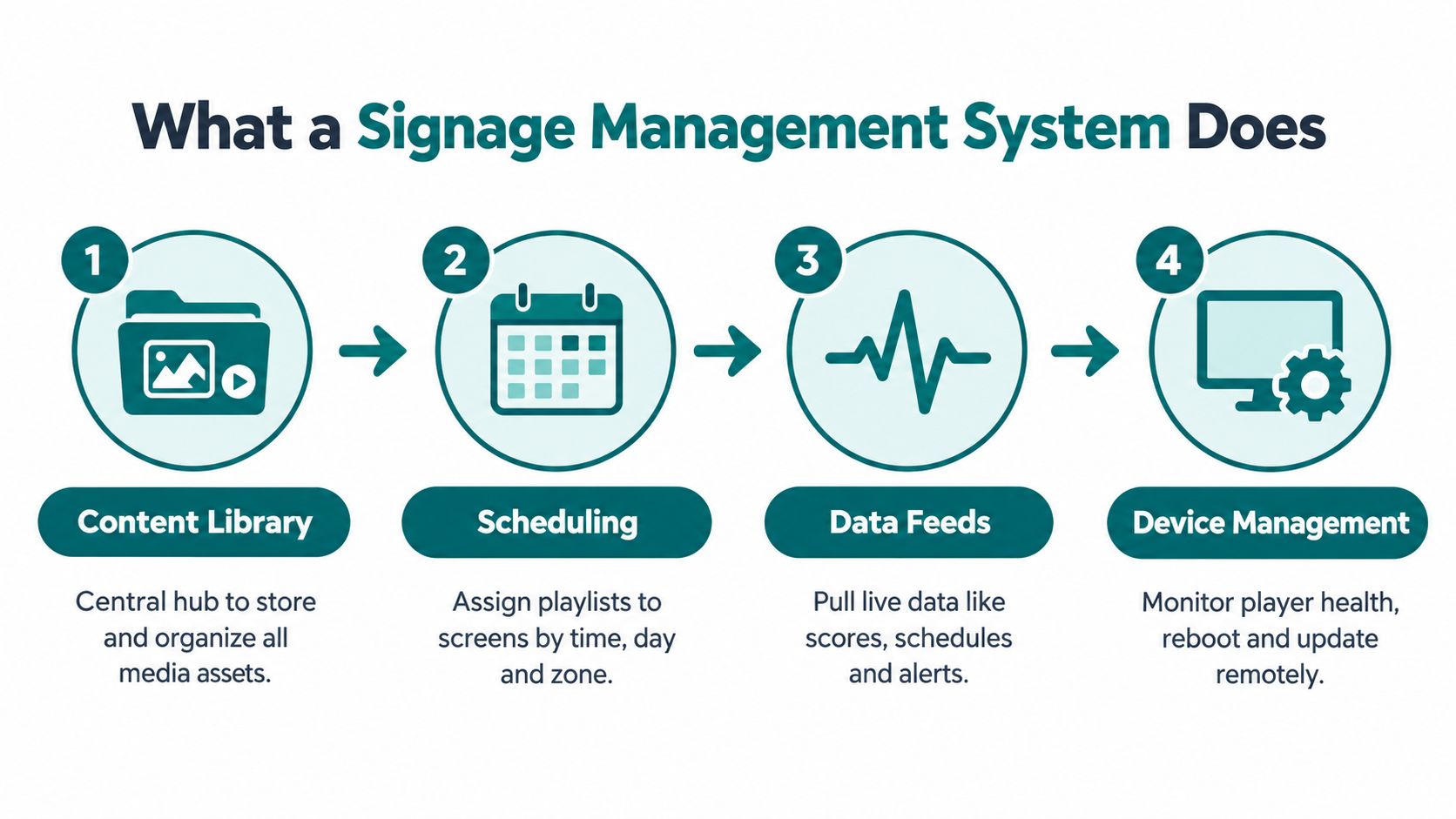
A digital signage management system has four essential parts. Each part solves a different operational problem, and removing one creates a weak point elsewhere.
The content management system controls what may be published
The CMS stores media assets, templates, playlists and approval states. It should separate the responsibilities of marketing, operations, safety, accessibility and external partners. A marketing user might prepare an event promotion, while an operations manager approves a gate diversion and a safety lead controls urgent instructions.
Use structured fields for information that changes frequently. A departure message, for example, should have separate fields for service, destination, time, status and source. That structure makes the same information easier to render on screens, websites, apps and audio systems.
Scheduling turns a library into a service
Scheduling assigns approved content to a screen, zone or audience at a defined time. A stadium might have pre-event, arrival, in-play and departure playlists. A transport interchange might use separate rules for normal service, disruption and evacuation.
The system must support exceptions. A control-room operator should be able to interrupt a planned playlist, publish an urgent instruction and restore the previous schedule without manually rebuilding it. Every override needs an owner, reason and timestamp.
Data feeds keep messages current
Live data feeds connect the signage system to operational sources. Depending on the venue, these may include rail information, local transport data, weather services, queue sensors, event systems or building-management alerts.
The feed itself isn't enough. The platform needs validation, freshness metadata and expiry rules. If an accessible lift becomes unavailable, a route message that still points towards it is operationally misleading, even if the screen and network are functioning.
Device management proves delivery
Device management monitors player health, connectivity, screen status, playback and remote updates. Proof-of-play records what content was scheduled and whether the endpoint acknowledged it. That evidence supports incident reviews, commercial reporting and accessibility audits.
A useful system distinguishes between screen uptime and information reliability. It should flag a live feed that has stopped updating, an endpoint showing stale content, a failed audio channel or a device that has fallen back to cached material.
Teams evaluating dynamic content should also distinguish between a screen's ability to display a feed and the organisation's ability to govern it. Dynamic digital signage guidance is useful when mapping those responsibilities to a wider operating model.
Content and Operations Best Practice for Venue Networks
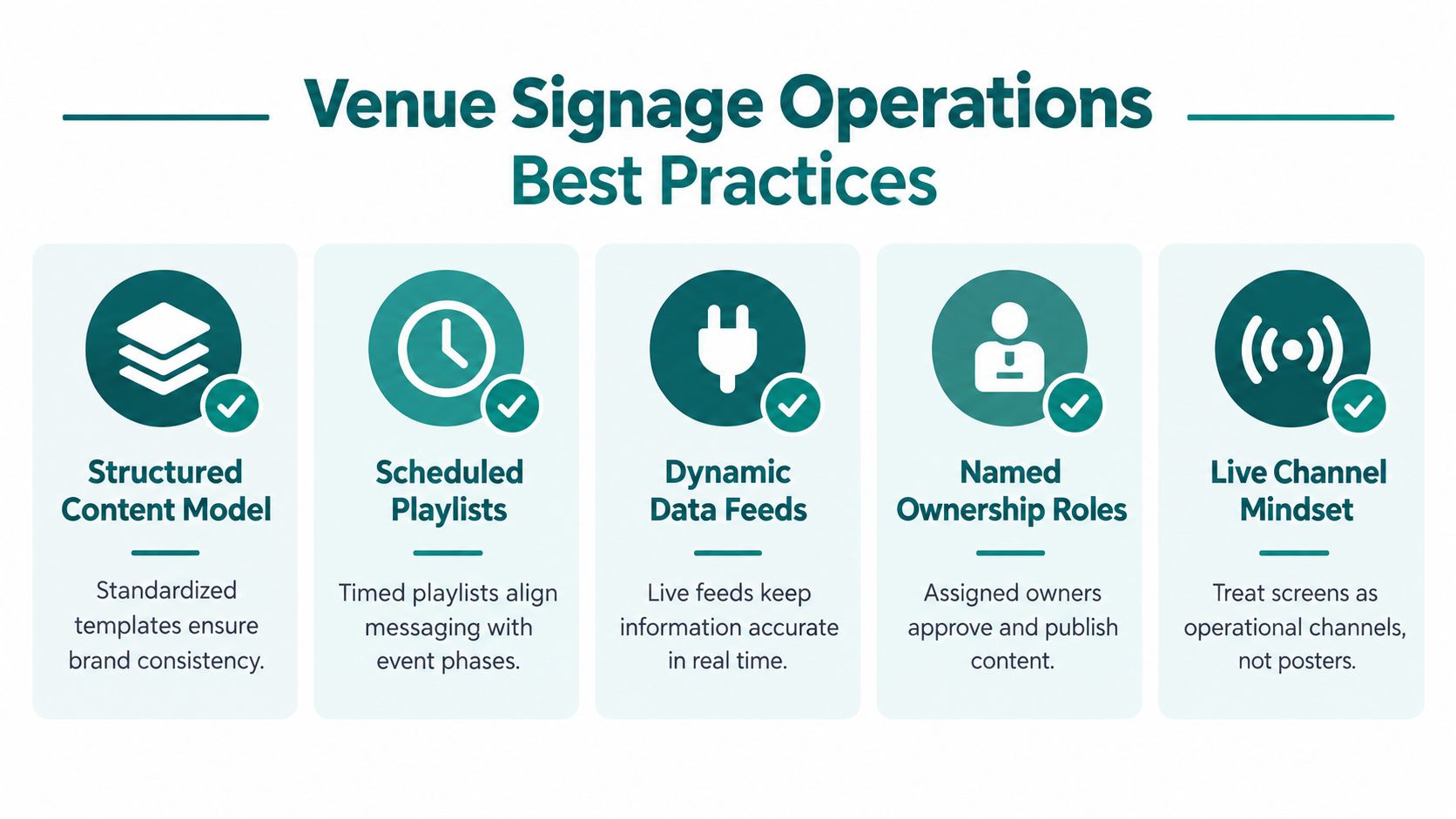
The best venue networks treat screens as live channels. They don't treat them as digital noticeboards that marketing updates when someone remembers.
Start with a shared content model. Define the fields, ownership and status of each message before designing templates. For transport information, RTIG screen display guidance identifies the core information for a service line on a public electronic sign as the route or service name, destination or termination, and scheduled or predicted calling time. A clock is also highly recommended.
That model should apply across transport modes. Passengers moving between rail, bus and walking routes shouldn't have to interpret different field names, ordering or time terminology on every screen.
Build operational ownership into every message
Assign a named owner for each content class:
- Event operations: gates, entrances, timings and crowd instructions.
- Transport control: departures, cancellations, replacement services and station changes.
- Estates: lifts, toilets, corridors, temporary closures and building access.
- Accessibility: readable layouts, alternative formats and route conditions.
- Commercial: advertising, sponsorship and promotional content.
Use version control and approval states. A message should show who created it, who approved it, which source informed it and when it expires. Don't permit an urgent override to become permanent just because nobody remembers to remove it.
Set freshness and exception rules
Every dynamic message needs an expected update interval and an expiry action. If a feed fails, the system should display a timestamped last-known-good message, switch to a safe fallback or alert the control room. It shouldn't continue showing a confident-looking instruction with no indication that the source is stale.
The NCAT research on transport accessibility data found that 22% to 29% of surveyed disabled people wanted live information about issues including assistance staff, priority seating, overcrowding, accessible toilets, lift status, mobility-aid spaces and ramp availability. Effective wayfinding mattered to 23% of respondents. The operational lesson is direct: accessibility data needs authoritative sources, freshness metadata, automated invalidation and exception monitoring.
Audit the network before each season or major event:
- Are gate numbers and route names sourced from an authoritative system?
- Can staff publish an emergency override without bypassing accessibility rules?
- Do expired messages disappear automatically?
- Does every screen have a known fallback?
- Can the team prove what appeared, where and when?
- Are screen, web, app, audio and staff messages generated from compatible data?
Accessibility, ESG and Regulatory Requirements
Accessibility must be designed into the publishing workflow, not checked after a screen estate has been installed. The Equality Act 2010 should form part of the legal review for venues and transport operators, but the practical test is more specific: can people with different access needs receive, understand and act on the same operational information?
For local buses and coaches, the Public Service Vehicles (Accessible Information) Regulations 2023 create defined requirements. For vehicles first used on or after 1 October 2024, relevant route and direction information must be provided in audible and visible formats at boarding. Displays must be visible from relevant wheelchair spaces, use text at least 22 millimetres high, and maintain an unobstructed line of sight to at least 51% of passenger seats, every priority seat and the relevant wheelchair spaces. These requirements are set out in Regulation 14 of the Public Service Vehicles regulations.
Design for perception, reach and movement
A readable screen is only one part of an accessible information system. Use strong contrast, avoid glare, provide captions and support audible alternatives where the information affects a journey or access decision. Keep signs out of clear movement corridors and away from locations where crowds or temporary equipment will obscure them.
The UK government's Inclusive Mobility guidance gives practical placement parameters. Detailed wall-mounted information such as timetables, maps and diagrams should be centred around 1,400 millimetres above ground, with the bottom edge at least 900 millimetres above ground and the top edge no higher than 1,800 millimetres. Where crowds may obscure a sign, it should be positioned at least 2,000 millimetres high. The guidance also recommends strong contrast, a matt finish and even lighting between 100 and 300 lux, while outdoor variable-message displays should be shielded from direct sunlight and kept accurate.
Transport for All reported that 46% of England's bus fleet provided audio-visual information. In its survey, 27% of disabled passengers said poor station signage prevented them from finding platforms, lifts or facilities, 18% reported a lack of accurate real-time updates and 17% said updates weren't communicated in accessible formats. The Department for Transport reported that AV-compliant buses rose from 39% in 2020/21 to 47% in 2022/23. These figures appear in the Department for Transport inclusive transport evaluation summary.
| Regulation or standard | Signage implication | Evidence to capture |
|---|---|---|
| Equality Act 2010 | Review reasonable adjustments across visual, audible and assisted information | Accessibility assessment, approvals and corrective actions |
| PSVAR 2023 | Manage visible and audible passenger information, text size, positioning and sightlines | Vehicle or site audit, playback records and maintenance logs |
| Inclusive Mobility | Control height, glare, lighting, visibility and obstruction | Installation measurements, lux checks and inspection records |
| Transport information guidance | Present route, destination and scheduled or predicted time consistently | Content schema, feed mapping and update history |
| ESG governance | Report resource use and operational controls without treating paper removal as the only measure | Procurement records, energy data and fallback policy |
Digital publishing can support ESG reporting when operators capture evidence rather than make broad claims. Track the operation of the network, hardware replacement decisions, energy requirements and the continued provision of non-digital alternatives. Accessibility, resilience and resource efficiency belong in the same governance record.
For web content mirrored from signage, involve the digital accessibility team and use a recognised accessibility framework. The WCAG accessibility standards resource can help teams connect screen content decisions with wider digital service reviews.
Integrating Dynamic Wayfinding With Your Signage Network
Fixed screens and personal navigation tools solve different parts of the same problem. A screen gives shared information to a crowd. A personal device can provide an individual route, repeat an instruction, adapt to a person's needs and continue assisting beyond the point where the visitor leaves the screen.
The integration should begin with a shared data model. Entrances, platforms, lifts, toilets, gates, facilities and temporary closures need stable identifiers and clear status fields. When an operator changes a destination or closes a route, the same approved update can inform screens, web content, staff briefings and a personal wayfinding service.
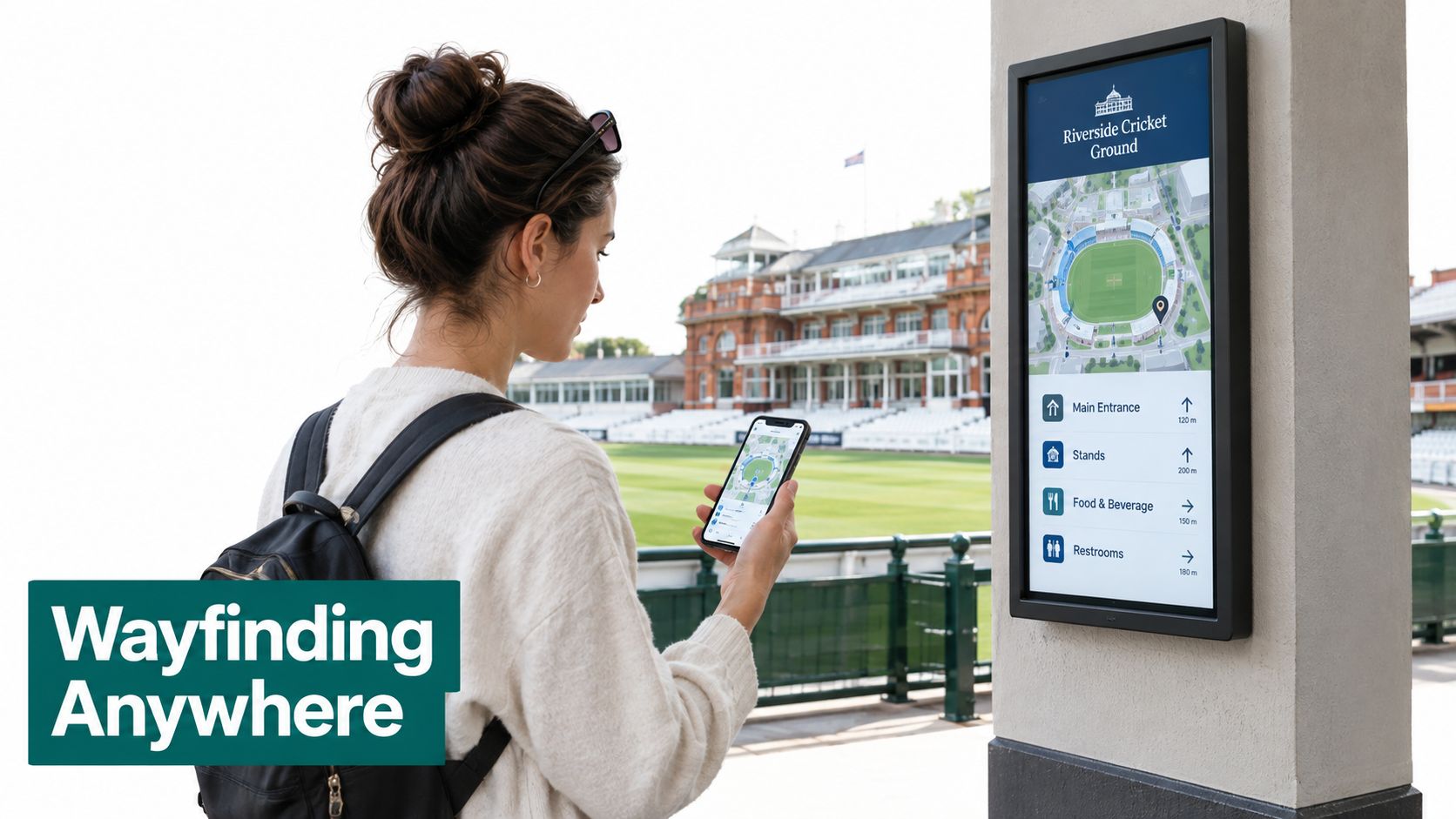
Infrastructure-free navigation is particularly relevant where operators don't want to install and maintain location hardware throughout a changing venue. A platform using smartphone motion sensors and detailed maps can provide a personal layer without making every visitor dependent on a single screen, wireless beacon or uninterrupted signal. That doesn't remove the need for signs. It creates redundancy.
Govern the personal layer as carefully as the screen estate
Wayfinding integration introduces its own controls:
- Map ownership: define who approves entrances, routes, points of interest and temporary closures.
- Update propagation: record when a change reaches the screen network and personal navigation service.
- Accuracy: test routes against actual doors, platforms, barriers and accessible facilities.
- Privacy: collect only the location or journey information required for the service, with appropriate UK GDPR governance.
- Fallback: provide printed information, staff support and cached instructions when a device or network isn't available.
The NCAT findings above make this more than a convenience feature. Live accessibility information must remain connected to operational reality. If a lift is unavailable, both the fixed display and personal route should invalidate the affected instruction.
A dynamic wayfinding layer can also extend information beyond the venue boundary. A visitor may need directions from a station entrance to a stadium gate, from a shopping centre car park to a shop, or from a campus building to a specific room. Wayfinder and digital signage integration provides a useful reference point for assessing how those channels might share content.
The procurement principle is simple: don't buy a navigation product as an isolated app. Require a documented relationship between the signage content model, operational feeds, accessibility data and personal guidance.
How to Choose a Digital Signage Management Platform
Choose the platform as a resilience and data-governance system, not as a hardware tender. A bright display with an attractive interface won't compensate for weak feed validation, unclear ownership or an inability to prove what passengers saw.
Put these requirements into the tender:
- Open integration: require REST, JSON and documented open APIs, with no assumption that every future source will be a proprietary connector.
- Dynamic data evidence: ask the supplier to demonstrate ingestion, validation, timestamping and expiry for a live operational feed.
- Accessibility workflow: require approval controls for visual and audible content, plus evidence of audits against the relevant transport and built-environment requirements.
- Multimodal output: test whether one structured content model can reach screens, websites, audio channels and personal devices.
- Resilience: inspect offline behaviour, last-known-good content, alerting, remote recovery and manual fallback.
- Commercial control: separate advertising proof-of-play from operational-message evidence so commercial reporting can't obscure service failures.
- Supplier exposure: identify hosting location, subcontractors, exit arrangements, data portability and bespoke engineering dependencies.
Require named UK deployments and contractual service levels. Ask the supplier to confirm in writing that it can ingest content from a dynamic wayfinding layer without bespoke engineering. The response should include a test plan, not just a product demonstration.
| Criterion | Weight | Minimum evidence required | What to reject |
|---|---|---|---|
| Feed reliability | High | Validated live-feed demonstration, timestamps and expiry rules | Screens that continue playback without freshness warnings |
| Accessibility | High | Visual and audible output tests, sightline and content controls | Accessibility treated as a design add-on |
| Fallback operation | High | Offline, cached and manual-message scenarios | A cloud-only workflow with no degraded mode |
| Open integration | High | API documentation and data export process | Proprietary connectors for every change |
| Auditability | High | Proof-of-play, override history and acknowledgement logs | Screenshots used as the only evidence |
| Multimodal publishing | High | One content model rendered to several channels | Separate manual content workflows |
| Lifecycle cost | Medium | Hosting, support, hardware and exit costs | Low purchase price with unclear operating obligations |
Use digital signage vendor selection criteria to structure the shortlist. The winning platform should make failure visible, recovery repeatable and accountability assignable.
Frequently Asked Questions on Digital Signage Management
What is the difference between digital signage and digital signage management?
Digital signage is the display channel, while digital signage management controls its content, scheduling, data, devices and evidence. A screen can play a playlist without knowing whether the information is current or approved. Management adds governance and operational control.
How does dynamic wayfinding integrate with digital signage management?
Dynamic wayfinding integrates through shared content fields, mapped destinations, route status and update workflows. The operator should change a closure once and propagate the approved status to screens, personal devices, web content and staff channels.
What does an accessible signage network look like?
An accessible network provides readable visual information, audible alternatives where required, suitable placement and current operational data. Transport operators should also test visibility from priority and wheelchair spaces and retain audit evidence.
How do teams measure content freshness?
Teams measure freshness by recording the source timestamp, publication time, expected update interval and expiry action. A message without a known source status should trigger an alert or fallback rather than remain indefinitely on screen.
Can DOOH revenue offset platform costs?
DOOH revenue can contribute to the business case, but it shouldn't justify weakening operational content or accessibility controls. Keep advertising measurement separate from passenger-information assurance.
What happens when primary displays fail?
A resilient network switches to timestamped cached content, static messaging, audio, staff communication, printed information or personal devices. Operators should test those fallbacks during planned exercises and measure whether people can still complete their journeys.
Waymap provides an infrastructure-free navigation layer that can extend a venue's structured signage content to personal devices, including accessible, step-by-step guidance in signal-poor environments. Visit Waymap to discuss how dynamic wayfinding can complement your screen network, operational feeds and accessibility programme.
