
Airport Signage Standards: Reference Guide 2026
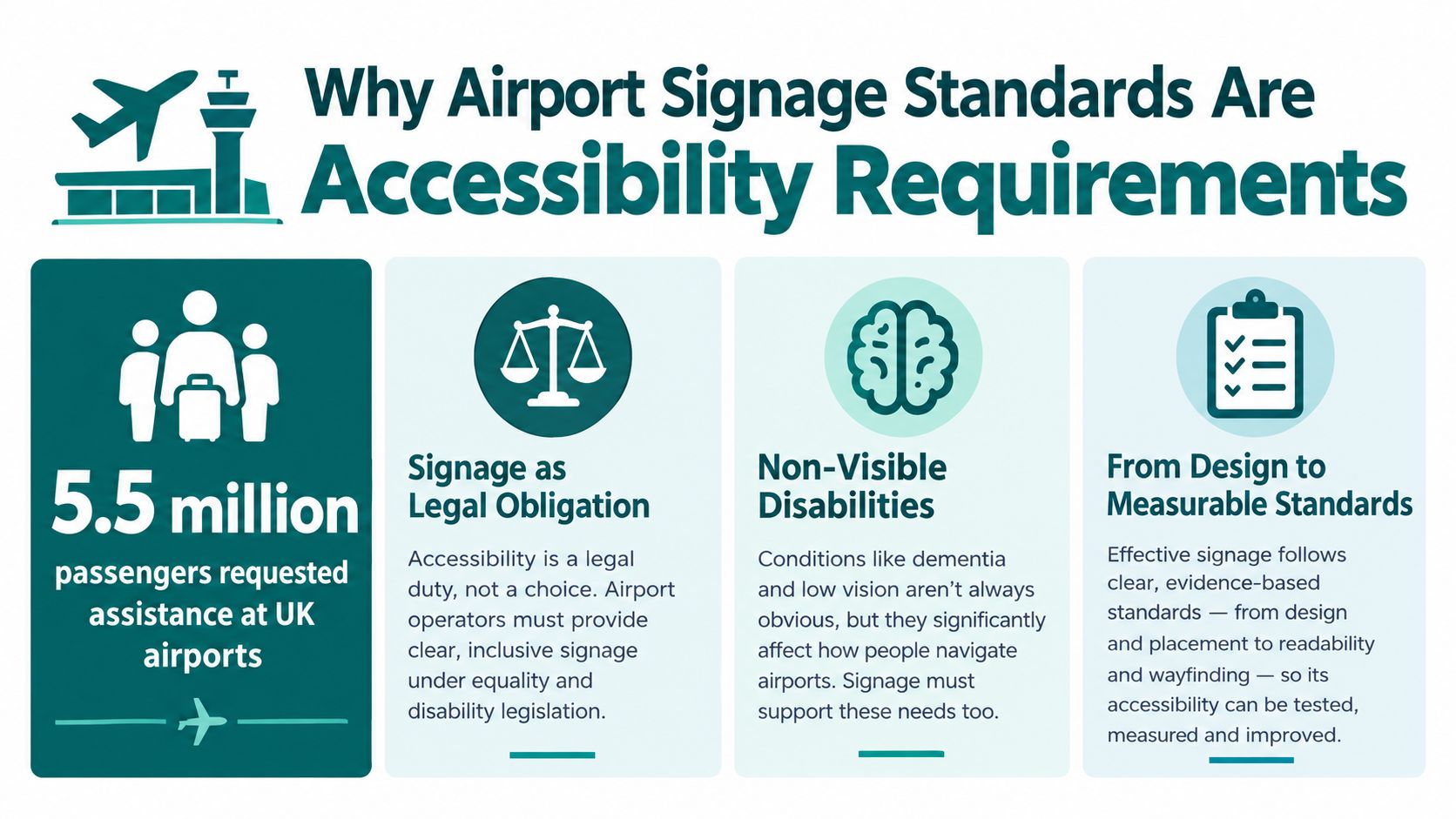
In the UK, airport signage standards sit within CAA Regulation (EU) No. 1107/2006 and CAP1228 guidance, rather than one single airport-wide signage standard. In 2024, approximately 5.5 million passengers requested assistance, making measurable, accessible wayfinding an operational requirement.
That figure represents about 1.9% of all passengers, compared with 0.94% in 2010 and 4.6 million passengers in 2023 (Civil Aviation Authority assistance data). Airport operators therefore need to assess signage as part of the complete passenger journey, from car park or rail connection to assistance point, security, toilet, gate and exit.
At Waymap, we see the same implementation problem repeatedly. A sign can meet a visual specification and still leave a passenger unsure where to go next. Effective airport wayfinding combines physical signs, tactile information, clear distance cues, accessible digital guidance and assistance procedures that work together.
Why Airport Signage Standards Are Accessibility Requirements
The CAA's assistance data shows a sustained rise in support demand. That trend makes wayfinding an operational duty, not a presentation layer. A passenger's ability to locate help, choose the correct route and recover from a missed turn depends on how physical information, staff procedures and digital guidance work together.
Signage forms part of the accessibility duty
The Civil Aviation Authority enforces UK Regulation (EU) No. 1107/2006, which protects disabled passengers and people with reduced mobility. Its quality-standard guidance, CAP1228, provides the framework used to assess how airports support those passengers (CAA airport accessibility framework).
Operators need to assess signage as part of the complete accessibility service. The practical questions are specific: can a passenger identify the assistance point, follow an accessible route, understand the next decision point and reach the intended facility without repeated requests for help?
Practical rule: Treat every sign as part of a supported journey, not as an isolated graphic.
Inspections examine wayfinding alongside assistance-dog facilities, staff training and disability awareness. These elements interact during real journeys. A clear sign cannot compensate for staff who give different directions, while an effective assistance process still fails if passengers cannot find its starting point.
Technical compliance also has limits. A sign that looks correct on a design proof can become difficult to read in a noisy terminal, beside reflective surfaces or after a temporary route closure. Temporary barriers, queue changes and unfamiliar layouts create further decision points.
The operational test is independence. Does the complete system give passengers enough consistent information to choose the next action, reach support when needed and continue with confidence? If not, compliant individual signs have not delivered an accessible journey.
Understanding the CAA Regulatory Framework for Airports
The framework's teeth are its ratings. Airports are graded on assistance delivery, and signage findings feed into published assessments. That makes wayfinding an operational responsibility, not a graphic design preference.
The CAA combines Regulation (EU) No. 1107/2006 with CAP1228 and its Airport Accessibility Framework. The framework launched in 2014, creating a consistent UK method for reviewing airport performance. For the 2024 reporting period, it assessed 28 UK airports handling more than 150,000 passengers each (CAA regulatory framework).
What CAA assessments look for
CAA assessment material refers to ECAC guidance on internationally agreed symbols and signs for facilities reserved for disabled passengers and people with reduced mobility. Reviewers also examine whether the sign system supports:
- Assistance procedures: Passengers need to identify where support begins and how to request it.
- Accessible facilities: Toilets, lifts, assistance-dog facilities and other provisions require consistent, recognisable identification.
- Staff practice: Staff should understand the routes and give directions that match the information passengers receive.
- Passenger evidence: Waiting times, satisfaction and consultation with disabled people indicate whether the system works in practice.
Operators can use Waymap's UK accessibility compliance guidance alongside CAA material to turn regulatory duties into a route-level audit.
The practical distinction is between symbol compliance and journey performance. Recognised symbols identify a facility, but they do not explain its distance, confirm that a lift remains available beyond the next junction or show what happens after a route change. Those details affect whether a passenger can continue independently.
A compliant sign therefore forms one part of a wider accessibility system. Its value depends on consistent information, operational readiness and routes that remain usable when terminals change.
Tactile and Physical Signage Specifications
Physical signs support independent movement only when their tactile details and placement work together. UK-focused guidance specifies raised characters at least 0.75 mm high, with tactile character heights between 16 mm and 50 mm (CAA tactile signage guidance).
Character proportions also affect recognition by touch. Width-to-height ratios should sit between 3:5 and 1:1, while stroke-width-to-height ratios should range from 1:5 to 1:10. Sans-serif or simple-serif forms are easier to distinguish than ornate lettering, particularly when passengers cannot rely on vision.
Installation should be commissioned through physical checks, not visual approval alone. Confirm the following on site:
- Raised relief: Measure the characters to verify the required minimum projection.
- Character scale: Check that tactile characters fall within the specified height range.
- Proportions: Measure both width-to-height and stroke-width-to-height ratios.
- Braille: Use Grade 1 or Grade 2 Braille according to the text's complexity.
- Location: Position the sign with its centre approximately 1,525 mm above floor level, normally beside the door on the latch side.
- Approach space: Keep an unobstructed approach within 750 mm, clear of the door swing.
The surrounding space often determines whether a compliant sign works. A passenger may need to stand close to read it by touch, yet bins, queue barriers, door furniture or temporary equipment can block that position. Check the approach during normal operations, not only after installation.
Airport accessibility assessments also refer to internationally harmonised identification for assistance call points and ISO 3864-1 principles. An ECAC-based specification recommends call-point buttons approximately 20 mm in diameter with slight projection. That gives installers another physical feature to inspect.
Tactile signs should also align with directional information elsewhere in the terminal. Waymap's guide to wayfinding signage design provides broader implementation context for coordinating physical signs with the route system.
High-Contrast Visual Signage and Colour Standards
Colour selection sets the starting point for legibility, but installation determines whether passengers can use a sign independently. Heathrow's accessibility guidance identifies black lettering on a yellow background as its directional-signage approach for strong colour contrast and recommends universally recognised pictograms where practical (Heathrow accessibility guidance).

A sign can meet a contrast specification and still fail on the concourse. Check it under the lighting passengers encounter, including reflections, glare and changing daylight.
Heathrow's guidance points to four practical controls:
- Clear and well lit: Provide enough light for reading without creating glare.
- Non-reflective: Use finishes that preserve contrast under terminal lighting.
- Mounted at eye level: Place signs where standing passengers can find and read them naturally.
- Combined with pictures: Use pictograms to reinforce words rather than remove language passengers may need for confirmation.
These choices support passengers with low vision, dementia and other non-visible disabilities. Familiar pictograms speed recognition, while written words confirm meaning when a symbol is unfamiliar or ambiguous.
Apply colour consistently across terminal zones and operators. A route that changes colour without a clear transition can appear to change destination, even when the route remains the same. Treat contrast, lighting, placement and pictograms as one operational system: contrast supports reading, lighting controls glare, placement makes information findable, and pictograms shorten interpretation time.
The Gap Between Compliant Signage and Independent Navigation
A terminal can meet every sign specification and still leave passengers dependent on staff. Independent travel requires route information, walking distances, assistance availability, designated assistance points and clear directions across arrivals, security, terminals, car parks and rail connections (CAA accessibility assessment material).
The CAA identified missing or insufficient walking-distance information at Heathrow. The UK Aviation Accessibility Task and Finish Group also recommended accessibility guides covering services, facilities, wayfinding options and how to request support. These requirements expose the gap between compliant panels and a journey passengers can manage with confidence.
Why adding more signs can fail
A passenger may face three arrows and still lack the information needed to choose. Which route has a lift? How long is the walk? Where does assistance begin?
The fix is a coordinated system built around decisions, not sign counts. Place signs predictably so passengers know where to look. Add readable distance information that gives each route a meaningful scale. Provide digital guidance for people who need audio, step-by-step or personalised instructions. Keep support visible between designated assistance points, rather than treating those points as isolated destinations.
Operations must feed the system. A closed corridor, revised queue layout or changed gate can invalidate a route while the permanent sign inventory remains unchanged. Updates therefore need clear ownership and timely communication across physical and digital channels.
A terminal full of signs that still leaves passengers asking staff for directions has failed at its one job. Airport signage standards should be assessed against the complete passenger experience, including whether a person can make informed decisions throughout the journey, not only against the physical characteristics of individual panels.
How Waymap Addresses Digital Wayfinding Requirements
Digital guidance can fill the gaps that fixed signs can't address, particularly when an airport needs route detail without installing new infrastructure. Waymap uses dead reckoning based on device-native sensors, with sub-3-metre accuracy in infrastructure-free environments and no pre-mapping requirement for venues with high staff turnover or frequent layout changes.
The approach matters operationally. Airport estates teams don't need to maintain Bluetooth beacons across high-footfall areas, and managers can work with a dynamic layer that reflects points of interest, accessibility routes, closures and governed operational updates. The app provides step-by-step audio guidance and can support multilingual information where the deployment requires it.
Waymap has been applied in named transport environments including WMATA, SBS Transit and LTA Singapore, where indoor and underground navigation creates problems that GPS-dependent tools can't solve reliably. Those deployments illustrate the relevant constraint, not a promise that every airport has the same operating model: transport infrastructure changes, signal conditions vary and hardware maintenance can become a continuing burden.
For an overview of the product approach, see the Waymap wayfinding app.
The digital layer should complement physical airport signage rather than remove it. Static signs provide shared landmarks and remain essential for people without a smartphone. Digital guidance can add precise route decisions, distance information and alternative paths when a route is unavailable.
The following demonstration shows how sensor-based guidance can operate as part of an indoor navigation experience.
Meeting Equality Act and Accessibility Standards Through Digital Navigation
Digital navigation supports the outcome behind accessibility duties: a person should be able to access and use a service without avoidable barriers. For UK operators, that includes the Equality Act 2010, while wider design and accessibility discussions may involve BS 8300, PAS 78, BS EN 17210, the UN Convention on the Rights of Persons with Disabilities and, for relevant international operations, ADA Title III.
Infrastructure-free navigation is relevant because the practical barrier often isn't a lack of intent. NHS estates managers may face capital-spend restrictions and difficult approval cycles for beacon installations. Transport operators may not want to maintain physical hardware across busy environments where layouts, equipment and access routes change regularly.
Connecting standards with delivery
Waymap's sensor-based approach can provide audio route instructions without GPS, Wi-Fi, beacons or installed hardware. That doesn't replace the operator's legal duties, physical signs or human assistance. It offers another way to provide route information when a fixed installation would be expensive, slow to approve or difficult to keep current.
The most useful compliance test remains outcome-based:
- Can a passenger identify the route and relevant facilities?
- Can the operator update information when access changes?
- Can the passenger receive guidance in a suitable format?
- Can staff explain how physical and digital assistance work together?
Waymap's Equality Act 2010 requirements guidance provides further context on connecting digital navigation with accessibility responsibilities. Operators should document the role of each channel and test the combined journey with disabled passengers, rather than treating app availability as proof of compliance.
Physical Signage Versus Digital Wayfinding Versus Hybrid Approaches
No single channel meets every airport requirement. Physical signage provides universal, shared information, digital wayfinding can adapt to changing routes, and a hybrid model combines both.
| Approach | Cost and maintenance | Update frequency | Accessibility coverage | Best fit |
|---|---|---|---|---|
| Physical signage | Requires design, manufacture, installation and periodic inspection | Changes usually require a physical intervention | Strong for shared visual, tactile and symbolic information | Permanent landmarks and core routes |
| Digital overlay | Avoids installed navigation hardware but requires content and operational governance | Can reflect approved route and facility changes quickly | Can provide audio, language and personalised guidance, but depends on device access | Complex routes and changing information |
| Hybrid system | Shares the physical baseline with a flexible digital layer | Physical signs remain stable while digital content adapts | Covers shared orientation and individual route support | Large terminals with changing operations |
A hybrid approach is usually the most resilient. Physical signs identify the terminal, security area, lift or gate zone, while digital guidance can provide the walking distance, assistance-point location and route verification that fixed signs often omit.
The decision should follow the operational problem. If a sign is missing, install one. If passengers can't interpret a route, review hierarchy and contrast. If the route changes frequently, add a governed digital layer rather than replacing every panel.
Waymap's overview of wayfinding solutions is relevant for operators comparing these delivery models. The key is to define ownership, update controls and testing responsibilities before deployment.
A Passenger Journey Through Integrated Signage Systems
Consider a blind or low-vision passenger arriving at a UK airport by rail. High-contrast signs identify the terminal entrance and assistance facilities, while tactile information confirms key doors and service points. The passenger can orient themselves using physical landmarks without depending on a single device.
At the assistance point, staff can confirm the route to security. The physical sign provides the shared destination, but it may not explain the precise walking distance, the location of a lift or what happens if a corridor is temporarily closed.
A digital wayfinding layer can then provide step-by-step audio instructions from the assistance point to security, identify the accessible route and guide the passenger through the next decision points. After screening, the same system can direct the passenger towards the gate, update the route when the airport changes the approved path and identify facilities along the way.
Designing the journey around decisions
The route should be tested at the points where passengers commonly pause:
- Arrival: Can the passenger find the correct entrance and assistance location?
- Security: Is the accessible route distinguishable from the general queue?
- Transfer: Can the passenger identify lifts, toilets and changes in level?
- Gate approach: Does the route explain distance and the final turn clearly?
- Queue management: Are temporary barriers and queue layouts signed without blocking tactile approaches?
Operators planning temporary lines should also consider practical guidance on planning signs for queues, particularly where barriers can obscure fixed signs or reduce the approach space needed for tactile information.
The result is not a choice between signs and technology. Static landmarks establish confidence, while audio guidance fills the gaps between them. That combination makes the CAA's goal, independent movement supported by reliable information, more tangible than a sign-by-sign review.
Compliance Checklist for Airport Signage Standards
An airport signage audit should test the installed environment, not just the design documentation. CAA assessments examine signage and wayfinding as part of wider accessibility performance, so the checklist needs to connect physical specifications with the passenger journey.
Physical and visual checks
- Tactile relief: Verify raised characters reach at least 0.75 mm.
- Character dimensions: Confirm tactile characters are between 16 mm and 50 mm, with the required width and stroke proportions.
- Braille format: Check whether Grade 1 or Grade 2 Braille is appropriate for each message.
- Mounting position: Measure the sign centre at approximately 1,525 mm above floor level.
- Approach clearance: Confirm an unobstructed approach within 750 mm and check the door swing.
- Symbols: Use internationally agreed symbols for facilities reserved for disabled passengers and people with reduced mobility.
- Contrast and finish: Review colour contrast, lighting, glare and reflectivity. Heathrow's black-on-yellow directional approach offers a practical benchmark.
- Placement: Confirm that signs are visible at decision points and mounted at a useful standing eye level.
Journey and governance checks
- Distance information: State walking distances where route length affects passenger confidence.
- Assistance points: Identify assistance locations consistently across terminals, car parks and transport links.
- Digital continuity: Provide accessible route information when static signs can't describe the full journey.
- Change control: Record who updates signs, digital content and temporary diversions.
- Passenger testing: Consult disabled people and use their feedback alongside waiting-time and satisfaction evidence.
For operators without a full-time compliance resource, an outsourced health and safety service can help structure audit ownership, although airport accessibility testing still needs specialist input from disabled passengers and wayfinding practitioners.
Frequently Asked Questions About Airport Signage Standards
What are the UK airport signage standards?
UK airport signage requirements sit within a wider CAA accessibility framework rather than one single airport-wide signage standard. Regulation (EU) No. 1107/2006 protects disabled passengers and people with reduced mobility, while CAP1228 supports assessment of airport accessibility performance. In practice, operators must connect physical signs, assistance procedures, digital information and passenger feedback into one accessible system.
What is the minimum tactile signage specification in a UK airport?
The minimum tactile specification includes raised characters at least 0.75 mm high, tactile character heights from 16 mm to 50 mm, suitable width and stroke proportions, appropriate Grade 1 or Grade 2 Braille, and mounting with the sign centre approximately 1,525 mm above floor level. Users should be able to approach within 750 mm without obstruction or interference from the door swing. See the tactile specification section above for the full CAA guidance.
Does digital wayfinding count towards CAA accessibility requirements?
Digital wayfinding can support CAA accessibility outcomes, but it does not replace physical signage, assistance procedures or the operator's wider duties. Operators should document how digital guidance provides route information, access to assistance points and alternative paths. Testing the combined system with disabled passengers is necessary because a technically correct route can still fail at lifts, security areas or temporary diversions.
How can an airport demonstrate compliance to CAA inspectors?
An airport can demonstrate compliance through measured signage specifications, inspection records, consistent symbols, route and assistance-point information, maintenance logs, passenger feedback and evidence of consultation with disabled people. Records should also show how the operator communicates closures, gate changes and operational diversions.
What should an airport do when capital budgets restrict physical signage upgrades?
Prioritise safety-critical and accessibility-critical physical defects. A governed digital layer can then provide route detail that changes frequently, reducing repeated panel replacement. The operator must still provide accessible information for passengers who do not use smartphones and maintain clear physical landmarks throughout the journey.
Is high-contrast colour enough for accessible airport signage?
High contrast alone does not make airport signage accessible. Signs also need suitable lighting, low glare, clear sightlines, consistent placement, recognisable pictograms, tactile information and route guidance that works at key decision points.
Should airports use physical signage, digital wayfinding or both?
A hybrid approach usually gives operators the most practical coverage. Physical signs provide stable, shared landmarks. Digital wayfinding can add audio guidance, walking distances, accessible routes and updates when the operating environment changes. The two systems should use matching destinations, terminology and assistance-point locations.
Waymap provides infrastructure-free indoor and outdoor navigation using smartphone sensors, detailed maps and step-by-step audio guidance. It can add an updateable accessibility layer alongside physical signs. Visit Waymap to discuss connecting tactile information, high-contrast signage, assistance points and digital route guidance across one passenger journey.
