
Airport Navigation App: What It Is and How It Helps
You've arrived at the terminal with luggage, a mobility aid and a departure gate to reach. The signs point towards departures, but they don't tell you which entrance leads to a step-free route or where to meet assistance staff. An airport navigation app should answer those practical questions, not just put a gate marker on a screen.
For airport teams, the challenge is to connect accurate directions with each passenger's needs. That means treating digital wayfinding as an accessibility layer alongside signs, staff and assistance services, rather than another map passengers must interpret themselves.
What an Airport Navigation App Does for Passengers
An airport navigation app guides passengers between precise locations through a terminal and its surrounding transport connections. A complete journey starts at the entrance or drop-off point, not after the passenger has already found check-in.
Consider a passenger who needs a lift rather than an escalator. Their route might include a check-in desk, an assistance meeting point, security, an accessible toilet and the departure gate. Each destination needs an identifiable arrival point, not a marker somewhere inside a large departures zone.
A map shows locations, navigation explains the journey
A static terminal map helps someone understand the building. Route-based guidance explains the sequence of movements needed to reach a destination, including turns, corridors and changes of level.
That distinction matters when a passenger can't read an overhead sign, hold a phone continuously or judge which corridor matches a floor plan. Useful instructions should describe what to do next without requiring the person to reconstruct the route.
- Before security: Directions should connect entrances, check-in, assistance locations and the appropriate checkpoint.
- After security: Guidance should continue through departure lounges to exact gates and facilities.
- Beyond departures: Arrivals routes should include baggage reclaim, exits, meeting points and onward transport.
A complete route must reflect operational changes
A gate reassignment changes the destination. A closed corridor changes which paths remain available. An effective airport wayfinding app needs to distinguish between those events and calculate an appropriate alternative.
It also needs to respect security boundaries. A physically short path isn't useful if the passenger isn't permitted to take it.
Practical rule: Test whether a passenger reaches the correct door or meeting point, not merely the correct area of the terminal.
Tom Pey, founder of Waymap and a blind accessibility technologist, brings lived experience of non-visual navigation to the product's development.
Passenger Needs and Pain Points in Airport Wayfinding
A passenger arriving at an unfamiliar terminal may need to find an assistance meeting point, follow a route they can manage, and know what to expect when they get there. Airport wayfinding is part of the accessibility service, alongside help from staff.
The Civil Aviation Authority's airport accessibility report recorded 4.45 million assistance requests in 2023/24, equal to 1.69% of passengers. The report also gives a comparison with 3.68 million requests in 2022/23, a 21% increase. These figures show the scale of assistance demand across those reporting years.

Where ordinary directions stop being useful
Terminal directions can fail at the points where passengers have to make a decision. A sign may name a concourse, while the passenger needs the correct entrance to an assistance desk. A route may also become unclear when signs change between levels, a corridor is closed, or a gate is reassigned. Step-accurate guidance can reduce that uncertainty by describing the next action and updating the route when access changes.
The meeting point itself needs to be easy to identify. If app directions end at a broad area rather than a specific desk or landmark, passengers may have to search while managing luggage or waiting for assistance. This is a distinct wayfinding problem: the route needs to connect the passenger with the service they were told to meet.
Information also has to work for passengers who cannot rely on a visual map or overhead signs. Our guidance on navigation for blind and low-vision users explains why spoken instructions should describe meaningful route decisions, not just show a line on a screen.
Accessibility also depends on understandable information
The Equality Act 2010's reasonable-adjustment duty should inform service design. An app can support access, but it does not replace staff assistance or the airport's responsibility to consider people who cannot or do not want to use a smartphone. Human help and independent, step-accurate guidance serve different needs and should work together.
Language adds another point of friction, particularly when a passenger is already under time pressure. Airport directions should use clear, familiar terms and identify destinations consistently, so passengers are not left to interpret ambiguous wording while moving through the terminal. A guide to pronouncing avión correctly may help with travel preparation, but it does not address the practical need for clear wayfinding inside an airport.
Key Features to Look for in an Airport Navigation App
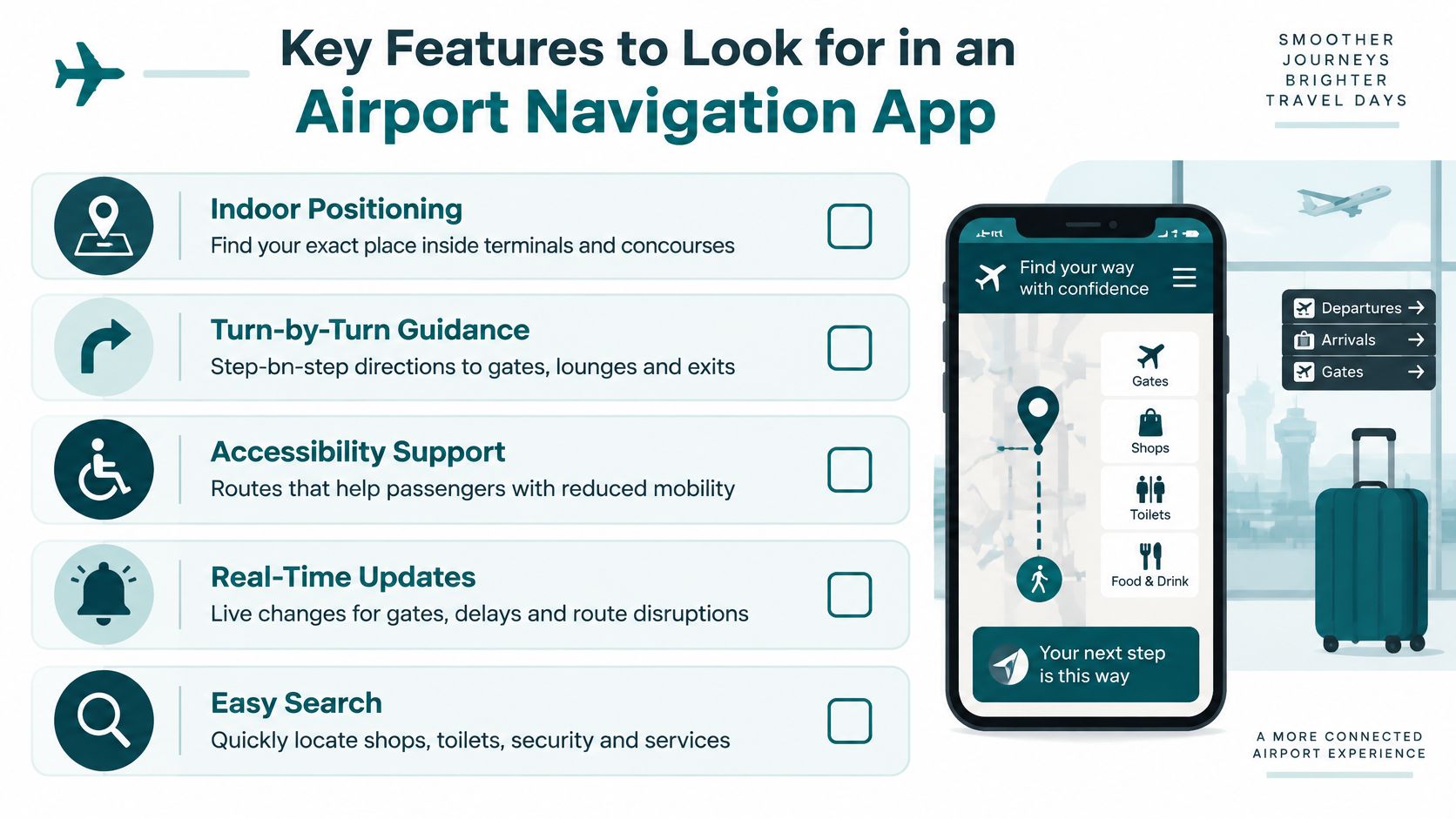
Evaluate indoor airport navigation by asking passengers to complete realistic journeys. A polished demonstration on an unobstructed corridor won't reveal whether the system handles an ambiguous lift lobby, an inaccessible shortcut or a relocated assistance desk.
The Aviation Accessibility Task and Finish Group report recommends fully accessible mobile apps tested with users across a range of impairments. Make that testing a procurement requirement, with findings and corrective actions documented.
Test destinations, route choices and instructions
Use a checklist that connects each feature to a passenger task.
| Feature | Why it matters | What to test |
|---|---|---|
| Exact-destination routing | A gate area isn't the same as its boarding entrance | Finish at the correct door, desk or facility |
| Structured accessibility data | A step-free label alone doesn't describe the journey | Check lifts, ramps, surfaces and restrictions |
| Searchable facilities | Toilets and assistance desks must be easy to find | Search using everyday passenger language |
| Hands-free audio | Some passengers can't keep checking a screen | Follow instructions with the phone put away |
| Low-vision support | Small labels can make an otherwise useful app inaccessible | Check text enlargement, contrast and interface clarity |
| Multilingual guidance | Passengers need understandable instructions throughout | Test complete journeys in supported languages |
Include accessible toilets and assistance desks as selectable destinations, not incidental icons. Ask participants whether arrival instructions make the facility recognisable and whether they know when navigation has finished.
Test the update process as carefully as the app
Ask the supplier to demonstrate a gate change, a corridor closure and an unavailable lift. Establish who publishes each update, who approves it and how the passenger receives the revised route.
Distinguish live operational information from navigation capability. An app may calculate routes well without having a live connection to gate allocations. Conversely, a live gate feed doesn't prove that the route to that gate is accessible.
- Information consistency: Compare app terminology with signs and the airport's passenger information system.
- Operational ownership: Assign responsibility for reporting, approving and checking changes.
- Repeatable evaluation: Use a shared acceptance checklist rather than relying on recollection after a demonstration.
For the administrative side of that process, WipesBlog.com's digital checklist rollout steps provide an additional planning resource. Airport-specific acceptance criteria should still come from operational teams and disabled passengers.
Benefits for Airport Operators and Facilities Teams
An unclear turn matters more when it sits on a heavily used route. In 2024, London's airports recorded approximately 178 million passenger arrivals and departures, Heathrow accounted for 47% of that total, and the capital's airports handled about 1.08 million take-offs and landings, according to the Greater London Authority's airport statistics.
For facilities teams, the business case starts with maintaining usable routes at that scale. Accessibility managers need accurate facility information; operations teams need changes reflected promptly; assistance providers need passengers to find the correct handoff location.
Reduce the work attached to route changes
Physical wayfinding remains necessary, but changes can require new sign faces, repositioned signs or work on powered equipment. Installed positioning hardware adds a separate maintenance responsibility where the chosen system depends on it.
Don't assume every layout change requires every device to move. Ask suppliers which changes require a site visit, recalibration, replacement hardware or only a map edit.
Centrally updateable directions offer a different workflow. An authorised team can amend destinations and route restrictions without treating each change as a physical installation project. Multilingual instructions can then reference the same approved destination data.
The friction is organisational as much as technical. A facilities manager may know a corridor has closed while the digital team still holds the previous plan. Procurement should therefore include the update workflow, not just the software licence.
Measure completed journeys rather than downloads
App adoption doesn't establish whether passengers reached the right place. Our perspective on wayfinding inside the airport centres on the complete journey rather than isolated map interactions.
Track outcomes that expose specific problems:
- Route completion: Did the passenger finish, abandon or switch to staff support?
- Wrong turns: Where did the instruction or environment become ambiguous?
- Time-to-gate: Where did participants pause, backtrack or encounter an obstruction?
- Exact arrival: Did guidance end at the usable entrance rather than nearby?
- Directional enquiries: Which routine questions still reach staff?
Measure whether passengers can complete a suitable route, not whether they can complete it fastest.
Interpret results with accessibility needs in mind. A longer journey may be the appropriate outcome when someone chooses a manageable route. Investigate avoidable confusion separately from a passenger's preferred pace.
How Waymap Guides Users Without GPS or Installed Hardware
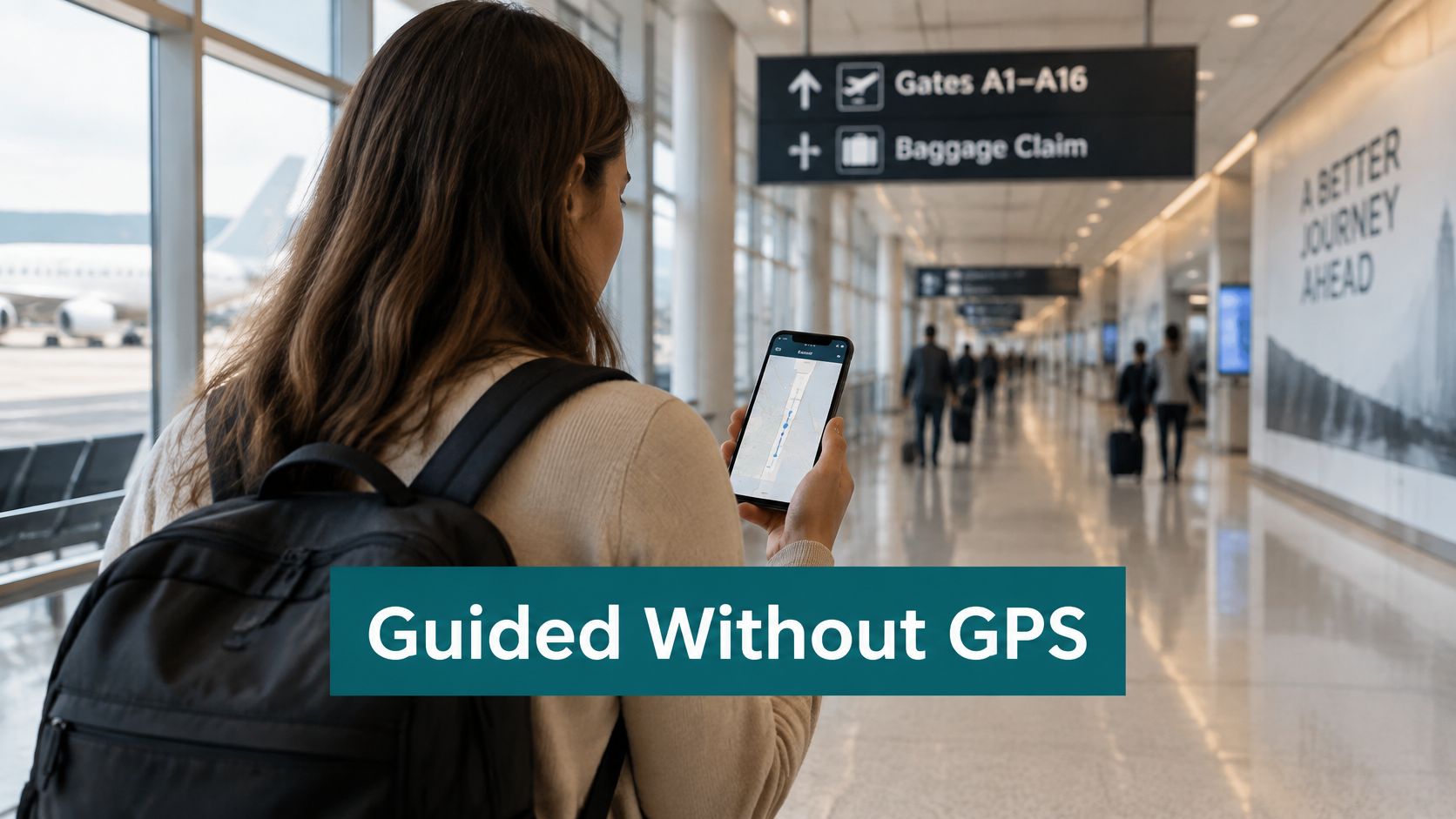
Waymap uses dead reckoning, combining a smartphone's motion sensors with detailed maps to estimate movement and provide step-by-step guidance. Its positioning approach doesn't rely on GPS, Wi-Fi, Bluetooth beacons or installed venue hardware.
The passenger experience should be assessed along an actual route, with the phone carried naturally.
From movement sensing to usable instructions
The app learns each user's walking style, stride and movement patterns. It combines that movement information with the mapped environment to deliver heads-up, hands-free audio directions rather than requiring continuous attention to a moving dot.
The distinction between positioning infrastructure and route information matters. Removing beacons doesn't remove the need for detailed maps, verified destinations and maintained accessibility attributes. Nor should infrastructure-free deployment be interpreted as permission to launch without checking the venue's routes.
For an airport, this separates responsibilities that are often bundled together:
- Positioning: Estimate where the passenger is moving without installed radio hardware.
- Route data: Describe permitted paths, facilities and accessibility characteristics.
- Operational updates: Communicate changes that the phone's motion sensors can't discover.
Our explanation of GPS-free navigation provides further context for this sensor-based approach. During evaluation, ask for evidence of performance on the intended routes rather than assuming one accuracy claim applies to every passenger and environment.
What the Lord's Cricket Ground example means for airports
At Lord's Cricket Ground in London, the deployment provides step-by-step audio and on-screen directions to seats, amenities and exits. The relevant airport parallel is precise arrival: passengers need the correct gate entrance or assistance desk, just as a stadium visitor needs the right destination within the venue.
That example isn't evidence of an airport deployment. It illustrates a navigation model that airport teams can evaluate against terminal-specific constraints.
This video offers additional context for the navigation experience.
A closed airport corridor would require an authorised route-data change before the app could avoid it. A reassigned gate would require updated destination information. Offline positioning doesn't mean automatic knowledge of operational changes: buyers should establish how fresh information reaches the device, including when mobile data is unavailable.
That distinction is essential to an honest pilot. Test continuity of guidance and freshness of information separately.
Comparing Airport Navigation Options and Your Next Step
Choose an approach according to the routes and passengers it must serve. An accessible terminal needs physical information and human support as well as any digital navigation layer.
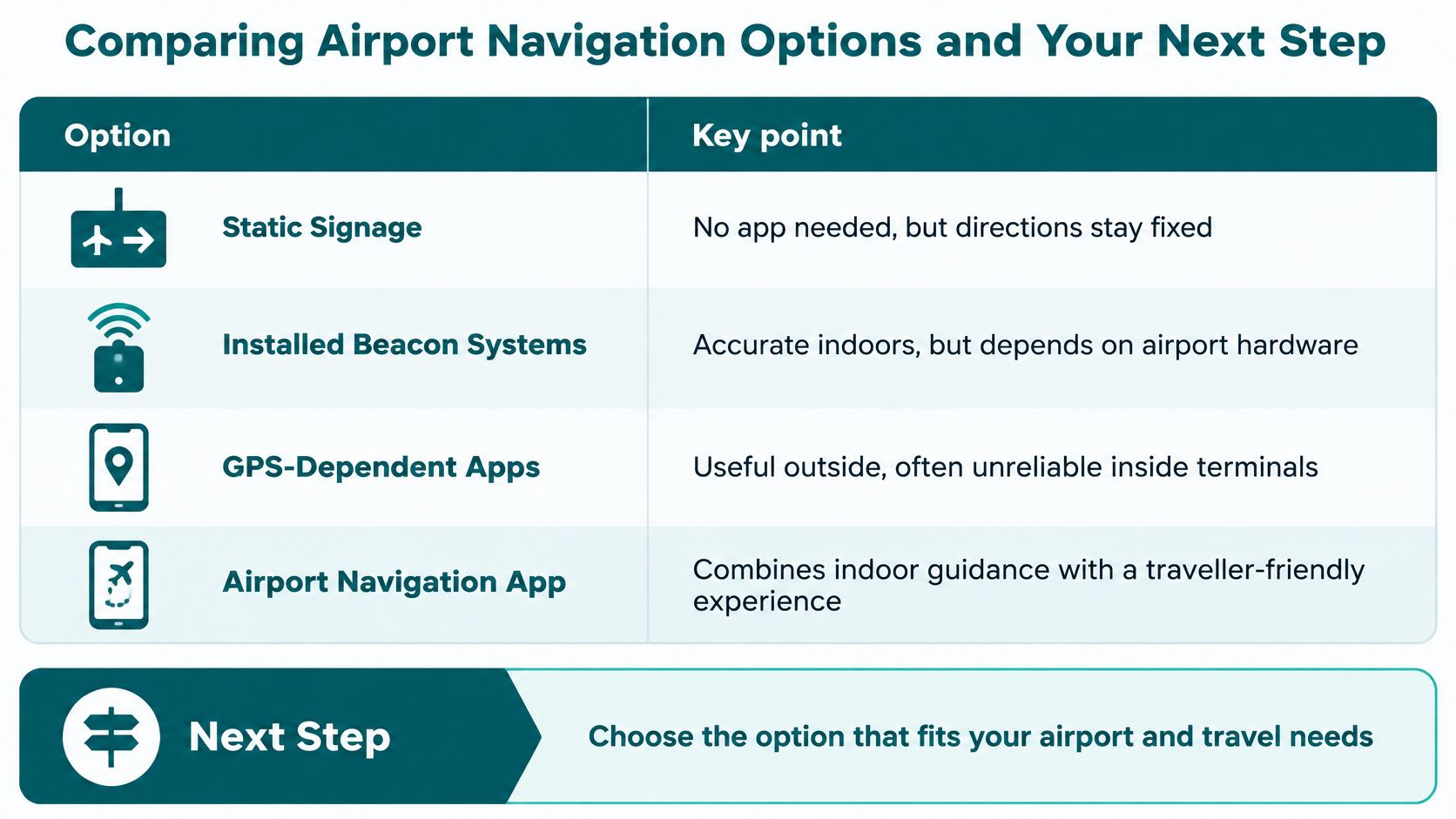
The comparison should include installation, ongoing upkeep, signal dependence and the passenger interface. None of those criteria alone establishes whether a system will work for a blind passenger or someone who needs a step-free route.
Compare the responsibilities behind each option
| Option | Installation and maintenance | Signal considerations | Accessibility questions |
|---|---|---|---|
| Static signage | Physical placement and replacement when information changes | No phone signal required | Can passengers perceive and interpret it? |
| Installed beacon systems | Venue hardware needs installation and upkeep | Depends on the beacon network used for positioning | Does the accompanying app provide usable audio and accessible routes? |
| GPS-dependent apps | No indoor beacon installation, but maps still need maintenance | GPS alone is a weak basis for detailed indoor guidance | What happens when the position becomes uncertain? |
| Infrastructure-free sensor guidance | No installed positioning hardware, but route data still needs ownership | Motion-based positioning avoids reliance on venue radio signals | Can users follow instructions and identify exact arrival points? |
Beacon systems can provide useful indoor positioning, but buyers must budget for the hardware lifecycle and verify coverage. GPS-dependent apps can support the outdoor approach, yet indoor terminal guidance needs a credible method for handling unreliable satellite reception.
Infrastructure-free guidance removes a hardware dependency, not every operational obligation. Map accuracy, accessible interfaces and change management still determine whether passengers receive useful directions.
Evaluate the handoff beyond the terminal
An accessible route shouldn't end at a generic exit when the passenger needs a designated pickup point. Confirm how the app describes doors, transport meeting points and the boundary between airport and third-party services.
For example, someone arranging a Mexican business trip might consult Unique Private Transportation's Cancun car services for corporate travelers. The airport's responsibility in that journey is distinct: make the agreed terminal meeting point findable, rather than treating the transport booking as navigation.
Procurement check: Ask every supplier to demonstrate the same passenger routes and the same disruption scenarios.
Start by auditing your terminal's most-used passenger routes against the earlier feature checklist. Record where wrong turns and requests for directions cluster, then compare those locations with your airport signage standards. Use the findings to request a route-specific walk-through, with operations, accessibility and assistance teams present.
Frequently Asked Questions About Airport Navigation Apps
What is an airport navigation app?
An airport navigation app provides route-based directions between locations such as terminal entrances, check-in desks, security checkpoints, facilities and departure gates. Unlike a static map, it tells the passenger how to move through the building. Its usefulness depends on precise destinations, suitable routes and understandable instructions, not the amount of information displayed.
Can an airport navigation app work without GPS or Wi-Fi?
Yes, an airport navigation app can use the phone's motion sensors rather than GPS or Wi-Fi for positioning. The sensor-fusion approach described above combines movement estimates with detailed maps to support guidance. Buyers should separately confirm what must be downloaded beforehand, how the journey starts and how operational updates arrive when connectivity is unavailable.
How does an airport navigation app help passengers with disabilities?
An accessible airport navigation app helps passengers identify and follow routes suited to their access needs. The CAA figures discussed earlier show why movement through terminals matters for passengers with reduced mobility and for those with sensory or invisible disabilities. Useful support includes understandable instructions, selectable accessible facilities and clear arrival information, tested with the people expected to use it.
Does an airport navigation app replace assistance staff?
No, an airport navigation app complements assistance staff and doesn't replace an airport's accessibility obligations. It can help someone reach a designated assistance point or find their way independently when they choose to do so. Passengers must still have a clear way to request human support, including when a journey becomes difficult or their needs change.
Waymap offers sensor-based, hands-free navigation that airport teams can evaluate alongside their existing signs and assistance services. Visit Waymap to request a walk-through of your priority passenger routes, including exact destinations, accessibility requirements and the process for handling route changes.
