
Airport Indoor Navigation: A Practical Guide for 2026

About 4.45 million passengers requested assistance at UK airports in 2023, equal to 1.69% of all passengers, according to the UK Civil Aviation Authority's airport accessibility data. That figure changes how airport indoor navigation should be understood. It isn't a digital extra for a small group. It's part of how passengers find their way through a large, unfamiliar terminal, whether they're heading to check-in, security, a gate, a toilet, or an assistance point.
We're the Waymap team, and this guide looks at airport navigation from the passenger's point of view first. It then explains the technology, accessibility requirements, operational preparation, and ways to measure whether a navigation programme is working.
What Airport Indoor Navigation Means for Passengers
Airport indoor navigation gives a passenger route-level directions through a terminal. It can guide them from an entrance, car park, or rail connection to a specific check-in desk, security lane, gate, lift, toilet, or assistance point. Instead of only showing where a destination is, it helps answer practical questions: Which way should I turn? How far is it? What happens at the next junction?
A sign that says “Gates” is useful, but it usually can't tell a passenger whether the right turn is just ahead or further down the corridor. It doesn't show how much walking remains after a transfer point, either. That's the difference between a label on a building and guidance along a journey.
The need reaches beyond passengers who use wheelchairs. The CAA's 2023 figures include assistance requests from passengers who were blind, deaf, or had another invisible disability, as well as passengers with reduced mobility. Airport navigation should therefore account for different ways of receiving and using directions, not assume everyone can spot a sign, interpret a colour-coded route, or easily find a staff member.
Dr Tom Pey, Waymap's founder and a blind accessibility technologist, brings lived experience to the challenge of making routes usable without relying on visual cues alone. The CAA has also identified airport wayfinding as an accessibility issue. Its airport signage standards and assessment findings offer further context on why signs, route information, and assistance points need to work together.
For city planners considering how digital systems connect people with complex places, digital product thinking for smarter cities provides a broader view of designing services around how people move through the built environment.
Infrastructure-Based and Infrastructure-Free Navigation Compared
Airport operators can choose from several approaches to indoor positioning. The main difference is what each approach depends on: installed equipment, signals from existing networks, satellite reception, or sensors already built into a passenger's phone.
| Approach | Installed hardware needed | Venue pre-mapping | Main dependency |
|---|---|---|---|
| Wi-Fi positioning | Uses airport Wi-Fi access points; dedicated positioning hardware may not be needed | A mapped venue and signal calibration are typically needed | Detectable Wi-Fi signals and access-point data |
| Bluetooth beacons | Beacons must be installed and maintained in the venue | A mapped venue and beacon locations are needed | Beacon batteries, placement, and Bluetooth signals |
| GNSS and GPS | No indoor hardware, but outdoor satellite reception is required | A mapped route is needed for directions | Clear access to satellite signals |
| Infrastructure-free sensor fusion | No positioning hardware installed in the terminal | A detailed digital map is needed | Smartphone motion sensors, map data, and sensor-based position estimation |
Wi-Fi and Bluetooth use signals from equipment distributed around the building. Existing Wi-Fi can make Wi-Fi positioning attractive, but signals may be difficult to interpret consistently in some terminal areas. Bluetooth beacons create a more deliberate positioning network, yet airport teams must manage the equipment as the space changes. A beacon that moves, fails, or loses power can leave a gap in the passenger's guidance.
GPS is dependable outdoors, but it isn't designed to provide reliable position fixes deep inside a terminal, underground transfer link, or sheltered concourse. A route that crosses from outside to inside may therefore need more than satellite positioning alone.
Infrastructure-free sensor fusion takes a different route. It uses the phone's motion sensors with a detailed map to estimate movement, rather than depending on positioning beacons or Wi-Fi signals. It still needs accurate venue mapping and a suitable passenger device, but it doesn't require an airport to install navigation hardware throughout the building.
Operator's question: What does the airport need to install, and what must it keep working after launch?
That question helps surface the actual trade-off. Hardware-based systems add a physical layer to maintain. Infrastructure-free approaches shift more of the work to building and updating the map, then interpreting phone sensor data. The rest of this guide focuses on sensor fusion because it shows how a route can be delivered without positioning equipment fixed throughout the terminal.
How Sensor Fusion Guides Passengers Without GPS
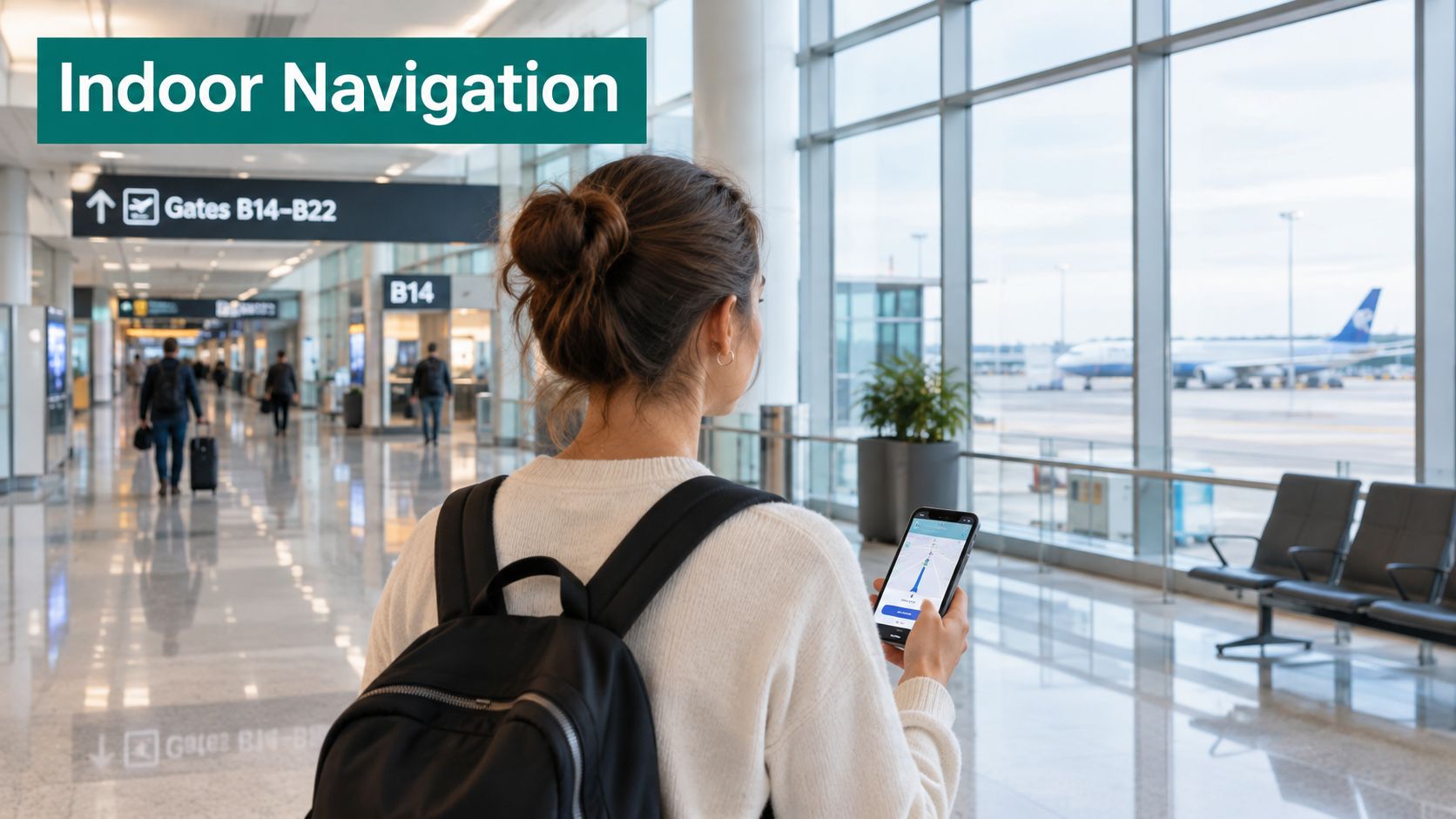
Sensor fusion combines information from a phone's motion sensors with a detailed map. Waymap's approach uses the smartphone's own sensors to estimate how far and in which direction a person has moved. That method is called dead reckoning: the system starts from a known or confirmed position, tracks movement, and updates its estimate as the journey continues.
The analogy is crossing a familiar room with your eyes closed. You know where the furniture is, count your steps, and use contact with a wall to correct your sense of position. A navigation system does a digital version of that work, using motion measurements and mapped paths rather than eyesight or installed beacons.
How the position estimate develops
First, the system needs a detailed map. The map must describe more than the outline of a terminal. It needs walkable paths, junctions, destinations, and relevant features such as lifts and accessible routes.
Next, the phone measures movement. Waymap adapts to a person's walking style by learning their stride and movement patterns. That profile helps it estimate how far the person has travelled rather than treating every step as identical.
Then, the system compares the estimated movement with the mapped route. At a junction or other decision point, it can provide the next instruction and continue updating the position estimate as the person walks. Waymap reports sub-3-metre accuracy in infrastructure-free environments. That level of reported precision matters when a passenger needs to distinguish a lift lobby from a nearby corridor or choose the correct branch at a security split.
Waymap's sensor-fusion algorithm overview provides more detail on the underlying method. For teams working on automation and movement through built environments, a SAP EWM MFS integration guide offers useful background on how control systems connect physical movement with digital instructions.
The method doesn't make a map unnecessary, and it doesn't mean the phone knows every change in a terminal automatically. The map must represent the venue accurately, and teams need to update it when routes or facilities change. The system estimates movement from phone sensors; it doesn't physically assist a passenger or replace staff support.
The video below shows Waymap's approach in use.
Benefits for Passengers, Operators and ESG Goals
The CAA Consumer Panel reported that 21% of participants in its 2022 Aviation Consumer Survey identified as having a disability or health condition. Among disabled participants, 7 in 10 said they required assistance when flying, and 58% said they experienced difficulty accessing or using airports or flying. The survey drew on 3,500 interviews, including online and telephone interviews, as detailed in the CAA Consumer Panel's written evidence.
Those findings make a practical point: accessibility belongs throughout the passenger journey. A person may need help with physical tasks, but still benefit from clear directions to the correct desk, lift, gate, toilet, or assistance point. Audio guidance can support independent route finding while leaving staff available for support that requires human assistance.
For airport teams, a digital wayfinding layer can keep points of interest current as terminal information changes. Operators can also provide directions in different languages and align the same route information across passenger-facing channels. That doesn't make physical signs obsolete. It gives the operator another way to provide specific, updateable directions when a sign alone doesn't answer the passenger's next question.
A shared benefit across teams
Accessibility teams can evaluate whether passengers can follow a route and find assistance points. Operations teams can look at missed turns, route changes, and requests for directions. Those measures give different departments a shared view of how navigation performs, rather than treating it as a signage project alone.
ESG teams can also connect journey planning with how people reach a venue. The Lord's Cricket Ground deployment, discussed later, includes support for choosing lower-carbon travel options. Waymap has also described this relationship in its article on navigation and carbon-footprint reduction.
Connectivity remains a separate operational consideration. An airport that offers passenger Wi-Fi may need to assess its network and access arrangements; secure browsing on the #MSY-FI network provides related context on public airport Wi-Fi.
Accessible navigation doesn't promise that every passenger will travel without assistance. It gives passengers another practical option for finding their way, and gives airport teams a route-level service they can review and improve.
Deployment and Integration Requirements for Terminals
The CAA's Heathrow accessibility assessment recommended publishing walking distances at additional points in the passenger journey, including the midway point in Terminal 3 and the Terminal 5A connection between security and the waiting area. It also found that some assistance-related signs were not immediately visible or did not use internationally recognised symbols. These are operational details: passengers need to know not only where they're going, but where they are along the way.
Start by representing the terminal as a network of routes, not a collection of destination pins. A route is made of connected segments, or edges, that can carry attributes. Those attributes let the system distinguish between a step-free path, a route that depends on a lift, or a corridor with restrictions.
Prepare the map and route data
Include the points passengers must reach and the decision points they pass. An assistance desk, accessible security lane, transfer connection, lift entrance, toilet, gate, and ground-transport link can each play a different role in the journey. Mark walking distances or route progress where that information helps a passenger understand what remains.
For every path segment, identify relevant access conditions. A route that suits one passenger may not suit another. The routing system needs enough detail to select an appropriate path rather than drawing a line to the destination.
Keep that map aligned with the terminal itself. When a corridor closes or a facility moves, the digital route must reflect the change. Physical signage and digital instructions should support the same journey, so passengers don't receive conflicting directions at a junction.
The CAA's Stansted assessment describes a purple wayfinding line guiding passengers from the assisted-travel desk to the accessible security lane, with the route extended into the arrivals corridor. It's a useful reminder that the route between a help point and a destination matters, not just the destination's sign.
Check readiness before launch
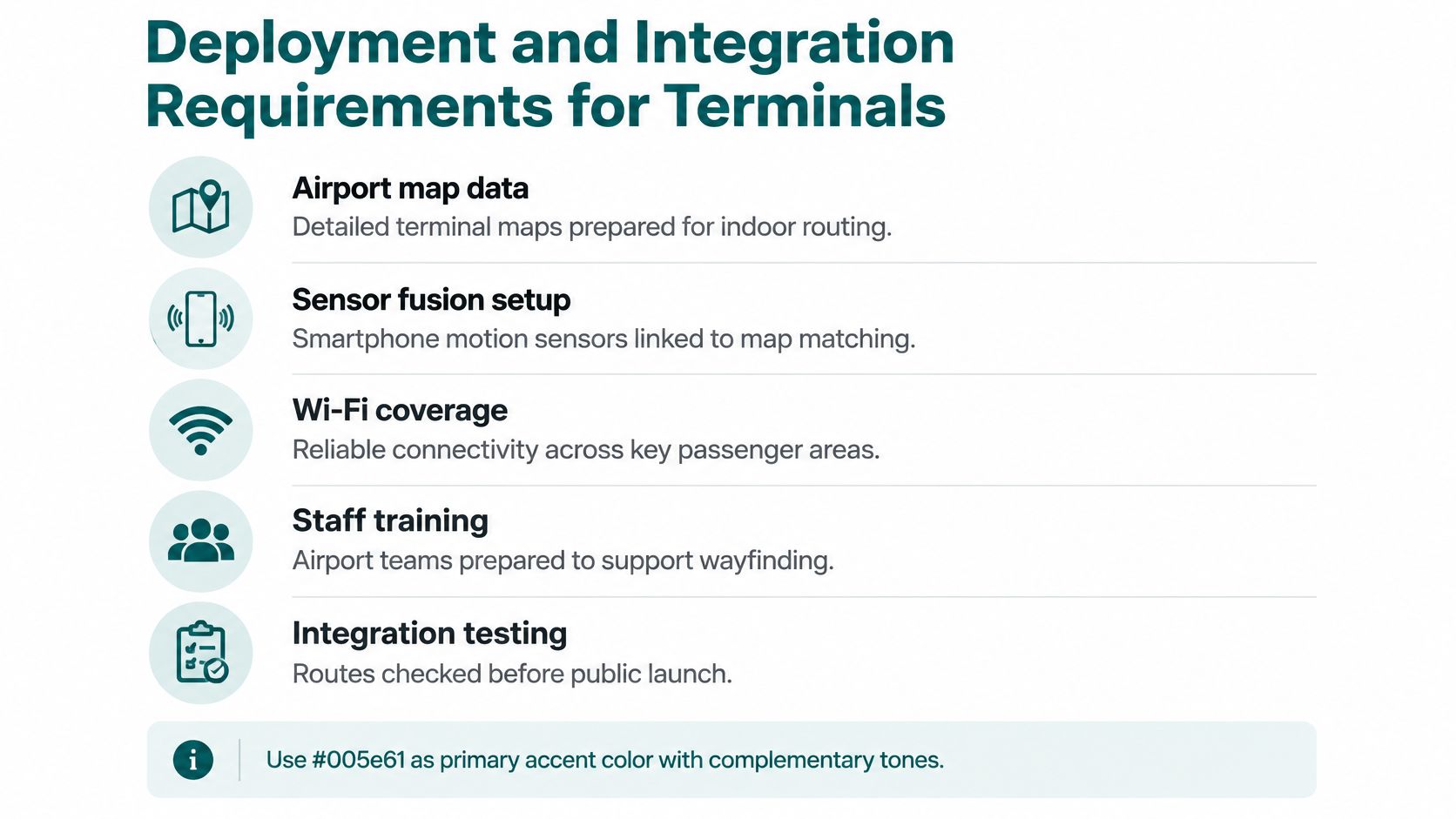
A practical preparation checklist should cover:
- Airport map data: Prepare detailed terminal maps for indoor routing.
- Sensor fusion setup: Link smartphone motion sensors with map matching.
- Wi-Fi coverage: Check reliable connectivity across key passenger areas where the service depends on it.
- Staff training: Prepare airport teams to explain and support the wayfinding service.
- Integration testing: Check routes before public launch, including routes with accessibility requirements.
The checklist graphic summarises these operational components. For further planning guidance, Waymap's implementation best practices can help teams organise the work around maps, routes, and launch readiness.
KPIs and ROI for Airport Navigation Programmes
The CAA's 2019/20 accessibility reporting stated that 99% of departing notified disabled passengers and passengers with reduced mobility received assistance within 30 minutes of making themselves known at a designated point. For departing passengers who hadn't notified the airport in advance, the corresponding standard was 99% within 45 minutes. The CAA's 2019/20 accessibility report makes the operational link clear: passengers need to find the correct assistance point, and airport teams need to direct them there.
A navigation programme should be evaluated against defined route outcomes, not just whether an app or map is available. The team needs to know whether passengers can reach their intended destination, where route instructions fail, and what happens when the terminal changes.
Measure the journey, not just the technology
Useful KPIs include:
- Successful arrival: Did the passenger reach the intended destination, such as an assistance point or accessible security lane?
- Route completion time: How long did the journey take, and where did passengers pause or lose direction?
- Missed-turn frequency: How often did passengers pass a junction or take the wrong path?
- Assistance requests: Did passengers need staff help to complete the route?
- Closure recovery: Could the system guide passengers around a temporarily unavailable corridor or facility?
Before launch, record a baseline for the routes the airport wants to improve. That gives the team a comparison point after deployment and helps separate a route problem from unrelated changes in passenger operations.
Build an ROI case both teams can review
Keep cost-side measures separate from benefit-side measures. On the cost side, record expenses linked to installed hardware, maintenance, map updates, staff time, and integration. On the benefit side, assess route completion, passenger feedback, assistance requests, and the team's ability to manage changes in terminal information.
Accessibility and finance teams may value different outcomes, but they can use the same evidence. A successful arrival at an assistance point matters to passenger experience and operations; the costs of maintaining a positioning network matter to budget owners. Waymap's guide to measuring cost savings can help teams structure that evaluation.
An ROI case should state what changed, what the airport measured, and which costs it counted. It shouldn't promise savings before the airport has collected comparable baseline and post-launch evidence.
Case Studies and Lessons From Live Deployments
The Lord's Cricket Ground in London became the first stadium in the world to implement Waymap technology. The deployment provides visitors with step-by-step audio and on-screen instructions to seats, amenities, and exits. It supports full journey routing from anywhere within the M25 and helps visitors consider lower-carbon travel options.
The core system doesn't rely on GPS, Wi-Fi, Bluetooth, or mobile data. For an airport team, the useful lesson isn't that a stadium and an airport are identical. It's that a venue can provide route-level directions to specific destinations without depending on positioning hardware distributed through the building.
What a continuous route adds
London Stansted offers a different example. A purple wayfinding line guides passengers from the assisted-travel desk to the accessible security lane, and continues into the arrivals corridor. The line does more than identify the destination. It gives passengers a consistent route treatment between two points, which can reduce the effort of working out how to move from the assistance desk to the relevant lane.
A digital route can add individualised instructions and updateable information to that physical approach. The two methods can complement one another: markings give passengers a visible path, while digital guidance can communicate the next decision, route progress, or an alternative when a path changes. The CAA's assessment of accessibility improvements at UK airports also describes airports adding clearer signs and walking-distance information to support independent journeys.
Three lessons follow. First, define destinations at the level passengers need, not just “Terminal 5” or “security”. Second, map the path and its accessibility conditions, rather than relying on a destination marker. Third, test route completion and missed turns with passengers who use the service, then update the map when the terminal changes.
The practical first step is to select one passenger route, such as an entrance to an assistance point, and audit it against the KPIs from the previous section. That gives the airport a specific route to examine before it decides whether to expand the work.
Frequently Asked Questions About Airport Indoor Navigation
What is airport indoor navigation?
Airport indoor navigation gives passengers step-by-step directions through a terminal to a specific destination. Unlike a sign that names a facility, route guidance can tell a passenger which way to turn and how much of the journey remains.
Does airport indoor navigation require GPS?
No, some airport navigation approaches can work without GPS. Infrastructure-free sensor fusion uses smartphone motion sensors and a detailed venue map to estimate movement indoors.
Does airport navigation need Wi-Fi or installed beacons?
Not always; the answer depends on the positioning approach. Wi-Fi positioning uses network signals, while beacon systems require installed equipment; infrastructure-free sensor fusion doesn't rely on either for positioning.
How can airport navigation support passengers who need assistance?
It can guide passengers to destinations such as assistance desks, accessible security lanes, and lifts. Route guidance can help with finding the right place while preserving staff support for tasks that need human assistance.
How can an operator tell whether airport indoor navigation is working?
Operators can measure successful arrivals, route completion time, missed turns, assistance requests, and rerouting around closures. A baseline before launch makes it possible to assess performance against the airport's own starting point.
Start by auditing one passenger route against those measures, then decide what the terminal map and passenger guidance need to support.
Waymap offers indoor and outdoor navigation that uses smartphone motion sensors and detailed maps to guide people to specific destinations without relying on GPS, Wi-Fi, Bluetooth, or installed beacons. If your airport is assessing route-level accessibility and operational needs, visit Waymap to learn how its navigation platform could fit your terminal.
