
Accessibility Compliance Report: A Practical Guide
A board meeting is approaching, and the general counsel has asked for evidence of the organisation's accessibility position last quarter. The existing file is a polished PDF, but it doesn't show which barriers remain, who owns the fixes, or whether previous commitments were delivered. That isn't an accessibility compliance report. It's paperwork without control.
For estates directors, transit operators, universities and venue managers, a useful report must connect legal duties to physical access, digital services, staff practice, user evidence and funded remediation. It must help the organisation decide what happens next, defend those decisions, and prove whether conditions improved.
Why an accessibility compliance report is governance, not paperwork
An accessibility compliance report is a governance artefact. It should feed the risk register, procurement decisions, capital programmes, service reviews and supplier performance discussions. A document filed after procurement sign-off has little value if nobody can identify the baseline, assign an owner or verify closure.
The distinction matters because accessibility failures rarely sit in one team. A station may have a step-free entrance but an unclear route to the platform. A venue may publish an access statement but omit captioned performances. A university may have an accessible website while its PDFs remain difficult for screen-reader users. The report must connect these conditions to accountable decisions.
The UK Government Digital Service's monitoring report covering 2022 to 2024 reviewed 1,203 websites and 21 mobile apps. It found 70% compliance, compared with 59% in the previous monitoring period, recorded 26,171 accessibility issues, and estimated that 16,482 issues were fixed directly as a result of monitoring (UK Government Digital Service accessibility monitoring report). The important lesson isn't the headline percentage. It's that formal reporting created a repeatable process for finding, prioritising and tracking remediation.
Practical rule: Every finding must prove a barrier, defend its priority or trigger a named action. If it does none of these, remove it.
What a board should be able to ask
A director should be able to ask:
- What changed: Which issues were open at the previous review and what has closed?
- Who owns the risk: Which director or supplier is accountable for each unresolved barrier?
- What users experience: How does the issue affect disabled people using the service?
- What happens next: What action, budget, date and test will close the finding?
- What remains exposed: Which risks require acceptance, escalation or capital investment?
For UK public bodies, the reporting cycle is durable. GDS says these findings will continue to be published every three years under the Public Sector Bodies Accessibility Regulations framework. The public sector equality duty guidance is useful context for connecting accessibility evidence to wider organisational decision-making.
A credible report therefore behaves like a live control document. It should return to works packages, staff training, content governance and supplier reviews. Treat it as the starting point of remediation, not the final product.
The UK regulations and standards your report must cite
A defensible report begins by identifying the obligations that apply to the service being assessed. Don't list standards in a footer and leave the reader to guess how they were tested.
The Equality Act 2010 provides the principal legal frame for reasonable adjustments and non-discrimination. For public-sector websites and mobile apps, the practical benchmark is WCAG 2.1 Level AA, delivered through EN 301 549 v3.2.1, as set out in the UK Government Design System's accessibility strategy (GOV.UK accessibility strategy). WCAG 2.2 may be used as an additional technical reference, but the report must state which benchmark governs the assessment.
The Public Sector Bodies Accessibility Regulations 2018, often referred to as PSBAR, apply to public-sector websites and apps. UK requirements were phased in, with websites published on or after 23 September 2018, older websites by 23 September 2020, and mobile applications by 23 June 2021 (UK accessibility regulations timeline). A transit operator should also explain how station, passenger-information and service processes support its accessibility obligations, rather than treating the digital estate as the whole service.
Where each regulation appears in your report
| Standard | Report section | Evidence required |
|---|---|---|
| Equality Act 2010 | Cover statement and risk assessment | The barrier, affected service, reasonable adjustment and accountable decision |
| PSBAR 2018 | Scope, findings and accessibility statement review | Applicable websites or apps, user impact, unresolved issues and publication status |
| EN 301 549 | Methodology and findings matrix | Test criteria, ICT components assessed and evidence for each result |
| WCAG 2.1 Level AA | Findings matrix and remediation plan | Criterion, location, severity, user impact, fix and retest result |
The report should explain its test method, not merely cite a standard. A regulator, commissioner or claimant solicitor must be able to follow the logic from requirement to evidence to action. The UK accessibility standards guide provides further context for documenting that connection.
Missing an anchor weakens the report's defensibility. Citing all four without measurable findings is no better. Standards become useful only when the report shows what was tested, what failed, how users were affected and when the organisation will verify the fix.
The required sections of a defensible report
A professional report should follow a clear sequence. Each section has a job, and the order prevents the document from becoming a collection of disconnected observations.
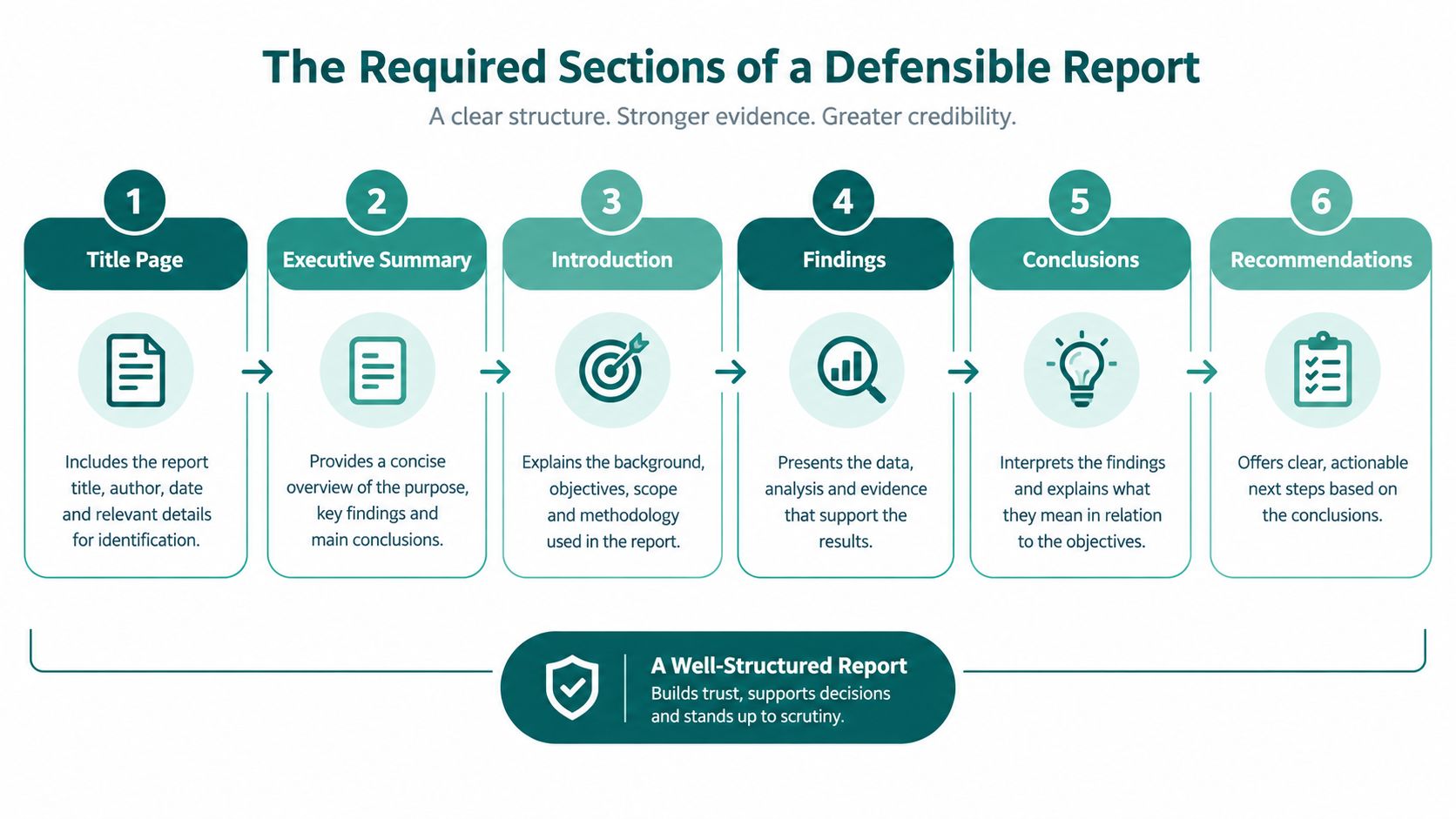
Start with accountability and scope
- Cover statement: Name the accountable director, reporting date and purpose. Use plain language such as, “The organisation accepts responsibility for the findings listed in this report and will review progress on the stated date.”
- Scope: Identify sites, stations, venues, services, digital products, documents and the date range. State what wasn't assessed. A report covering a website but not its PDFs or mobile journey is incomplete if users rely on those formats.
- Methodology: Record the audit type, sampling approach, assistive technologies, browsers, devices, user testing and manual checks. Automated scans can identify patterns, but they don't establish the full user experience.
Make every finding traceable
Findings matrix: Give each issue an identifier, location, affected users, applicable WCAG, PSBAR or EN 301 549 criterion, severity, evidence and recommended action. Avoid “the site is accessible” language. Say exactly what worked, what didn't and under which conditions.
Evidence appendix: Link screenshots, test records, user testimony, logs and retest evidence to the relevant finding ID. This lets a board member inspect the basis for a decision without reading every page of the audit.
Remediation plan: Assign an owner, target date, budget code where relevant, dependency and success measure. “Improve signage” isn't an action. “Estates manager to provide a step-free route from entrance to platform, then retest with users” is actionable.
Sign-off and review date: Record approval, unresolved risks, accepted exceptions and the next review date. The report must remain connected to the organisation's operating cycle.
- Issue closure: Open, fixed, retested or accepted with an owner.
- Task completion: Whether participants can complete the defined journey.
- Route completion: Whether users reach the intended entrance, platform, gate or service point.
- Assistance demand: Help-point activations or staff interventions associated with a specific route.
- Evidence quality: Whether every closed finding has a linked retest record.
- Triage: Validate findings, remove duplicates, assess user impact and assign owners.
- Quick wins: Resolve content, labels, focus order, contrast and configuration defects.
- Structural fixes: Address templates, route design, procurement dependencies, training and estate changes.
- Verification: Retest, attach evidence, update the statement and escalate anything still open.
- Reroute success: Can a user recover after taking a wrong turn?
- Time to destination: How long does the journey take under stated conditions?
- Help-point demand: Do users require fewer interventions on the assessed route?
- Route maintenance: Can operations staff update destinations when layouts change?
- User experience: Do disabled participants report that instructions are understandable and usable?
- Legal frame: Equality Act 2010, PSBAR, EN 301 549 and the applicable WCAG benchmark are identified.
- Defined scope: Sites, services, apps, documents and dates are recorded.
- Traceable findings: Each issue has a criterion, location, user impact and evidence.
- Named ownership: Every action has an accountable owner and target date.
- Verified closure: Retesting supports every closed finding.
- Published position: The accessibility statement reflects unresolved issues.
- Next review: A date and governance forum are recorded.
- Operational option: Complex wayfinding barriers have been assessed alongside signage, staff and route changes.
A report without a findings matrix or named owner is a document. It isn't a governance instrument.
Board members and transport commissioners need statements that are falsifiable and time-bound. “Accessibility remains a priority” says nothing. “The digital team owns the unresolved keyboard-navigation findings and will provide retest evidence by the review date” can be challenged and verified.
Teams building their evidence pack can also use this practical compliance documentation guide to structure supporting records.
Measurable metrics and evidence that hold up to scrutiny
Different evidence streams answer different questions. A third-party audit identifies technical defects. Moderated testing shows whether disabled participants can complete tasks. Assistive-technology telemetry can expose recurring interaction failures. Wayfinding data can show whether people reach the correct destination without unnecessary assistance.
Don't combine these into one decorative score. Keep each measure tied to a decision.
| Method | Cost band | Recommended frequency | Defensibility rating | Best use case |
|---|---|---|---|---|
| Third-party WCAG audit | Specialist procurement required | At planned review points and after material changes | High when manually evidenced | Establishing technical baseline |
| Moderated testing with disabled participants | Participant and facilitator budget required | At key service changes and remediation validation | High for task outcomes | Confirming real user impact |
| Assistive-technology telemetry | Product and privacy governance required | Continuous or regular service review | Strong for recurring interaction patterns | Monitoring journeys at scale |
| Waymap navigation analytics | Deployment and data-governance decision required | Ongoing after route changes | Strong for route completion evidence | Testing indoor and complex-estate wayfinding |
GDS monitoring demonstrates the value of prioritising frequent failure modes. In a sample of 421 tests, 2,691 issues were identified. About half of websites had fewer than 5 issues, 75% had fewer than 9, and the top 5 WCAG criteria accounted for 53% of all issues, while the top 10 accounted for 72% (GDS accessibility monitoring report for 2020 to 2021). The common failures included Focus Visible, Name, Role, Value, Contrast (Minimum), Info and Relationships, and Link Purpose in Context.
What to measure
Use metrics that a commissioner can understand:
The accessibility testing guidance can help teams distinguish automated detection from evidence of usable access. Courts and regulators need traceable evidence, not a dashboard designed only to look positive. A rising score that doesn't correspond to better task completion or closed findings is cosmetic.
Building the remediation plan and accountability cycle
The remediation plan carries the report's practical weight. GDS guidance says that bodies receiving an audit report should respond within 7 days, fix issues within 12 weeks, and publish a compliant accessibility statement (Department for Education guidance after an audit). Use that expectation to create a disciplined fix window.
Split the period into four fortnightly sprints:
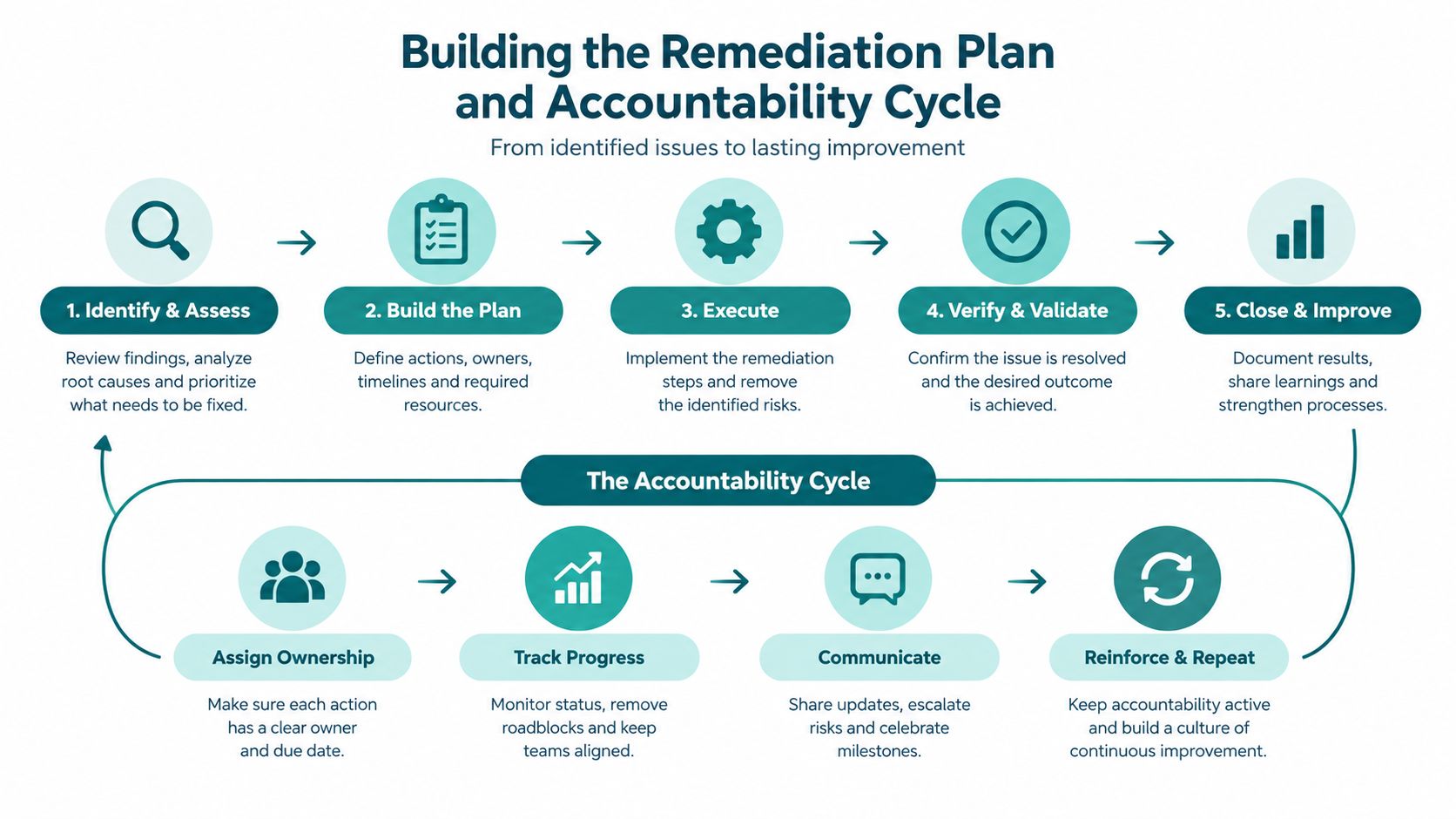
Each finding should include:
| Field | Example |
|---|---|
| Finding | Route guidance ends before the accessible entrance |
| Owner | Station operations manager |
| Target date | Agreed date within the remediation window |
| Budget code | Estates accessibility works |
| Success measure | User-tested route reaches the correct entrance |
| Closure evidence | Updated route, test record and review approval |
The example is intentionally specific. “Improve wayfinding” can sit untouched for months. A defined route, owner, date and test gives the board something to monitor.
Escalate repeated overruns to the board-level accessibility committee, particularly where the cause is a supplier, capital programme or operational policy. Feed closure evidence into the next reporting cycle, because a closed ticket without retesting isn't proof of a successful fix.
A short explanation of change management strategy can help teams connect remediation to operational ownership rather than treating accessibility as a specialist side project.
The supplied process video provides another way to communicate the cycle to non-specialist stakeholders:
Where infrastructure-free navigation changes the findings
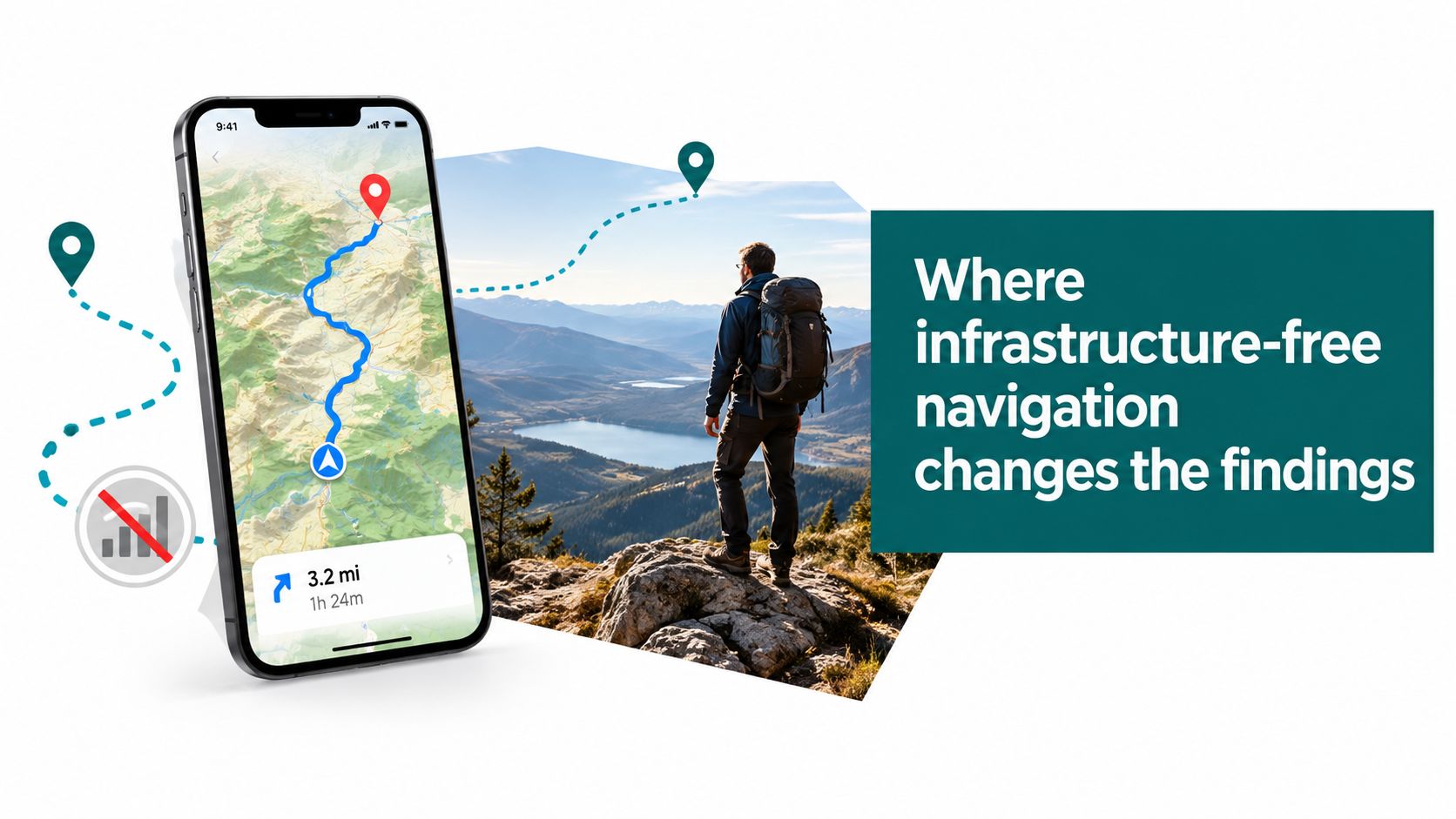
Wayfinding findings deserve separate treatment because physical retrofits can be slow, expensive to maintain and difficult to update across changing estates. A useful navigation intervention should be assessed as part of the same remediation cycle as signage, announcements, staff response and accessible route design.
Waymap uses a smartphone's native motion sensors and detailed maps for indoor, outdoor and underground guidance without relying on GPS, Wi-Fi or installed hardware. Its approach uses dead reckoning and adapts instructions to the user's walking pattern, which makes it relevant to complex estates where infrastructure installation or maintenance is a constraint.
Test the intervention against the original finding
Suppose an interchange report identifies inconsistent tactile signage, unreliable audio announcements, repeated wayfinding complaints around concourses and staff response differences between shifts. The remediation plan shouldn't record “navigation solution deployed”. It should define the baseline and the post-launch measures:
The result must be reported transparently. If the deployment doesn't resolve a barrier, leave the finding open and identify the remaining action. If it does improve route completion, attach the before-and-after evidence to the original finding rather than presenting a disconnected success story.
This is also an information-management problem. Teams looking to find knowledge faster with AI should still preserve human-readable evidence, test conditions and user impact in the report.
For operators assessing a GPS-denied environment, Waymap's explanation of GPS-free navigation describes the relevant technical context. The defensible point isn't that one tool solves every access barrier. It's that infrastructure-free navigation can be a targeted remediation option where route information, maintenance burden and complex interiors are the recurring failure pattern.
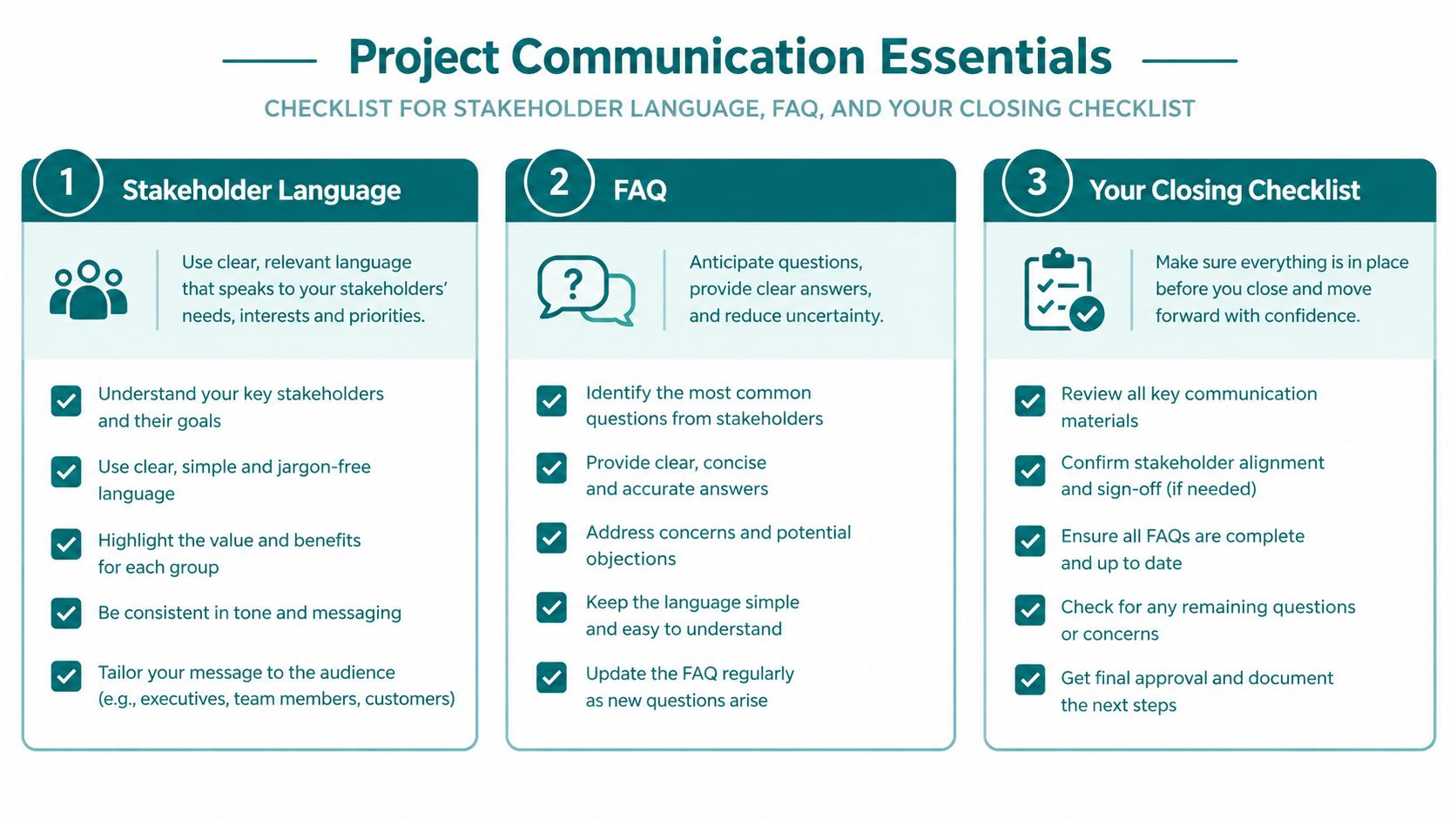
Stakeholder language, FAQ, and your closing checklist
Stakeholder language should expose control. Replace “accessibility is being considered” with “the accessibility lead owns the open findings, and each item has a target date and verification method”. Replace “the website passed” with “the assessed journeys met the stated criteria, while the unresolved issues are listed in the findings matrix”.
Accessibility compliance report FAQ
What does an accessibility compliance report prove?
It proves what was assessed, against which criteria, with what evidence and what action follows. It doesn't prove that every future change will remain accessible.
How often should an accessibility compliance report be refreshed?
For public-sector bodies, GDS says national monitoring findings will continue to be published every three years. Operational teams should also review reports after material service, content, app, route or estate changes, and retest completed fixes.
Who should sign off the report?
The accountable senior owner should sign it, supported by accessibility, digital, estates, operations and procurement leads. A consultant can provide independent evidence, but accountability stays with the organisation.
What should happen when findings conflict with a legacy capital plan?
Record the conflict as a risk, explain the user impact, assign a decision owner and present alternatives. Don't hide the issue because a project has already been approved.
Does the report cover PDFs and mobile apps?
Only if the scope says so and the assessment tests them. Ofsted states that its inspection reports were published as PDFs, that the PDFs were audited, and that it was moving towards accessible HTML because the PDFs didn't meet accessibility standards for screen readers (Ofsted accessibility statement). Content formats belong in the evidence plan, not in an assumption.
One-page closing checklist
An accessibility compliance report earns trust when a director can read it, challenge it and use it to direct work. It fails when the organisation can only point to a score.
Waymap can help operators assess and improve complex indoor and underground wayfinding using smartphone-based navigation without GPS, Wi-Fi or installed hardware. Visit Waymap to discuss how route evidence and navigation analytics could support your next accessibility remediation cycle.
