
508 Compliance Testing: A Complete 2026 Guide
If your team can produce a clean scan report today, can you prove the same service still works for a screen reader user after the next content release, kiosk update, or timetable change? That's the gap most organisations miss when they talk about 508 compliance testing.
At Waymap, we see the same pattern across transport, retail, healthcare, and large public venues. Teams commission an audit, fix the obvious defects, publish a statement, and move on. Then content changes, a supplier pushes a component update, a mobile flow diverges from the web pattern, and accessibility drifts out of compliance again. Real testing has to work as an operational discipline, not a ceremonial milestone.
Primary keyword: 508 compliance testing
Semantic variants: Section 508 testing, accessibility compliance testing, WCAG testing, manual accessibility testing, assistive technology testing
By Tom Pey, Founder at Waymap and blind accessibility technologist.
What 508 Compliance Testing Actually Requires
Section 508 testing is often described as if it were a one-off validation exercise. In practice, that framing is too narrow. 508 compliance testing is the repeatable process of checking whether digital products, documents, workflows, and interfaces remain accessible as they are developed, updated, procured, and maintained.
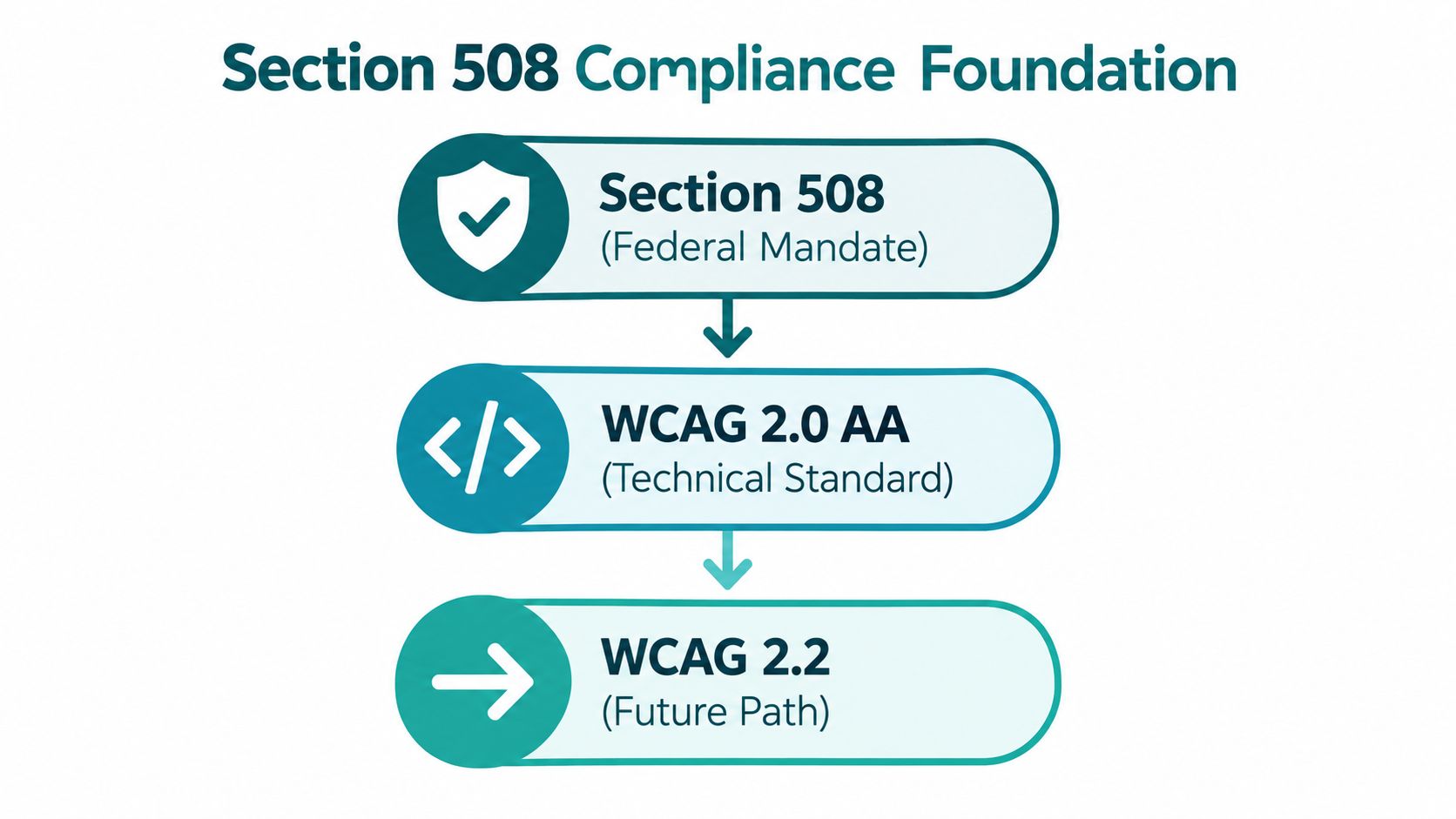
For US federal teams, Section 508 sets the compliance context. For UK decision-makers, the closest analogue is the Public Sector Bodies (Websites and Mobile Applications) (No. 2) Accessibility Regulations 2018, which came into force on 23 September 2018 for websites, with mobile applications following on 23 June 2021 under UK government accessibility regulations guidance. That matters because the UK model makes the operational expectation explicit. Organisations are expected to audit, monitor, and document accessibility across web and mobile services, not treat it as a one-time review.
Why the testing baseline keeps moving
The compliance baseline isn't static. UK public-sector guidance now says services must meet WCAG 2.2 AA, and compliance monitoring started using WCAG 2.2 from October 2024 under the GOV.UK note on getting to WCAG 2.2 faster. The same body of guidance also makes a practical point many organisations still miss. Testing now has to verify established checks and the newer WCAG 2.2 requirements together.
That's a useful lesson even when your immediate legal obligation sits elsewhere. A service that only passes the standard your team used two years ago may already be lagging behind current expectations.
Practical rule: If your test method can't survive the next release cycle, it isn't a compliance method. It's a snapshot.
The accessibility statement is part of the test surface
A surprising number of teams still test pages but not the public claims made about those pages. That's weak governance. UK monitoring explicitly reviews the required accessibility statement alongside page testing, and warns that a statement claiming full conformance while known issues remain is problematic under public-sector monitoring guidance.
That principle travels well. Your statement, report, VPAT, ACR, or internal compliance record has to match reality. If you need a disciplined way to review that language before publication, this short guide on how to audit unsupported claims is worth using with legal and content teams.
For teams aligning digital accessibility with wider estate and service obligations, Waymap has also outlined broader accessibility requirements for public-facing environments.
Setting the Scope Before You Start Testing
Most failed audits start with a scoping failure, not a testing failure. Teams test the homepage, a few templates, and a booking form, then discover later that the inaccessible part was the journey planner, the kiosk payment flow, the PDF timetable, or the third-party event module embedded halfway through the service.
Decide what is actually in scope
For Section 508 testing or any comparable accessibility compliance testing process, scope should be named explicitly. Don't settle for “the website” or “the app”. List the exact digital properties and high-risk user journeys.
In practice, that usually includes:
- Public-facing web content such as service pages, booking paths, account areas, FAQs, support forms, and downloadable documents
- Mobile applications including iOS and Android flows where behaviour often diverges from the responsive web version
- Kiosk and digital signage interfaces where touch targets, timing behaviour, and screen-reader support are frequently weaker
- Integrated third-party services such as maps, payment gateways, chat tools, or embedded transport updates
The most important routes come first. For a transit operator, that's often ticket purchase, disruption updates, route planning, platform information, and station accessibility details. For a stadium or shopping centre, it's event access information, parking, toilets, lifts, entrances, and wayfinding.
Write a testing brief that engineers can use
A good scope document is specific enough that a tester and a developer would choose the same sample set. It should include:
- Named URLs or app flows rather than broad labels
- Priority journeys such as “book assistance”, “find accessible entrance”, or “check live departure board”
- Out-of-scope exclusions with a reason, especially where legacy systems can't be fully remediated immediately
- Acceptance criteria linked to your chosen standard and your published accessibility position
- Third-party ownership so defects don't disappear into a procurement gap
A vague scope creates false confidence. A precise scope creates accountability.
For large estates, scoping also needs design logic. Don't sample only polished marketing pages. Include the messy parts. Search results, error states, account lockouts, modal dialogs, status alerts, maps, and PDF downloads are where users hit real barriers.
If your team is still building the foundations for that thinking, these inclusive design principles for real environments are a useful grounding point because they force scope decisions around actual user tasks, not just page counts.
Automated Testing versus Manual Testing
Automated tools are good at finding obvious defects quickly. They are bad at deciding whether a user can complete a task. That's why any serious 508 compliance testing workflow uses both.
The UK government's service manual is clear that automated tools are only part of the process, and that manual testing plus assistive-technology checks are required under GOV.UK accessibility testing guidance. That distinction matters because many internal teams still confuse “scan completed” with “service verified”.
What automation catches well
Automation earns its place when you use it for broad coverage and repeatability. Tools such as axe DevTools, WAVE, Accessibility Insights, and browser-based contrast checkers are useful for first-pass triage.
They tend to catch issues such as:
- Missing form labels where controls aren't programmatically associated
- Colour contrast failures that are straightforward to compute
- Landmark and heading structure gaps that affect page navigation
- Missing alt attributes or empty elements that should expose accessible names
That work is valuable. It reduces noise before manual review begins.
What manual testing still has to verify
Manual testing is where conformance turns into usability. A scanner can tell you that alt text exists. It can't reliably tell you whether the text is meaningful in context, whether keyboard focus moves in a sensible order, or whether an error message helps someone recover.
Here's the practical comparison.
| Defect Category | Automated Detection | Manual Detection | Typical 508 Impact |
|---|---|---|---|
| Missing alt text | Strong | Strong | Non-text content may be unavailable to screen reader users |
| Colour contrast failure | Strong in many cases | Strong, especially for visual edge cases | Text or controls may be hard to perceive |
| Form label missing | Strong | Strong | Users may not know what to enter |
| Heading structure problem | Moderate to strong | Strong | Navigation becomes slower or confusing |
| Keyboard trap | Weak | Strong | Users may get stuck and fail the task |
| Reading order issue | Weak | Strong | Content may be announced in the wrong sequence |
| Error recovery quality | Weak | Strong | Users may understand that something failed but not how to fix it |
| Link purpose in context | Weak | Strong | Navigation becomes ambiguous or misleading |
Teams that want a grounded overview of the practice can also review what accessibility testing involves in operational terms.
Automated testing finds code-pattern defects. Manual testing tells you whether the service still works for a person.
Assistive-Technology Verification Methods
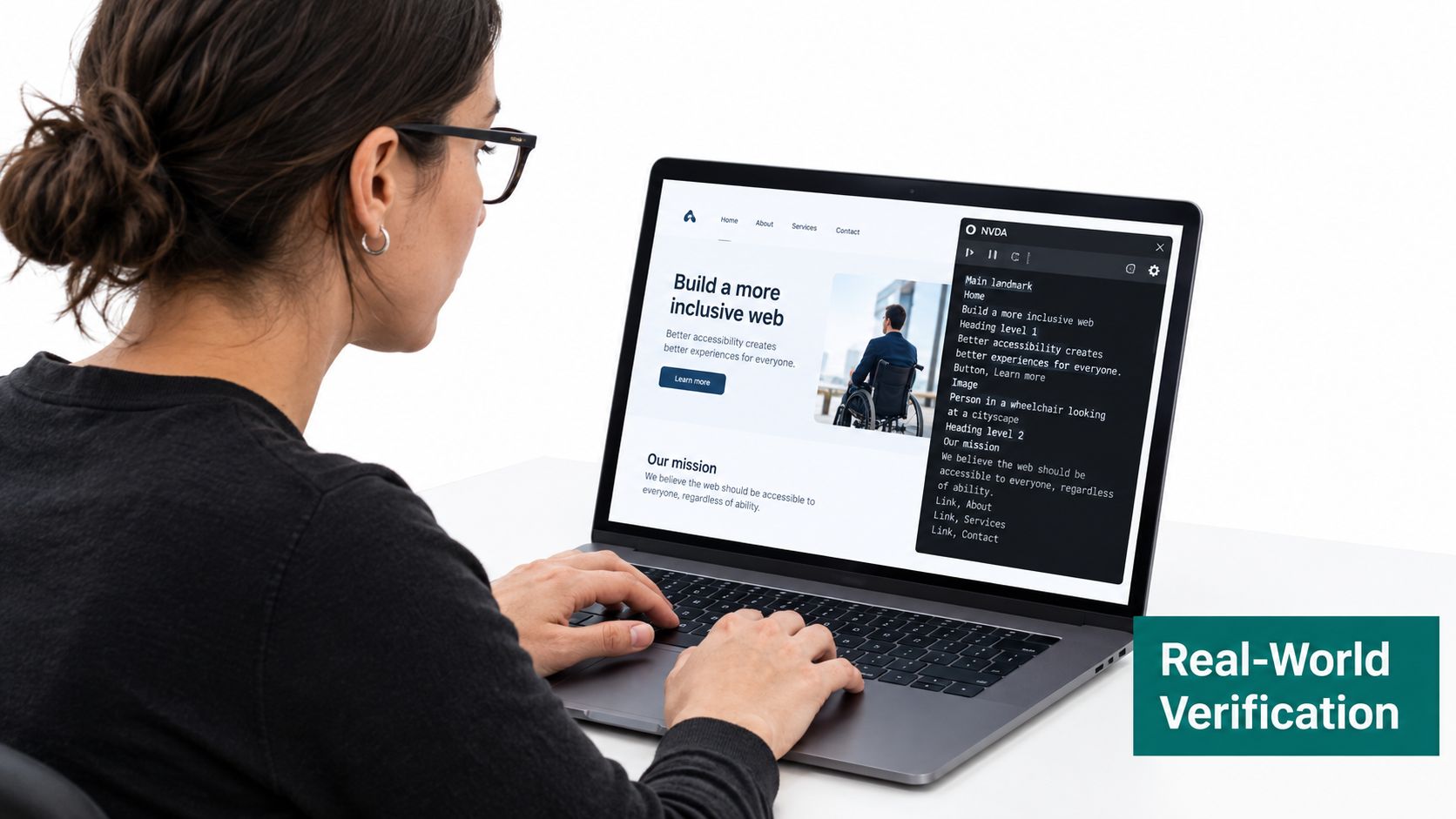
Weak audits get exposed. A service can look tidy in a browser, pass a decent set of automated checks, and still fail the moment someone uses NVDA, JAWS, VoiceOver, Zoom, Windows High Contrast, or voice control to complete a real task.
How defects appear in real use
Take a transit information portal. The homepage may expose a route search, live disruption banner, station facilities, and service alerts. On a visual review, everything looks fine. Under screen-reader use, the alert may announce after the footer because the DOM order is wrong. The search suggestions may appear visually but never be exposed as a proper list. A keyboard user may tab into the map widget and never find a route back out.
The same pattern appears in venue wayfinding interfaces. A user opens a “find an accessible entrance” flow. The page includes a map, a filter, and a results list. If filter changes aren't announced, if focus doesn't move after selection, or if the map markers have inaccessible names, the task becomes guesswork.
What to test with each assistive technology
A useful verification pass should cover several methods because each reveals different failures.
- Screen readers. Test with NVDA, JAWS, and VoiceOver. Check page titles, heading navigation, landmarks, form labels, announcement order, status messages, and dialog behaviour.
- Keyboard-only navigation. Move through the full task with Tab, Shift+Tab, Enter, Space, and arrow keys. Watch for focus loss, hidden controls, and dead ends.
- Magnification and high-contrast settings. Check whether text reflows, controls remain visible, and state changes still make sense when styling is altered.
- Speech recognition workflows. Verify whether visible labels match actionable controls and whether interactive elements can be reliably activated by name.
If your testers need a practical refresher on method, this guide to testing screen readers for web is a solid companion resource.
What good verification looks like
Good assistive-technology testing is task-based, not tool-based. Start with jobs users need to complete. Buy a ticket. Check a platform change. Find an accessible toilet. Locate a clinic entrance. Then test whether the service remains understandable, operable, and recoverable all the way through.
For teams improving digital journeys that connect to physical navigation, screen reader compatibility in location-aware services is also a useful consideration. If the digital entry point fails, the accessible arrival experience often fails with it.
If a user can reach the page but can't finish the journey, the service isn't accessible in any meaningful sense.
Writing Reports and Tracking Remediation
An audit report that only lists defects is incomplete. A report has to support triage, engineering action, legal scrutiny, procurement review, and future retesting. If it can't do all of that, your organisation will fix issues slowly, argue about severity, and lose the evidence trail the moment the next supplier release lands.
What a defensible report contains
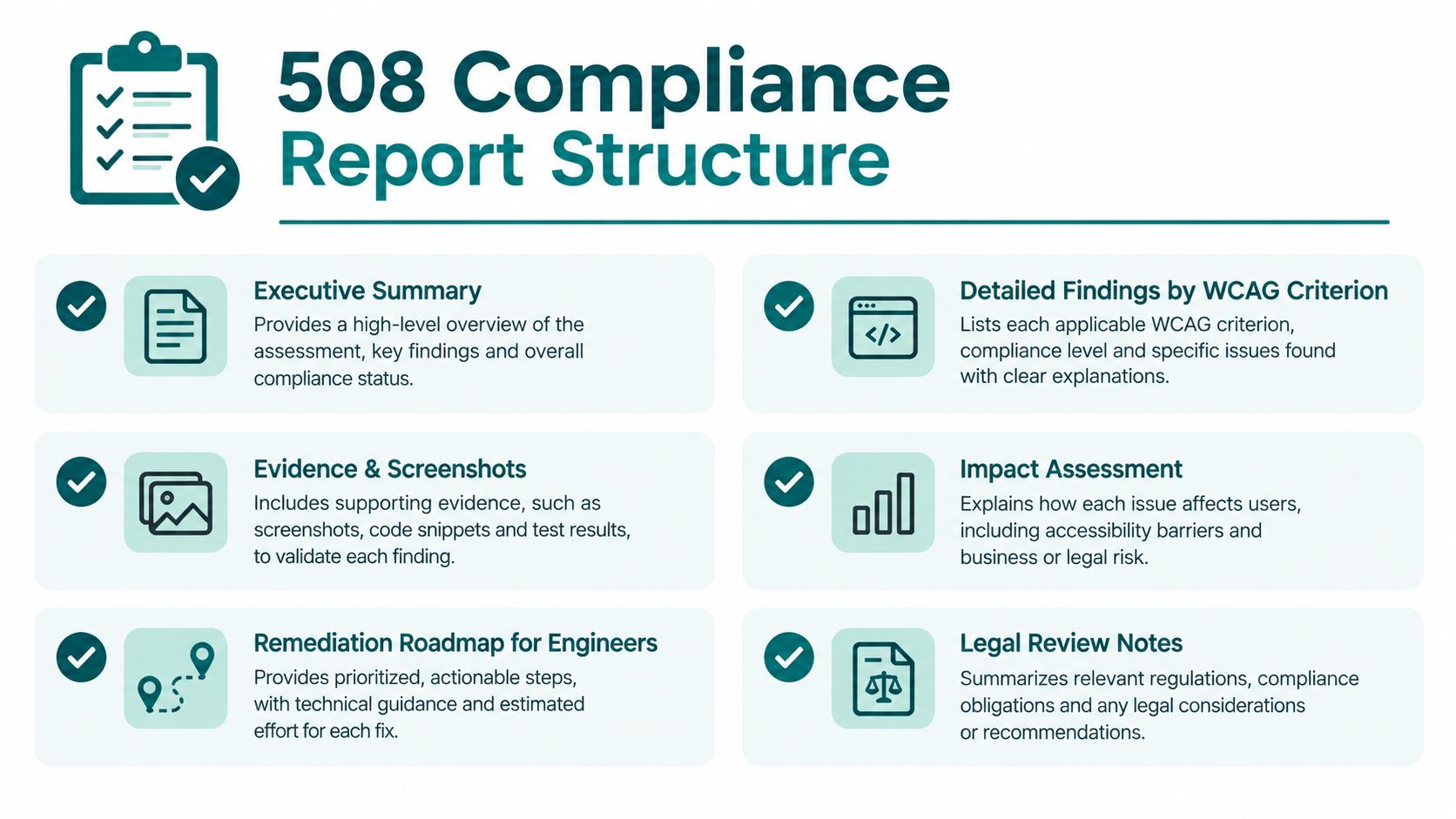
A usable report usually needs six things:
- Executive summary that states what was tested, by whom, and under which standard
- Detailed findings mapped to relevant WCAG criteria or internal conformance rules
- Evidence such as screenshots, code references, screen-reader output notes, and reproducible steps
- Impact description framed around the user task that breaks
- Remediation guidance written for the people who will fix the issue
- Retest status so resolved items are separated from open ones
That structure matters because accessibility defects are rarely just visual bugs. A focus trap in a payment modal is not “medium UX friction”. It is a task failure.
Treat the statement as governed content
One of the most common governance failures is the inaccurate accessibility statement. UK monitoring explicitly checks the statement as part of compliance review, not as a side note, under public-sector monitoring from 2022 to 2024. That's a useful discipline for any organisation, even outside the UK context.
If your statement says “fully accessible” while your internal tracker still shows unresolved keyboard, form, or screen-reader defects, the governance problem is now bigger than the code problem.
Governance check: Publish what you can evidence. Don't publish what you hope to achieve next quarter.
A mature remediation tracker links every issue to an owner, environment, test date, status, and retest result. That sounds administrative, but it's what stops known defects from resurfacing after redesigns or vendor upgrades.
Teams building that process can benefit from a structured compliance reporting system mindset. The reporting layer is what turns an audit into an operational control.
508 Compliance Test Preparation Checklist
Preparation determines whether the test cycle produces useful evidence or a pile of disconnected screenshots. The strongest teams do the setup work before the first scan or keyboard pass starts.
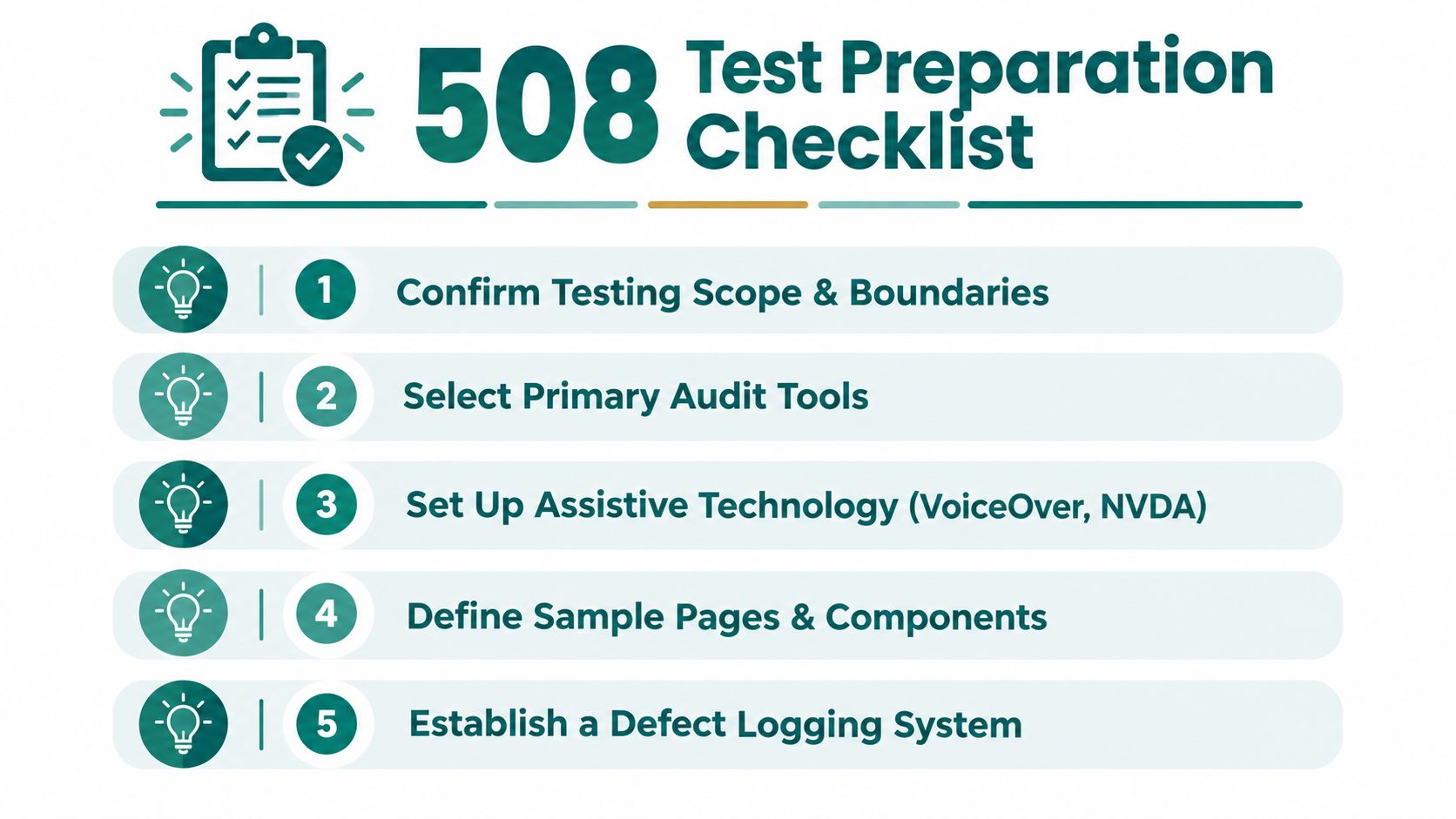
Use this checklist before every test cycle
- Confirm the scope. Name the URLs, app screens, templates, documents, and embedded services that will be tested. Confirm which environments are in scope.
- Choose the tools deliberately. Use automated scanners for initial coverage, then prepare manual and assistive-technology checks for the journeys that matter most.
- Set up assistive technology in advance. Install and verify NVDA, JAWS or VoiceOver, plus keyboard-only, magnification, and contrast test conditions.
- Select representative samples. Include core templates, high-risk transactions, search, forms, account flows, alerts, maps, error states, and content-heavy pages.
- Review the accessibility statement. Make sure your published position matches the current known issue list and testing scope.
- Prepare evidence capture. Decide where screenshots, recordings, screen-reader notes, and issue IDs will be stored.
- Define remediation ownership. Every finding needs a named team, not a generic “digital” label.
Tool reference for a practical test stack
No single tool is enough. Use a stack that combines breadth and judgement.
| Tool or Method | Best Use | Limitation |
|---|---|---|
| axe DevTools | Fast browser-based issue detection | Won't judge task completion or content quality |
| WAVE | Visual page review and structure checks | Limited for deeper workflow validation |
| Accessibility Insights | Guided checks and structured review prompts | Still needs manual interpretation |
| NVDA | Windows screen-reader verification | Requires tester skill, not just installation |
| JAWS | Enterprise screen-reader compatibility checks | Same workflow may behave differently from NVDA |
| VoiceOver | Apple ecosystem verification | Doesn't replace Windows testing |
| Keyboard-only testing | Finds focus and operability failures | Doesn't expose all announcement issues |
FAQ on 508 compliance testing
What is 508 compliance testing
508 compliance testing is the process of checking whether digital services and content are accessible to people with disabilities under Section 508 requirements. In practice, it includes automated checks, manual review, assistive-technology verification, evidence capture, and retesting after fixes.
Is 508 compliance testing the same as a scan
No, 508 compliance testing isn't the same as a scan. A scan can identify some detectable code-pattern issues, but it won't prove that a user can complete a task with a screen reader, keyboard, magnifier, or speech input.
How often should organisations run 508 compliance testing
Organisations should run 508 compliance testing whenever content, components, workflows, or platforms change, and on a recurring governance cycle. If accessibility is only checked before launch, defects usually return through routine updates.
What should a 508 compliance report include
A 508 compliance report should include scope, methodology, findings, evidence, user impact, remediation guidance, and retest status. It should also align with any public-facing accessibility statement or internal conformance record.
Making 508 Compliance Testing an Ongoing Practice
The biggest mistake in accessibility governance is treating compliance as a finish line. It isn't. It's a maintenance function, and the organisations that accept that early are usually the ones that recover faster when content changes, suppliers introduce regressions, or service teams launch new journeys under deadline pressure.
UK evidence points in the same direction. Public-sector monitoring has reported persistent failures against WCAG A and AA criteria, and local authority audit reporting in 2026 indicates improvement without full compliance in the City of Edinburgh accessibility report 2025. The useful lesson isn't that standards are unrealistic. It's that accessibility degrades unless somebody owns it continuously.
Why continuous practice works better than audit theatre
A one-off audit produces findings. An ongoing practice produces controls.
That usually means:
- Release-based checks for new templates, components, and transactional flows
- Statement governance so public claims stay aligned with known issues
- Retest discipline to confirm fixes work in production
- Cross-team ownership covering content, design, engineering, procurement, and operations
This matters even more in high-footfall environments. Transit operators, campuses, airports, hospitals, and shopping centres deal with constant service change. Layouts shift. Timetables update. Tenants change. Pop-up flows appear. If the accessibility process only exists as an annual audit, the user experience will be inconsistent for much of the year.
Where organisations usually get stuck
The friction is rarely philosophical. It's operational.
Budget owners want predictable cost. Estates and venue teams resist hardware-heavy solutions that create maintenance overhead. Digital teams inherit third-party tools they didn't choose. Accessibility leads get asked to sign off on statements without current evidence. None of that is unusual.
What works is a smaller, repeatable practice. Test the core journeys every release. Track open defects visibly. Fix recurring component issues at source. Bring procurement into the loop early. Treat accessibility as part of service assurance, not a specialist afterthought.
That approach also fits broader ESG and inclusive access goals. If your organisation is investing in better wayfinding, visitor independence, and accessible service delivery, continuous testing gives those initiatives a stable digital foundation.
Waymap helps venues, transport operators, campuses, and public bodies deliver precise, infrastructure-free navigation that works indoors, outdoors, and underground without relying on GPS, Wi-Fi, or installed hardware. If you're reviewing accessibility across digital and physical journeys together, visit Waymap to see how inclusive navigation can support compliance, operational efficiency, and a better arrival experience.
