
Adaptive User Interface: A Guide for Venues and Transit
By Dr. Tom Pey, Founder at Waymap and blind accessibility technologist
If you manage a station, shopping centre, campus or hospital estate, you probably know the moment when static wayfinding breaks down. A visitor arrives late, the concourse is noisy, a route is blocked, signage is inconsistent, and the person standing in the middle of the space has to stop, scan, guess and ask for help. That's not just frustrating. It's exclusion built into the journey.
An adaptive user interface fixes a different problem from the one most digital teams think they're solving. It doesn't just make a screen fit a device. It changes what the person gets, when they get it and how they receive it, based on what they need in that moment. In complex public spaces, that's the difference between guidance and confusion.
For operators, the problem with static systems isn't only user experience. It's operational. Signage ages badly. Beacon-based projects create maintenance burdens. GPS still fails indoors, which is why this explanation of whether GPS works indoors matters for any venue planning digital navigation. The practical question isn't whether personalisation sounds modern. It's whether your wayfinding can adapt fast enough to match the environment your visitors are moving through.
Why Static Wayfinding Is Failing Your Visitors
A family enters a hospital for the first time. One parent is carrying bags, one child is anxious, the appointment letter uses department names that don't match what's on the wall, and the nearest sign assumes they already understand the building. A student on a large campus has five minutes to get across site. A rail passenger reaches an interchange and needs the right platform, not a general direction.
Static wayfinding treats all three people as if they have the same confidence, the same pace and the same ability to interpret the environment.
That's where most systems fail. They present a fixed map, a fixed sign or a fixed app flow and expect the visitor to do the adaptation themselves. In practice, the user has to convert signage into action under time pressure, noise, distraction and uncertainty.
Static wayfinding doesn't remove complexity. It transfers complexity from the operator to the visitor.
An adaptive user interface changes that balance. Instead of offering one version of guidance, it adjusts the presentation and interaction to fit the person and the situation. That can mean simpler instructions, different timing, stronger audio cues, clearer route confirmation or a layout that removes non-essential choices.
Why this is an operational issue, not a niche request
Venue teams sometimes still frame accessibility adaptation as a specialist layer for a small subset of users. That's the wrong lens. Visitors include tourists, older people, people with temporary injuries, people under stress, and disabled people whose needs may be visual, cognitive or mobility-related.
For estates and transport teams, the cost of getting this wrong shows up in avoidable staff interruptions, crowded help points, poor visitor confidence and weak digital accessibility performance.
What doesn't work anymore
A one-size-fits-all interface usually fails in three predictable ways:
- It assumes visual certainty: users must keep checking a screen or sign rather than moving confidently.
- It assumes route stability: any change in layout, closures or operational flow undermines trust quickly.
- It assumes user confidence: many visitors hesitate long before they ask for help.
That is why adaptive design belongs in public-space navigation. It responds to actual conditions people face, not the ideal conditions designers imagine.
What Is an Adaptive User Interface
An adaptive user interface is not just a polished interface. It is a system that changes itself in response to the user or the context.
According to the definition cited in Wikipedia's entry on adaptive user interface, an adaptive user interface is a user interface that adapts, changes, its layout and elements to the needs of the user or context and is similarly alterable by each user, meaning its structure and content can be modified automatically based on observed behaviour or preferences rather than fixed design decisions.
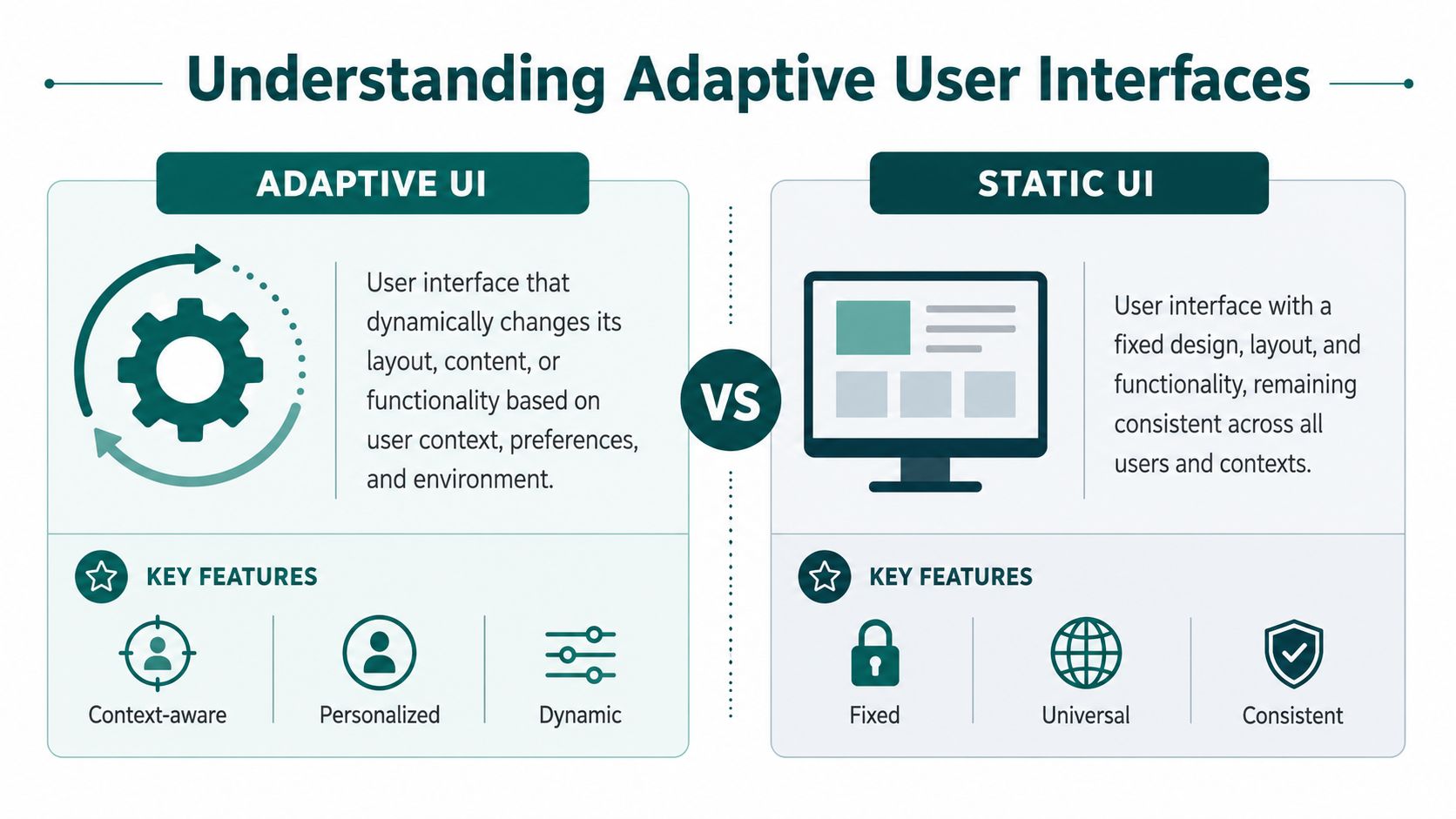
That definition matters because many teams still confuse three different things.
Static, responsive and adaptive are not the same
| Interface type | What changes | What stays fixed | Where it falls short |
|---|---|---|---|
| Static UI | Very little | Layout, content hierarchy, interaction model | Assumes all users can work the same way |
| Responsive UI | Screen arrangement | Core logic and information priorities | Fits the device, not the person |
| Adaptive UI | Layout, content, prompts, interaction style | Core task goal | Can respond to need, context and behaviour |
A responsive website can shrink from desktop to mobile. That's useful, but it isn't adaptation in the accessibility sense. If the same cluttered route information still appears, just on a smaller screen, the user hasn't been helped much.
By contrast, a genuine adaptive interface can simplify navigation depth, foreground the next decision, alter timing, prioritise spoken guidance or reduce visual dependence.
Practical rule: If the user still has to do all the interpretation work, the interface isn't adaptive enough.
Why this matters in built environments
Public-space navigation is a strong test case because the environment itself is unstable. Lighting changes. Noise changes. Crowding changes. Visitor confidence changes. So the interface needs to behave less like a map brochure and more like an active guide.
For teams working with digital twins and venue models, there's a useful parallel in what is parametric modeling. The core idea is similar. Systems become more valuable when they can respond to changing conditions instead of staying frozen after initial design.
Later in the delivery process, that principle becomes practical. A navigation interface should know when to reduce choice, when to confirm direction and when to stop demanding visual attention.
A short explainer is useful here:
How Do Adaptive Interfaces Know When to Change
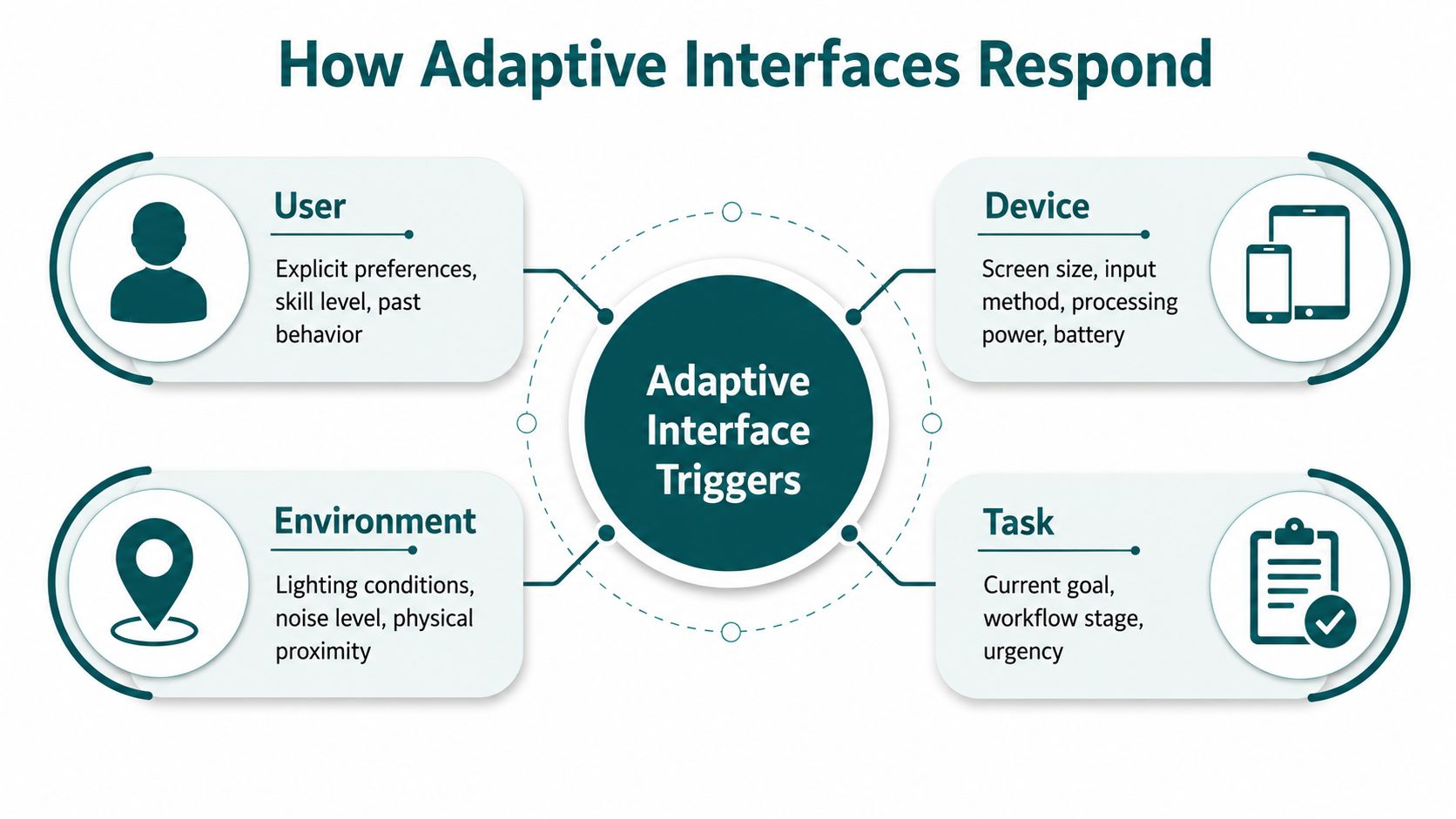
Adaptive systems don't change at random. They react to signals. In public navigation, the strongest signals usually come from four places: the user, the device, the environment and observed behaviour.
User signals shape the baseline
Some changes should be explicit. Language choice, audio preference, confidence level and accessibility settings are examples. If someone wants spoken guidance and minimal visual information, the interface should respect that from the start.
In this regard, many products get the model wrong. They infer too much too early, or they never ask enough to create a usable baseline.
Device and environment affect what is practical
A station platform at rush hour is different from a quiet corridor. A phone in a pocket is different from a phone held in front of the face. Ambient noise, screen orientation and available sensors all affect what kind of guidance is useful.
That's why on-device sensing matters. In navigation, the phone can already tell you far more than many teams realise from motion and orientation data alone. We've written in detail about the sensor fusion algorithm used in modern precision navigation, because this is the layer that lets guidance respond without depending on installed hardware.
Behaviour tells you when the interface should step in
A person who slows down, stops frequently or repeats the same correction is telling the system something. They may be uncertain, overloaded or approaching a complex decision point. Good adaptive design doesn't punish that behaviour. It responds by changing the support.
That might mean:
- Increasing confirmation: a stronger cue that the user is still on the correct path.
- Reducing verbosity: shorter instructions when timing is critical.
- Changing cadence: earlier prompts for slower walkers, tighter prompts for faster ones.
- Suppressing noise: removing non-essential content during a tricky manoeuvre.
Some adaptive systems also learn from repeated behaviour. As described in this explanation of machine learning in adaptive interfaces, certain interfaces use machine learning algorithms to observe interaction patterns and reorganise the interface by surfacing what is most likely to be useful next.
The safest model is not constant reinvention
Adaptive design works best when it is bounded. Users should recognise the logic behind the changes. If the interface keeps moving controls or changing terminology without warning, adaptation becomes another source of cognitive load.
Helpful adaptation is selective. It changes only what improves the task.
For operators, that matters because trust is cumulative. Visitors don't need a clever interface. They need one that notices difficulty early and responds in a way that feels consistent.
What Are the Design Principles for Effective Adaptation
A good adaptive user interface is not one that changes often. It is one that changes responsibly.
The fastest way to lose trust is to make the interface feel unpredictable. In wayfinding, people are already dealing with uncertainty in the physical world. The digital layer should reduce that uncertainty, not add another variable.
Predictability comes first
Changes should be understandable. If the interface simplifies the route view or shifts toward audio guidance, the user should still feel that the system is following a clear logic.
That principle aligns with accessibility obligations in the Equality Act 2010. Public services and venues are expected to make reasonable adjustments for disabled people. In digital navigation, that increasingly points toward systems that can adapt presentation and support rather than merely offering the same static workflow to everyone.
Control matters as much as intelligence
The most effective adaptive systems do not trap people in an automated model of who the system thinks they are. Users need the ability to limit, reset or override adaptation.
That is especially important for blind, low-vision and neurodivergent users, because over-automation can become another barrier if it removes agency.
A practical governance checklist looks like this:
- Provide user override: let people revert a change they don't want.
- Keep settings visible: don't bury essential preferences in deep menus.
- Explain major shifts: if guidance style changes, give a brief reason.
- Avoid surprise simplification: less content is only better when it remains sufficient.
The best adaptive interfaces are confident but not controlling.
Standards compliance is not the finish line
A static interface can meet baseline technical checks and still be hard to use in a busy public environment. That gap matters. A 2021 UK government digital service report found that rule-based adaptive interfaces can reduce the average task completion time for users with cognitive disabilities by up to 35% compared with static interfaces, measured against standard WCAG-compliant controls.
That is the right lesson for venue and transit operators. WCAG matters. It is not enough on its own.
For practical design teams, our guidance on inclusive design principles for wayfinding and navigation is that adaptation should be treated as a service behaviour, not just a screen behaviour. Timing, confirmation, route complexity and modality all sit inside the accessibility decision, not outside it.
Why BS 8300 and similar standards push in this direction
BS 8300 and related accessibility standards for the built environment reinforce a simple operational truth. Access is not only about ramps, doors and lifts. It is also about whether people can understand and use the environment independently.
An adaptive user interface supports that independence when it is designed to be predictable, controllable and transparent. Those three qualities are what separate meaningful adjustment from decorative personalisation.
How Is Adaptive UI Deployed in Public Spaces
The practical test for adaptive UI is not a design workshop. It is whether it works in a noisy station, a live retail environment, a stadium on event day or a hospital with constant operational change.
That's where infrastructure-heavy approaches usually run into trouble. Bluetooth beacons, fixed hardware and dependency on local signal conditions create cost, maintenance and governance problems that many operators underestimate at procurement stage.
Why infrastructure-free deployment is the scalable model
In high-change environments, the strongest adaptive systems rely on the device people already carry. Waymap's precision navigation uses dead reckoning from device-native sensors, fusing motion data with detailed maps to deliver sub-3-metre accuracy in infrastructure-free environments. It works indoors, outdoors and underground without GPS, Wi-Fi or beacons, and it doesn't require pre-mapping hardware to stay in service when layouts evolve.
That matters for transit operators and estates teams because hardware projects often fail for non-technical reasons:
| Friction point | What happens with hardware-based projects | What infrastructure-free deployment changes |
|---|---|---|
| Capital approval | Extra hardware creates budget resistance | Deployment aligns more closely with software and mapping spend |
| Maintenance | Devices fail, batteries die, audits slip | Fewer physical assets to manage on site |
| Layout change | Reconfiguration becomes slow and political | Digital route updates are easier to manage |
| Operational ownership | No team wants permanent hardware burden | Responsibility sits more cleanly with digital and estates teams |
What deployment looks like in the real world
At WMATA in Washington, D.C., precision navigation has to work in a transit setting where people need exact platform and interchange guidance, not approximate location. At Westfield London, the challenge is different. Retail visitors need confidence inside a dense, multi-entrance environment with changing points of interest. At the Royal Hospital for Children and Young People, the need is calmer but no less demanding. Visitors often arrive stressed and unfamiliar with the site. At SBS Transit in Singapore, transport navigation has to cope with scale, complexity and repeatability.
These deployments matter because they show that adaptation in public space is not one use case. It is a delivery pattern across different operational contexts.
What the evidence supports
A 2020 UK-based study on adaptive interfaces found that interfaces relying on on-device sensor data achieved 82% accuracy in classifying user proficiency and reduced user errors by 44% among blind and low-vision participants, without requiring GPS, Wi-Fi or external hardware beacons.
That result is operationally important. It supports a model where adaptation can happen from local sensing and interaction behaviour rather than from installed infrastructure.
If you want a practical view of how this plays out in venue navigation, this overview of a wayfinding app for complex public environments is useful because it connects precision guidance to day-to-day deployment realities.
In public spaces, the best adaptive UI is usually the one operations teams don't have to keep rescuing.
The deployment lesson is straightforward. If your adaptive model depends on constant hardware upkeep, it won't scale cleanly across an estate. If it can run from the smartphone, update from map data and adapt through behaviour, it has a far better chance of surviving procurement, rollout and live operations.
What Is the Business and ESG Case for Adaptation
Static interfaces create exclusion. They also create avoidable operational drag.
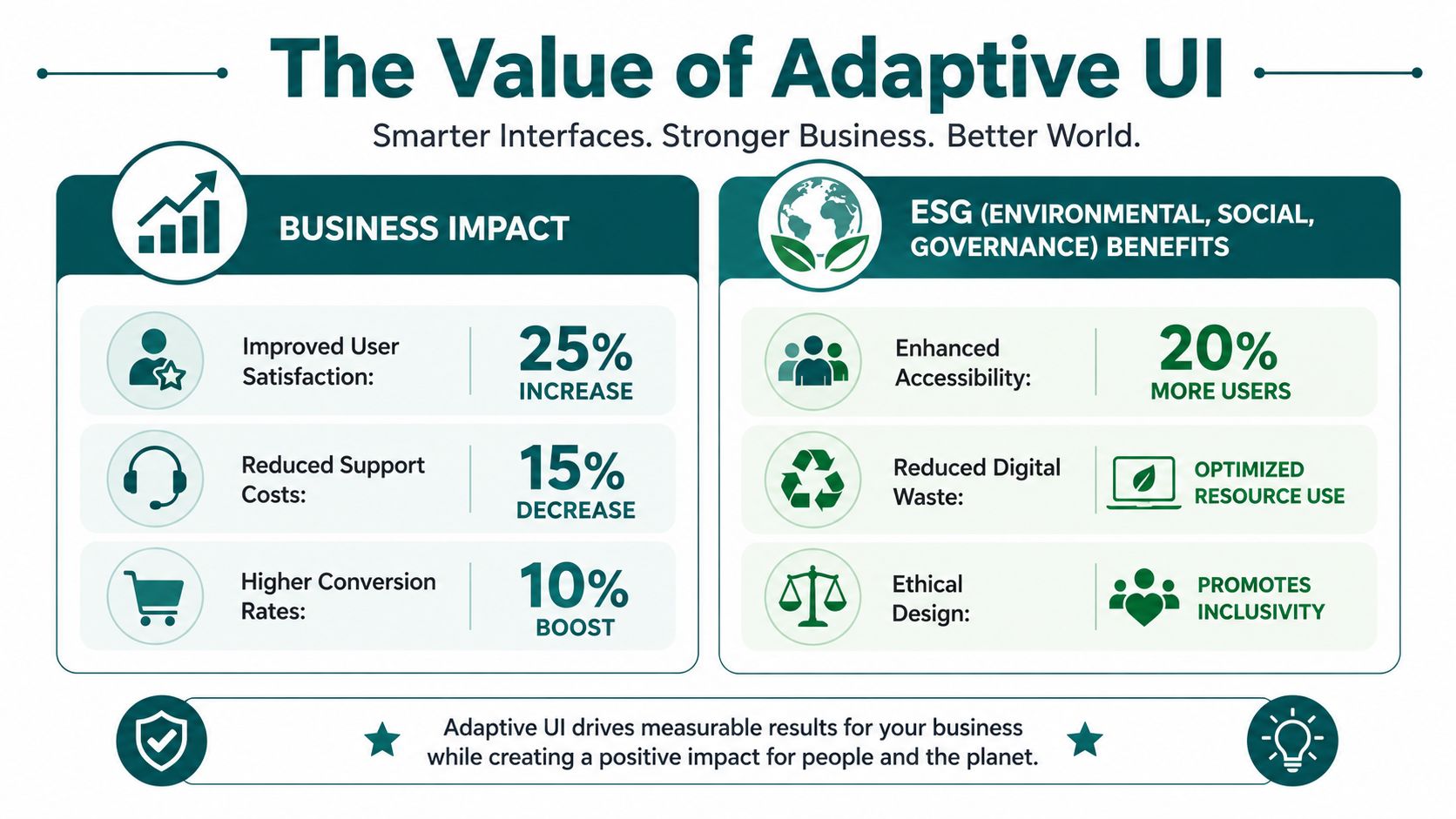
For UK venue and transport leaders, the scale of need is already clear. A 2021 UK Office for National Statistics survey and related transport strategy reference found that about 19% of adults in Great Britain reported a disability, and 1 in 5 people with disabilities report difficulty using public transport because of issues such as route confusion and poor signage.
The business case starts with fewer failure points
When visitors can find their way with confidence, several things improve at once. Staff spend less time on repeat directional help. Visitors are less likely to miss destinations. Operators can update digital guidance faster than physical signage. The estate becomes easier to use without requiring a rebuild.
For shopping centres, stadiums and mixed-use developments, there is also a commercial layer. Better navigation supports dwell time, destination discovery and confidence in returning to the venue, especially for people who would otherwise avoid complex sites.
The ESG case is more than compliance language
The social dimension of ESG is not abstract in wayfinding. It shows up in whether disabled people can use the same environment with independence and dignity. It shows up in whether public services are practically reachable. It shows up in whether a venue measures inclusion through actual usability rather than policy statements.
A credible ESG position in this area usually includes:
- Accessible service delivery: not only physical compliance, but usable digital guidance.
- Operational inclusion: reduced dependence on staff intervention for routine navigation.
- Evidence of reasonable adjustment: demonstrable support for diverse users in real settings.
- Updateable accessibility infrastructure: digital wayfinding that can evolve with the site.
For public bodies, this aligns with service obligations. For commercial operators, it also broadens the audience the venue can serve well.
A useful framing for leadership teams is that inclusive navigation is not a side initiative. It is core service infrastructure. Our work on using technology as an app for good in public environments reflects that same principle. Accessibility should be built into how the environment operates, not bolted on after complaints.
Frequently Asked Questions About Adaptive UI
What is an adaptive user interface in simple terms
An adaptive user interface is a digital interface that changes its layout, prompts or interaction style based on the user's needs or current context. In public navigation, that usually means giving different guidance depending on confidence, movement, environment and accessibility preference.
Is adaptive UI the same as responsive design
No. Responsive design mainly adjusts to screen size, while adaptive UI adjusts to the user or situation. A responsive map can still be confusing. An adaptive interface can simplify the task itself.
Does adaptive navigation need beacons or installed hardware
No, it doesn't have to. Infrastructure-free models can use the sensors already built into the smartphone, which avoids much of the maintenance burden that undermines hardware-led projects.
Is adaptive UI only for disabled users
No. It helps disabled users, but it also helps anyone under time pressure, in an unfamiliar venue, in a noisy environment or dealing with temporary stress or distraction. Good adaptation improves usability for a broad mix of visitors.
How do you keep adaptive interfaces from becoming unpredictable
Set clear rules for when changes happen, keep controls available to the user, and avoid altering core interaction patterns without explanation. The interface should adapt selectively, not constantly.
Are there privacy concerns with adaptive UI
Yes, there can be. The strongest pattern for public-space navigation is to keep sensing and behaviour processing on the device where possible, minimise personal data collection and give users clear control over preferences.
How should operators evaluate adaptive UI vendors
Check whether the system works in signal-poor environments, whether it depends on installed infrastructure, how easily routes can be updated, how user control is handled, and whether the deployment model fits estates and maintenance reality rather than just a demo environment.
If you're reviewing navigation, accessibility or ESG priorities across a venue or transport estate, Waymap is built for the conditions that defeat static interfaces: complex layouts, signal-poor spaces, frequent operational change and the need for precise, hands-free guidance without GPS, Wi-Fi or installed hardware. We work across hospitals, retail, campuses and transit to make inclusive navigation practical at scale.
