
Accessible Wayfinding for UK Venues and Transit Operators
Accessible wayfinding is the mix of routes, instructions and cues that helps disabled people, older visitors and everyone else reach a particular door, platform, lift or toilet on their own. It works indoors, outdoors and underground. It also asks far more of a venue than a sign with a wheelchair symbol on it.
Why Accessible Wayfinding Matters for Every Visitor
Think of a satnav that only knows the motorways. It gets you across the country without trouble, but the moment you need a slip road through a busy interchange, it goes quiet. Plenty of indoor routes behave the same way, and they tend to fall apart right where people need them most.
Accessible wayfinding is the navigation that knows every slip road.
The Scale of Sight Loss in the UK
That is why accessible wayfinding is a mainstream need rather than a niche one. The RNIB estimates that more than 2 million people in the UK live with sight loss, and around 320,000 are registered as sight impaired or severely sight impaired.
Approximately 250 people start to lose their sight every day. You can find more figures in the sight loss statistics across the UK published by the RNIB.
Conventional Signage Compared With Accessible Wayfinding
Signs still have a role to play. They just solve a narrower problem than most venues assume. The table below shows where the two approaches part ways.
| Feature | Conventional signage | Accessible wayfinding |
|---|---|---|
| Audience | Sighted visitors who can read a fixed sign | Disabled people, older visitors and everyone else |
| Information type | Static labels and directional arrows | Step-free routes, decision-point cues, audio and visual instructions |
| Update method | Reprinted or re-fitted by hand | Map layer amended centrally |
| Failure mode | A sign keeps pointing to a closed route | A blocked route is flagged and corrected in the map |
Put simply, a sign tells you where something is. Accessible wayfinding walks you there, checks each turn with you, and changes its advice when a lift goes out of service.
Who Accessible Wayfinding Serves
It helps three groups at once:
- Disabled people, including wheelchair users and blind or low-vision visitors
- Older visitors who find long corridors tiring or hard to read
- Parents with pushchairs, travellers with heavy luggage and first-time visitors
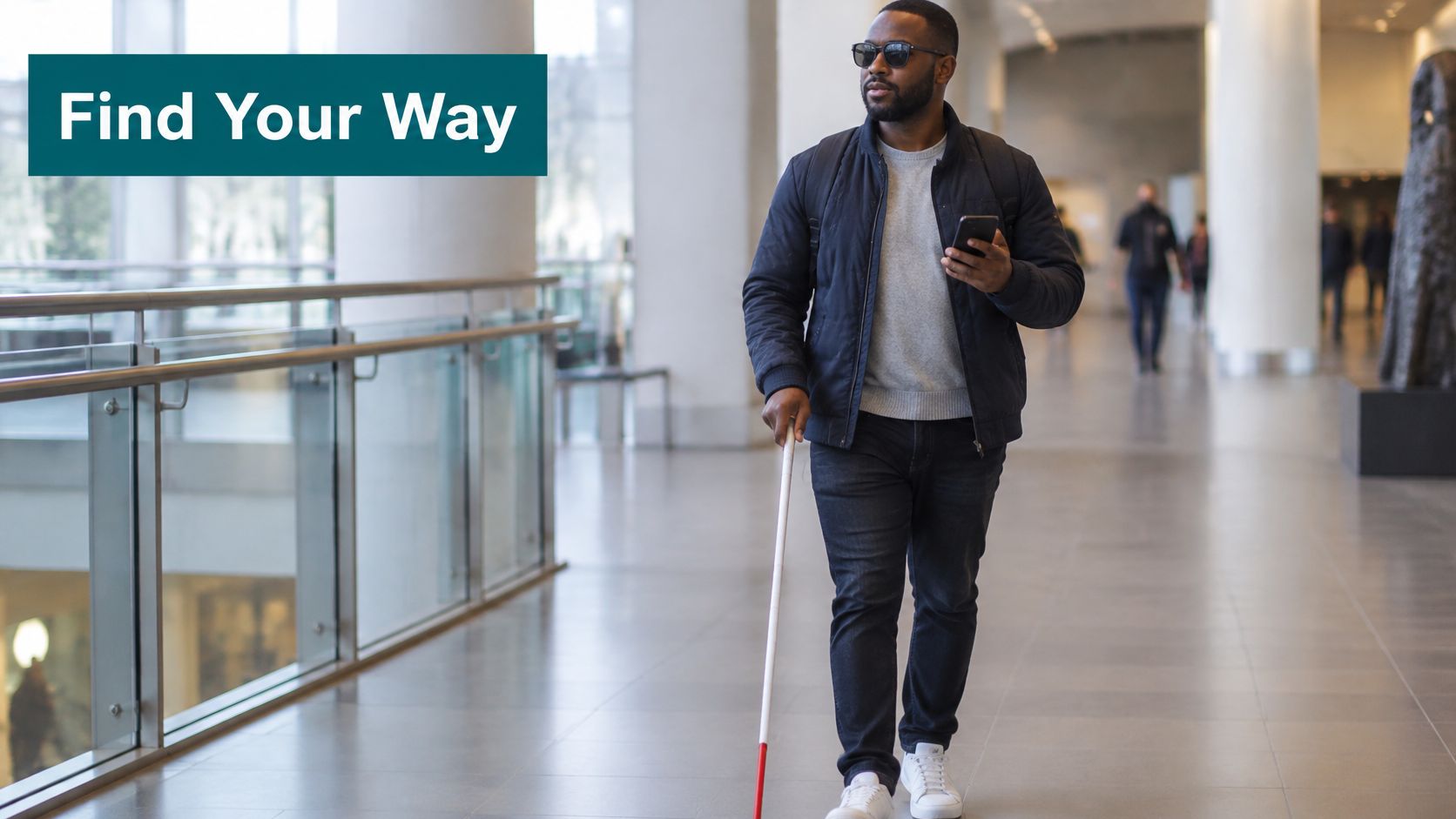
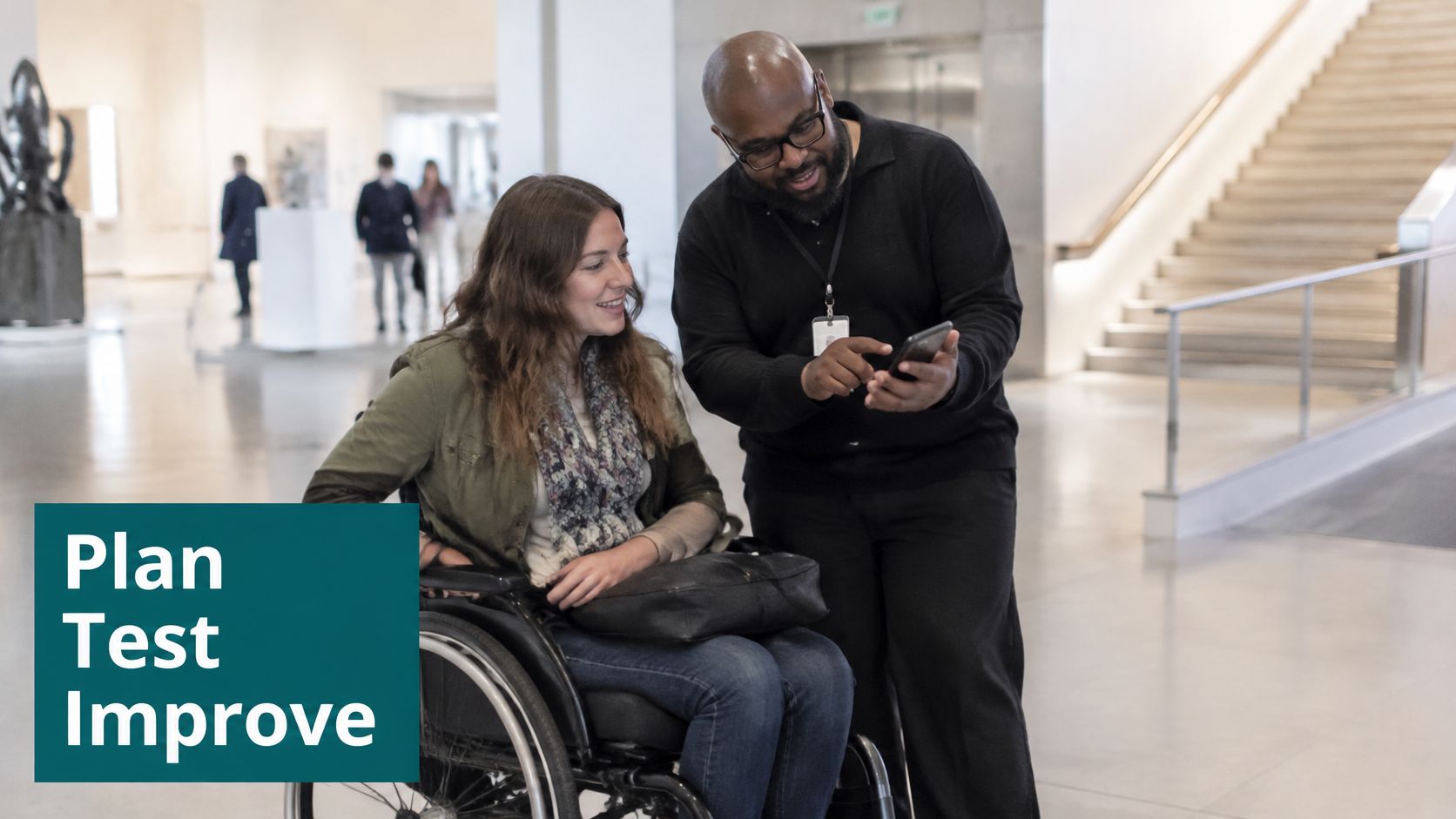
The picture below shows the kind of journey we are talking about: a visually impaired man using a smartphone to move through a modern building.
Navigation is really a chain of decisions made along the way. A route only works when each decision point gives the visitor a clear next cue, so one missing cue can break the whole chain.
Waymap began as a personal navigation app for people with vision impairment, and that origin shapes how it treats every junction as a decision.
Written by Tom Pey, Founder and blind accessibility technologist.
Which Laws and Standards Shape Accessible Wayfinding?
If you run a venue in the UK, the law you're most likely to bump into is the Equality Act 2010. Under Section 20, service providers and those responsible for premises must make reasonable adjustments when a disabled person would otherwise face a substantial disadvantage. In practice, that might mean rethinking a confusing entrance or making sure the route to the lift is clear.
The screenshot below shows the contents page of the Equality Act 2010 on legislation.gov.uk, so you can see how the Act is laid out in full.
Look closely at the contents list and you'll spot section 149 sitting in Part 11. That section sets out the public sector equality duty as a standalone obligation. The separation matters more than it first appears, because it shapes how public bodies plan their estates, not just the individual services they offer.
Duties for Councils, Universities and NHS Trusts
Section 149 applies to councils, universities and public bodies such as NHS trusts. They must have due regard to eliminating discrimination and advancing equality for disabled people. It's a duty to think things through, and to be able to show you did, before you change a building.
If you're working on US venues, the picture shifts. Title III of the Americans with Disabilities Act covers places of public accommodation, which include stadiums and shopping centres. Public transit agencies fall under Title II instead, which covers state and local government services.
Standards That Define Outcomes Rather Than Hardware
A handful of standards guide the design side of things:
- BS 8300-2:2018: design recommendations for buildings and their approaches
- BS EN 17210:2021: functional requirements for accessibility in the built environment
- Article 9 of the UN Convention on the Rights of Persons with Disabilities: requires states to ensure access to the built environment
- PAS 78: covers digital services, such as a browser-based web app
The standards set outcomes, such as a route a visitor can find and follow, rather than the hardware used to deliver it.
That distinction is worth holding onto. Static signs and beacon installations have to be maintained by hand every time a layout changes, which is costly and easy to fall behind on. BS EN 17210 asks for built environments that people can use independently, and a route stops being findable the moment its fixed hardware goes stale. A standard that asks for findable routes naturally opens the door to navigation that doesn't depend on fixed infrastructure.
Why Compliance Deadlines Clash With Budgets
Here's where things get awkward. Capital budgets are approved on fixed cycles, but a compliance deadline rarely lands neatly in the same window.
Picture a facilities director who knows a station needs new signage by March. The money, though, doesn't arrive until the next financial year. Nobody's being careless. The calendar simply doesn't line up.
NHS estates managers face a similar squeeze. Capital spend restrictions make new beacon installations politically difficult to approve, because each unit carries a survey, a power source and a maintenance commitment that must be funded for years. A navigation layer that updates through the map rather than through fixed hardware is far easier to justify in a capital bid.
For a closer look at how these duties apply to UK estates, read our article on UK accessibility standards for venues.
The practical test is simple, and it's a good one to carry around: can a visitor who has never set foot in the building reach the lift without asking anyone for help?
Design Principles That Make Accessible Wayfinding Work
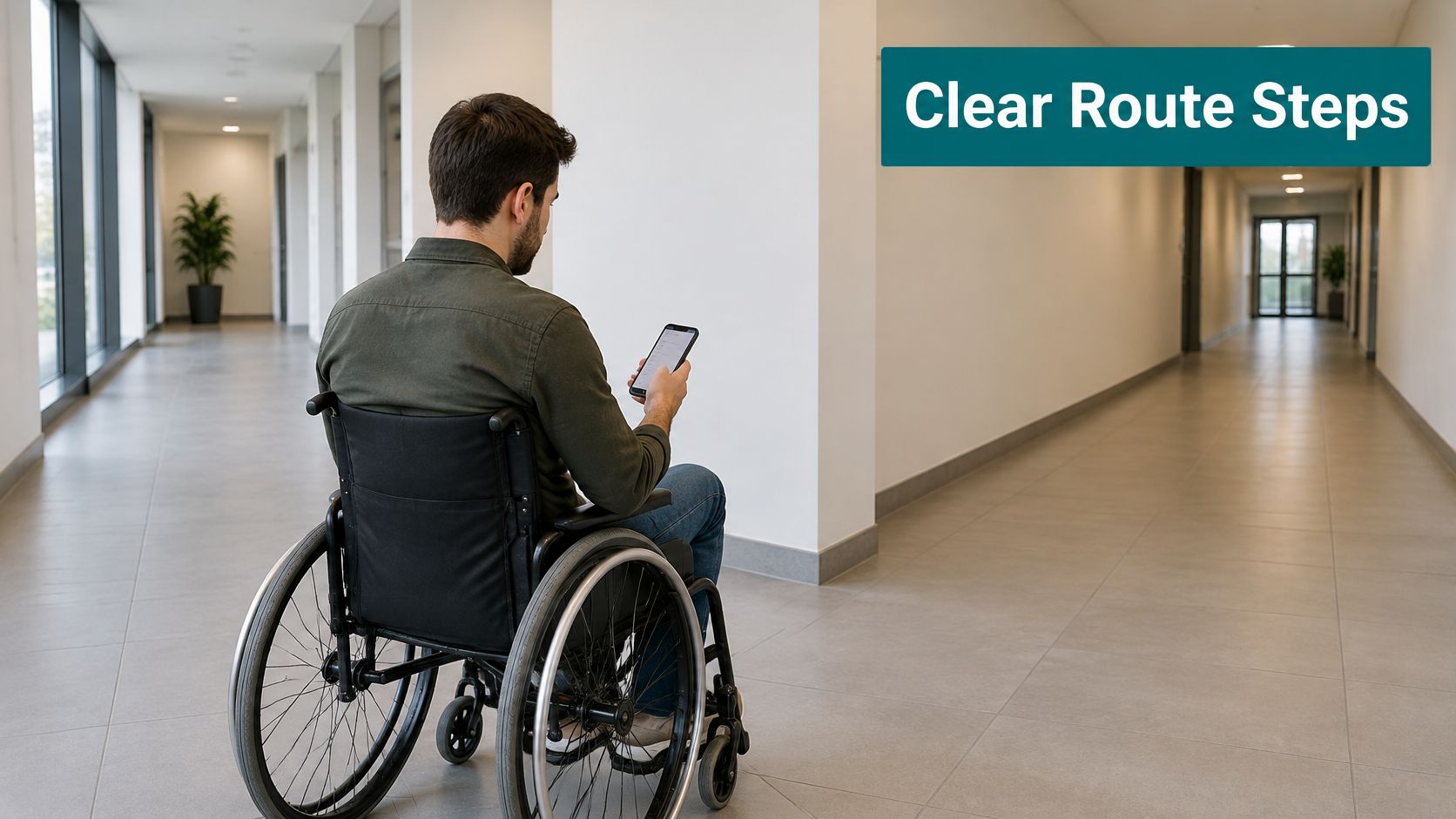
Think of accessible wayfinding as a recipe rather than a map. A recipe hands you the steps in order, so you always know what comes next. A map shows you the whole picture, but that picture only helps if you can see it clearly and make sense of it while you're walking.
Route Instructions Describe Decisions, Not Locations
A list of locations tells a visitor where the lift is. A route tells them what to do at each decision point to get there. The difference sounds small, but it changes everything.
Picture a blind traveller arriving at a busy station. They don't need a map they studied at the entrance ten minutes ago. They need to hear the right instruction at the exact moment they reach a junction. That's why audio and visual guidance must carry identical content, so nobody gets a different answer depending on how they access it.
Four Principles Behind Every Working Route
Good venues tend to apply four habits, and they apply them consistently:
- One instruction per decision point. Each junction, lift bank or door gets a single clear cue, not a paragraph of directions.
- Consistent terminology. If the sign says "Lift 2", the app and the staff script should say "Lift 2" too.
- Verified destination names. Names are checked against the live venue, so a café that closed last month doesn't stay in the directions.
- Multilingual options. Visitors can receive instructions in the language they read or understand best.
A route is only accessible if the person can find the next decision point without help.
How Waymap Applies These Principles
Waymap builds these principles into its navigation engine. Its step-level accuracy places each instruction at the actual decision point, rather than somewhere in the general area. That matters on a busy concourse, where "just past the shop" can mean three different doorways.
- Personalised step counts convert distance into steps for each user, so the route reads the way the walker expects.
- Route preferences let each person choose how they travel, with step-free routing for wheelchair users and pushchairs.
- Multi-level navigation covers every floor of a venue, so guidance carries on when the route changes level.
Instructions arrive as both on-screen directions and audio guidance, and both are built from the same content.
Where Waymap Should Not Be Used Alone
To be clear, Waymap should not be used as the primary navigation solution for a disabled person. It works best as an extra layer alongside the methods someone already relies on. Think of it as a supporting voice on the journey, rather than the one in charge.
If you want to dig deeper, you might be interested in our article on inclusive design principles for venues, which looks at the design choices behind these rules.
Which Accessible Wayfinding Technology Fits Your Venue?
Most venues already rely on one or more of the tools below, whether they planned it that way or not. The real question is less about which tool is best and more about how quickly your building changes and how much time your team has to keep things up to date.
Static Signs and Tactile Maps
Static signs work well on routes that rarely change. The trouble is that a sign is only accurate for as long as the layout around it stays exactly the same. Move a lift or swap a shop front, and the sign starts giving out the wrong directions without anyone noticing.
Tactile maps offer a physical overview from one fixed spot. They help with one-time orientation, but they can't follow a visitor from the map to the lift.
Staff assistance is still essential for complex or unusual needs. The catch is that it depends on someone being free at the right moment, which is hard during a busy Saturday rush.
Beacons and GPS Have Real Strengths
Bluetooth beacons give strong positioning within a defined area. That accuracy has a cost, though. Each unit needs power or battery changes, and you'll need a fresh survey every time the layout moves.
GPS navigation apps are dependable outdoors, but satellite signals don't reliably reach indoors or underground. Think of a transit station basement, which is exactly where a clear route matters most.
How Beaconless Navigation Works
Waymap takes a different path and uses no beacons at all. Picture someone who knows a building by heart. The app tracks movement using the phone's own motion sensors, a method called dead reckoning, and matches that movement to a detailed venue map.
It also learns each user's stride and walking pattern, which is what makes the guidance step-accurate. No GPS, Wi-Fi or installed hardware is needed, and the system holds sub-3-metre accuracy in environments without infrastructure. Because the positioning does not depend on pre-installed hardware, venues with high staff turnover or frequent layout changes do not need a separate survey programme before each update.
Accessible Wayfinding Technologies Compared
Before deciding, it helps to see the options side by side. The table below compares signage, beacons, GPS navigation and beaconless phone-based navigation on installed hardware, signal dependence, the cost of a layout change and best use.
| Technology | Installed hardware | Signal dependence | Cost of a layout change | Best use |
|---|---|---|---|---|
| Static signage | None | None | Reprint and refit by hand | Stable routes |
| Tactile maps | Fixed panel | None | Remake the panel | One-time orientation |
| Staff assistance | None | Staff availability | Retraining and rotas | Complex or unusual needs |
| Bluetooth beacons | Installed units | Beacon signal | Re-survey and reposition | Defined-area positioning |
| GPS apps | None | Satellite signal | Map update | Outdoor routing |
| Beaconless phone navigation | None | Phone sensors | Map layer edit | Frequently changing routes |
If you prefer a visual summary, the chart below covers the same six options.
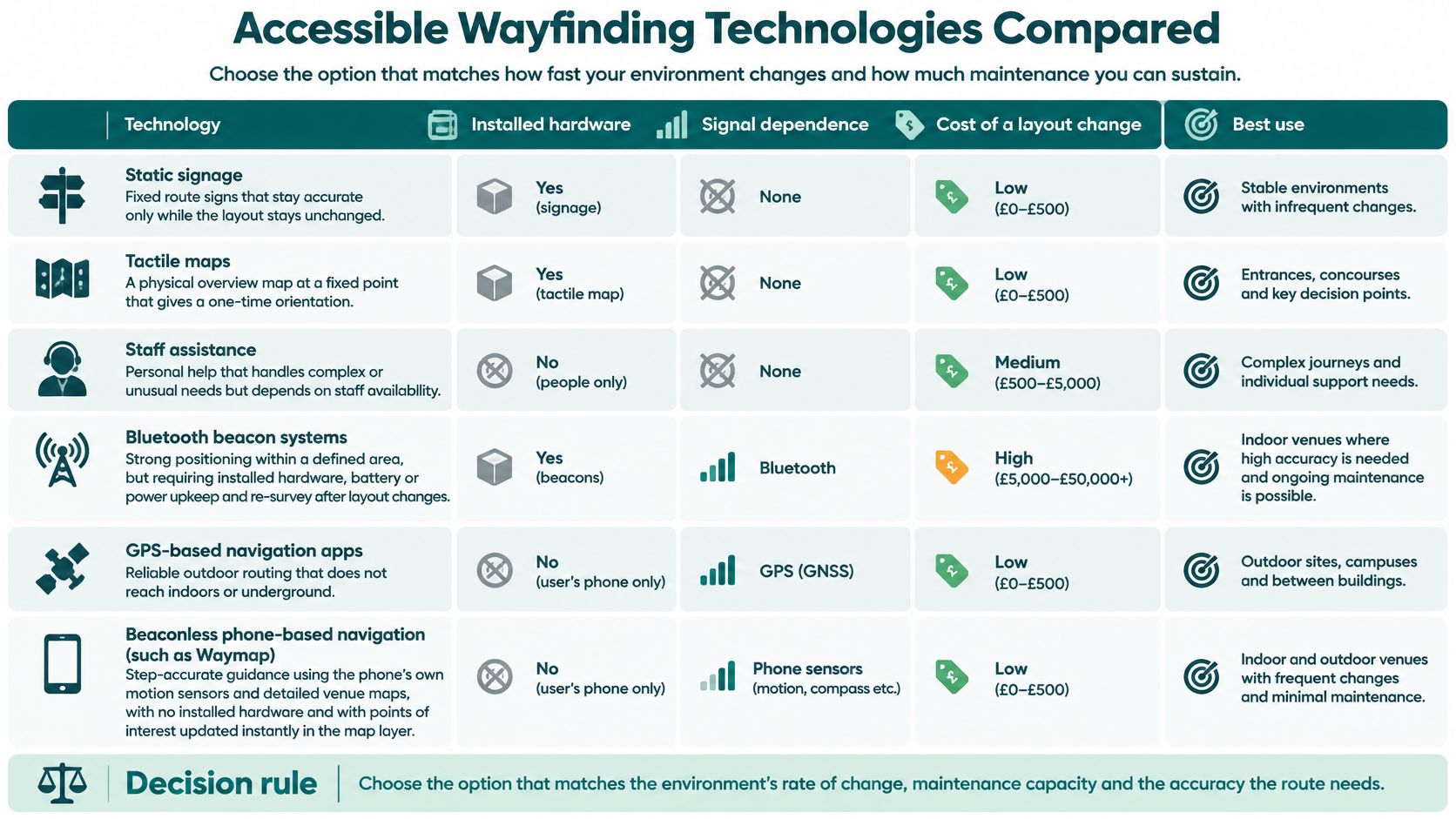
Beacons and static fixtures buy accuracy with maintenance. Phone-based guidance moves that cost into the map layer.
Waymap edits points of interest in the map layer, so a concession change can go live straight away. That matters most where tenants change often and staff turnover is high.
Choosing by Rate of Change
Choose the option that matches the environment's rate of change, maintenance capacity and the accuracy the route needs.
In practice, the choice tends to break down like this:
- Fixed signs suit stable floor plans with little to maintain.
- Beacons suit defined areas where upkeep is funded and planned.
- Phone-based navigation suits buildings that change often and still need step-level detail.
Read also: wayfinding solutions for complex venues covers how these options combine in practice.
Implementation Checklist for Venues and Transit Operators
No two project meetings worry about the same thing. Transit operators lose sleep over keeping physical hardware running in stations that never seem to quiet down. Universities are boxed in by capital spend limits. Retail sites have to make a case based on revenue and dwell time, as well as compliance, and city governments need solid evidence for their ESG reporting.
Why Information Gaps Matter
Imagine trying to cross a city with a map that's missing half its streets. That's roughly what many disabled people face when they plan a trip. NCAT research found that disabled people make 38% fewer transport journeys than non-disabled people, and a 2023 survey found that 23% of disabled respondents needed better information about the location and availability of maps and wayfinding.
Before your next meeting, it's worth reading the full NCAT findings on transport accessibility data. It makes a strong opening point for the room.
Seven Steps for a Project Meeting
Treat this list as the agenda for your next project meeting. The order matters more than you might expect.
- Audit current routes end to end. Walk each journey from the entrance to the destination, and write down every step, lift and door you pass.
- List every destination a visitor might need. Don't stop at the headline attractions. Toilets, platforms, lifts and exits matter just as much.
- Define the accuracy each route requires. A platform-level transfer needs far more precise instructions than a stroll across a general concourse.
- Decide which information channels to offer. Pick from on-screen, audio, staff and printed options, and keep the wording identical across all of them.
- Test with disabled users before launch. Recruit blind, low-vision, wheelchair and older testers, then watch closely for the points where they hesitate.
- Train staff to point people to the navigation tool. Frontline teams should know how to direct visitors to the QR code without fumbling for an answer.
- Agree the KPIs before deployment. Set baselines for kiosk use, step-free route completion, staff enquiries and satisfaction scores before anything goes live.
Each step leans on the one before it. Skip the audit and your testing has nothing reliable to measure. For ESG leads, the audit and KPI steps are where the evidence comes from, and it's the kind a city council or sustainability report can actually cite.
How the QR Code Helps First-Time Visitors
Anyone who has just stepped off a train knows the feeling. You need directions now, not after a long download. Waymap opens from a QR code, so visitors don't have to install anything first.
That removes the biggest hurdle for someone who has just arrived. They scan the code at the entrance and start walking straight away.
Supplier Criteria and Next Steps
When you're comparing options, venues and transit operators can work through a structured set of gate access system evaluation criteria. It keeps procurement grounded, and it stops a slick demo from doing all the talking.
Agree the KPIs first, or there is nothing to prove success against.
Read also: implementation best practices for accessible wayfinding covers the rollout in more depth.
Real Deployments and How to Measure Results
Deployments are where accessible wayfinding stops being an idea on paper and starts doing real work. Three examples show different problems being solved, and each one points to something a team should measure.
Lord's Gives Every Visitor the Same Route
Lord's, the cricket ground in London, offers step-free routing, guidance to accessible toilets, food and drink options and navigation instructions in multiple languages. Crucially, all of it is available to everyone.
There is no separate accessibility mode. The same route serves every visitor, so a wheelchair user and a parent with a pushchair follow identical directions. The real problem being solved here is separation. Visitors who need help should not have to identify themselves before they receive it.
CapMetro Brings Personalised Settings to Transit
CapMetro, the Austin transit agency, deployed step-free routing alongside personalised navigation settings. The launch was covered in the press article 'Find Your Way with CapMetro: Introducing Accessible Wayfinding Technology'.
Personalised settings matter on a transit network because riders arrive with very different needs. Picture a commuter in a wheelchair, a parent with a pushchair and someone who simply wants to avoid stairs after a long shift. Each setting changes the route itself, not just the label on it.
Liverpool ONE Reduces Reliance on Kiosks
Liverpool ONE, a large shopping destination, had a different kind of problem. Visitors relied on static wayfinding kiosks to find their way around, and every kiosk was a fixed piece of infrastructure that someone had to maintain.
The Waymap app led to a notable drop in kiosk use. That shift is a useful reminder that a digital tool can take pressure off physical assets rather than simply adding another screen to the building.
Why the UK Rail Network Needs These Deployments
The gap is easiest to see on the railway. The numbers are stark:
- Only 1 in 10 train stations in the UK are fully step-free.
- A figure cited for England puts step-free access from street to platform at 32% of rail stations.
- 1 in 3 disabled people avoid travel because of accessibility concerns.
Read the full AOD facts and figures
KPIs That Prove Accessible Wayfinding Works
Deployments only earn their cost when the numbers move. These indicators show whether accessible wayfinding is doing its job:
- Kiosk and printed sign usage. Count how often visitors use kiosks and printed signs for directions. This is the measure that links back to the Liverpool ONE result.
- Step-free route completion. Track how many visitors who start a step-free route reach their destination without giving up partway.
- Staff enquiries about directions. Log how often staff are asked for directions, broken down by shift and zone, before and after launch.
- Time to destination. Measure the time from the start of a journey to arrival, and compare it with the same route before the change.
- Satisfaction scores segmented by accessibility need. Report results separately for wheelchair users, blind and low-vision visitors, older visitors and others. An average can hide a lot.
- Audit findings closed. Track accessibility audit actions opened and closed, so the wayfinding layer is tied to a clear remediation timeline.
- Dwell time at concessions. For retail sites, measure how long visitors spend at a concession after reaching it. Treat this as a revenue and dwell-time indicator rather than a compliance one.
A Baseline Must Come Before the Change
Numbers mean little without a starting point. KPIs only work when they are compared against a baseline taken before the change. Without one, a rise in satisfaction could just as easily reflect good weather or a busy season as the new wayfinding.
A KPI without a baseline is an opinion, not evidence.
If you are planning a rollout, it helps to see how a deployment played out elsewhere. You might also like: the WMCA Birmingham case study on Waymap for a further deployment to compare against your own baseline.
Frequently Asked Questions About Accessible Wayfinding
People keep asking the same four questions about accessible wayfinding, so we've answered them below. Each answer starts with a straight reply, then moves on to the detail that tends to matter once you're actually doing the work.
What Is Accessible Wayfinding?
Put simply, it's the set of routes, instructions and cues that help disabled people, and anyone else who needs them, reach a specific destination on their own. The guidance can be seen or heard, and it covers doors, platforms, lifts and toilets. It works indoors, outdoors and underground alike.
A sign with a wheelchair symbol is only a small piece of the picture. The bigger part is the chain of cues at each decision point, the thing that walks a visitor from the front entrance right to the correct door.
Does Accessible Wayfinding Require Beacons or Installed Hardware?
Not necessarily. Beaconless, phone-based navigation such as Waymap relies on the smartphone's motion sensors and detailed maps rather than equipment fixed to the walls. It pairs those sensor readings with venue maps using dead reckoning, so the venue has no beacons to buy, install or maintain.
Because nothing is fixed inside the building, a change to the layout is handled by updating the map layer rather than surveying the hardware all over again.
Is Waymap a Replacement for a Disabled Person's Own Navigation?
No. Waymap isn't meant to be someone's main way of getting around. It's better thought of as an extra layer for complicated or constantly shifting spaces, sitting alongside the methods a person already depends on.
Take a large transit hub or a busy stadium. In places like that, guidance can step in when a route suddenly changes, without taking over the whole journey.
Which Standards Apply to Accessible Wayfinding in the UK?
The main references are the Equality Act 2010, BS 8300-2:2018, BS EN 17210:2021 and, for digital content, PAS 78. Article 9 of the UN Convention on the Rights of Persons with Disabilities provides the international backing.
The Equality Act sets out the duty to make reasonable adjustments. BS 8300-2 and BS EN 17210 explain how buildings and their approaches should perform. PAS 78 applies to browser-based tools like the Waymap web app, which opens from a QR code with no download needed.
Keen to see how beaconless navigation might work in your venue? Take a look at Waymap over at waymapnav.com and see step-accurate guidance in action.
