
Calgary Airport Map: Find Gates, Terminals & More

By the time travelers open a calgary airport map, something has already gone wrong. They’re between gates, short on time, carrying too much, or trying to make sense of a terminal they don’t use often enough to remember. For operators, that moment matters. It’s where wayfinding stops being a design exercise and becomes an operational issue.
At Calgary International Airport, the challenge is exactly what you’d expect in a major hub. Large terminal footprints, multiple passenger types, changing gate assignments, security decision points, and a long list of amenities all compete for attention. A map helps, but a map alone doesn’t solve navigation.
Why Navigating a Modern Airport Is So Difficult
A frequent flyer with a tight connection reads signs differently from a family pushing a buggy and towing two cases. A passenger with low vision experiences the same space differently again. The airport is one building, but it behaves like several environments at once.
That’s why airport navigation breaks down so easily. The passenger isn’t just finding a gate. They’re making a chain of small decisions under pressure, often while scanning overhead signs, checking a boarding pass, watching the time, and trying not to miss an announcement.
The problem starts before someone feels lost
Most passengers don’t say, “I can’t find my way around this airport.” They say things like:
- “Am I in the right concourse?” They’ve followed signs, but one level change or corridor split creates doubt.
- “Do I need to clear security again?” The route may look obvious on a static map, yet the process isn’t.
- “Where’s assistance?” For a blind or low-vision traveller, the issue isn’t convenience. It’s independent access.
Airports try to reduce that uncertainty with signage, staff support, terminal maps, and mobile tools. Those all help. But they work best when the passenger is calm, familiar with airport logic, and able to process visual information quickly.
Airports don’t fail at wayfinding because they lack signs. They fail when the next decision point arrives before the traveller has enough confidence to make it.
YYC is a good example of the broader issue. It’s a large, busy airport with different concourse flows and passenger journeys layered into the same estate. That complexity isn’t unique to Calgary. It appears in every major hub where retail, security, border control, accessibility needs, and time pressure all intersect.
Ground access can add another layer before the terminal journey even starts. In other cities, operators are already trying to simplify that first handoff through tools and services such as group transport to Sydney Airport, because kerbside confusion often becomes terminal confusion a few minutes later.
Decoding the Calgary Airport Layout
A useful calgary airport map should do more than label gates. It should explain the airport’s logic. If a passenger understands how the building is organised, they make better decisions before they need to stop and ask for help.

Think in flows, not just in zones
YYC is large enough that a list of concourses isn’t enough. The better mental model is this: passengers move through check-in, security, departure circulation, gate areas, arrivals processing, and landside exit routes that don’t always mirror the way they came in.
Calgary Airport handled 19.4 million passengers in 2025, up 2.2% from 2024, and those passengers were navigating over 200 amenities and more than 50 gates across the terminal complex, according to the Calgary International Airport overview on Wikipedia. That matters because every added amenity, gate cluster, and route choice increases the burden on the map.
What the airport structure means in practice
For practical navigation, it helps to think in three broad parts:
- Domestic areas support journeys within Canada and carry a high volume of repeat passenger flow.
- International areas handle non-US international movements, where processing steps often matter as much as physical direction.
- Transborder areas involve US-bound travel, where preclearance changes both route logic and passenger expectations.
A flat terminal diagram can show these areas, but it rarely communicates how passengers experience them. Operators know the issue well. A route that looks adjacent on a plan can feel distant if it includes escalators, queueing thresholds, direction changes, or a change from landside to airside circulation.
Why the base map matters
The quality of the underlying floor plan shapes everything that comes later. If the geometry is weak, the wayfinding will be weak too. That’s why airport operators and integrators spend so much time on CAD layers, asset naming, and point-of-interest governance.
Teams working on CCTV and operational visibility often face the same floor-plan challenge. A good example is Meraki MV floor plan integration, where spatial layout isn’t treated as decoration but as an operational interface. The same principle applies to wayfinding.
For travellers who want a live journey view rather than a static orientation, YYC-related updates and departure context are also covered in Waymap’s Calgary Airport departure page.
Practical rule: If a passenger can’t form a mental model of the building in under a minute, the map is probably too visual and not operational enough.
How to Navigate Common YYC Journeys
The quickest way to understand the value and the weakness of a calgary airport map is to follow actual journeys. Not idealised ones. The messy, time-sensitive, luggage-heavy trips that expose every weak decision point.

Domestic arrival to onward international departure
Maps frequently fall short in situations such as these. A passenger lands domestically, exits the arriving flow, checks the next flight details, and then has to work out whether the onward route means a fresh security process, a concourse change, or both.
The friction usually appears at transition points:
- Leaving the arriving stream without accidentally following signage intended for exit rather than connection.
- Re-orienting after level changes, where a passenger loses their sense of cardinal direction.
- Interpreting terminal labels that make sense to airport staff but not always to occasional travellers.
For an experienced traveller, this is manageable. For someone travelling with children, reduced mobility, or limited English, one wrong turn can add enough delay to create real stress.
International arrival to ground transport
This journey sounds simpler than it is. It isn’t just “follow signs to arrivals”. The passenger clears the required formalities, collects baggage if needed, and then has to find the correct landside exit path to the transport mode they need.
The practical problem is that ground transport isn’t one destination. It’s a set of options with different pick-up rules, kerbside locations, and walking routes. That means the route decision often happens after the airport considers the core arrival journey complete.
A good route guide at this point should answer three things immediately:
- Where am I now
- Which exit should I use
- How far is the correct pick-up or transfer point
That’s where visual maps help only if the passenger can stop, read, zoom, and interpret them.
Finding a lounge or restaurant from security
This is the most common “small” wayfinding task and one of the most revealing. The passenger has already done the hard part. They’re through security, they have time, and they want a specific place. Yet many people start circling here.
Search-led map behaviour often looks like this:
- First action is typing the venue name
- Second action is locating the blue dot or route line
- Third action is lifting the head to match the screen to the actual corridor
That last step is where confusion starts. Screens present certainty. Buildings present ambiguity.
A short walk-through makes the point more clearly than text alone:
The weakness isn’t that passengers lack intelligence. It’s that indoor navigation still expects them to translate a visual plan into movement while in motion. That’s easy at a desk. It’s much harder near a gate holdroom with bags, noise, and boarding time approaching.
What Digital Maps Get Wrong in Complex Venues
Airports have invested heavily in interactive mapping, and that investment is justified. Digital maps are far better than static PDFs hidden three clicks deep on a website. They can show amenities, update routes, and support search in ways printed signage never could.
But they still solve the problem mostly as a visual interface problem. In complex venues, that assumption breaks down.
Better visuals don’t remove operational fragility
Some advanced indoor mapping systems can improve journey efficiency. In the YYC context, Mappedin’s case study states that advanced indoor mapping can reduce passenger walking times by 20 to 30 percent through dynamic routing, and that infrastructure-free approaches can cut installation costs by as much as 70 percent compared with beacon-based systems. Those are meaningful gains.
The trade-off is that many digital map deployments still depend on a stack of components that must stay accurate together. Floor plans, points of interest, routing rules, user interface logic, and any positioning layer all have to remain aligned. If one part slips, trust drops quickly.
For operators assessing map products, the comparison with consumer expectations is often misleading. A terminal isn’t a city street grid. Indoor route logic is more brittle, more vertical, and much more dependent on up-to-date venue data. That’s one reason interest in Google Maps indoors limitations and alternatives keeps growing among venue teams.
The core failure is accessibility
The biggest limitation isn’t graphical quality. It’s that a visual map remains visual, even when it’s interactive, searchable, and elegantly designed.
A blind or low-vision passenger doesn’t need a prettier map. They need independent, reliable guidance that works while moving. Most current airport map stacks still assume the user can look down, interpret a screen, and match that image to the environment.
A visual map can be accurate and still be unusable for the person who most needs precise navigation.
What tends not to work at scale
Across large public venues, the same patterns recur:
- Beacon-first thinking creates maintenance overhead. Hardware adds another asset class to monitor.
- Screen-dependent navigation competes with luggage handling, boarding documents, and situational awareness.
- Partial accessibility layers help with compliance language, but not with independent movement.
What works better is a navigation model that treats the route as an action problem, not a map-reading problem.
How Audio Navigation Delivers True Wayfinding
The gap in airports isn’t the absence of maps. It’s the absence of navigation that works without asking the passenger to keep interpreting a screen. That matters most for blind and low-vision travellers, but it also matters for anyone moving through a crowded terminal with hands full and attention split.

Audio-first guidance changes the task
An audio-first system doesn’t ask the user to study a map and then translate it into movement. It gives direct, step-based instructions while the person keeps their head up and continues walking.
That change sounds simple, but operationally it’s fundamental. The user no longer has to:
- Stop repeatedly to re-check orientation
- Match a moving blue dot to a corridor layout
- Rely on visual interpretation at every turn
Instead, the system treats movement as the primary interface.
Why this matters in airports
YYC’s public map tools demonstrate the current standard. They provide interactive visual guidance and useful terminal information, but the accessibility gap remains. As noted on YYC’s terminal maps page, a critical gap exists because many airports offer visual interactive maps without a complete, hardware-free, audio-based indoor navigation system designed for visually impaired passengers.
That’s the difference between digital information and navigational independence. One informs. The other guides.
An effective audio system also changes behaviour for sighted users. In airports, plenty of passengers would rather listen than look. That includes parents managing children, older travellers who don’t want to hold a phone at chest height for ten minutes, and business travellers trying to keep pace during a short connection.
What good audio wayfinding must do
Not every spoken route is good wayfinding. If the instructions are vague, delayed, or dependent on unstable positioning, confidence collapses quickly.
A strong system needs:
- Reliable location logic indoors, especially where GPS is weak or absent.
- Instructions tied to actual walking behaviour, not just to a theoretical route line.
- Simple language at decision points, because that’s where errors happen.
For users who want to try this kind of experience directly, the Waymap app download page shows what an audio-led navigation model looks like in practice.
Good indoor guidance doesn’t tell a user what the map looks like. It tells them what to do next, at the moment they need to do it.
The accessibility implication is straightforward. Audio-first navigation is not a feature layered onto a visual map. It’s a different design philosophy.
The Operational Case for Infrastructure-Free Wayfinding
For airport operators, the strongest argument for infrastructure-free wayfinding isn’t novelty. It’s control. Fewer installed components mean fewer dependencies, fewer failure points, and a cleaner operating model.
The financial case is stronger than many teams assume
Hardware-led indoor positioning tends to look manageable at pilot stage. The trouble comes later. Devices age, batteries fail, layouts change, and every estate change creates another update cycle.
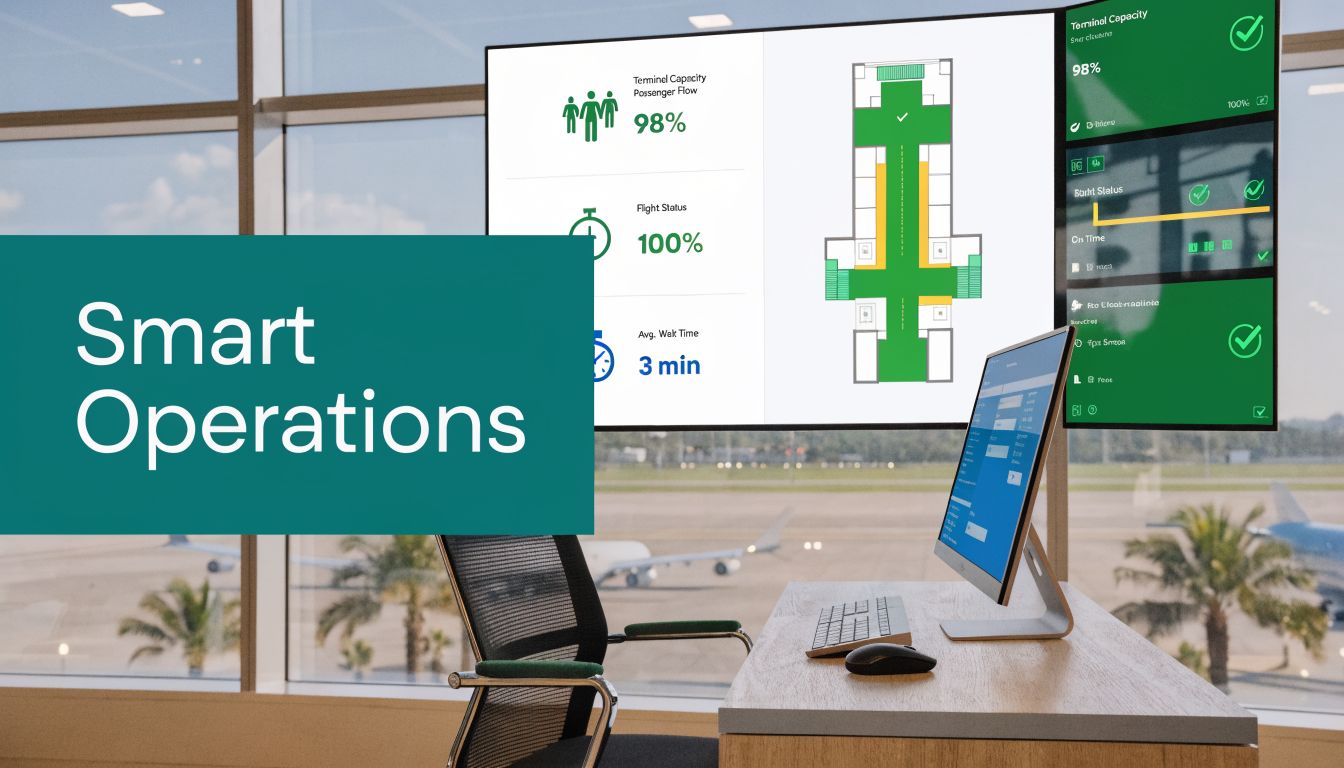
By contrast, Encreative’s Calgary airport mapping project notes that integrating detailed CAD files with smartphone IMUs can achieve 98% reliability over long indoor paths without external signals, and that operators can update points of interest via APIs while potentially cutting annual signage maintenance costs by hundreds of thousands of pounds at scale.
That combination matters. It reframes wayfinding from a capital-heavy installation model into a maintainable digital layer.
Operations teams need faster updates, not more assets
In a live airport, points of interest shift. Retail units change. Temporary closures happen. Passenger assistance points move. If the wayfinding system can’t keep pace with those changes, the map becomes untrustworthy.
Infrastructure-free models are attractive because they fit the pace of real estate operations better. The map can evolve with the terminal rather than waiting for hardware surveys or manual sign replacement cycles.
Three operational advantages usually stand out:
- Data agility means POIs can be updated quickly through connected systems.
- Lower maintenance exposure reduces the burden on estates and IT teams.
- Cleaner accessibility delivery avoids creating one navigation system for most users and a separate workaround for everyone else.
Accessibility is not separate from performance
Senior teams often split these discussions into two workstreams. Accessibility on one side, efficiency on the other. In practice, the better systems do both.
When a navigation layer works without installed hardware, functions reliably across long indoor paths, and can be amended quickly, it supports compliance goals and operational resilience at the same time. That’s particularly relevant in airports, where poor wayfinding doesn’t just frustrate passengers. It drives avoidable staff interventions.
The best accessibility investment is often the one that also reduces operational friction for everyone else.
A calgary airport map becomes much more valuable when it stops being a static reference and starts acting as an updateable navigation service.
Your Calgary Airport Navigation Questions Answered
What’s the best way to use a calgary airport map if I’m changing terminals or concourses
Use it to confirm your route logic first, not just your destination. Check whether your journey involves a security transition, a level change, or a move from one passenger processing zone to another before you start walking.
Are Calgary Airport’s digital maps enough for blind or low-vision passengers
No, not on their own. Interactive visual maps can help some users, but they don’t provide the kind of complete, audio-based indoor navigation needed for independent movement by blind and low-vision travellers.
Can airport wayfinding work without GPS or installed beacons
Yes. Indoor navigation can work without GPS or installed hardware when the system uses detailed map data and the motion sensors already built into smartphones. That matters in terminals where signal conditions and infrastructure maintenance are both recurring challenges.
Why do passengers still get confused even when maps are available
Because maps still require interpretation. A passenger has to understand where they are, convert a plan into movement, and keep adjusting while the environment changes around them.
Can audio navigation help sighted travellers too
Yes. Audio guidance is useful for any passenger who would rather keep their head up and hands free while moving through the airport. That includes people travelling with luggage, children, or tight connection times.
What should airport operators look for in a better wayfinding system
Look for four things:
- Accurate indoor guidance that doesn’t collapse in signal-poor areas
- Low operational overhead without extra hardware estates to maintain
- Fast content updates for gates, amenities, and temporary disruptions
- Inclusive design that works for blind and low-vision passengers from the start
Can wayfinding be integrated into an existing airport app
Yes, if the provider supports integration properly. For most operators, the practical question isn’t whether integration is possible. It’s how quickly route data, POIs, and passenger-facing guidance can be kept current without creating another maintenance burden.
Does infrastructure-free navigation create privacy concerns
It depends on the deployment model, but removing installed tracking hardware can simplify the privacy picture. Operators should still assess data handling, permissions, and user consent carefully, especially where route analytics or app accounts are involved.
If you’re reviewing how airport navigation should work beyond static maps and screen-led wayfinding, Waymap is worth a close look. It provides precision navigation indoors, outdoors, and underground without GPS, Wi-Fi, or installed hardware, with hands-free audio guidance designed first for blind and low-vision users. For airports and other complex venues, that means a navigation layer that’s easier to maintain, more inclusive to deploy, and better aligned with the way people move.
