
Your Guide to an Internal Navigation System

If your venue still relies on static signs and a pin on a digital map, ask a harder question. Can a blind passenger get from the right platform to the right lift and out to the correct bus stop without asking staff for help?
That's the standard an internal navigation system has to meet. Not whether it looks modern in a procurement deck. Not whether it can show a floor plan. Whether it can guide a real person through a complex, changing, signal-poor environment with enough precision to be useful.
For transport authorities, hospitals, airports, campuses, and retail estates, that changes the conversation. The important questions aren't abstract. They are practical. Does it work underground? Does it scale without a hardware estate to maintain? Does it improve access for people who can't rely on visual cues? And can operations teams keep it current without turning wayfinding into a facilities burden?
What Exactly Is an Internal Navigation System
An internal navigation system is not the same thing as an indoor map. A map shows where things are. A navigation system guides a person from where they are now to where they need to go, step by step, while they move.
That distinction matters. In a large station or hospital, “you are here” is only a starting point. The operational problem is what happens next when the user turns, changes level, enters a concourse, loses satellite signal, or needs a route that avoids stairs.
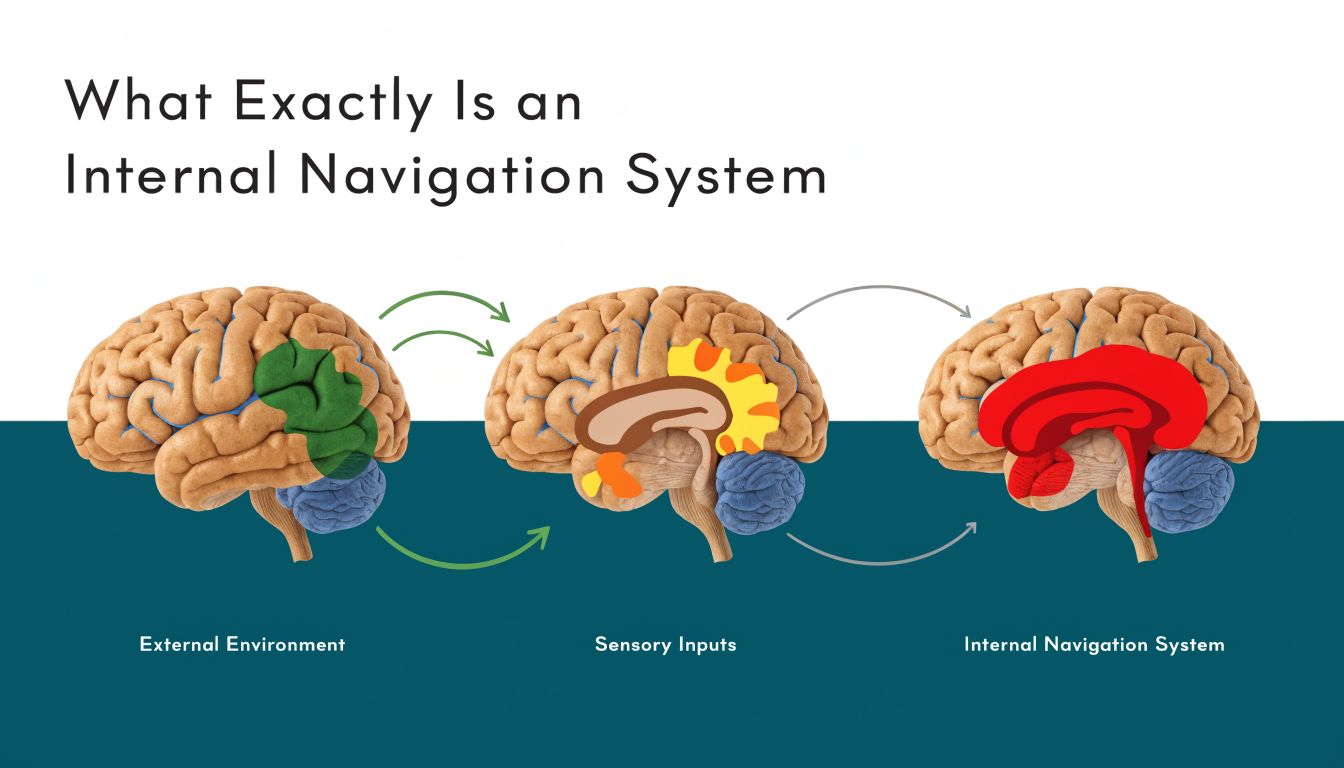
It's pedestrian sat nav for places where GPS struggles
The simplest way to explain an internal navigation system is this. It does for pedestrians inside buildings and transport interchanges what sat nav does for drivers on roads. It tracks movement, understands route options, and updates guidance in real time.
A basic digital directory can tell a visitor that a clinic is on Level 3. A true navigation system can guide them to the correct entrance, through the foyer, to the lift, along the corridor, and to the exact door.
That's why the old language of “indoor positioning” is often too narrow. Positioning matters, but only as part of a wider guidance task that includes orientation, route logic, accessible pathing, and timely instructions. We covered that distinction in more detail in our piece on indoor positioning systems and what operators actually need.
The core idea is older than most people think
The underlying principle did not begin with smartphones. It began with the need to find one's way when external references were weak, absent, or unreliable.
The foundational commercial milestone relevant to Britain was the introduction of inertial navigation in civil aviation on Pan Am's Boeing 707 fleet in July 1964, which showed that gyroscopes and accelerometers could guide an aircraft without external radio aids, as documented by the Smithsonian's account of developing inertial navigation.
An internal navigation system only becomes operationally meaningful when it can keep guiding after the signal disappears.
That's the point many venue projects miss. GPS is excellent outdoors until it isn't. Underground stations, enclosed terminals, basements, tunnels, dense urban approaches, and internal corridors all expose the limits of signal-dependent navigation.
A transport board shouldn't buy a map and call it navigation
When boards assess options, they should separate three very different things:
- Static wayfinding content. Signs, directories, and fixed maps.
- Digital visualisation. Floor plans on kiosks or mobile apps.
- Dynamic navigation. Real-time route guidance that responds to the user's movement.
Only the third category solves the actual mobility problem. If the system can't maintain orientation and guide a person through a live journey, it won't reduce dependence on staff directions, and it won't deliver meaningful accessibility outcomes.
Why Most Indoor Wayfinding Approaches Fail at Scale
Most indoor wayfinding projects fail for a simple reason. They start with the install, not the operation.
A beacon-first approach can look sensible in a pilot. Put hardware around the building, detect signals, estimate location, and serve directions. The problem appears later, when the estate expands, layouts change, batteries fail, signals interfere, and nobody owns the ongoing upkeep well enough to keep the system accurate.

Hardware estates become operational estates
Facilities and digital teams often underestimate what installed infrastructure creates. Every device added to support wayfinding becomes another asset to monitor, replace, audit, and revalidate.
That burden is especially hard in transport. Stations are busy. Access windows are limited. Asset environments are harsh. Temporary works alter passenger flows. Retail units change. Hoardings appear. Ticket gates move. During disruption, the route people most need may be the route least reflected in a hardware-dependent system.
Practical rule: If accuracy depends on thousands of things in the ceiling or on walls staying healthy, the maintenance model matters as much as the positioning model.
Beacon-based systems also tend to struggle with the kind of precision accessibility use cases demand. “Near enough” is not enough when a user needs the correct lift rather than the escalator, or the specific platform entrance rather than the middle of a concourse.
Pure inertial logic drifts, so correction matters
There is also a technical trap in the opposite direction. Some teams hear “no hardware” and assume any motion-based approach will do. It won't.
Inertial guidance degrades because of integration error. Small accelerometer bias accumulates over time into growing position drift. The established mitigation is sensor fusion, which combines IMU data with external references and filtering to keep the navigation estimate stable, as explained in Honeywell's overview of how inertial navigation systems work.
That's the practical distinction decision-makers need to understand:
- Dead reckoning alone can be self-contained, but drift builds.
- Sensor fusion uses multiple inputs and software logic to keep guidance usable.
- Mapped correction matters in pedestrian environments because routes are constrained by walls, stairs, lifts, barriers, and platform geometry.
Device-only systems become credible by utilizing the sensors already inside the smartphone. They then correct movement estimates with software and mapped context rather than with an estate of installed hardware. Our mapping and navigation approach for complex venues looks at that operational model in more detail.
What works in practice
The systems that scale tend to share a few traits:
- They minimise installed dependencies. Less hardware means fewer failure points and fewer site visits.
- They treat maps as live operational assets. A navigation layer has to reflect the venue as it is now, not as it was at handover.
- They optimise for guidance, not just positioning. Being shown roughly where you are doesn't complete a journey.
- They support difficult environments. Underground, signal-poor, and high-footfall areas are not edge cases in public transport. They are the job.
The common failure pattern is thinking of indoor wayfinding as a one-time technology deployment. It isn't. It is an operational service. If the service depends on continuous hardware care across a large estate, the economics and reliability usually worsen over time, not improve.
The True Measure of Navigation is Accessibility
The decisive test of any internal navigation system is not whether a sighted user can glance at a screen and recover from an error. It's whether a person who cannot rely on visual cues can complete the journey independently.
That standard immediately exposes the weakness of most indoor wayfinding products. They were designed as convenience layers for people who already have fallback options. They were not designed as primary navigation tools for users who need exact, dependable instructions.
Accessibility is the hardest benchmark, and that's why it matters
The UK government says there are around 2 million people in the UK living with sight loss, and that makes the central question straightforward. How well does the system perform for people who cannot use signs, glance at a blue dot, or visually confirm a doorway? That gap is highlighted in Advanced Navigation's discussion of INS and the unanswered accessibility question.
For an operator, this is not a niche issue. It goes directly to service quality. If navigation only works for users who can self-correct visually, then the system fails at the exact point where inclusive design is supposed to add value.
What useful guidance looks like in the real world
In practice, accessible navigation has to do more than identify a building. It has to support a sequence like this:
- Platform to exit. Guide the passenger from a specific platform to the correct lift, not the nearest staircase.
- Interchange to interchange. Carry them through ticket gates, corridors, and level changes to the right onward mode.
- Door-level arrival. End the route at the exact clinic, reception, gate, or venue entrance, not somewhere nearby.
That's why audio-first, heads-up guidance matters more than map visuals in many public settings. The user needs instructions they can follow while moving, cane in hand, with attention on the environment rather than on a handset.
A wayfinding product that only works when the user keeps looking at a screen isn't inclusive navigation. It's assisted map reading.
Waymap is one example of this model. It uses the smartphone's motion sensors and mapped routes to guide people indoors, outdoors, and underground without relying on GPS, Wi-Fi, or installed hardware, which makes it relevant where exact doors, platforms, and lifts matter.
Compliance matters, but usability matters more
Many organisations begin with regulation. That's understandable. Accessibility duties, digital service expectations, and governance scrutiny all push navigation higher up the agenda.
There is value in broader resources on accessibility compliance services when teams are reviewing the wider compliance picture across digital and physical access. But compliance on paper doesn't tell you whether a blind user can make a stressful interchange independently on a busy weekday.
That's why procurement teams should test navigation with disabled users in live conditions. Not in an empty demo route. In the crowd, in the noise, at the lift bank, during the awkward route choices that define whether a journey feels possible or not.
From Blueprint to Operation Without Installing Hardware
Most boards do not need another wayfinding concept. They need a deployment model that operations teams can live with.
For large public environments, the strongest model is usually the one that avoids installing and servicing additional hardware across the estate. That is particularly important in tunnels, underground stations, and other places where maintenance access is constrained and where satellite signals are absent.

The deployment sequence should be digital first
A practical internal navigation rollout usually works best when the venue is treated as a digital network rather than a hardware project. The starting point is the routeable map. Not the beacon plan.
That approach is aligned with the central operational question for UK transport operators. Can the system remain reliable underground and in GNSS-denied areas without extra infrastructure? That gap in mainstream guidance is noted in the broader discussion of inertial navigation systems and infrastructure-free deployment needs.
A sensible rollout tends to follow this order:
- Map the navigable environment. Capture entrances, corridors, lifts, stairs, gates, platforms, and destination points in a structure the app can route through.
- Define the accessibility logic. Separate routes that are step-free from those that are not. Mark decision points clearly.
- Test with real movement patterns. The route has to work at walking pace, with turns, pauses, crowds, and interruptions.
- Set an update process. Someone in operations must be able to amend destinations and route constraints without triggering a site hardware programme.
The operational win is maintainability
The biggest long-term advantage of an infrastructure-free internal navigation system is not only deployment speed. It is change management.
Venues change constantly. Retail units move. Temporary barriers appear. Escalators go out of service. Clinics relocate. Exhibition layouts change. In those conditions, physical signs are slow to update and hardware-based location networks can drift away from operational reality.
With a digital-first model, updates happen in the map and routing layer. That is the key to sustainability. The route logic can evolve with the venue instead of lagging behind it. We've written more about that in our article on reliability, scalability and maintenance in infrastructure-free wayfinding.
The cheapest hardware to maintain is the hardware you never had to install.
What operators should ask before procurement
Before approving any internal navigation system, a board should ask three blunt questions:
- Who maintains it when the building changes?
- What happens underground or in signal-poor space?
- Can accessibility-critical routes be updated quickly without a physical works programme?
If the answer to those questions depends on repeated site visits and installed devices across the estate, the total operating burden is likely to grow. In dynamic environments, that's usually the point where an initially attractive pilot turns into a fragile service.
How to Calculate the Return on Inclusive Navigation
The business case for an internal navigation system is stronger when it's framed as an operations investment, not a digital novelty.
Boards usually make better decisions when they separate return into a few clear categories rather than searching for one headline number. In practice, the return tends to come from a mix of avoided maintenance, better service performance, and stronger accessibility delivery.
Start with avoidable operational friction
Every complex venue already pays for poor navigation. Staff get interrupted for directions. Visitors miss destinations. Front-of-house teams absorb anxiety that better guidance could reduce. Static signs need refreshing, relocating, and checking when the estate changes.
Those costs are often spread across departments, which is why they are easy to underestimate. Navigation sits between estates, customer experience, accessibility, and digital, so nobody sees the full picture unless the board asks for it.
Measure return in service outcomes, not just technology outputs
A sensible evaluation model usually includes a blend of hard and soft measures.
- Operational efficiency: Track how often staff are pulled into giving directions, especially in high-footfall areas and during disruption.
- Journey completion quality: Measure whether users reach the correct destination without intervention, particularly for complex routes involving lifts, platforms, or multiple buildings.
- Accessibility performance: Review feedback from blind and disabled users, local advocacy groups, and internal access panels.
- Estate agility: Record how quickly routing and destination information can be updated when the venue changes.
- Visitor experience: Look at complaints, confusion hotspots, and satisfaction indicators around arrival and onward movement.
If a system only tells you how often the app opened, it isn't telling you whether navigation worked.
Compliance and ESG belong in the business case
Inclusive navigation also supports obligations that boards already recognise. In the UK, accessibility is not optional, and a service that helps people move independently through public space strengthens the organisation's wider inclusion position.
That does not mean the case should be reduced to compliance language. The stronger argument is that an accessible navigation layer improves the built environment for everyone. A parent with a buggy, a visitor under stress, a patient on an unfamiliar site, or a passenger changing trains in a crowded station all benefit from clearer guidance.
The best business cases avoid exaggerated claims. They show where navigation failures create cost and friction today, then test whether a digital guidance layer reduces those burdens in daily operation. That is a more credible board conversation than promising abstract transformation.
How Device-Only Systems Protect User Privacy
A privacy-safe architecture is not a side issue in public navigation. It should be one of the first design choices.
The key distinction is whether the venue needs to know where the user is at every moment in order to provide guidance. If it does, the operator inherits a more complicated data position. If it doesn't, the privacy posture is much stronger from the start.
Local processing changes the risk profile
Modern inertial navigation products can output navigation data at rates of up to 100 Hz, fast enough to track walking dynamics in real time, and that processing can happen entirely on the device rather than by sending continuous location data back to a central server, as described in Dewesoft's explanation of inertial navigation system output and device processing.
That matters because a device-only model does not need a central system to constantly observe movement in order to generate instructions. The phone can do the movement estimation locally. The venue provides the mapped environment and route logic. The user keeps their live position on their own device.
Why that matters to public bodies
For transport operators, NHS estates, universities, and local authorities, this has practical benefits:
- Lower data exposure: There is less need to collect or retain detailed movement traces.
- Clearer governance: Privacy reviews are simpler when continuous central tracking is not part of the service design.
- Stronger user trust: People are more likely to adopt guidance tools when using them doesn't feel like being monitored through the venue.
This doesn't remove the need for good governance. Any app still needs clear permissions, sound security practice, and transparent user communication. But the architecture matters. A system designed around on-device positioning starts from a better place than one designed around centralised tracking.
Privacy should be part of procurement, not an afterthought
Boards often ask about accuracy first and privacy later. They should ask both at the same time.
A strong internal navigation system should not force operators into a false choice between useful guidance and responsible data handling. If the positioning can be calculated locally and the service can still guide effectively indoors and underground, that is usually the cleaner answer for public-facing deployments.
Your Questions on Internal Navigation Answered
What is an internal navigation system in plain English
It's a system that guides people through buildings, stations, campuses, and other complex spaces in real time. Unlike a static map, it helps the user move from their current location to a specific destination with step-by-step instructions.
Is an internal navigation system the same as indoor positioning
No. Indoor positioning is only one part of the problem. A usable system also needs route logic, orientation, destination data, and guidance that updates as the person moves.
Will it still work underground
It can, if the system is designed for signal-poor environments and doesn't depend on continuous GPS reception. That is one of the most important tests for UK transport settings because tunnels and underground stations are where conventional outdoor navigation breaks down.
Why don't beacons solve this properly
Beacons can support indoor location, but they also create a hardware estate that has to be installed, maintained, and kept aligned with the physical environment. In large, changing venues, that ongoing burden is often the part teams underestimate at procurement stage.
What accuracy question should a board actually ask
Ask whether the system can guide a person to the exact point that matters in operation. That means the correct platform access, the correct lift, the correct clinic door, or the correct entrance. “Roughly nearby” is not the same as usable navigation.
Good procurement questions are user-task questions, not feature-list questions.
How should we test an internal navigation system before buying
Test it in live operating conditions. Include crowding, noise, level changes, temporary barriers, and routes that matter to disabled users. A controlled demo in a quiet corridor won't tell you enough.
A practical pilot should include:
- Complex routes: Interchanges, lifts, multiple entrances, and places where people commonly get confused.
- Different user groups: Blind and low-vision users, first-time visitors, and people under time pressure.
- Operational change: Check how the system copes when a route or destination is updated.
Does this replace signage
No. It complements signage and often makes the overall wayfinding system more usable. Physical signs remain necessary, but they cannot provide personalised, live, turn-by-turn guidance.
Who in the organisation should own it
Usually more than one team. Accessibility should shape the user requirements. Operations should define route-critical realities. Digital teams should assess integration and governance. Estates or facilities should ensure the mapped environment stays current. If one team owns it alone, gaps usually appear.
What makes a deployment sustainable over time
A sustainable deployment is easy to update when the venue changes and does not depend on a large installed hardware estate. If routine changes trigger physical rework, support costs and service drift tend to rise.
Does a device-only system mean no maintenance at all
No. It means a different kind of maintenance. You still need map governance, destination updates, route reviews, and quality assurance. But those are usually easier to manage than maintaining thousands of physical devices across a busy estate.
Is inclusive navigation only relevant for blind users
No. Designing for blind and low-vision users raises the standard of precision and clarity for everyone. The same guidance principles also help visitors who are unfamiliar, stressed, carrying luggage, pushing a buggy, or navigating a disrupted interchange.
What should we ask a vendor in the first meeting
Ask questions that reveal operational reality:
- How does the system work where GPS is absent?
- What has to be installed on site?
- How are route changes and temporary closures updated?
- How is accessibility tested in live conditions?
- What user location data is processed centrally, if any?
Those questions cut through most marketing quickly.
If your organisation is assessing how to guide people through stations, hospitals, campuses, or large venues without adding a maintenance-heavy hardware layer, Waymap is worth reviewing. We focus on precise navigation indoors, outdoors, and underground, with accessibility and operational practicality at the centre of the design.
