
Smartphone Visually Impaired: Navigate Independently
A crowded station concourse is one of the hardest places to move through without sight. Announcements echo. Escalators split levels. Retail units interrupt the line of travel. A platform change can turn a familiar route into a stressful one in seconds.
For many blind and low vision travellers, the smartphone has changed that experience. It is no longer the device used to call for help after getting lost. It is becoming the tool used to stay oriented, receive spoken information, identify what is on screen, and move through public space with far more control.
That shift matters to more than individual travellers. It matters to rail operators, airports, stadiums, universities, shopping centres, and city planners. If the smartphone is now the accessibility device people already carry, then the question is no longer whether digital wayfinding belongs in the built environment. The question is whether venues are ready to support it properly.
From Screen Reader to World Navigator
A few years ago, a blind passenger arriving at a large multi-level station often had a narrow set of options. Memorise the route in advance. Follow tactile clues where they existed. Ask staff. Ask another passenger. Stop, listen, and rebuild a mental map every time the environment changed.
Today, the same journey can start with a device in the traveller’s pocket. A smartphone can read screens aloud, announce messages, help identify objects, and in the right context guide someone through a complex venue using audio. That is a profound change in what independent travel looks like.
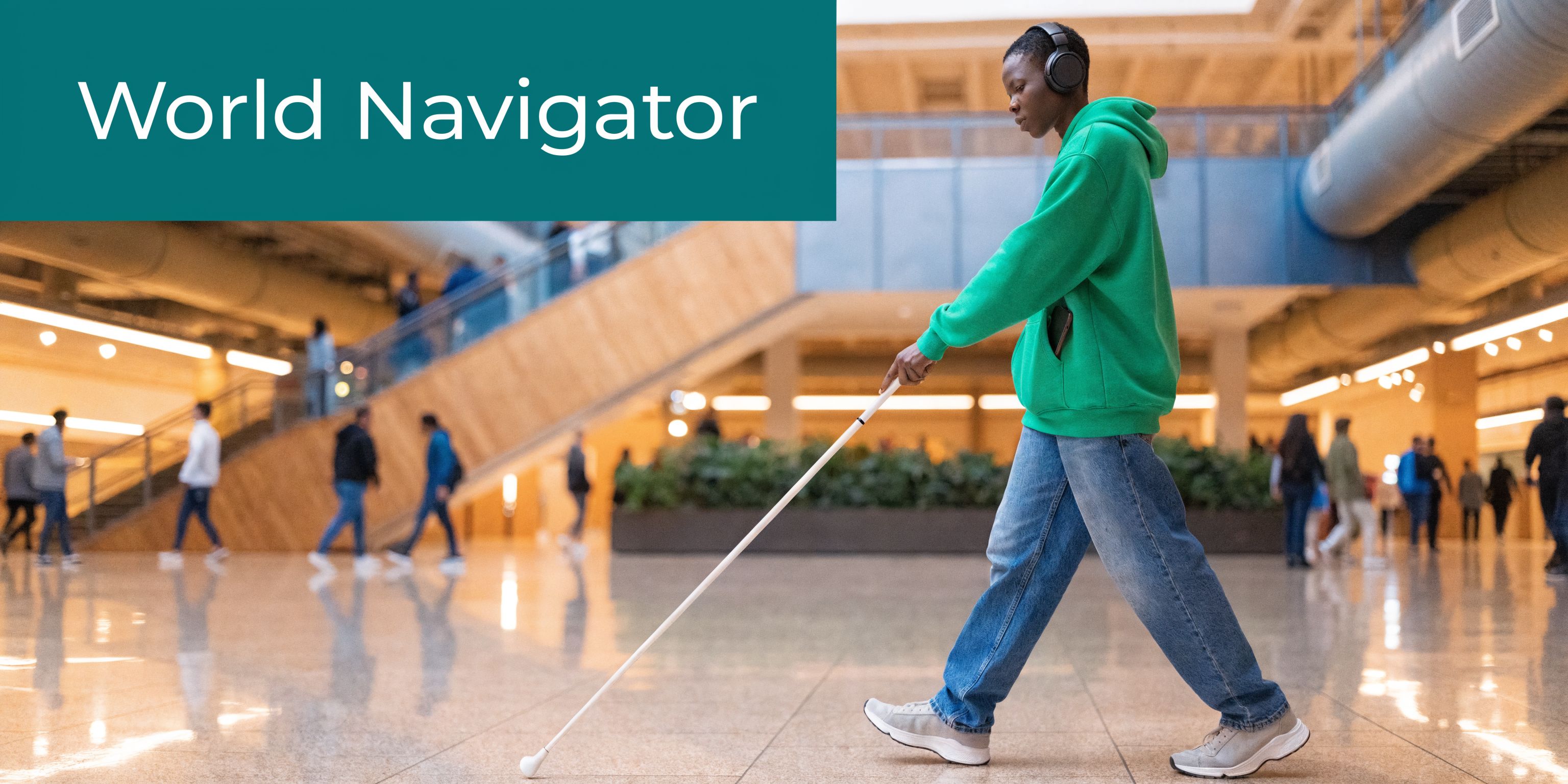
The adoption story is clear. In a 2019 study surveying 466 visually impaired adults, 97% reported using smartphones as primary tools, and 87.4% felt those mainstream devices were replacing traditional visual aids for tasks including navigation and object identification, according to the 2019 smartphone use study of visually impaired adults.
That finding matches what many mobility teams now see on the ground. People are using mainstream phones because they are familiar, discreet, updateable, and capable of far more than basic communication.
The device people already trust
A smartphone visually impaired users rely on has one major advantage over specialist hardware. It is part of daily life.
That changes adoption. It also changes training, because users build skill through everyday use, not only in formal mobility sessions.
The most effective accessibility tool is often the one a person already carries, already charges, and already knows how to use.
Audio matters here too. In noisy stations and terminals, clear spoken guidance only works if the traveller can hear it reliably without losing awareness of their surroundings. For readers comparing listening setups, this ultimate guide to noise reduction headphones is a useful overview of the trade-offs between clarity, isolation, and comfort.
For a closer look at what this means in practice for blind travellers, we have outlined it in what Waymap means for blind people.
Understanding Built-In Smartphone Accessibility
Modern smartphones do far more than display text on a screen. For many blind and low vision users, they provide the core interface for communication, information access, ticketing, and trip planning long before any specialist wayfinding layer is added.
How screen readers make touchscreens usable
On Android, TalkBack turns a flat touchscreen into a spoken, structured interface. A user explores the screen with a finger, hears the item under focus, and confirms the choice with a second gesture. That interaction model is what makes mainstream phones practical for blind users in everyday settings, from checking platform updates to opening a boarding pass at a gate.
Common interactions include:
- Single tap to explore: The user moves a finger around the screen and hears labels, buttons, headings, and form fields.
- Double tap to activate: Once the right control is in focus, a double tap selects it.
- Swipe left or right: This moves through items one by one in a predictable order.
- Three-finger gestures: These can handle scrolling and other navigation tasks.
The learning curve is real. Gesture systems, focus order, and app labelling all affect speed and confidence. In practice, a well-designed app feels efficient under a screen reader, while a poorly labelled one becomes slow, frustrating, and error-prone.
Tools for low vision users
Low vision users do not all use the same setup. Many switch between features during the day depending on glare, fatigue, font size, and the urgency of the task.
The built-in tools used most often include:
- Screen magnification: Users can zoom in on small interface elements.
- Larger text: Menus, messages, and app labels become easier to read.
- High contrast and display adjustments: These can reduce visual strain and improve readability.
- Speech output for selected content: Useful when reading visually becomes slower or less comfortable.
That matters for operators as much as for users. A transport or venue app can be available on every major app store and still fail in practice if controls are unlabeled, service alerts appear only on a visual map, or key instructions are buried in cluttered layouts.
Where built-in accessibility works well
Built-in smartphone accessibility performs well on digital tasks that happen on the device itself. Messaging, reading, payment confirmation, journey updates, and customer service interactions are all within reach when the app is designed.
| Use case | What built-in features do well | Where limits appear |
|---|---|---|
| Messaging and calls | Spoken feedback, dictation, large text | Usually manageable once set up |
| Reading and browsing | Screen reading, zoom, contrast controls | Problems arise with poor app design |
| Device control | Gestures, voice assistance, shortcuts | Learning curve can be steep |
| Real-world movement | Can announce information and route prompts | Does not by itself solve exact positioning in complex spaces |
The distinction matters operationally. Screen accessibility helps someone use a phone. It does not tell them with enough precision which station entrance they are approaching, whether they have passed a lift, or where a ticket barrier opens in a crowded concourse.
That is the shift the sector now needs to recognise. Accessibility started with making digital interfaces usable on a handset. The next step is using the same handset, with its onboard sensors, to support reliable movement through real spaces, including stations, hospitals, campuses, airports, and large venues where GPS and Wi-Fi may be weak, absent, or too imprecise to trust.
The Limits of GPS for Visually Impaired Navigation
When many people hear “navigation app,” they think of GPS. For driving, that makes sense. For precise pedestrian wayfinding, especially for a blind traveller, the gaps show up quickly.
A smartphone visually impaired user depends on for mobility needs to answer very specific questions. Which entrance is correct. Which side of the concourse to follow. Where the escalator starts. Whether the platform access point is ahead or behind. Standard GPS rarely answers those questions with enough precision.
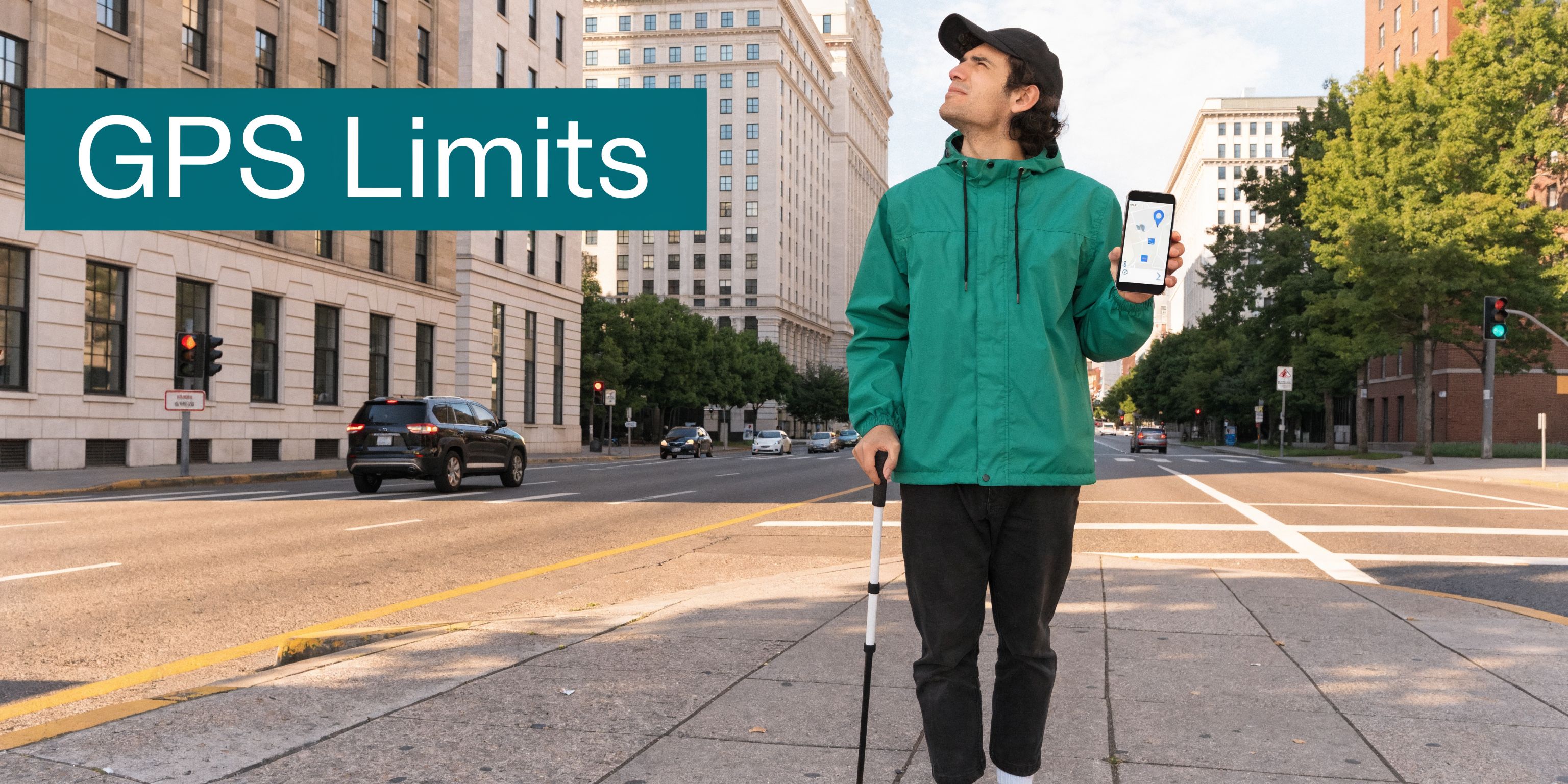
In the UK, 25% of people with sight loss report difficulties navigating public transport independently, and the challenge becomes worse in signal-poor environments such as the London Underground, where conventional GPS app accuracy can drop by over 70%, according to the PMC research summary on navigation challenges for people with sight loss.
The last metres are the hardest
Outdoor route guidance can get a user close to a destination. “Close” is often not enough.
For a sighted person, arriving near the destination usually means scanning the area, spotting the entrance, and correcting course. A blind traveller may be standing outside the right building and still have no reliable way to find the correct door without extra information.
That gap matters most in places with:
- Multiple entrances
- Set-back doors
- Shared forecourts
- Temporary barriers
- Large open plazas
A conventional map app may say “you have arrived” while the traveller is still several decisions away from the place they need to be.
Indoor and underground failure points
GPS also breaks down in the exact places where step-by-step clarity matters most.
Consider environments such as:
- Tube stations
- Airports
- Shopping centres
- Hospitals
- University campuses with linked buildings
- Large event venues
These are spaces with layered circulation, changing acoustics, and frequent route interruptions. They also tend to include signal loss, confusing geometry, and heavy footfall.
A standard app can still provide broad orientation. It can tell a user where the station is in the city. It usually cannot guide them through ticket halls, corridor turns, gate lines, mezzanines, and platform approaches with the level of confidence blind and low vision travellers need.
Why on-screen accessibility does not solve this
A common mistake in accessibility planning is to assume that if a phone supports TalkBack or VoiceOver, navigation is solved. It is not.
The screen reader makes the app interface usable. It does not improve the app’s location accuracy. If the app does not know where the person is with enough precision, it cannot produce useful mobility guidance.
A spoken wrong direction is still a wrong direction.
That is why many visually impaired travellers report a mixed experience with mainstream mapping. The app may be accessible in the software sense, yet unreliable in the movement sense. For transport operators and venues, that is the critical distinction.
How Sensor-Fusion Technology Unlocks True Wayfinding
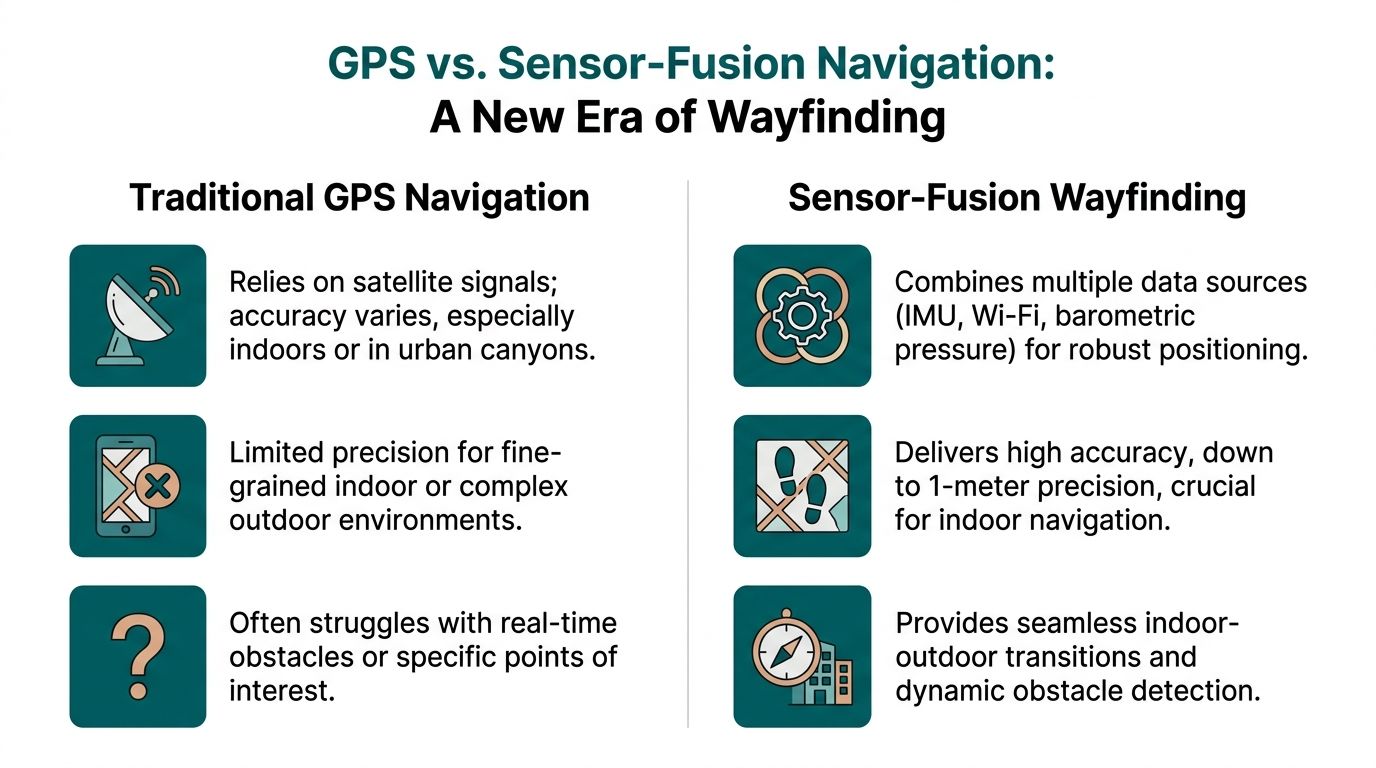
True wayfinding starts when the phone can track how a person is moving through space, not just estimate where they might be from an external signal. Sensor fusion makes that possible by combining the handset’s own motion data with a mapped understanding of the venue.
Instead of waiting for GPS or Wi-Fi to recover, the system follows the user’s path through steps, turns, pauses, and changes in direction. That shift matters in stations, hospitals, campuses, and arenas, where the hardest part of the journey usually begins after the entrance.
What sensor fusion means in practice
The phone contains the building blocks for precise movement tracking. The main inputs typically include:
- Accelerometer data, which helps detect steps and forward motion
- Gyroscope data, which helps detect heading changes and turns
- Other handset sensor inputs, used with the venue map to keep the route estimate aligned with the actual environment
Any one of those signals has limits. People vary their pace. Phones are carried differently. Indoor movement is messy. The value comes from combining those inputs and checking them against a detailed map of corridors, entrances, stairs, lifts, platforms, seating areas, and other decision points.
The result is a location model based on measured movement inside the venue.
Why this matters in signal-poor spaces
A system built around sensor fusion can continue guiding a user where satellite positioning fades and installed infrastructure is absent. That changes what a smartphone can do for blind and low vision travellers in places that have traditionally required guesswork, staff intervention, or repeated stopping.
The improvement is not only technical. It changes the quality of the instruction.
Instead of broad prompts that leave the user to infer the building layout, the phone can deliver timed audio guidance that matches movement through the space. Continue ahead. Bear left along the concourse. Turn right at the corridor. Proceed to the lift lobby. Those instructions are useful because they are tied to the route geometry, not just a blue dot drifting on a map.
A useful technical explainer is available in how Waymap works.
A short demonstration helps show what this kind of navigation looks like in use.
What works better than hardware-heavy models
Many indoor wayfinding projects have relied on installed devices such as beacons. There are settings where that approach is workable, but venue teams inherit the operational burden. Hardware has to be installed, monitored, maintained, and updated when layouts change or equipment fails.
A sensor-based model shifts that burden away from physical infrastructure. The intelligence sits in the software, the mapped environment, and the smartphone the user already carries.
That creates a different set of trade-offs:
| Approach | What it depends on | Practical trade-off |
|---|---|---|
| GPS-led navigation | External satellite signal | Weak indoors and underground |
| Hardware-based indoor systems | Installed devices in the venue | Ongoing maintenance and update burden |
| Sensor-fusion wayfinding | Smartphone motion sensors plus mapped environment | Requires high-quality mapping and strong route logic |
That last point matters. Sensor-fusion wayfinding is not maintenance-free. It depends on accurate mapping, disciplined route design, and updates when the built environment changes. In practice, though, many operators prefer managing digital map updates over maintaining a distributed layer of physical hardware across a live station or venue.
As noted earlier, RNIB describes Waymap’s approach as using high-frequency motion sensor data with detailed maps and hands-free audio guidance integrated with TalkBack, with reported reductions in disorientation in signal-poor environments such as the London Underground. For operators, the practical takeaway is clear. A smartphone can support precise, repeatable guidance in places where conventional positioning struggles, without requiring venues to install another hardware estate.
Precision wayfinding becomes practical when the phone measures movement through the environment and matches it to a mapped route.
Putting Advanced Navigation into Practice at Your Venue
The ultimate test of any navigation system is not a product demo. It is whether a person can arrive in a busy place they do not know well and move through it without having to surrender independence.
A rail journey through a complex station
Take a passenger arriving at a major station interchange. They step off the train into noise, crowd movement, and competing announcements. The route to the Underground is not a straight line. It may involve lifts, ticket barriers, a level change, a corridor turn, and a platform choice.
With advanced sensor-based audio guidance, the journey can feel very different.
The traveller hears instructions in sequence. Move forward. Keep left at the concourse edge. Turn right towards the escalators. Continue to the gate line. Pass through and proceed to the lift lobby. Exit the lift and follow the corridor to the platform approach.
Each instruction supports the next movement decision. The user does not have to stop at every junction and infer what the building might be doing around them.
For station operators, the benefit is broader than one user journey. Better guidance can reduce uncertainty points that often generate staff interventions, bottlenecks near information desks, and avoidable congestion at decision nodes.
A stadium or venue arrival that does not depend on staff escort
Now consider a large event venue. A blind or low vision visitor arrives at the perimeter. The challenge is no longer only entry. It is the whole visit.
They may need to find:
- The correct accessible entrance
- A particular seating block
- An accessible toilet
- A concession point
- The nearest exit after the event

In many venues, staff support is generous but inconsistent. Shift patterns change. Temporary event layouts alter circulation. Verbal directions vary in quality.
A mapped smartphone route creates consistency. The user can follow spoken directions to the right entrance, continue to the correct stand, and later route to key amenities without having to restart the whole assistance process at each checkpoint.
What operators should map first
When a venue starts implementing advanced navigation, not every point of interest matters equally. The first mapped journeys should usually focus on the places where visitors most often lose confidence or need help.
A practical starting set includes:
- Arrival points: station exits, car park entrances, taxi drop-off zones
- Vertical circulation: lifts, escalators, ramps, stairs
- Access-critical features: accessible toilets, hearing loops, assistance points
- High-demand destinations: platforms, gates, seating areas, reception desks
- Fallback routes: exits, customer service, and safe waiting areas
What works and what does not
Some implementation choices produce better outcomes than others.
| Works well | Usually causes problems |
|---|---|
| Clear mapping of decision points | Only mapping the main entrance |
| Spoken instructions matched to real walking behaviour | Overly visual directions such as “head towards the blue sign” |
| Regular digital updates when layouts change | Static route data left unchanged after refurbishments |
| Inclusive route design from arrival to destination | Accessibility limited to one isolated segment |
The lesson is simple. Accessibility cannot stop at the screen, and it cannot stop at the front door.
Operational and ESG Advantages of Hardware-Free Navigation
Decision-makers often begin with the user need, then confront the practical question. How difficult is this to deploy and maintain across a live estate?
That is where hardware-free navigation has an operational advantage.
Less physical infrastructure to manage
If a venue depends on installed wayfinding hardware, the estate team inherits a long list of responsibilities. Devices need fitting, testing, monitoring, and replacing. Refurbishments can interrupt coverage. Temporary closures can make fixed location logic outdated.
A software-led model reduces that burden. The venue’s main asset becomes the digital map and the route data, not a field of physical components spread across walls and ceilings.
That changes the maintenance conversation in a useful way:
- Updates can be digital: route changes, renamed points of interest, and temporary closures can be reflected without replacing on-site hardware.
- Rollout is simpler across portfolios: operators with multiple sites can work from a common operational model.
- Facilities teams avoid extra device management: fewer installed assets usually means fewer failure points.
For a broader operational view of this model, see reliability, scalability and maintenance benefits of infrastructure-free wayfinding.
Better alignment with accessibility duties
Accessible navigation is not only a service enhancement. It supports a venue’s responsibility to remove barriers where reasonable and practical.
The Equality Act 2010 has pushed many organisations to improve physical access, digital access, and customer support. Yet wayfinding is often where those efforts remain fragmented. Good signage, trained staff, and published accessibility guides all help. They do not create on-demand route guidance inside a complex environment.
Hardware-free smartphone navigation helps close that gap because it supports independent use of the venue, not only assisted use.
The strongest accessibility investments are the ones that improve independence without creating a separate experience.
A stronger ESG story with everyday relevance
ESG claims are easy to overstate. Inclusive navigation is one of the few areas where the social value is concrete and visible.
When a venue provides reliable digital guidance, it can show practical action on inclusion:
- Visitors can move with less dependence on ad hoc assistance
- Accessibility becomes part of everyday operations
- Digital information becomes easier to update than static physical layers
- The same mapping foundation can support many users, not only blind travellers
There is also an environmental angle worth noting. Extending the value of mainstream smartphones instead of pushing users towards extra dedicated hardware fits the broader principle of making technology work harder before adding more devices. For organisations thinking about device life and sustainability more broadly, this guide to reducing e-waste and extending your device's life is a useful companion read.
The business case, then, is not just compliance. It is lower operational friction, more adaptable visitor information, and a clearer demonstration that inclusion has been built into the venue’s service model.
Building a More Navigable World for Everyone
The modern smartphone has become a core accessibility tool for visually impaired people. It reads, speaks, magnifies, labels, and connects. Increasingly, it also guides.
That change matters because the hardest accessibility problems in public space are not always about information access on a screen. They are about movement through the physical world. Can a person find the right entrance, choose the right corridor, and reach the right platform or seat without depending on guesswork or constant assistance?
Built-in accessibility features solved one layer of the challenge. Sensor-based navigation addresses another. Together, they turn a mainstream device into something much more useful than a phone.
For transport operators, venue managers, and city teams, the opportunity is practical. Replace some uncertainty with clear digital guidance. Reduce dependence on static signs alone. Give visitors a way to move through complex spaces with greater confidence.
The strongest inclusive environments are not the ones with the most visible accessibility statements. They are the ones where people can get where they need to go.
If you manage a station, campus, airport, stadium, retail centre, or public building, this is the moment to treat navigability as a service layer, not an afterthought. When you do, you improve the experience for blind and low vision users first. You also make the space easier to understand for everyone else.
Your Questions on Implementing Advanced Navigation Answered
Does a venue need structural changes before deployment
Usually, the first requirement is accurate mapping, not structural alteration. The focus is on capturing the venue layout, entrances, circulation routes, and points of interest so the navigation logic reflects how people move through the site.
Does this replace staff assistance
No. It changes where staff time is most useful. Staff can focus on high-value support rather than repeatedly giving the same directional help at the same confusion points.
What about user privacy
Any deployment should be assessed carefully against your organisation’s privacy standards and procurement requirements. In practice, operators should ask direct questions about what data is needed for routing, what is stored, and how long it is retained.
Is this only for blind users
No. A route guidance layer built for blind and low vision users often improves overall wayfinding quality because it forces the venue to define routes, entrances, and decision points more clearly.
How should operators evaluate options
Start with a live user journey, not a feature list. Test arrival-to-destination routes in the hardest parts of the estate, especially indoor and underground segments, and judge the result on clarity, reliability, and ease of maintenance.
Wayfinding is now a core part of accessible infrastructure. If your organisation wants to explore smartphone navigation that works indoors, outdoors, and underground without relying on GPS, Wi-Fi, or installed hardware, visit Waymap.
