
Braille QR Code: Regulations, Costs & Wayfinding
Most accessibility signage programmes start with the wrong question. They ask, “What do we need to install?” when the better question is, “Can a blind visitor complete the journey without asking for help?”
That gap matters. A venue can satisfy a procurement checklist with tactile plaques, static maps, and QR labels, yet still leave users stranded at the hardest point in the journey: finding the right information at the right moment in a busy, changing space. A braille qr code is often presented as the answer. In practice, it’s more useful to treat it as one option inside a broader wayfinding strategy, with clear strengths and equally clear limits.
Is Your Signage Delivering Compliance or True Access
Large venues have spent years adding tactile signs, Braille room labels, and printed directories. Some of that work is essential. But static signage only helps if it’s in the right place, says the right thing, and still matches the reality of the building on the day someone visits.

A rail station, hospital, stadium, or university campus rarely behaves like a fixed environment. Routes close. Entrances move. Waiting areas change. Temporary barriers appear. Staff often work around those changes informally, but static signs can’t improvise. They either reflect the live environment or they don’t.
Why box-ticking falls short
The compliance mindset usually focuses on whether a sign exists. The access mindset asks whether the sign enables an independent decision. Those are not the same thing.
A tactile room number outside a door is useful. A Braille map in a reception area can also be useful. Neither solves the bigger navigation problem if the user still has to guess which corridor to take, how far to go, or whether a route is blocked.
Practical rule: If your accessibility measure only works when a visitor already knows where they are, it isn’t a full wayfinding solution.
Braille QR codes improve on standard QR codes because they add tactile context to something that is otherwise difficult for blind users to locate and identify. That’s an important step forward. It can turn an anonymous square into a labelled information point.
Where braille qr code fits
A braille qr code works best when you need to attach specific digital content to a specific physical location. Think platform information, an audio description beside an exhibit, or a localised service point instruction. It is far less effective when you expect it to carry the burden of whole-journey navigation across a complex estate.
That distinction matters for venue operators. The question isn’t whether braille qr code technology is good or bad. The primary question is whether you’re using it for the task it can accomplish.
How a Braille QR Code Actually Works
At a basic level, a braille qr code combines two things. First, there is the standard QR matrix that a phone camera reads. Second, there are raised Braille dots positioned so a blind or low-vision user can find the code and understand its purpose before scanning.

The Braille does not replace the QR code’s digital function. It acts as a tactile label and locator. In practical terms, that means the user can touch the sign, identify what the code relates to, then position their phone to scan it and open the linked content.
The user journey matters more than the graphic
For sighted users, scanning a QR code is mostly visual. They spot the code, point the camera, and move on. For blind users, the hardest part is often earlier. They need to know that a code is there, where it sits on the sign, and whether it’s worth scanning.
That’s where the tactile layer earns its place. A good implementation tells the user something concise and useful, such as the type of information available or the location it refers to. The QR then opens audio content, a mobile webpage, or navigation instructions that work with assistive technology.
If you want a useful benchmark for how sensor-based guidance differs from a scan-first interaction, Waymap explains its own navigation approach in how the system works.
The print and spacing details aren’t optional
This is not ordinary print production. The tactile and optical elements have to coexist without compromising each other. According to technical guidance on braille QR code creation, Braille cell dimensions require 2.34 mm dot diameter and 6.0 mm between cells, positioned at least 2 mm from QR edges. The dots must be embossed to 0.5-1.0 mm height on durable material to support a 95% tactile detection rate in UK deployments.
Those specifications matter for two reasons:
- Tactile readability: If the dots are too shallow, too close together, or poorly aligned, the Braille becomes unreliable.
- Camera scannability: If tactile elements intrude on the QR matrix or quiet zone, phones struggle to decode the symbol.
What good implementation looks like on site
A working braille qr code installation usually has four parts:
- A clear physical host sign with enough space for both tactile and visual elements.
- Durable embossed production using materials suitable for repeated touch.
- Accessible digital destination content that works with screen readers and audio output.
- Consistent placement so users know where to expect it.
The code isn’t the experience. The experience starts when a visitor can find the code independently and ends when the linked content helps them act.
That’s why so many disappointing deployments fail. Teams focus on generating the QR, then ignore the tactile, placement, and content layers that make it usable.
The UK's Regulatory and Human Context
For UK operators, this discussion isn’t abstract. The legal expectation is that disabled people should be able to access services without being pushed into avoidable dependence on staff or companions. The Equality Act 2010 put “reasonable adjustments” at the centre of that duty, and that has shaped how venues think about signage, digital services, and inclusive customer journeys.
There is also a straightforward human case for taking this seriously. In the UK, approximately 2 million people live with sight loss. The same UK-focused accessibility data states that only 15% of visually impaired users can independently scan traditional QR codes without assistance, and 77% of blind adults feel excluded from digital services due to inaccessible signage. Those figures are detailed in the peer-reviewed discussion of accessible signage and Braille QR use.
Why the current model still excludes people
A lot of venues now rely on QR codes for ticketing, visitor information, food ordering, temporary notices, and local instructions. That shift accelerated operationally because it’s efficient for operators. It hasn’t been equally efficient for users who can’t reliably find or frame a visual code.
That’s the central reason braille qr code systems are attracting interest. They answer a very specific failure in conventional QR deployment. A standard QR code assumes visual discovery and visual alignment. Blind users often need both problems solved before any digital accessibility work even begins.
This issue is not just about websites or apps. It sits in the interface between the physical and digital estate. If the sign itself blocks the first step, a perfectly compliant webpage at the far end of the scan doesn’t rescue the experience.
Compliance is the floor, not the brief
Senior venue teams usually think in terms of risk, service quality, and operational resilience. Accessibility touches all three.
A narrow compliance view tends to ask whether a tactile sign, QR code, or digital notice has been installed. A stronger approach asks whether the system supports independent use across different kinds of visitors and different conditions on site. That’s a broader operational question, and it’s closer to what users experience.
A useful framing appears in Waymap’s commentary on disability policy and delivery gaps in its analysis of past, present and future accessibility commitments. The practical lesson is simple. Policy language can be ambitious while the lived experience on the ground remains fragmented.
The UK context pushes operators toward mixed solutions
For many estates, a single tool won’t be enough. Static tactile signage still has a role. Localised digital triggers can also have a role. But large public venues rarely succeed with one-layer accessibility thinking.
Here is the strategic point many projects miss:
| Access need | Static signage | Braille QR code | Dynamic digital guidance |
|---|---|---|---|
| Identifying a fixed room or facility | Strong | Strong | Useful but not primary |
| Delivering location-specific audio or web content | Limited | Strong | Strong |
| Handling temporary route changes | Weak | Weak unless physically updated | Strong |
| Supporting continuous door-to-door journeys | Weak | Weak | Strong |
That’s why the conversation has moved beyond “Should we add Braille?” to “What combination of physical and digital tools removes friction from the journey?”
A venue isn’t inclusive because information exists somewhere on site. It’s inclusive when the visitor can use it at the moment they need it.
The Operational Realities of Implementation and Maintenance
A braille qr code can look like a neat upgrade from traditional tactile signage. In procurement terms, it feels manageable. It’s physical, visible, and easy to specify. The operational reality is harder.
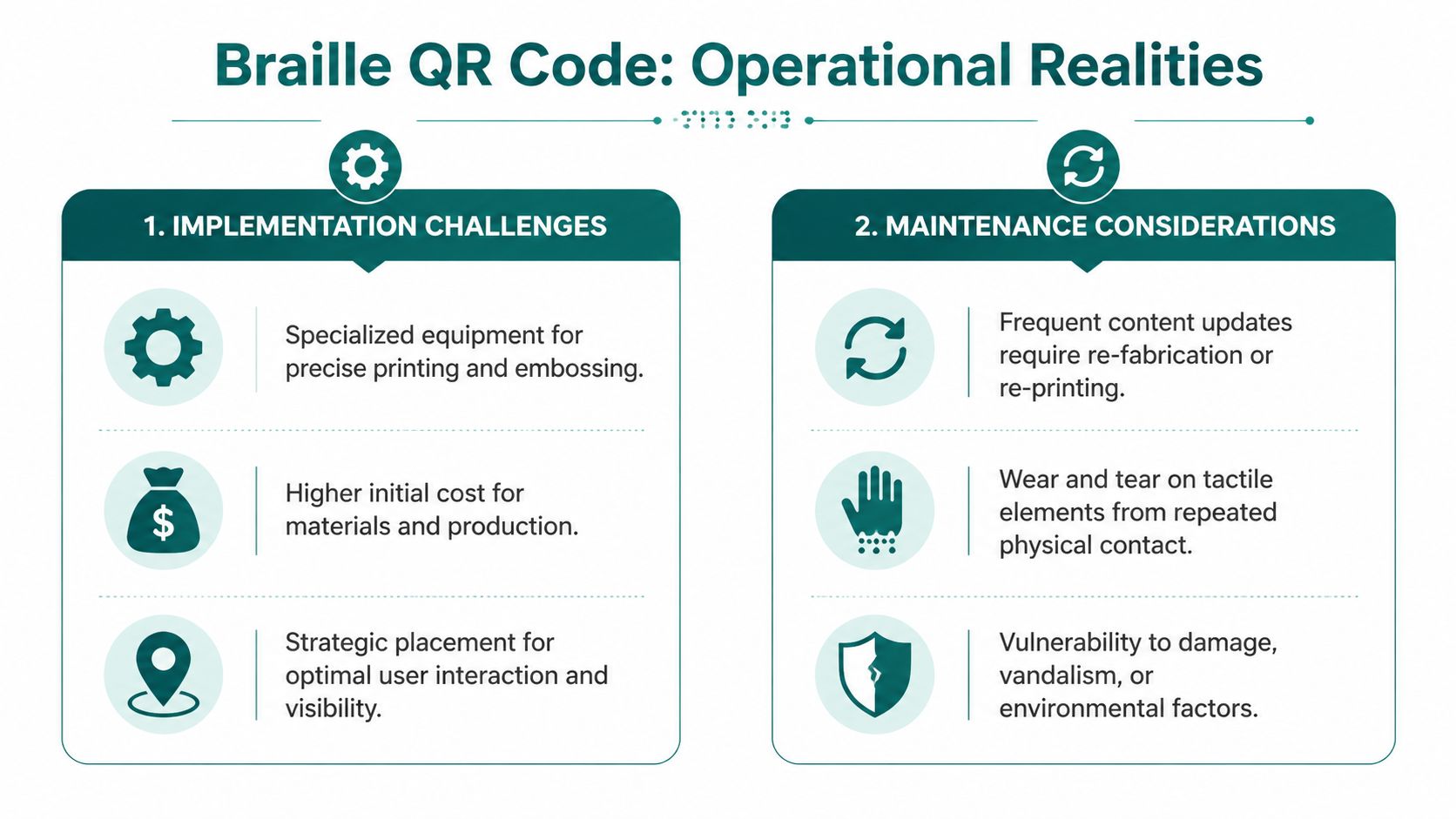
The moment you install a physical marker, you inherit a maintenance obligation. Someone must inspect it, confirm the Braille is still legible, check the print hasn’t degraded, verify the code still scans, and make sure the linked destination still says the right thing. That workload often sits awkwardly between facilities, accessibility, digital, and operations teams.
Durability is not a side issue
Tactile markers are touched repeatedly. That is the point of them. Repeated contact, cleaning, weather exposure, accidental knocks, and occasional vandalism all affect performance over time.
The challenge is not just whether the sign remains attached to the wall. It’s whether the raised dots remain readable and the QR remains optically clean enough to scan. A sign can still look presentable to a sighted facilities audit while already failing the user group it was meant to support.
According to discussion of accessible QR maintenance challenges, 15% of accessibility complaints in UK public venues stem from faded or unreadable tactile markers. For operators, that should end any idea that tactile installations are “fit and forget”.
Content changes create hidden cost
Many business cases for braille qr code falter due to a fundamental disconnect. The sign itself is static. The venue isn’t.
If the linked content changes, the best-case scenario is that you update the web destination and keep the code live. If the tactile label itself becomes inaccurate because a room changes function, a service point moves, or a route is repurposed, you need a physical replacement. In a large estate, those changes accumulate.
Consider common examples:
- A clinic relocates and the tactile label on the old code no longer describes the destination.
- A station entrance closes temporarily and the sign still points users to a route they can’t use.
- An event layout changes and previously useful markers become misleading.
- A cleaning regime or environmental wear degrades the embossed surface before the scheduled replacement cycle.
Placement errors can ruin good intentions
The best printed code in the world still fails if it’s badly sited. Facilities teams need to think about approach path, reach, obstruction, lighting, and consistency.
A few practical rules are worth enforcing from the start:
- Keep placement predictable: Users should learn where to expect tactile-digital markers across the estate.
- Avoid cluttered host surfaces: Competing panels, poster frames, and temporary notices make discovery harder.
- Audit for real reachability: If cleaning carts, queue barriers, bins, or merchandise stands regularly block access, the sign isn’t effectively available.
- Test with screen readers and phones on site: It’s not enough to confirm that the printed QR works in a workshop.
Site check: If your team only tests a braille qr code by looking at it and scanning it visually, they haven’t tested the experience that matters.
Maintenance needs a named owner
Most failures happen because nobody owns the full lifecycle. Estates teams own walls and fittings. Digital teams own landing pages. Accessibility leads own policy. Frontline staff handle complaints. That split is exactly why problems linger.
A more workable model gives one team responsibility for an auditable loop:
- inspect the physical marker
- verify tactile legibility
- test scan performance
- confirm linked content accuracy
- log remedial actions and replacement dates
If that sounds burdensome, that’s because it is. This is also why infrastructure-light alternatives attract attention from operators trying to reduce physical asset overhead. Waymap has made that case in its writing on reliability, scalability, and infrastructure-free navigation.
For large venue operators, the practical lesson is blunt. A braille qr code may be inexpensive to specify, but it’s rarely inexpensive to manage properly at scale.
Comparing Braille QR Codes to Next-Generation Wayfinding
What happens when a visitor can access information at the sign, but still cannot complete the journey independently?
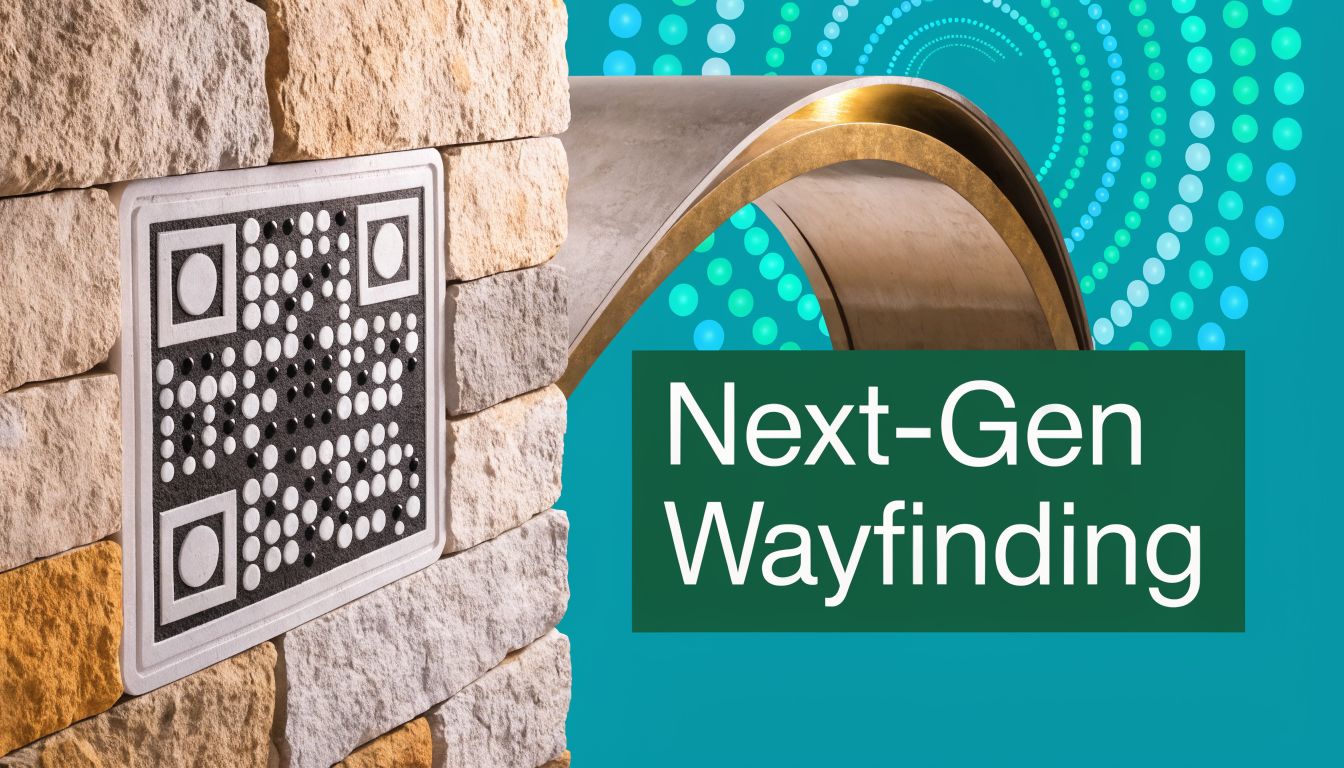
That is the vital comparison venue operators need to make. A braille qr code can improve access at a specific location. It does not provide continuous guidance across a complex site, and it does not adapt well when routes change during live operations.
Marker-based systems solve point access
Braille QR codes and enhanced visual markers such as NaviLens belong to the same broad category. They depend on a physical marker being installed in the right place, kept legible, and found by the user at the right moment.
That model suits fixed touchpoints:
- an entrance or doorway
- a reception desk
- a platform access point
- a museum exhibit
- a help point
- a service instruction sign
It is far less effective as the main wayfinding layer in a hospital, transport hub, airport, campus, or stadium. Those settings are defined by decision points, changing circulation, temporary closures, queue systems, lifts, escalators, and staff-managed diversions. Users need guidance between markers, not just at them.
The user experience is intermittent by design
Marker systems create a stop, locate, scan, listen, move pattern. In quiet settings, that can be acceptable. In crowded concourses or unfamiliar buildings, it slows the journey and increases cognitive load.
Some visual marker systems improve detection distance and angle, which helps users find the next point more quickly. That is useful. It still leaves the operator dependent on a chain of installed assets across the route, and each asset has to remain accurate, visible, and relevant to current conditions.
For estates and operations teams, that distinction matters. Better markers improve a marker-based system. They do not turn it into live route guidance.
Braille matters, but it does not cover the whole audience
Braille should remain part of an inclusive estate. It supports direct, private access to information and gives some users a tactile anchor that audio-only systems do not.
Venue strategy still has to reflect actual user coverage. Research from the Royal National Institute of Blind People on Braille literacy in the UK has highlighted that Braille is used by a minority of blind and partially sighted adults. For a large venue, that means Braille QR codes are an important layer, not a complete accessibility plan.
The operational mistake is treating a tactile marker as if it solves navigation for everyone who may need support.
Dynamic wayfinding changes the operating model
Infrastructure-free digital wayfinding addresses a different problem. Instead of attaching information to a sign, it provides guidance through the journey itself. That is a better fit for venues where routes shift during the day and where sending a contractor to replace or relocate physical assets is slow and expensive.
Waymap has set out that case in its writing on reliability, scalability, and maintenance for infrastructure-free wayfinding. The practical point for venue managers is simple. If guidance can be updated in software, change management becomes a data task rather than a field task.
Here is the trade-off in operational terms:
| Question venue managers ask | Braille QR code | Marker-based enhanced code | Infrastructure-free digital wayfinding |
|---|---|---|---|
| Can users access information at a fixed point? | Yes | Yes | Yes |
| Can the system guide users continuously along a route? | No | Limited | Yes |
| Does a diversion or closure trigger physical replacement work? | Often | Sometimes | No, if route data is updated |
| Must the user locate a marker before getting help? | Yes | Yes | No |
| Does it provide a tactile point-of-use fallback? | Yes | No in the same way | No |
No single column wins in every context. Static tactile signage still has a clear role. But if the venue changes daily, static marker systems create recurring maintenance and update work that procurement teams often underestimate at the buying stage.
What this means for large venues
Large venues usually need layers, with each layer doing a specific job well.
Braille QR codes fit best where the information is tied to a fixed place and unlikely to change often. Room identification, local instructions, exhibit interpretation, and service-point details are good examples. They are weaker as the backbone of whole-site navigation, especially where disruption is routine.
For transport hubs, hospitals, campuses, airports, retail centres, and stadiums, the stronger model is usually a combination of static tactile signage for permanent identifiers, targeted markers where local content matters, and live digital guidance for the route itself.
That is the difference between adding accessible signs and building an accessible wayfinding system.
A Practical Checklist for Evaluating Wayfinding Technology
Most wayfinding proposals sound persuasive in a demo. The problem appears later, when estates teams discover the maintenance burden, accessibility leads find gaps in user coverage, and operations teams realise the system can’t cope with live changes.
A better evaluation process starts with operational questions, not vendor features.
Ask what happens on a disrupted day
Any system can look good on a quiet day with normal routes open. The harder test is whether it still helps when your building isn’t behaving normally.
Use these questions early:
- How does the system handle temporary closures? If a corridor shuts, does guidance change immediately or do staff need to replace physical assets?
- Can routes be updated centrally? If not, every local change becomes a field task.
- What happens during events, engineering works, or queue reconfiguration? Large venues rarely run in a steady state.
Audit the full cost, not just the installation
Procurement teams often compare hardware or print costs and stop there. That misses the long-term overhead.
Review the system against these practical headings:
| Evaluation area | What to ask |
|---|---|
| Physical assets | What has to be manufactured, installed, inspected, and replaced? |
| Change management | How are updates made when locations or services move? |
| Accessibility coverage | Who can use it independently, and who still needs assistance? |
| Operational ownership | Which team is responsible for testing, upkeep, and issue resolution? |
| Data and reporting | Can you learn where people struggle, or does the system stay invisible until complaints arrive? |
Test for the complete journey
A wayfinding tool isn’t strong because it works at one decision point. It’s strong if it gets someone from arrival to destination and back again.
That means checking whether the proposed system can support:
- entrance to reception
- reception to waiting area
- waiting area to final destination
- return routes and alternative exits
Decision filter: If the technology only helps after a user reaches the right zone, it is not solving first-time navigation.
Don’t separate accessibility from operations
The best systems do not sit in a specialist corner of the estate. They integrate with how the venue already runs. If a solution creates a parallel workflow that only the accessibility team understands, it will degrade over time.
The most useful shortlist question is simple: Will this still work when the building changes, staff rotate, and budgets tighten?
If the answer depends on perfect maintenance of hundreds of physical touchpoints, be cautious.
Frequently Asked Questions About Braille QR Codes
Which questions matter once you move past the product demo and start thinking about estates, budgets, and real visitor journeys?
| Question | Answer |
|---|---|
| What is a braille qr code used for? | A braille qr code helps blind and low-vision visitors identify the presence of a scannable code and access local digital content with more independence. It is best suited to fixed, point-specific information such as room details, audio instructions, menus, or service updates at a known location. |
| Are braille qr codes enough for full venue navigation? | No. They support access at a specific touchpoint. They do not guide someone from entrance to destination across a large, unfamiliar, or frequently changing venue. |
| Do braille qr codes reduce operational workload? | Sometimes, but only in a narrow sense. They may cut a portion of repetitive visitor questions at key points, while adding ongoing work for inspection, cleaning, replacement, and content checking. |
| Are enhanced visual markers better than braille qr codes? | It depends on who needs to use the system and what problem you are solving. High-visibility marker systems can improve detectability for some users at longer range, while Braille markers serve people who rely on tactile confirmation at close range. Venue operators still need to weigh installation effort, visual impact, upkeep, and how well either option supports a complete journey rather than a single scan point. |
| Who benefits most from braille qr code signage? | Visitors who read Braille or use tactile cues to confirm location can benefit, particularly where they already know roughly where to look. In practice, the value is highest in toilets, lifts, reception points, meeting rooms, and other fixed decision points. |
| What should venue managers ask before buying? | Ask what happens when a room use changes, a route closes, or a sign is damaged. Ask which team owns inspections, how quickly content can be updated, whether the system works without staff intervention, and whether it helps people complete the whole trip, not just access information once they arrive. |
For large venues, the hard question is not whether Braille QR codes have value. They do. The question is where they fit.
My recommendation is to treat them as one layer in an accessibility system, not the system itself. They can improve access to local information at fixed points, but they still depend on accurate placement, physical upkeep, and a user being able to reach the marker in the first place. That is why many operators now compare them with software-led options that handle turn-by-turn guidance without adding more hardware across the estate.
If you're reviewing how your venue handles accessibility, navigation, and operational change, Waymap is worth a serious look. It gives operators a way to deliver precise indoor, outdoor, and underground guidance without relying on installed hardware, while reducing the maintenance burden that comes with static marker systems. For large public venues that need more than signage compliance, that difference matters.
